
1. Introduction
Thank you for choosing the LENVII R800 Portable 2D Barcode Scanner. This device is designed for efficient and versatile barcode scanning, supporting both 1D and 2D barcodes. It offers multiple connection options including Bluetooth, 2.4G wireless, and wired USB, making it compatible with a wide range of devices and operating systems. This manual provides detailed instructions for setup, operation, and maintenance to ensure optimal performance.

Image 1.1: LENVII R800 Barcode Scanner and included accessories (USB cable, 2.4G wireless receiver).
2. Produit terminéview
Familiarize yourself with the components and features of your LENVII R800 scanner.
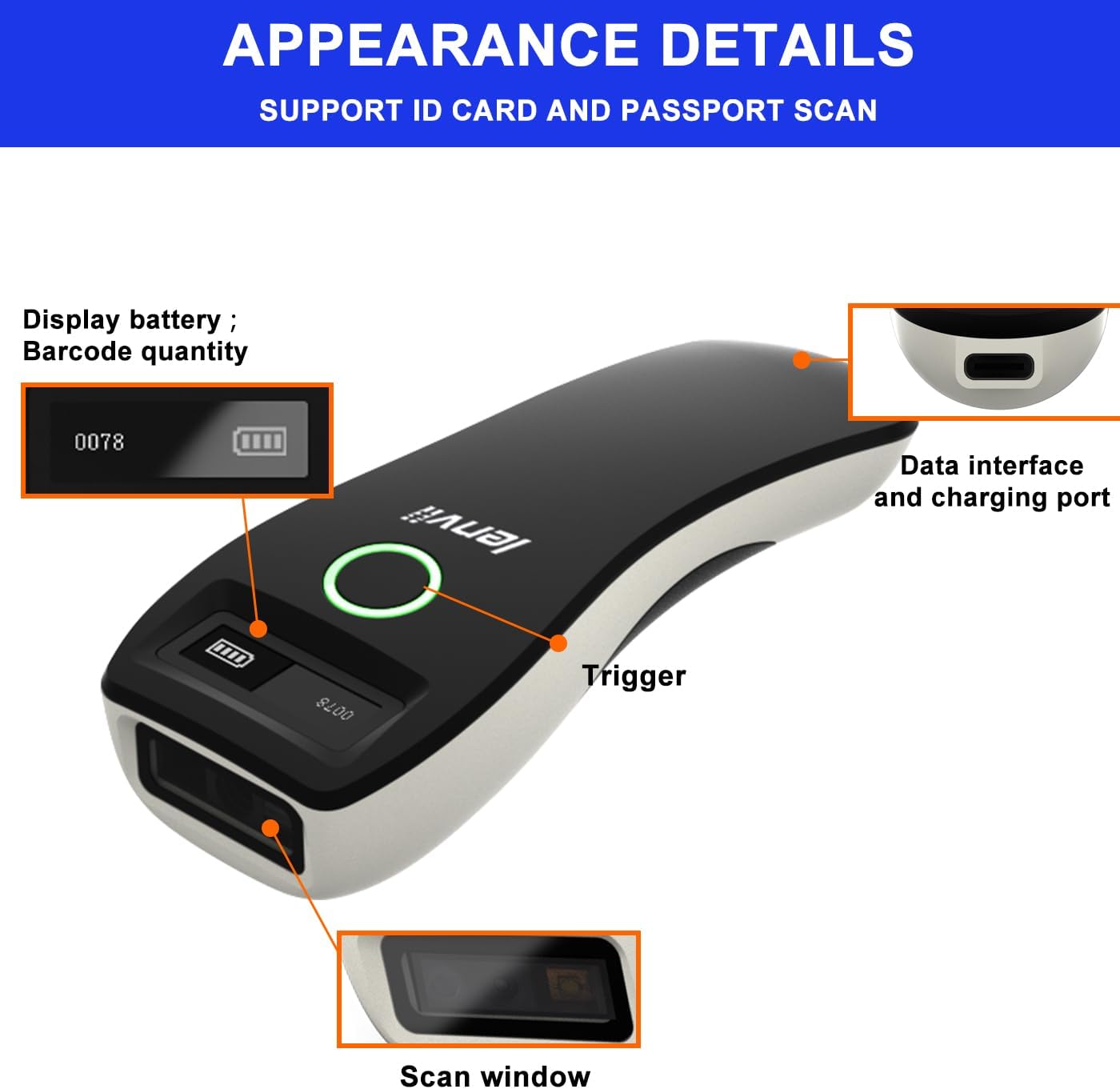
Image 2.1 : Détail view of the LENVII R800 scanner, highlighting the display (battery, barcode quantity), data interface/charging port, trigger button, and scan window.
- Afficher: Shows battery level and scanned barcode quantity.
- Data Interface/Charging Port: Type-C port for wired connection and charging.
- Déclenchement: Button to initiate scanning.
- Fenêtre de numérisation : Area through which barcodes are read.
3. Installation
3.1 Chargement du scanner
Before first use, fully charge the scanner. Connect the provided Type-C USB cable to the scanner's charging port and the other end to a USB power source (e.g., computer USB port, USB wall adapter). The charging indicator light will show the charging status.
The scanner is equipped with a 1500mAh rechargeable lithium battery.
3.2 Modes de connexion
The LENVII R800 offers three connection methods:

Image 3.1: Illustration of the three connection modes: 2.4GHz Wireless, USB Wired, and Bluetooth.
3.2.1 Connexion sans fil 2.4 GHz
- Insert the 2.4G wireless receiver into a USB port on your computer or host device.
- Allumez le scanner. Il devrait se connecter automatiquement au récepteur.
- Une connexion réussie est signalée par un son ou une lumière spécifique sur le scanner.
3.2.2 Connexion Bluetooth
- Allumez le scanner.
- Activate Bluetooth on your host device (e.g., smartphone, tablet, laptop).
- Scan the Bluetooth pairing barcode (usually found in the full manual or quick start guide). The scanner will enter pairing mode.
- On your host device, search for Bluetooth devices and select "LENVII R800" (or similar name) to pair.
- Une connexion réussie est signalée par un son ou une lumière spécifique sur le scanner.
3.2.3 connexion filaire
- Connect the scanner to your computer using the provided Type-C USB cable.
- Le scanner fonctionnera comme un appareil filaire et se rechargera simultanément.
- No additional drivers are typically required for this plug-and-play connection.
3.3 Compatibilité
The LENVII R800 scanner is compatible with various operating systems and devices:
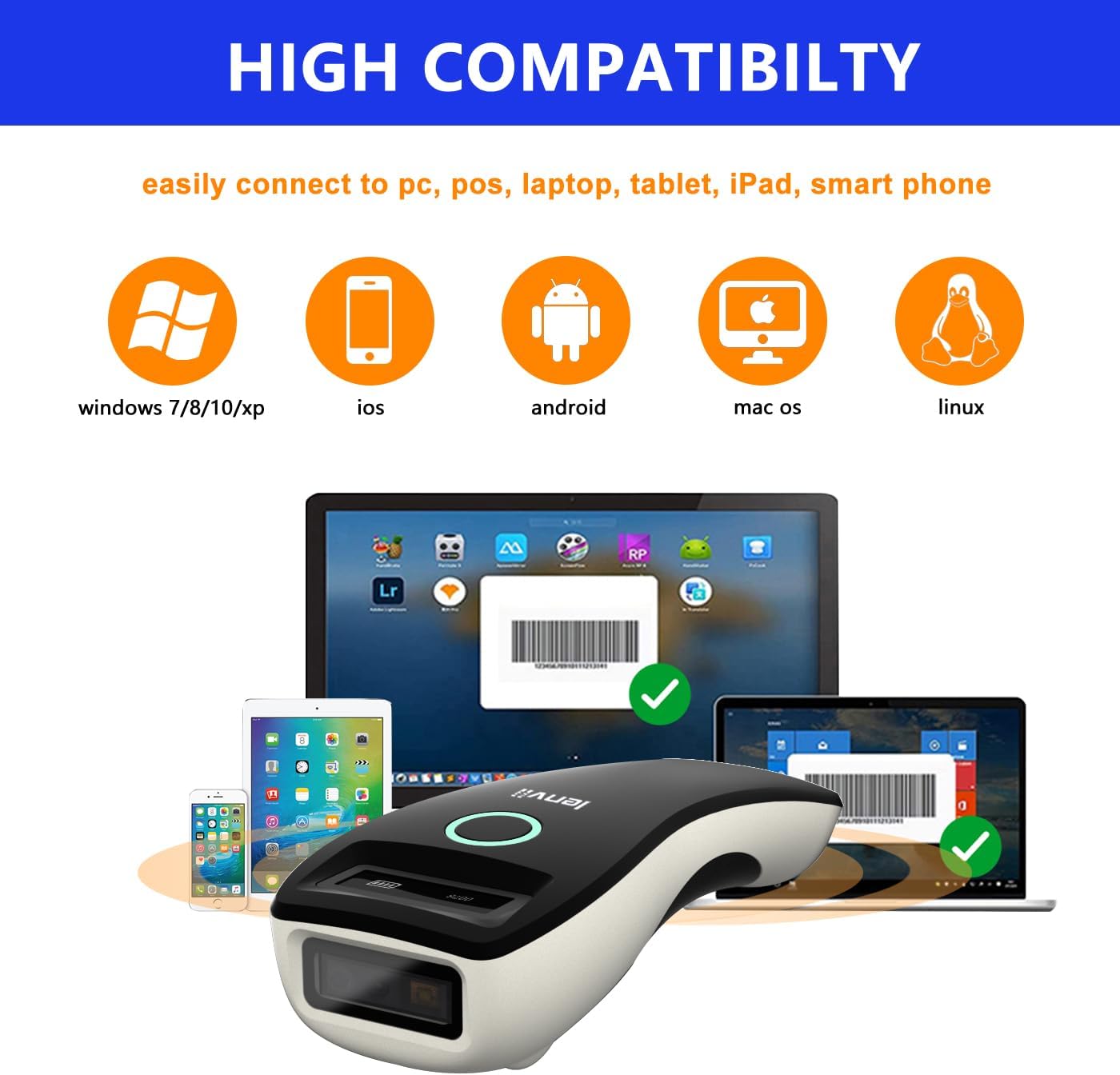
Image 3.2: Compatibility icons for Windows, iOS, Android, Mac OS, and Linux, indicating broad device support.
- Systèmes d'exploitation : Windows XP/7/8/10, Mac OS, Windows Mobile, Android OS, iOS, Linux.
- Appareils : Ordinateurs portables, PC, téléphones portables, tablettes, iPhones, iPads, systèmes de point de vente.
4. Mode d'emploi
4.1 Numérisation de base
- Ensure the scanner is powered on and connected to your host device via your preferred method.
- Open an application on your host device where you want the scanned data to appear (e.g., a text editor, spreadsheet, or inventory software).
- Point the scan window of the scanner at the barcode.
- Press the trigger button. A successful scan will be indicated by a beep and/or a light confirmation.
- The scanned data will be transmitted to your host device.
4.2 Modes de transfert de données
Le scanner prend en charge deux modes de téléchargement de données :

Image 4.1: Depiction of Instant Upload Mode (data sent immediately) and Offline Storage Mode (data stored for later upload).
- Mode de téléchargement instantané : Les codes-barres sont transmis immédiatement à l'appareil connecté après leur lecture. Il s'agit du mode par défaut.
- Mode de stockage (mode hors ligne) : Barcodes are stored in the scanner's internal memory (up to 35,000 EAN 13 codes) and can be uploaded later. This mode is useful when working out of range of the host device. To switch to storage mode and upload data, refer to the full programming manual for specific barcode commands.
4.3 Types de codes-barres pris en charge
The LENVII R800 is capable of scanning a wide array of 1D and 2D barcode symbologies:
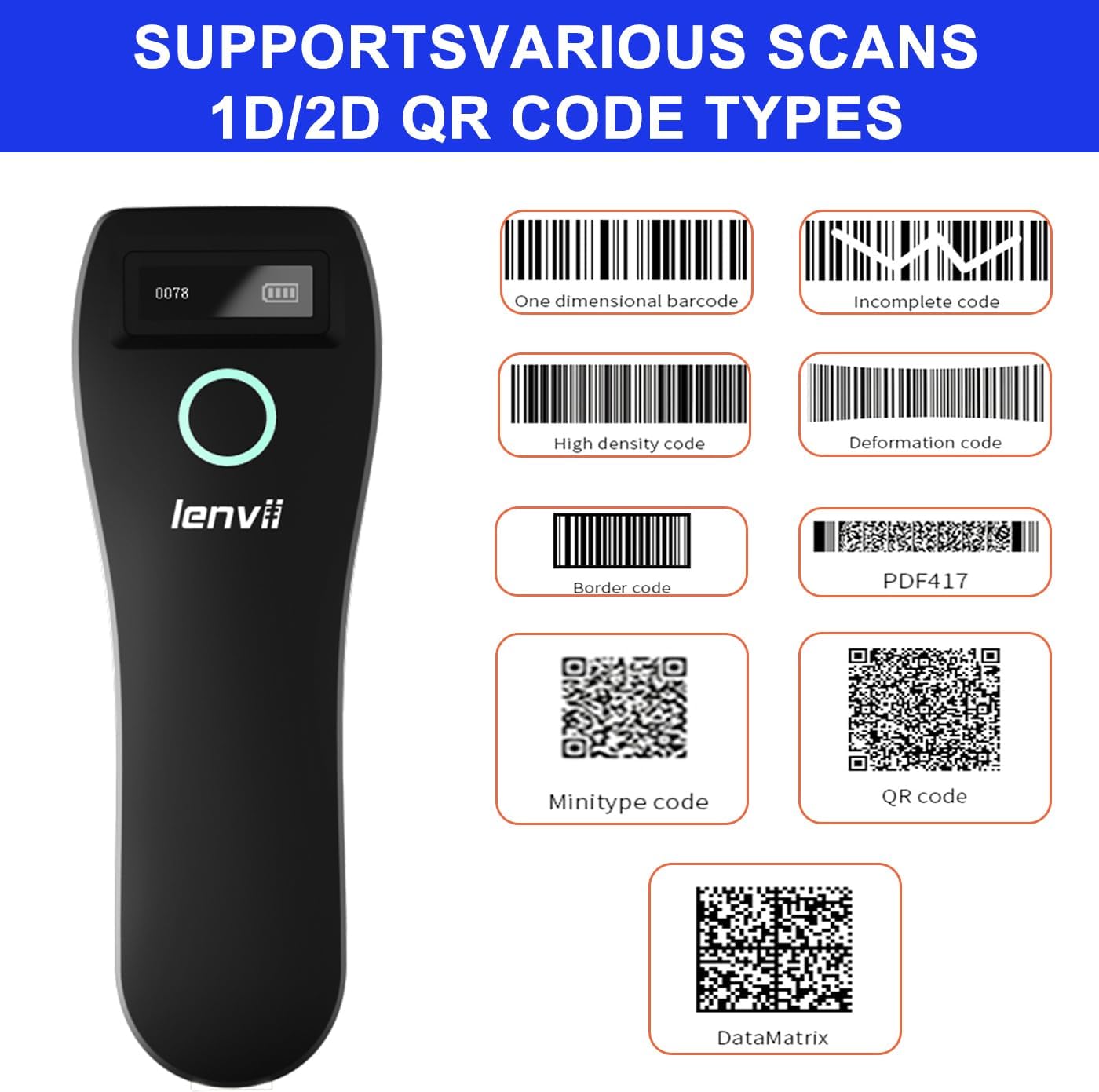
Image 4.2 : Examples of supported barcode types including 1D (e.g., Code 39, Code 128) and 2D (e.g., QR Code, Data Matrix, PDF417).
- Codes-barres 1D : UPC/EAN/JAN, UPC-A, UPC-E, EAN-8, EAN-13, JAN-8, JAN-13, ISBN/ISSN, Code 39 (with full ASCII), Codabar (NW7), Code 128 & EAN 128, Code 93, Interleaved 2 of 5 (ITF), Appendix 2 of 5 IATA code, MSI/Plessy, Chinese postal code, Code 32 (Italian Pharmacopoeia), RSS 14, RSS Limited, RSS Extension.
- Codes-barres 2D : QR Code, Data Matrix, PDF417, Aztec, Maxicode, GS1 DataBar Stack.
4.4 Ergonomie et portabilité
The LENVII R800 is designed for comfortable, one-handed operation and easy portability, making it suitable for various mobile business applications.
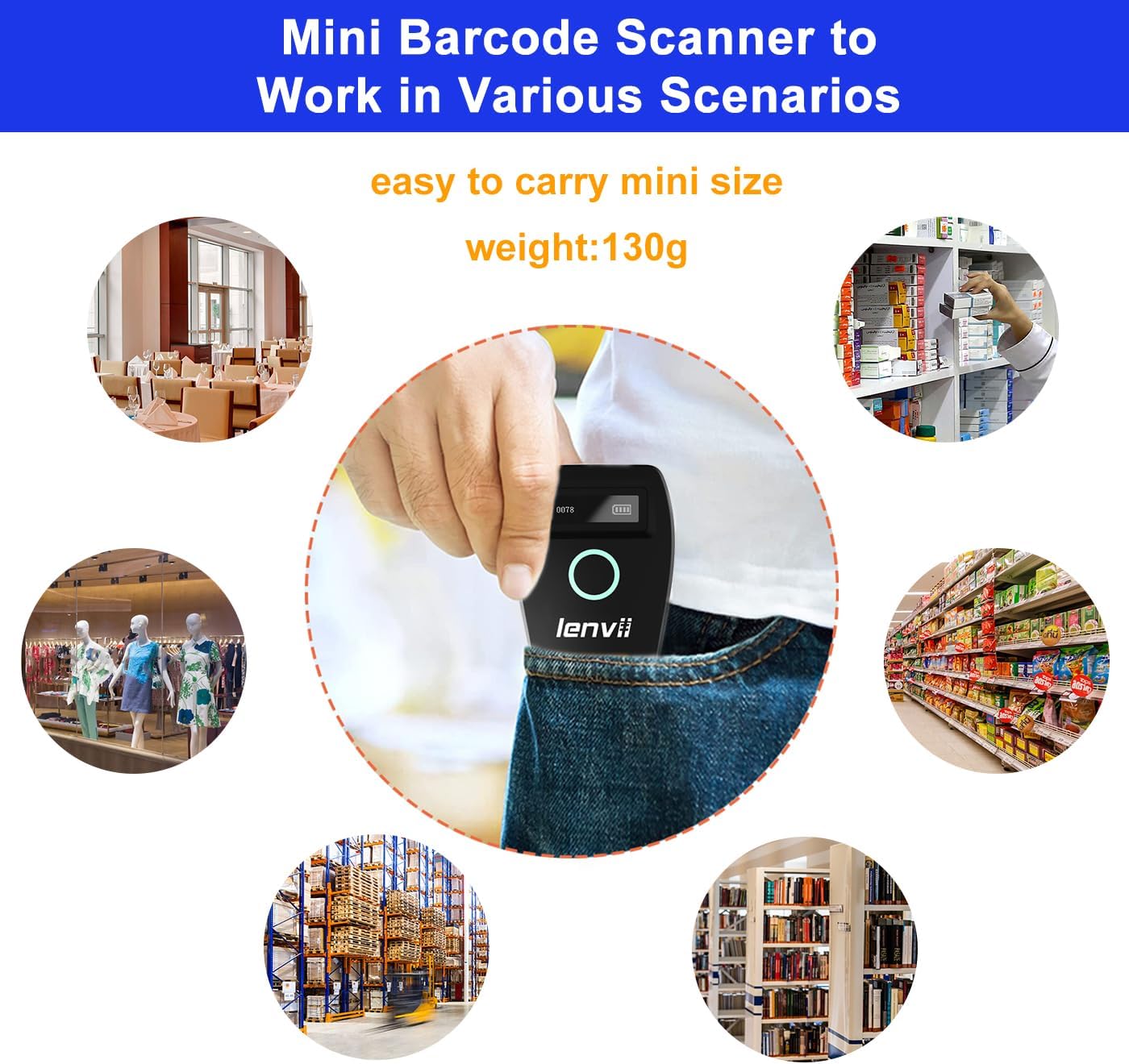
Image 4.3: The compact LENVII R800 scanner shown in different environments, emphasizing its portability and suitability for retail, inventory, and field service.
5. Entretien
- Nettoyage: Use a soft, dry cloth to clean the scanner's exterior. For the scan window, use a soft, lint-free cloth lightly dampTerminer avec un nettoyant doux et non abrasif. Éviter les produits chimiques agressifs et les matériaux abrasifs.
- Stockage: Rangez le scanner dans un endroit frais et sec, à l'abri de la lumière directe du soleil et des températures extrêmes.
- Entretien de la batterie: Pour prolonger la durée de vie de la batterie, évitez de la décharger complètement et fréquemment. En cas de stockage prolongé, chargez-la à environ 50 % et rechargez-la tous les deux ou trois mois.
- Protection physique : While designed to withstand drops from 2 meters, avoid unnecessary impacts.
6. Dépannage
-
Le scanner ne s'allume pas :
- Ensure the battery is charged. Connect the scanner to a power source using the Type-C cable.
-
Le scanner ne se connecte pas à l'appareil :
- Pour le sans fil 2.4G : Ensure the USB receiver is properly inserted and the scanner is within range.
- Pour Bluetooth : Ensure Bluetooth is enabled on your host device, the scanner is in pairing mode, and you have selected the correct device from the Bluetooth list.
- Pour Wired : Vérifiez la connexion du câble USB. Essayez un autre port USB ou un autre câble.
-
Le scanner ne lit pas les codes-barres :
- Assurez-vous que le code-barres est propre, non endommagé et se trouve dans la zone de lecture du scanner.
- Vérifiez si le type de code-barres est pris en charge par le scanner.
- Ensure there is sufficient lighting on the barcode.
- Clean the scan window if it is dirty.
-
Les données scannées n'apparaissent pas à l'écran :
- Ensure the scanner is successfully connected to your host device.
- Verify that an active input field or application is open on your host device to receive the data.
- Check if the scanner is in 'Storage Mode'. If so, switch to 'Instant Upload Mode' or upload stored data.
7. Spécifications
| Paramètre | Détail |
|---|---|
| Image (pixels) | 640 pixels (horizontal) * 480 pixels (vertical) |
| Source de lumière | Aiming: 617 nm LED; Illumination: 4000K LED |
| Capteur d'images | CMOS |
| Vitesse de numérisation | 30 images par seconde |
| Filling Depth | 40-200mm @ UPC / EAN13mil PCS = 90%; 20-250mm @ QR 20mil PCS = 100% |
| Angle de balayage | Elevation angle 65°, Tilt angle 30°, Deflection angle 55° |
| Domaine de View | Horizontale 34°, verticale 28° |
| Résolution de lecture | Exceeds 5 million |
| Contraste d'impression | Dépasse 25% |
| Indicateur visuel | Blue LED light, Red charging light, and Buzzer |
| Modes de communication | 2.4G, Bluetooth BLE4.0, and Type-C (Wired) |
| Distance de communication | 2.4G: 100 meters (open air), Bluetooth: 40 meters (open air) |
| Capacité de mémoire | Up to 512,000 bits (approx. 35,000 EAN 13 codes) |
| Dimensions (L x l x H) | 135 mm x 51 mm x 40 mm |
| Poids | 104 grammes |
| Matériel | ABS + PC |
| Câble | Câble de type C |
| Vol d'entréetage | 5VDC ± 10% |
| Courant de travail | 400 mA |
| Batterie | Batterie au lithium rechargeable 1500mAh |
| Méthode de chargement | Chargement par câble de type C |
| Résistance aux chutes | Can withstand a drop of 2 meters |
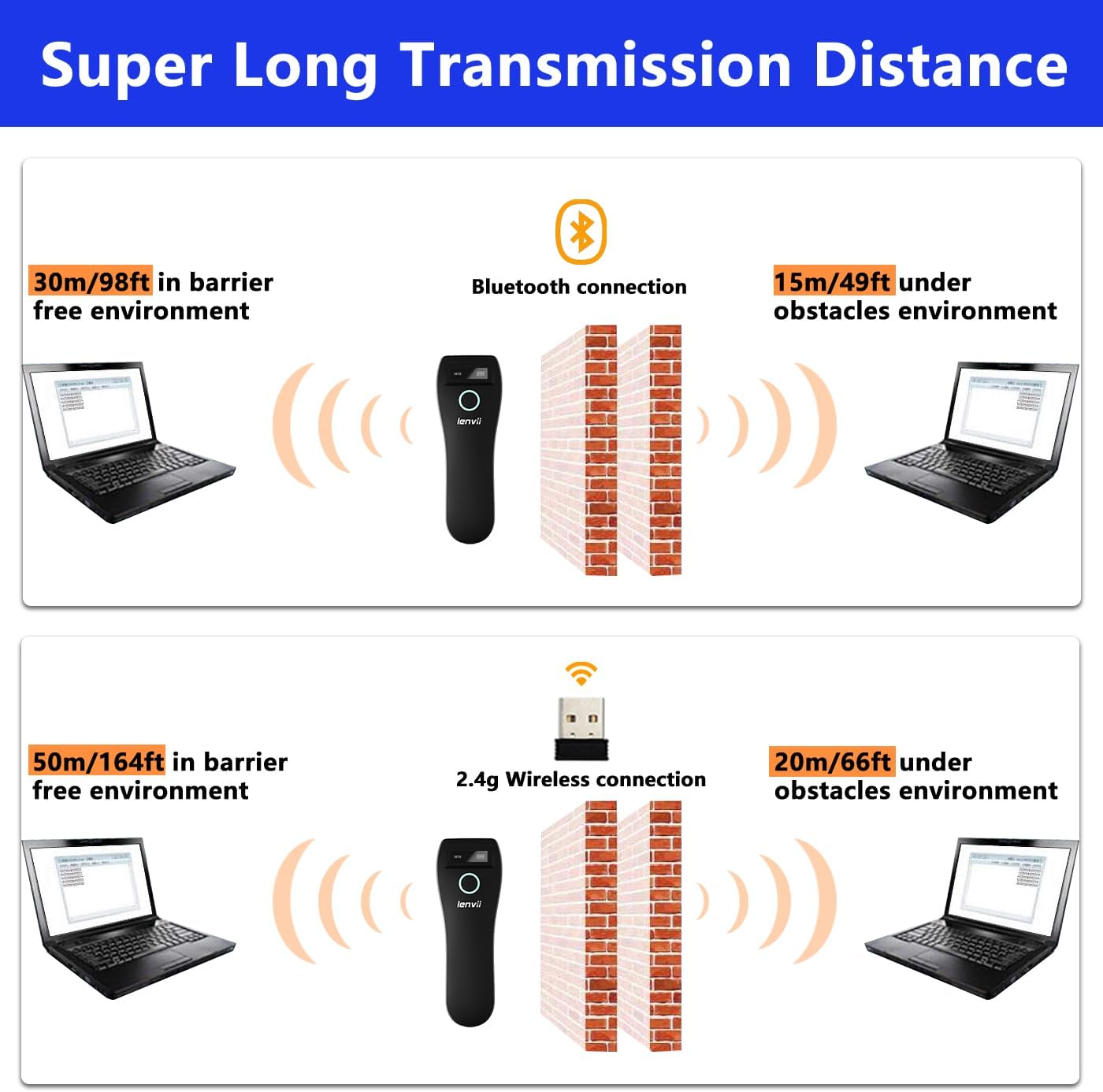
Image 7.1: Comparison of Bluetooth and 2.4G wireless transmission distances in barrier-free and obstacle environments.
8. Garantie et assistance
LENVII products are manufactured to high-quality standards. For warranty information, please refer to the documentation included with your purchase or contact your retailer. For technical support or inquiries, please visit the official LENVII website ou contactez leur service client.
Vous trouverez plus d'informations et de ressources d'assistance en visitant le site web. LENVII Store on Amazon.