
GenMachine R5-3550H 16G+512GB White
Manuel d'utilisation du mini PC GenMachine AMD Ryzen 5 3550H
Model: R5-3550H 16G+512GB White
Brand: GenMachine
1. Introduction
This manual provides essential information for the setup, operation, maintenance, and troubleshooting of your GenMachine Mini PC AMD Ryzen 5 3550H. Please read this manual thoroughly before using the product to ensure optimal performance and longevity.
The GenMachine Mini PC is a compact yet powerful computing solution designed for a variety of tasks, including gaming, office work, and design. It features an AMD Ryzen 5 3550H processor, 16GB DDR4 RAM, and a 512GB SSD with M.2 NVMe support, offering high performance in a small form factor.

Figure 1.1 : Face avant view of the GenMachine Mini PC, showcasing its compact white design with front USB ports and power button.
2. Installation
2.1 Déballage de la boîte
Carefully unpack all components from the packaging. Ensure all items listed in the packing list are present.

Figure 2.1: The packing list includes the Mini PC unit, user manual, packing box, power adapter, and HD line (HDMI cable).
2.2 Connexion de périphériques
Connect your monitor(s), keyboard, mouse, and other necessary peripherals to the Mini PC. The device supports multiple display options via HDMI and DisplayPort.
- Connect your monitor(s) to the HDMI or DisplayPort outputs.
- Connectez votre clavier et votre souris aux ports USB 3.0 disponibles.
- For wired network access, connect an Ethernet cable to the LAN port.
- Connect the power adapter to the Mini PC and then to a power outlet.
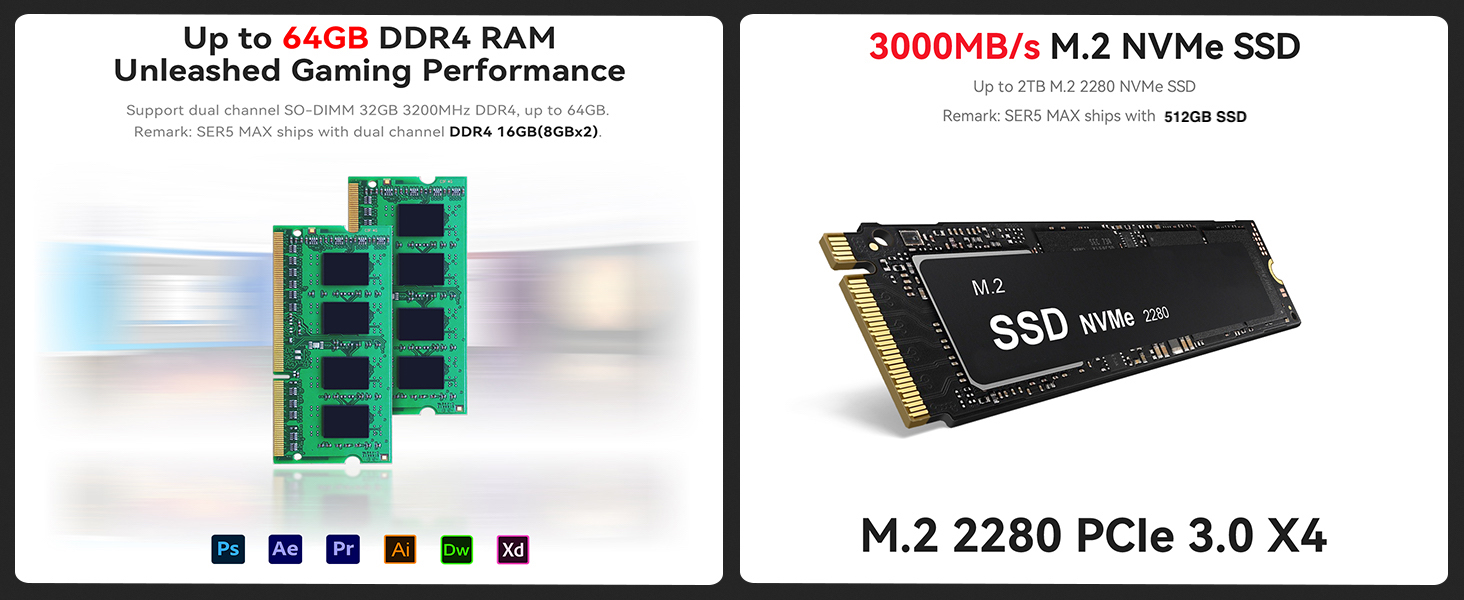
Figure 2.2 : Plusview of the Mini PC's interfaces, including power supply, network interface (LAN), DisplayPort (DP), HDMI interface, USB interfaces, and audio port.
2.3 Mise sous tension initiale
Press the power button located on the front of the Mini PC. The system will boot up. Follow the on-screen instructions for initial operating system setup.
3. Fonctionnement
3.1 Utilisation générale
The GenMachine Mini PC is designed for versatile use, from demanding gaming sessions to professional design work and everyday office tasks. Its AMD Ryzen 5 3550H processor ensures smooth performance across various applications.
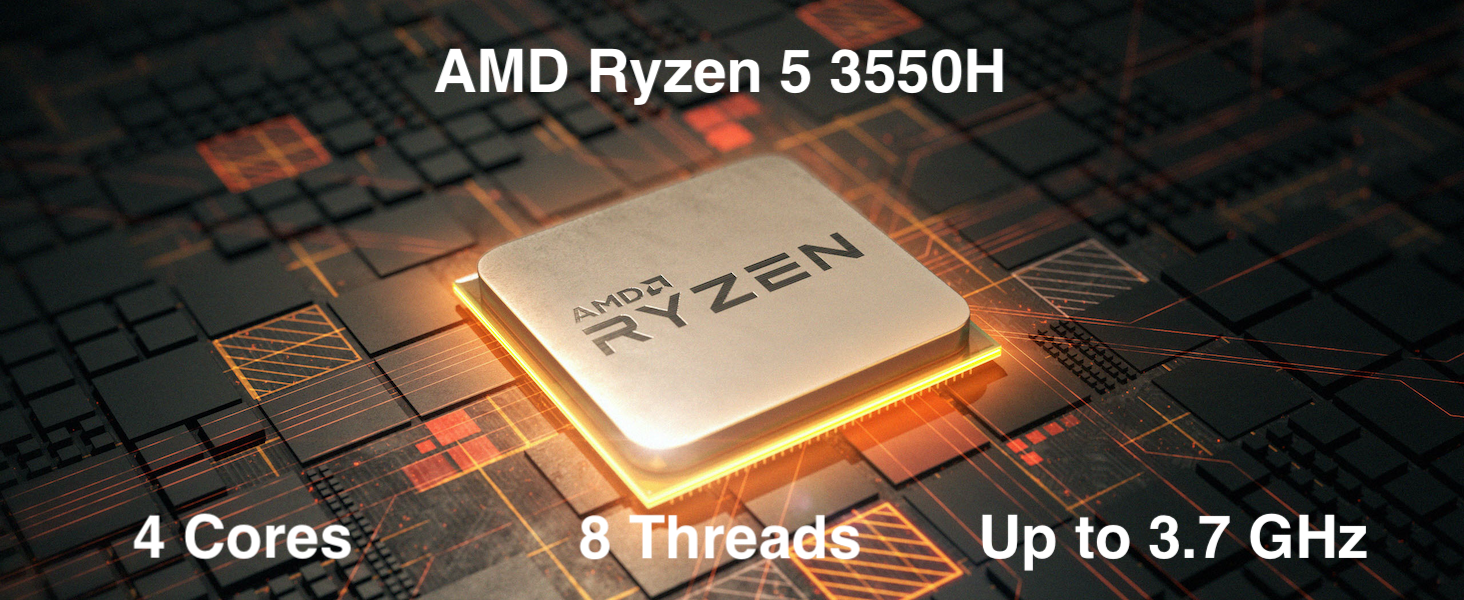
Figure 3.1: The AMD Ryzen 5 3550H processor features 4 cores, 8 threads, and a boost clock up to 3.7GHz, providing powerful performance for various computing needs.
3.2 Configuration multi-écrans
Utilize the HDMI and DisplayPort outputs to connect up to two 4K displays simultaneously, enhancing productivity and immersive experiences.
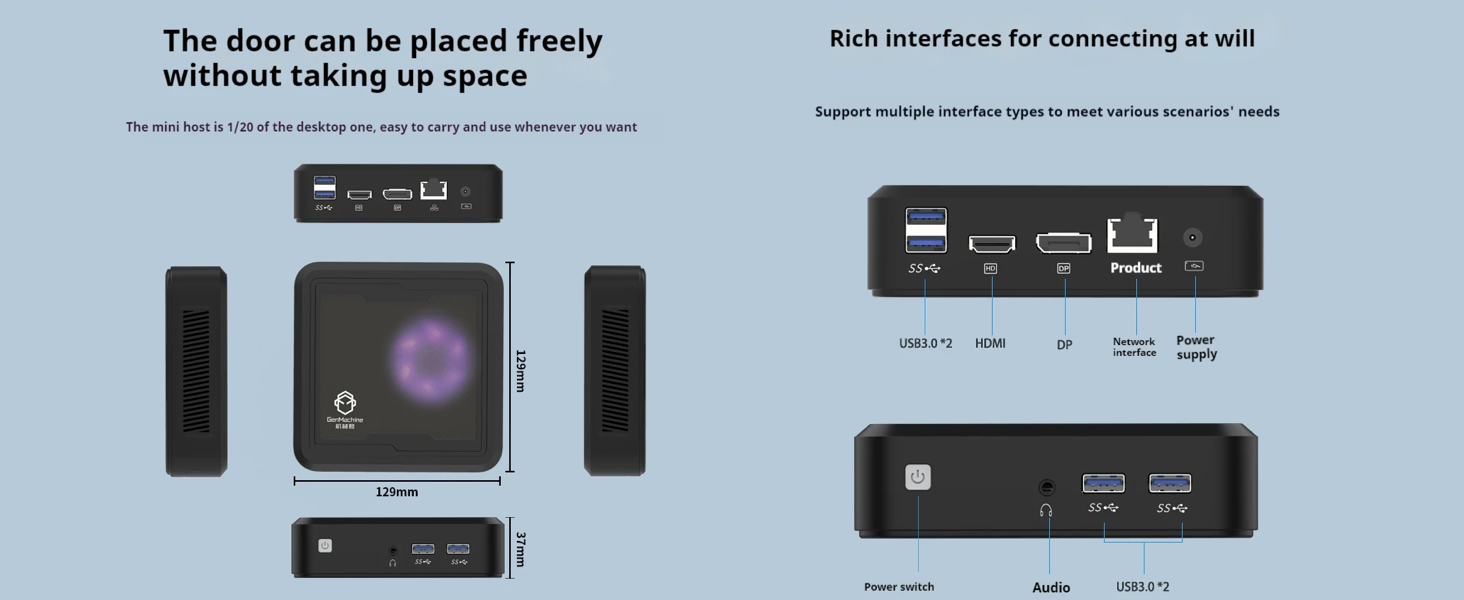
Figure 3.2: The Mini PC supports dual 4K displays via HD (HDMI) and DP (DisplayPort) outputs, allowing for an expanded workspace.
3.3 Extension de stockage et de mémoire
The Mini PC comes with 16GB DDR4 RAM and a 512GB SSD. It supports dual-channel DDR4 memory up to 64GB and M.2 NVMe SSDs up to 2TB for significant storage and performance upgrades.

Figure 3.3: Illustration showing support for up to 64GB DDR4 RAM and 3000MB/s M.2 NVMe SSD (PCIe 3.0 X4) for enhanced performance and storage.
3.4 Connectivité
The Mini PC includes WiFi 5 and Bluetooth 4.2 for wireless connectivity, ensuring high-speed internet access and seamless pairing with wireless peripherals.
3.5 Démonstration vidéo
Watch this official video from GenMachine for a visual overview of the Mini PC's features and capabilities.
Video 3.1: An official video demonstrating the GenMachine Mini Personal Desktop Computer, highlighting its compact size, various interfaces, and suitability for office and media server use.
4. Entretien
4.1 Nettoyage
Regularly clean the exterior of the Mini PC with a soft, dry cloth. Use compressed air to gently clear dust from the ventilation grilles to ensure proper airflow and prevent overheating.
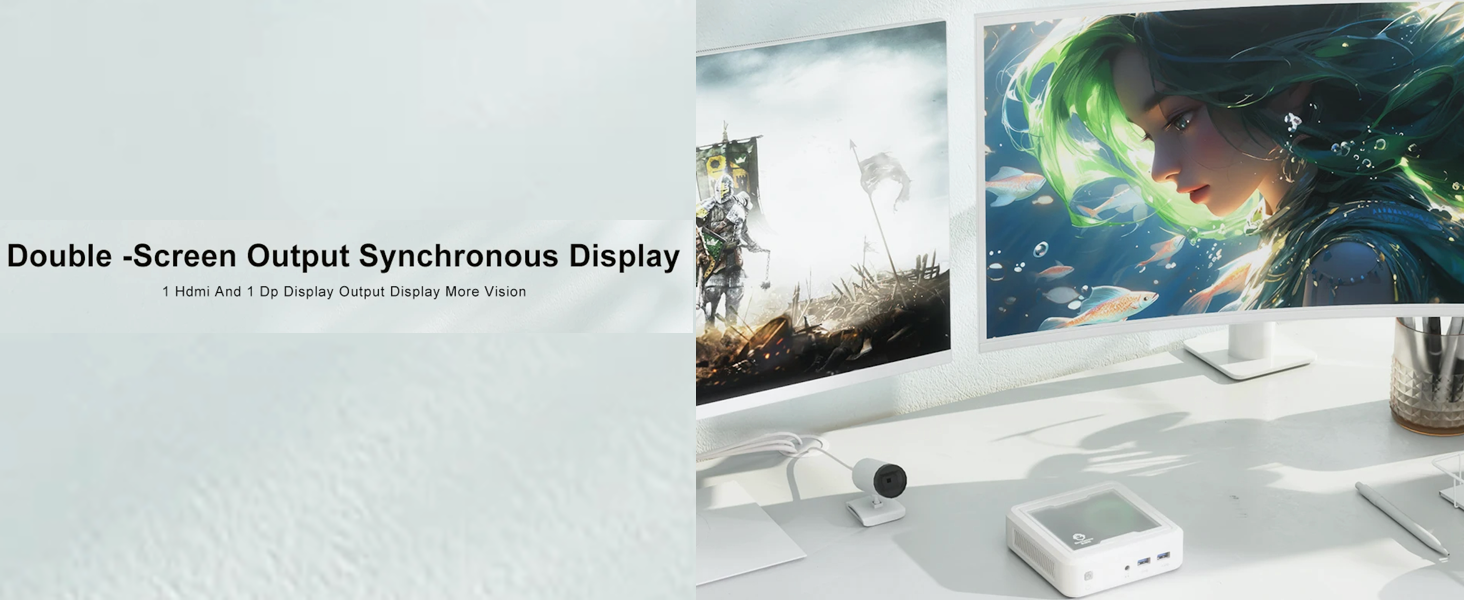
Figure 4.1: The Mini PC undergoes rigorous quality control, including vibration, drop, temperature/humidity, port, and noise tests, ensuring durability and reliability.
4.2 Gestion de la chaleur
Ensure the Mini PC is placed in a well-ventilated area. Avoid blocking the air vents to allow for efficient heat dissipation. The device is designed with mesh ventilated heat dissipation to maintain optimal operating temperatures.
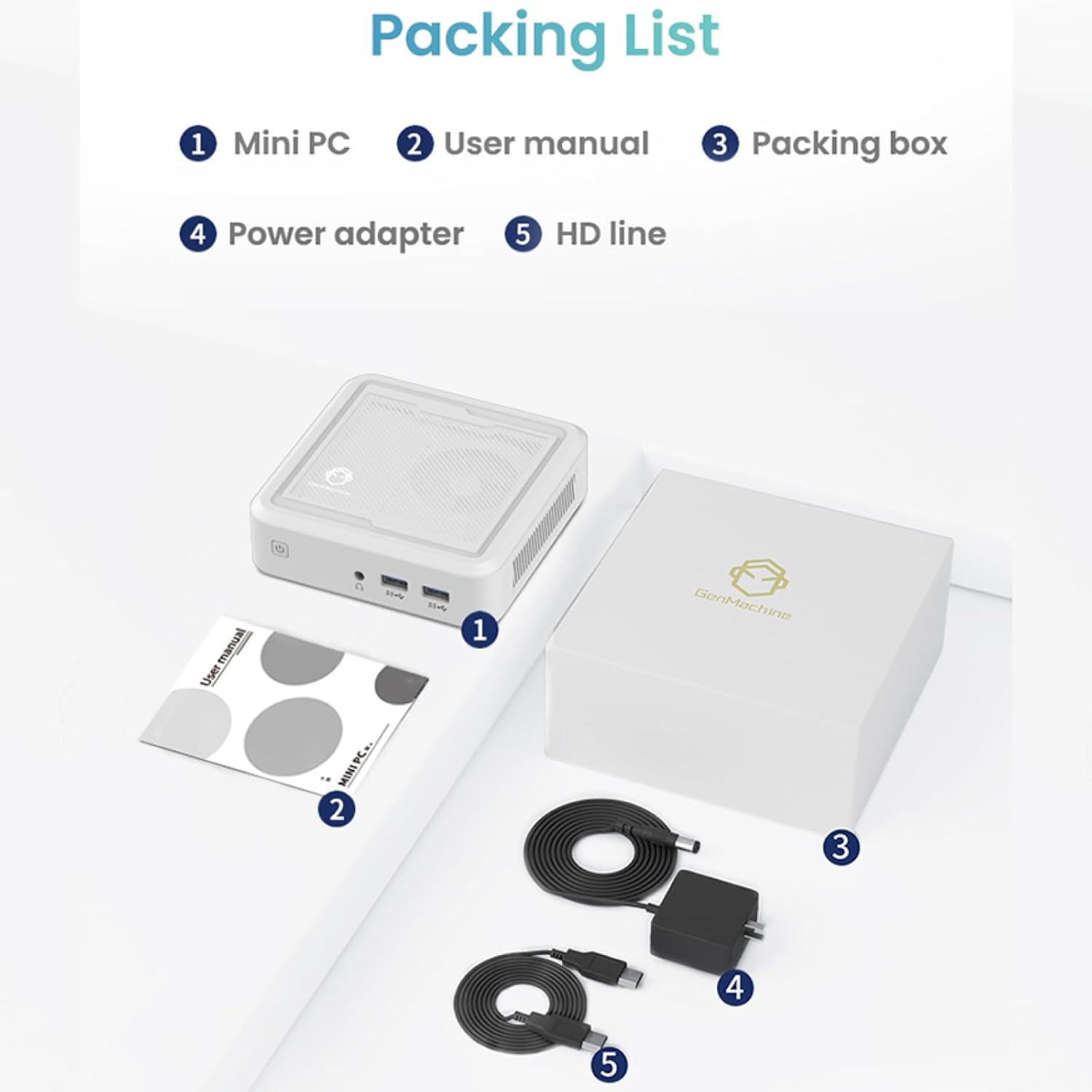
Figure 4.2: The GenMachine Mini PC operates at a low noise level of approximately 35 decibels, comparable to a quiet library environment.
5. Dépannage
5.1 Problèmes courants et solutions
- Pas d'alimentation :
- Assurez-vous que l'adaptateur secteur est correctement connecté à la fois au mini PC et à une prise de courant fonctionnelle.
- Vérifiez le bon fonctionnement de la prise de courant en y branchant un autre appareil.
- Pas d'affichage :
- Vérifiez que le câble HDMI ou DisplayPort est bien connecté à la fois au mini PC et au moniteur.
- Vérifiez que le moniteur est allumé et réglé sur la source d'entrée appropriée.
- Essayez un autre câble ou un autre moniteur si possible.
- Performances lentes :
- Fermez les applications inutiles qui s'exécutent en arrière-plan.
- Vérifiez que l'espace libre sur le SSD est suffisant.
- Ensure the Mini PC is well-ventilated to prevent thermal throttling.
- Consider upgrading RAM or SSD if performance issues persist (refer to Section 3.3).
- Pas de Wi-Fi/Bluetooth :
- Vérifiez si le Wi-Fi et le Bluetooth sont activés dans les paramètres du système d'exploitation.
- Ensure drivers are correctly installed. Visit the manufacturer's website pour les derniers pilotes.
- Redémarrez le mini PC.
6. Spécifications
Below are the key technical specifications for the GenMachine Mini PC AMD Ryzen 5 3550H:
| Fonctionnalité | Détail |
|---|---|
| Processeur | AMD Ryzen 5 3550H (Up to 3.7GHz, 4 Cores, 8 Threads) |
| BÉLIER | 16 Go de mémoire DDR4 (extensible jusqu'à 64 Go) |
| Stockage | 512GB SSD (M.2 NVMe support up to 2TB) |
| Coprocesseur graphique | Graphiques intégrés |
| Système opérateur | Système d'exploitation (préinstallé ou installable par l'utilisateur) |
| Connectivité | WiFi 5, Bluetooth 4.2, LAN (Ethernet) |
| Sortie vidéo | HDMI, DisplayPort (Supports Dual 4K Displays) |
| Ports USB | 2 x USB 2.0, 2 x USB 3.0 |
| Audio | Prise audio 3.5mm |
| Dimensions (L x l x H) | 5 x 5 x 1.45 pouces (12.9 x 12.9 x 3.7 cm) |
| Poids de l'article | 1.7 livres |
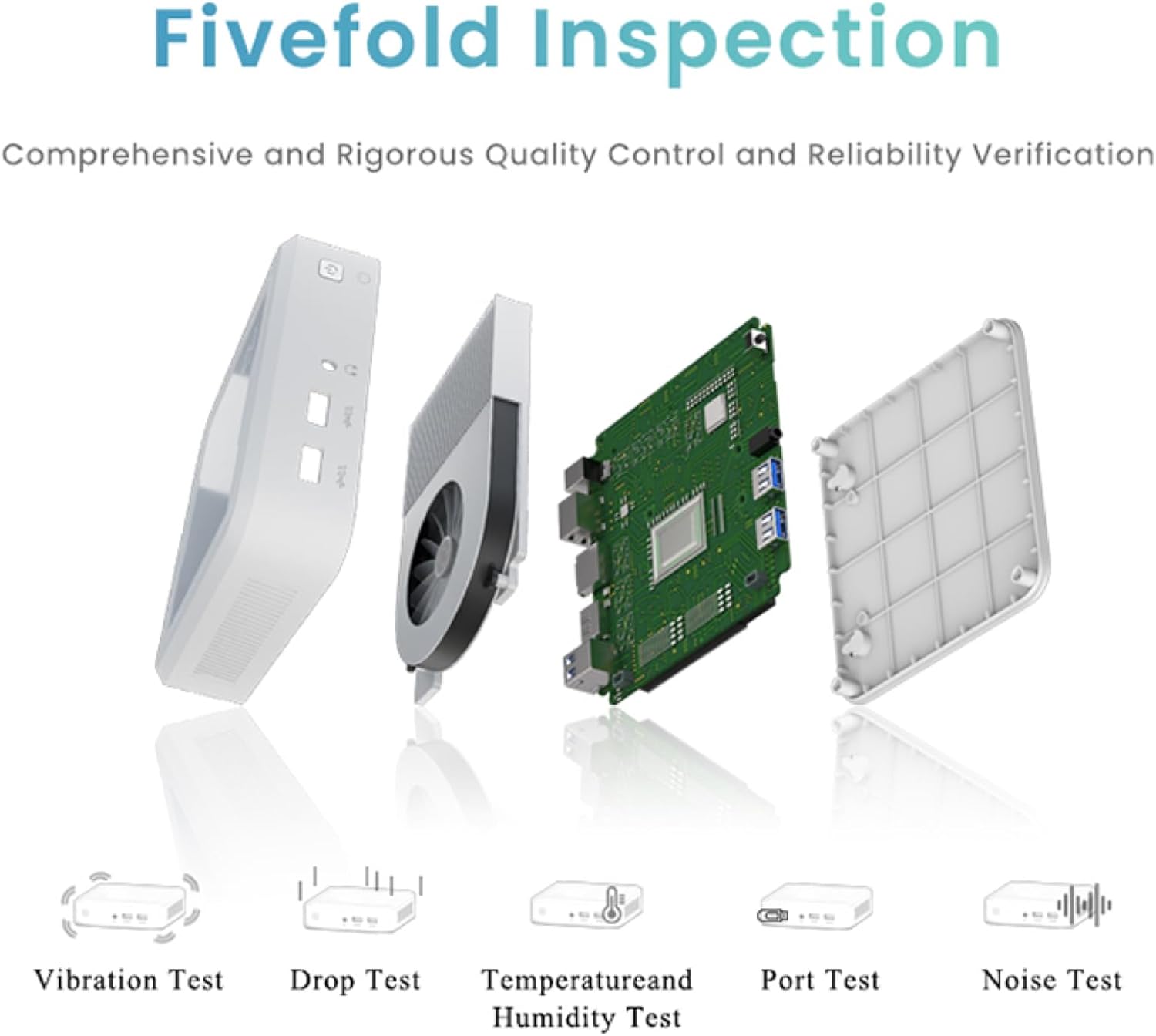
Figure 6.1: The compact dimensions of the GenMachine Mini PC, measuring 12.9 x 12.9 x 3.7 cm, making it suitable for various workspaces.
7. Garantie et assistance
For detailed warranty information and technical support, please refer to the official GenMachine webConsultez leur site web ou contactez directement leur service client. Conservez votre reçu d'achat comme preuve d'achat pour toute réclamation au titre de la garantie.
The product typically includes a standard manufacturer's warranty. Additional protection plans may be available from your retailer at the time of purchase.
Coordonnées: Please visit the official GenMachine website for the most up-to-date contact details for support and service.
Ask a question about this manual
Ask about setup, troubleshooting, compatibility, parts, safety, or missing instructions. Manuals+ will review the question and use this page’s manual context to help answer it.