
1. Introduction et présentation du systèmeview
This manual provides detailed instructions for the installation, operation, and maintenance of your GRSICO Wireless Home Alarm System 15-Piece Kit. This system is designed to enhance home security with easy DIY setup, remote control via a smartphone application, and compatibility with smart home assistants.
Caractéristiques principales :
- Installation facile à faire soi-même : Set up the system in minutes without the need for complex wiring or drilling.
- Pas de frais mensuels : Enjoy comprehensive 24-hour home security protection with a one-time purchase.
- Contrôler à distance : Arm, disarm, and monitor your system anytime, anywhere using the Smart Life App.
- Alertes instantanées : Receive immediate notifications on your smartphone and deter intruders with a 120dB alarm siren.
- Intégration à la maison intelligente : Works with Alexa and Google Assistant for convenient voice control.
2. What's Included in Your Kit
Your GRSICO Wireless Home Alarm System 15-Piece Kit includes the following components:
- 1x Base Station (Alarm Siren)
- 2x Keypads
- 2x télécommandes
- 2x Motion Sensors
- 8x Contact Sensors (for doors/windows)
- 1x Adaptateur secteur
- Câble de chargement USB 1x
- Mounting accessories (e.g., double-sided tape)
- Manuel d'utilisation

Image: All components included in the GRSICO 15-Piece Home Alarm System Kit, including the base station, keypads, remote controls, motion sensors, and contact sensors.
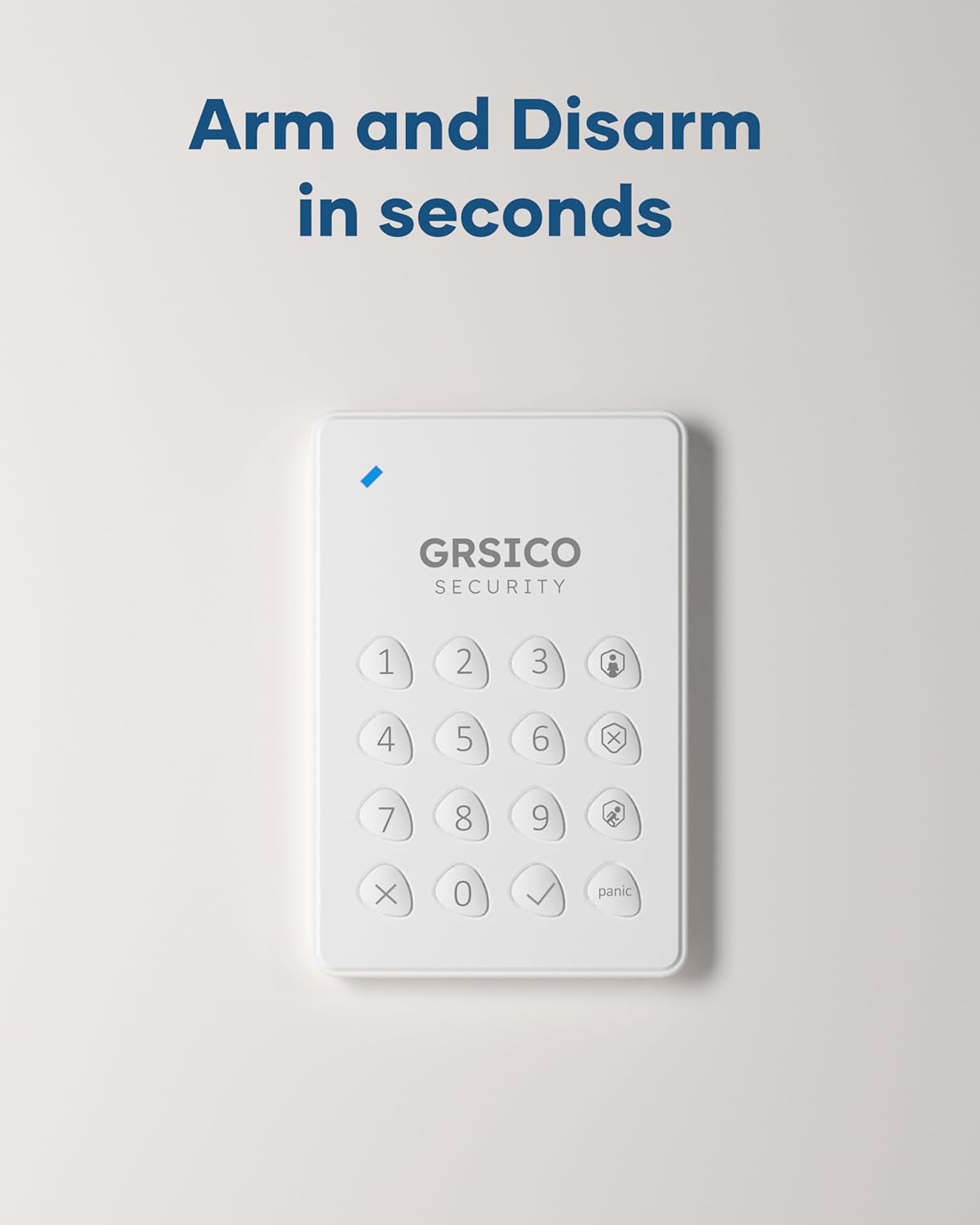
Image: Close-up of the GRSICO keypad and two remote controls, used for arming and disarming the system.

Image: A GRSICO motion sensor, designed to detect movement within a room.

Image: A GRSICO contact sensor, consisting of two parts that detect when a door or window is opened.
3. Configuration et installation
The GRSICO Wireless Home Alarm System is designed for easy, do-it-yourself installation. Follow these steps to set up your system:
3.1. Alimentation de la station de base
- Branchez l'adaptateur secteur à la station de base et branchez-la à une prise murale.
- The base station has an internal backup battery that provides up to 8 hours of power during outaget.

Image: The GRSICO base station, which serves as the central hub for the alarm system.
3.2. Installation des capteurs
All sensors come with pre-installed batteries and can be easily mounted using the provided double-sided tape. No drilling is required.
Capteurs de mouvement :
- Choose a location where the motion sensor can cover a wide area, such as a corner of a room or a hallway.
- Ensure the sensor is placed at an appropriate height (typically 6-8 feet from the floor) to optimize detection.
- Peel off the backing from the double-sided tape and firmly press the motion sensor onto a clean, dry surface.
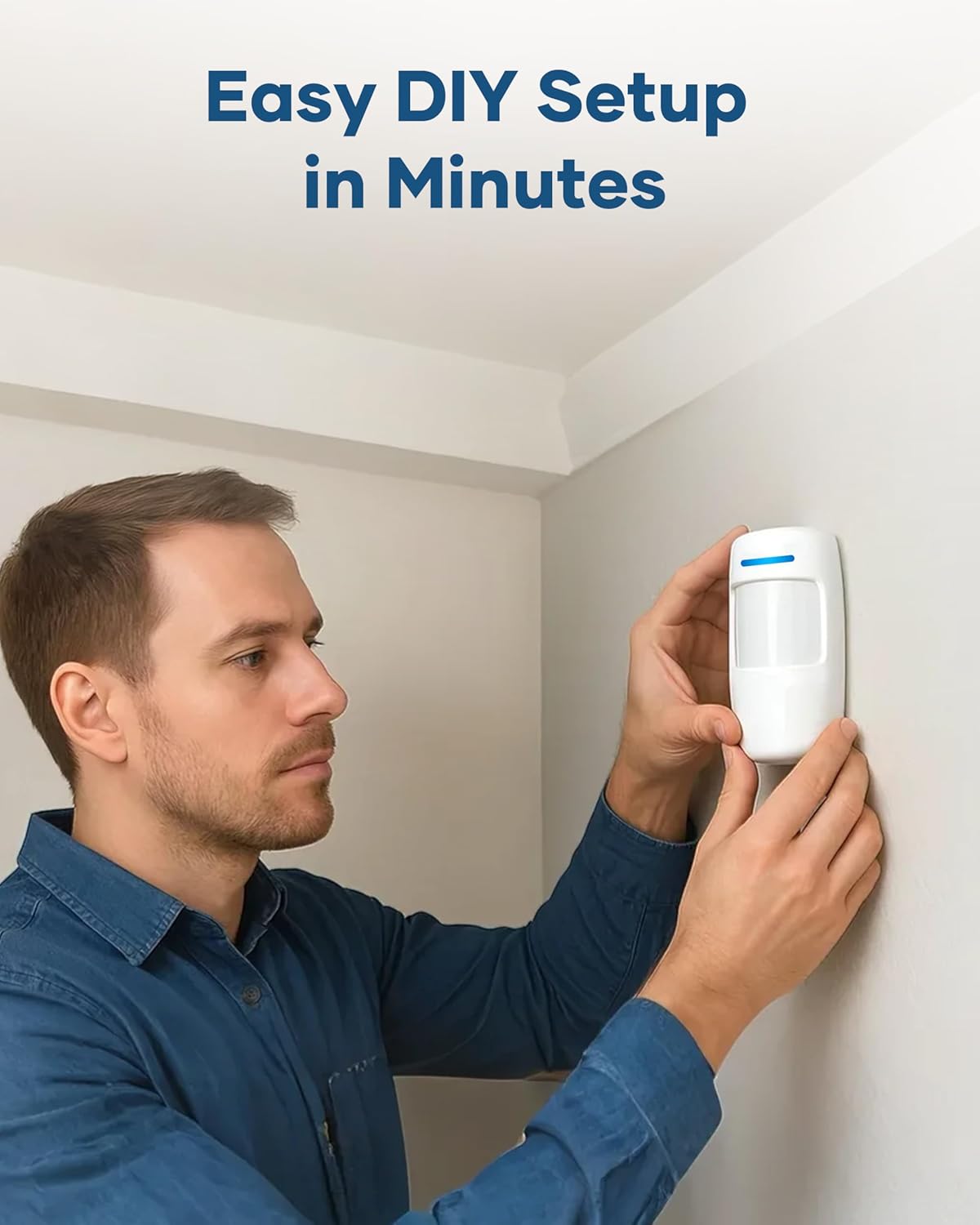
Image: A person demonstrating the easy installation of a GRSICO motion sensor on a wall.
Contact Sensors (Door/Window Sensors):
- Attach one part of the contact sensor to the door or window frame and the other part to the moving door or window.
- Ensure the two parts are aligned and are no more than 1 cm apart when the door/window is closed.
- Use the provided double-sided tape for secure attachment.

Image: A GRSICO door sensor installed on a window, designed to trigger an alarm if the window is opened.
3.3. Pairing Devices and App Setup
- Téléchargez le Smart Life App depuis la boutique d'applications de votre smartphone (disponible sur iOS et Android).
- Follow the in-app instructions to create an account and add your GRSICO Home Alarm System.
- The app will guide you through pairing the base station, keypads, remote controls, and all sensors.
- Ensure your home Wi-Fi network is stable for optimal performance.
4. Mode d'emploi
Your GRSICO Home Alarm System offers multiple ways to arm and disarm, providing flexibility for your security needs.
4.1. Activation et désactivation du système
Utilisation du clavier :
- Enter your personalized PIN code.
- Press the appropriate button for your desired mode:
• Armer loin : Active tous les capteurs.
• Arm Home: Activates perimeter sensors (e.g., doors/windows) while allowing movement inside.
• Désarmer: Désactive le système d'alarme.
Image: A GRSICO keypad with numerical buttons and mode selection for arming and disarming the system.
Utilisation de la télécommande :
The remote control allows for quick arming and disarming with dedicated buttons:
- Appuyez sur le Verrouillage button to Arm Away.
- Appuyez sur le Maison button to Arm Home.
- Appuyez sur le Ouvrir button to Disarm.
4.2. Fonction panique
In case of an emergency, press the Panique button on the keypad or remote control to immediately trigger the 120dB alarm siren and send instant alerts to your smartphone.
4.3. Contrôle des applications
The Smart Life App provides full control over your alarm system from anywhere with an internet connection. You can:
- Arm or disarm the system.
- Switch between Home and Away modes.
- View real-time status of all sensors.
- Receive instant notifications for triggered alarms or system status changes.
- Set schedules for arming and disarming.

Image: A smartphone showing the Smart Life App interface, allowing remote control of the home security system.
5. Intégration à la maison intelligente
The GRSICO Home Alarm System is compatible with popular smart home platforms, allowing for convenient voice control.
5.1. Commande vocale avec Alexa et Google Assistant
Integrate your alarm system with Amazon Alexa or Google Assistant for hands-free operation:
- Enable the Smart Life skill/action in your Alexa or Google Home app.
- Associez votre compte Smart Life.
- Use voice commands such as "Alexa, arm my system" or "Hey Google, disarm the alarm."
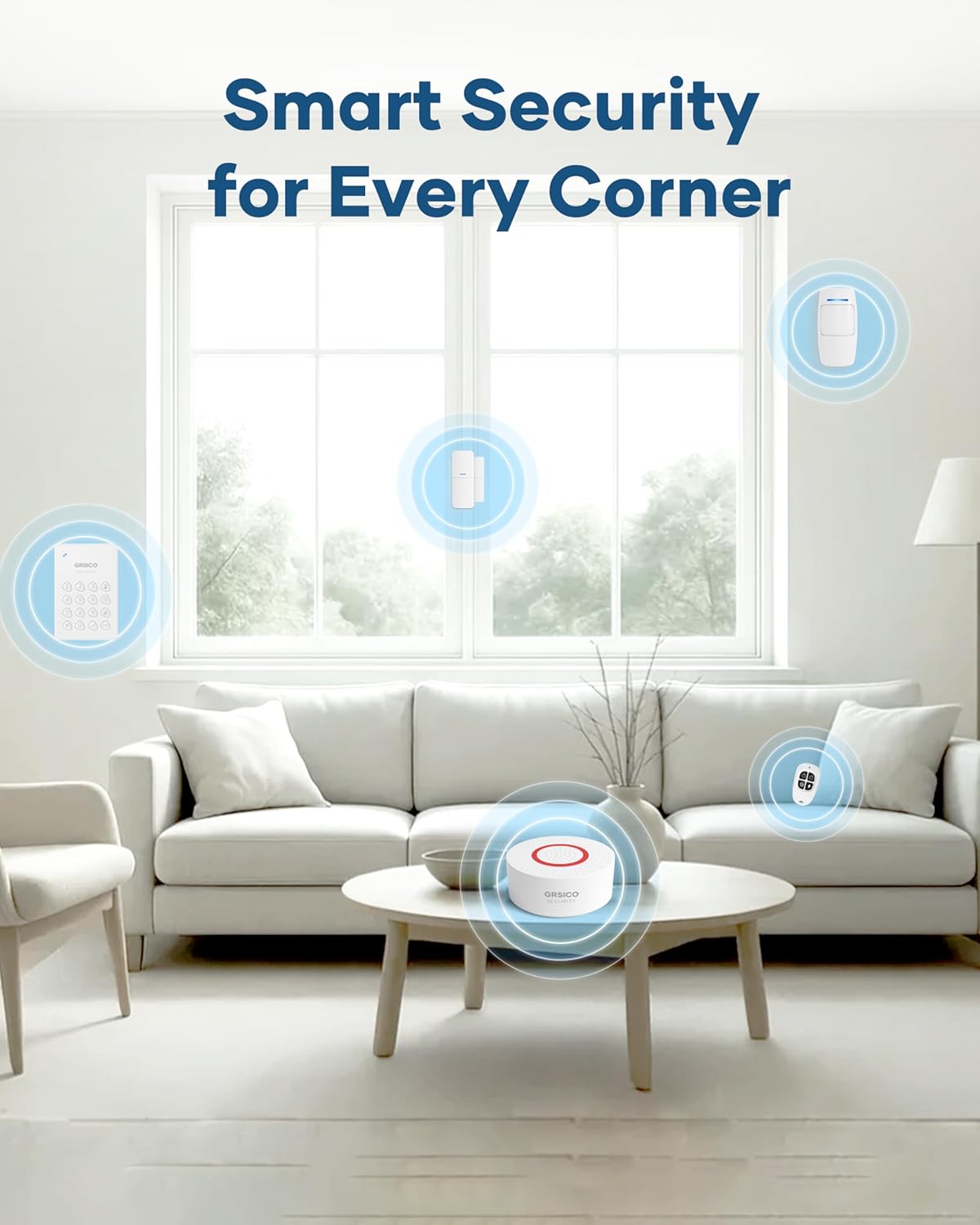
Image: A woman interacting with an Alexa device to arm her GRSICO home alarm system using voice commands.
6. Entretien
Un entretien régulier garantit des performances optimales et une longue durée de vie à votre système d'alarme.
6.1. Remplacement de la batterie
- Sensors, keypads, and remote controls are battery-powered. The Smart Life App will notify you when batteries are low.
- Refer to the individual sensor/device instructions for specific battery types and replacement procedures.
6.2. Base Station Charging
- The base station has a built-in backup battery. Ensure it is regularly connected to power to keep the backup battery charged.
- Use the provided USB-C charging cable and power adapter for charging.
7. Dépannage
If you encounter any issues with your GRSICO Home Alarm System, please refer to the following common solutions:
- L'appareil ne répond pas : Check battery levels and ensure the device is within range of the base station. Re-pair the device if necessary.
- Problèmes de connectivité des applications : Ensure your smartphone has a stable internet connection and that the Smart Life App is updated to the latest version. Restart the app or your phone.
- Fausses alarmes : Verify that motion sensors are not placed in areas with pets or moving objects. Ensure contact sensors are securely attached and properly aligned.
- Alarme non déclenchée : Check if the system is armed in the correct mode (e.g., Arm Away for motion sensors). Verify sensor battery levels.
For further assistance, please contact GRSICO customer support.
8. Spécifications
| Fonctionnalité | Détail |
|---|---|
| Marque | GRSICO |
| Numéro de modèle | GRA15 |
| Source d'énergie | Alimenté par batterie |
| Appareils compatibles | Smartphone (Smart Life App), Alexa, Google Assistant |
| Dimensions de l'article (L x l x H) | 10 x 7 x 4 pouces |
| Technologie de connectivité | Sans fil |
| Type d'installation | Auto-adhésif |
| Type d'alerte | Motion, Siren (120 Decibels) |
| Méthode de contrôle | App, Keypad, Remote Control, Voice |
| Composition des cellules de batterie | Alcalin |
| Composants inclus | 1* Base Station, 2* Keypads, 2* Remote Controls, 2*Motion Sensors, 8* Contact Sensors |
| Niveau de bruit | 120 décibels |
| Poids de l'article | 2.55 livres |
9. Vidéos produits
Vidéo : Un overview of the GRSICO Home Alarm System components and a demonstration of its easy installation and features.
Video: A detailed look at the GRSICO Home Alarm System, showcasing the keypad, motion sensor, and contact sensors, along with their simple setup.
10. Garantie et assistance
For warranty information or technical support, please refer to the contact details provided in your product packaging or visit the official GRSICO webSite. Notre équipe d'assistance est disponible pour répondre à toutes vos questions ou résoudre tout problème.