
1. Introduction
Thank you for choosing the HETP Magnetic Portable Charger Power Bank. This compact and powerful device is designed to provide convenient and reliable charging for your iPhone 15/14/13/12 series and other USB-C compatible devices. Featuring strong magnetic attachment, wireless charging, and a clear LCD display, it ensures you stay powered on the go. Please read this manual carefully before use to ensure optimal performance and safety.
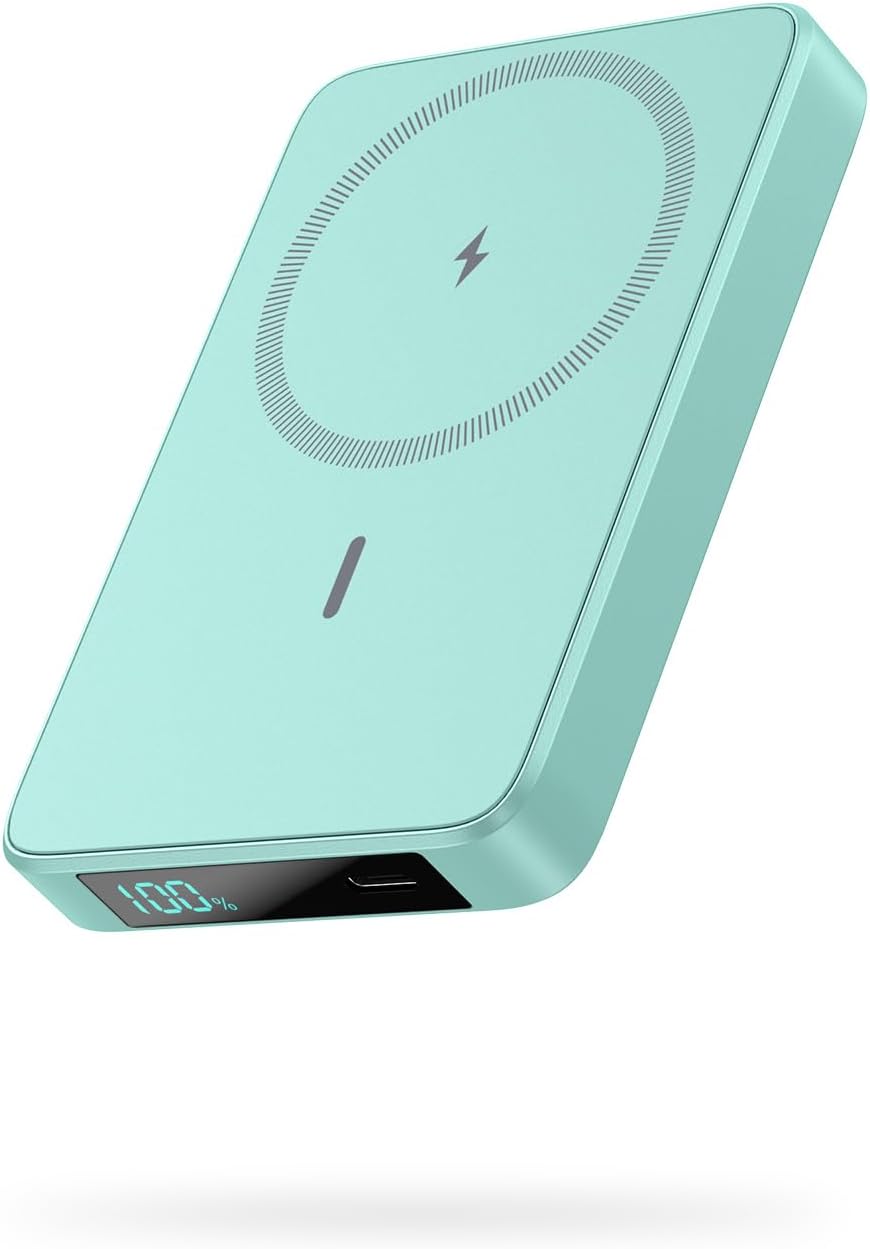
Image: The HETP Magnetic Portable Charger Power Bank in green, showcasing its sleek design and LCD display.
2. Contenu du colis
Veuillez vérifier que le colis contient les éléments suivants :
- 1 x HETP Magnetic Wireless Power Bank (10800mAh)
- Câble de charge 1 x USB-C
- 1 x Manuel d'utilisation
- 1 x Dust-proof Portable Storage Bag
3. caractéristiques du produit
- Chargement sans fil magnétique: Specifically designed for iPhone 15/14/13/12 series and MagSafe compatible cases, providing 7.5W magnetic wireless charging.
- Haute capacité : Built-in 10800mAh battery capacity, capable of fully charging an iPhone 15 Pro up to 1.9 times.
- 20W PD USB-C Output: Fast charging for various devices via USB-C cable.
- Écran LCD : Affichage numérique clair indiquant le pourcentage de batterie restanttage.
- Compact et portable : Ultra-slim design (3.99 x 2.59 x 0.78 inches, 0.39 lb) for easy portability.
- Recharge directe : Charge your phone wirelessly or via USB-C while simultaneously recharging the power bank.
- Système de sécurité multi-protection : Comprend survoltage, protection contre les surcharges, les surintensités et les courts-circuits.
4. Mise en route
4.1 Frais initiaux
Before first use, fully charge your HETP Magnetic Portable Charger Power Bank. Connect the provided USB-C cable to the power bank's USB-C port and the other end to a compatible USB wall adapter (not included).
4.2 Vérification du niveau de la batterie
The LCD display on the power bank will show the current battery percentage. It will illuminate automatically when charging or when a device is connected.
5. Mode d'emploi
5.1 Chargement de la batterie externe
- Connect the USB-C charging cable to the power bank's USB-C port.
- Connect the other end of the cable to a USB-C wall charger or a computer's USB-C port.
- L'écran LCD affichera la progression de la charge, indiquant le pourcentage de batterie.tagl'augmentationasing.
5.2 Wireless Magnetic Charging (for iPhone 15/14/13/12 Series)
- Ensure your iPhone is a 15/14/13/12 series model or is equipped with a MagSafe compatible case.
- Align the back of your iPhone with the magnetic charging area of the power bank. The magnets will firmly snap into place.
- Wireless charging will begin automatically. The LCD display on the power bank will show the battery percentage.

Image: The power bank magnetically attaching to the back of an iPhone, demonstrating the "Power in a Snap" feature.
Note: For optimal magnetic attachment and charging, use with bare iPhone 15/14/13/12 series or MagSafe compatible cases. Non-magnetic cases may prevent proper attachment and charging.

Image: Illustration showing that the power bank charges effectively through magnetic cases, but not through non-magnetic cases.
5.3 Chargement filaire USB-C
- Connect your device (e.g., smartphone, tablet) to the power bank's USB-C port using a compatible USB-C cable.
- La batterie externe détectera automatiquement l'appareil et commencera à le charger.

Image: Demonstrates simultaneous wireless charging and wired USB-C charging from the power bank, highlighting its versatility.
5.4 Recharge en mode pass-through
The power bank supports pass-through charging, allowing you to charge your phone (wirelessly or via USB-C) while the power bank itself is being recharged. Simply connect the power bank to a power source and then connect your phone to the power bank.
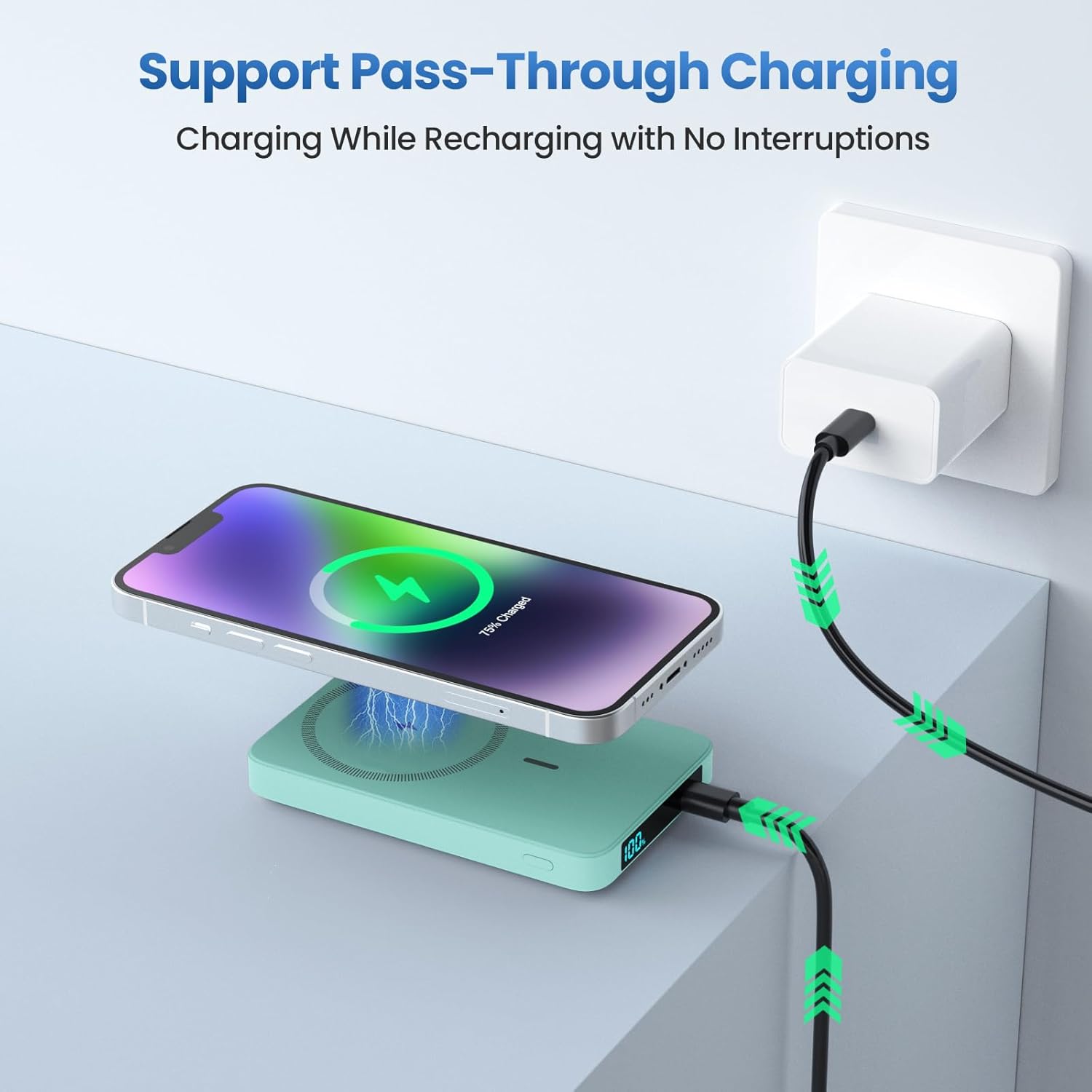
Image: Shows the power bank connected to a wall adapter for recharging, while simultaneously wirelessly charging an iPhone, illustrating the pass-through charging capability.
6. Consignes de sécurité
- N’exposez pas la batterie externe à des températures extrêmes (chaudes ou froides), à la lumière directe du soleil ou à une forte humidité.
- Ne démontez, ne modifiez ni ne réparez vous-même l'appareil. Veuillez faire appel à un technicien qualifié.
- Tenir à l'écart de l'eau et d'autres liquides.
- Évitez de laisser tomber ou de soumettre la batterie externe à des impacts violents.
- Ne pas utiliser si la batterie externe est endommagée ou gonflée.
- Tenir hors de portée des enfants.
- Mettez au rebut la batterie externe de manière responsable, conformément à la réglementation locale. Ne la jetez pas avec les ordures ménagères.
7. Maintenance et entretien
- Nettoyez la batterie externe avec un chiffon doux et sec. N’utilisez pas de produits nettoyants abrasifs ni de solvants.
- Rangez la banque d'alimentation dans un endroit frais et sec lorsqu'elle n'est pas utilisée.
- For optimal battery longevity, fully charge and discharge the power bank at least once every three months if not used regularly.
8. Dépannage
| Problème | Cause possible | Solution |
|---|---|---|
| La batterie externe ne charge pas. | Problème de câble ou d'adaptateur ; batterie externe complètement déchargée. | Try a different USB-C cable or wall adapter. Ensure connections are secure. Allow a few minutes for the LCD to light up if fully discharged. |
| L'appareil ne se recharge pas sans fil. | Misalignment; non-MagSafe case; device incompatibility. | Ensure proper alignment. Remove non-MagSafe cases. Confirm your device supports wireless charging. |
| L'appareil ne se charge pas via USB-C. | Cable issue; power bank low on battery. | Essayez un autre câble USB-C. Assurez-vous que la batterie externe est suffisamment chargée. |
| L'écran LCD ne fonctionne pas. | Power bank fully discharged; internal fault. | Charge the power bank. If the issue persists, contact customer support. |
9. Spécifications
- Modèle: HX100M7
- Capacité de la batterie : 10800mAh
- Sortie sans fil : 7.5 W (magnétique)
- Entrée/sortie USB-C : 20 W PD (Power Delivery)
- Dimensions: 3.99 x 2.59 x 0.78 pouces (environ 10.1 x 6.6 x 2.0 cm)
- Poids: 0.39 lb (environ 177 g)
- Type de batterie : Lithium Polymère
10. Garantie et assistance
HETP provides a worry-free 24-month warranty and lifetime technical support for this product. If you encounter any issues or have questions, please do not hesitate to contact our friendly customer service team. Refer to the contact information provided on the product packaging or the official HETP website.
Thank you for choosing HETP.