
1. Introduction
Thank you for choosing the VXE Dragon Fly R1 PRO MAX Gaming Mouse. This manual provides detailed instructions for setting up, operating, and maintaining your new wireless gaming mouse. Please read this manual thoroughly before use to ensure optimal performance and longevity of your device.

Image 1: The VXE Dragon Fly R1 PRO MAX Gaming Mouse. This image displays the sleek, black design of the mouse from a top-down perspective.
2. Contenu du colis
Vérifiez que tous les articles sont présents dans votre colis :
- VXE Dragon Fly R1 PRO MAX Gaming Mouse
- Clé USB-A sans fil
- Câble de chargement/données USB-C vers USB-A
- Grip Tape (pre-cut for mouse sides and buttons)
- Extra PTFE Mouse Skates/Sliders

Image 2: Contents of the VXE Dragon Fly R1 PRO MAX package. This image shows the black mouse, its USB-A wireless dongle, the braided USB-C charging cable, and sheets of grip tape and extra mouse feet.
3. Produit terminéview et fonctionnalités
The VXE Dragon Fly R1 PRO MAX is engineered for high-performance gaming and productivity, featuring a lightweight design and versatile connectivity options.
Caractéristiques principales :
- Conception ultra-légère : Weighing approximately 48 grams, minimizing wrist fatigue during extended use.
- Forme ergonomique : Designed for comfortable grip and control.
- 5 boutons programmables : Left click, right click, clickable scroll wheel, and two side buttons.
- Connectivité polyvalente : Supports 2.4G wireless (via dongle), Bluetooth, and wired (USB-C) modes.
- Taux de sondage élevé : Up to 4K polling rate for ultra-responsive tracking (requires separate 4K receiver).
- Longue durée de vie de la batterie : Up to 75 hours of wireless usage on a single charge.
- Revêtement durable : Features a 'Delicate Ice Feeling Coating' for a smooth, dirt-resistant, and easy-to-clean surface.

Image 3 : Une explosion view of the VXE Dragon Fly R1 PRO MAX mouse, highlighting its internal components such as the PAW3395/SE sensor, Kaihua GE Upgrade/TTC Silver Wheel, and Kaihua White Blade switches, along with its lightweight design and 2.4G storage. The image also indicates the weight of different R1 series models.
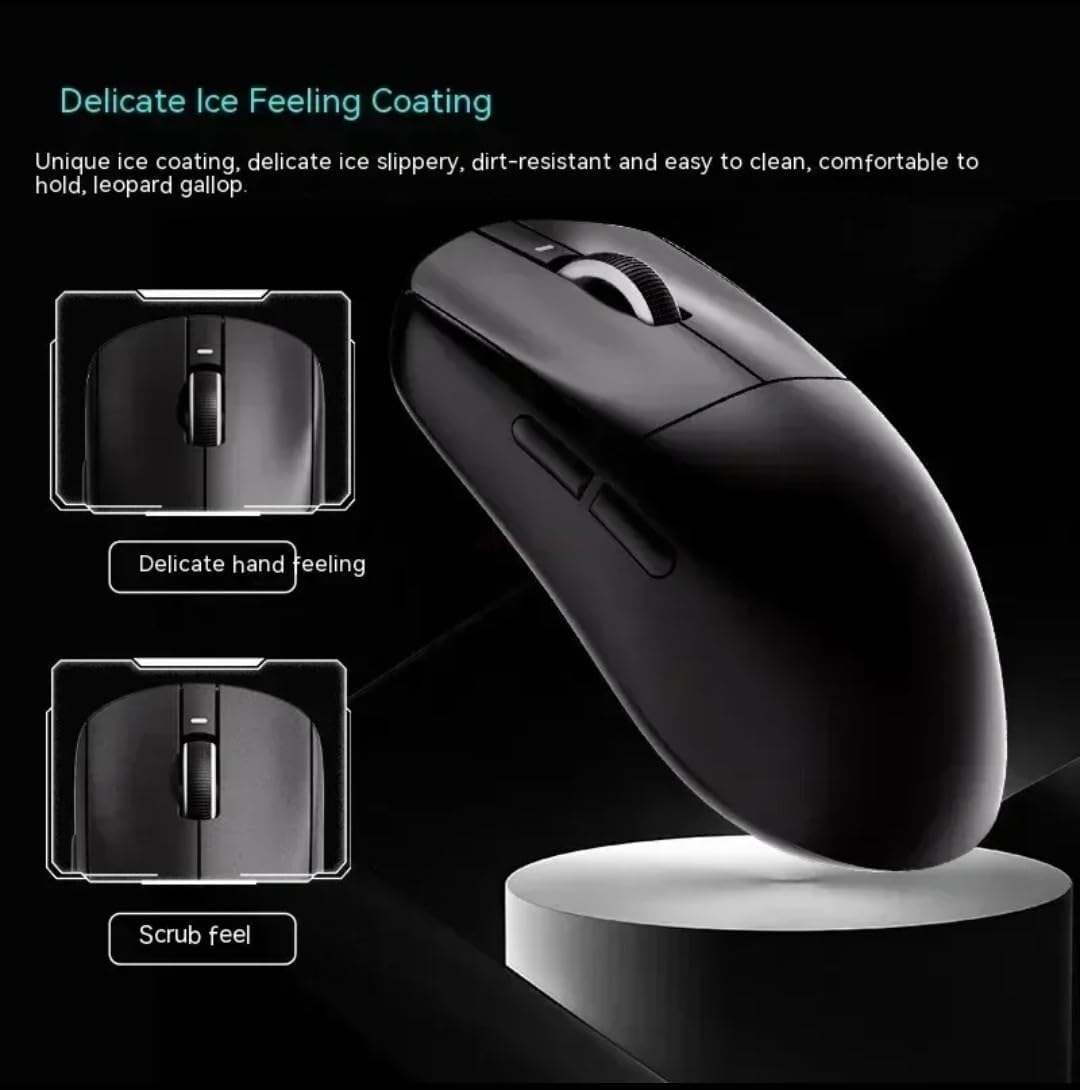
Image 4: Close-up of the VXE Dragon Fly R1 PRO MAX mouse, illustrating the 'Delicate Ice Feeling Coating' for a smooth, slippery, and dirt-resistant feel, alongside a 'Scrub feel' option.
4. Installation
4.1 Mise sous/hors tension
Locate the power switch on the underside of the mouse. Slide it to the 'ON' position to power on the mouse. To power off, slide it to the 'OFF' position.
4.2 Options de connectivité
Your mouse supports three connection modes:
- Mode sans fil 2.4G :
- Remove the USB-A wireless dongle from its storage compartment on the underside of the mouse.
- Branchez le dongle sur un port USB-A disponible de votre ordinateur.
- Slide the power switch on the mouse to the '2.4G' position. The mouse should connect automatically.
- Mode Bluetooth:
- Slide the power switch on the mouse to the 'Bluetooth' position.
- Sur votre ordinateur, accédez aux paramètres Bluetooth et recherchez de nouveaux appareils.
- Select 'VXE Dragon Fly R1' (or similar) from the list of available devices to pair.
- Mode filaire:
- Connect the provided USB-C to USB-A cable to the USB-C port on the front of the mouse and to a USB-A port on your computer.
- La souris fonctionnera en mode filaire et se rechargera simultanément.
4.3 Ajustement PPP
The mouse features a DPI adjustment button on its underside. Press this button to cycle through different DPI settings. An indicator light will change color to show the current DPI level (e.g., 400, 800, 1600, 3200 DPI). For more precise control, use the dedicated software.

Image 5: This image illustrates the 2K and 4K polling rate capabilities of the VXE Dragon Fly R1 PRO MAX mouse, indicating its high responsiveness for gaming.
5. Utilisation de la souris
5.1 Fonctions des boutons
The mouse has 5 buttons:
- Click gauche: Fonction principale standard.
- Clic-droit: Fonction secondaire standard.
- Molette: Permet de faire défiler vers le haut/bas et sert de bouton central.
- Boutons latéraux : Default to forward/backward navigation in web browsers. These can be customized using the VXE software.
5.2 Gestion de la batterie
The mouse features a built-in rechargeable battery. When the battery is low, the LED indicator may change color or flash. Connect the USB-C cable to charge the mouse. You can continue to use the mouse in wired mode while it charges.
6. Entretien
- Gardez la souris propre en l'essuyant avec un chiffon doux et sec.
- Évitez d'exposer la souris à des températures extrêmes, à l'humidité ou à la lumière directe du soleil.
- Ne démontez pas la souris, car cela pourrait annuler la garantie.
- Ensure the mouse feet are clean for optimal gliding performance. Replace extra PTFE mouse skates as needed.
7. Dépannage
- Souris ne répondant pas : Ensure the mouse is powered on and correctly connected via 2.4G dongle, Bluetooth, or USB-C cable. Check battery level.
- Retard ou déconnexion : Ensure the wireless dongle is close to the mouse and not obstructed. Avoid interference from other wireless devices. For Bluetooth, ensure your computer's Bluetooth is enabled and the mouse is paired.
- DPI inchangé : Press the DPI button firmly. If using software, ensure settings are applied correctly.
- Problèmes de charge : Ensure the USB-C cable is securely connected to both the mouse and the computer/charger.
8. Spécifications
| Fonctionnalité | Spécification |
|---|---|
| Marque | VXE |
| Couleur | Noir |
| Technologie de connectivité | USB, Wireless (2.4G, Bluetooth) |
| Technologie de détection de mouvement | Optical or Laser |
| Nombre de boutons | 5 |
| Appareils compatibles | Ordinateur personnel |
| Système opérateur | Fenêtres |
| Plateforme matérielle | PC |
| Gamme | 10.0 mètres |
| Les piles sont-elles incluses ? | No (Rechargeable internal battery) |
| Fabricant | VXE |
| Numéro de pièce du fabricant | VEX R1 |
| Nombre d'unités | 1.0 Nombre |
9. Garantie et assistance
For warranty information, technical support, or further assistance, please refer to the official VXE webou contactez directement leur service client. Conservez votre reçu d'achat pour toute réclamation sous garantie.