
WESECUU 8050
WESECUU Light Bulb Security Camera Model 8050 User Manual
Modèle: 8050
1. Introduction
This manual provides detailed instructions for the installation, operation, and maintenance of your WESECUU Light Bulb Security Camera Model 8050. Please read this manual thoroughly before using the product to ensure proper function and safety.

Image 1.1: WESECUU Light Bulb Security Camera Model 8050 (Two Pack) and smartphone interface.
2. Consignes de sécurité
- Assurez-vous que l’alimentation électrique est débranchée avant l’installation ou la maintenance.
- The camera is designed for E27 light sockets (100V~240V). Use only with compatible sockets.
- Avoid exposing the camera to extreme temperatures, humidity, or direct water spray. While rated IP65 for outdoor use, proper placement is crucial to prevent water ingress into the socket.
- N’essayez pas de démonter ou de réparer l’appareil photo vous-même. Contactez le service client pour obtenir de l’aide.
- Tenir hors de portée des enfants.
3. Contenu du colis
Vérifiez que tous les éléments sont présents dans votre colis :
- WESECUU Light Bulb Security Camera(s)
- Adaptateur de douille E27
- Manuel d'instructions (ce document)
4. Produit terminéview
The WESECUU Light Bulb Security Camera Model 8050 offers comprehensive surveillance features in a discreet light bulb form factor. Key features include:
- 2K FHD Resolution: Fournit des vidéos claires et détailléestage.
- Wi-Fi bi-bande : Compatible avec les réseaux sans fil 2.4 GHz et 5 GHz pour une connectivité flexible.
- Couverture à 360° : Pan 355° and Tilt 90° for a wide viewzone de travail.
- Vision nocturne couleur: Equipped with floodlights and IR lights for clear, colored images in low-light conditions.
- Conversation bidirectionnelle : Microphone et haut-parleur intégrés pour une communication en temps réel.
- Détection humaine intelligente : Reduces false alarms by focusing on human shapes.
- Suivi des mouvements: Automatically follows detected objects.
- Enregistrement 24h/7 et XNUMXj/XNUMX : Supports cloud storage and local TF card storage (up to 128GB, not included).
- Compatibilité Alexa : Intégration avec Amazon Alexa pour la commande vocale et viewing.


Image 4.1 : Divers views of the WESECUU Light Bulb Security Camera.
5. Instructions de configuration
5.1 Installation physique
- Éteindre: Ensure the power to the light socket is turned off at the circuit breaker before beginning installation.
- Visser : Carefully screw the WESECUU Light Bulb Security Camera into a standard E27 light socket. If your existing socket is not E27, use the provided E27 light socket adapter.
- Mise sous tension : Restore power to the light socket. The camera will power on and initiate its self-test.

Image 5.1: Easy installation into an E27 light socket.
5.2 Téléchargement et connexion de l'application
- Téléchargez l'application: Rechercher the 'Eseecloud' app in your smartphone's app store (iOS or Android) and download it.
- Créer un compte: Open the Eseecloud app and follow the on-screen instructions to register a new account or log in if you already have one.
- Ajouter un appareil : Dans l'application, appuyez sur l'icône « + » pour ajouter un nouvel appareil.
- Bluetooth Quick Connection: Enable Bluetooth on your smartphone. The app will guide you through the Bluetooth quick connection process to detect and pair with the camera.
- Configuration Wi-Fi : Select your 2.4GHz or 5GHz WiFi network and enter the password. Ensure your phone is connected to the same WiFi network during this step.
- Achèvement: Une fois connecté, vous pouvez nommer votre caméra et commencer à diffuser en direct. viewing.

Image 5.2: The camera supports both 2.4GHz and 5GHz WiFi networks.
6. Mode d'emploi
6.1 En direct View et lecture
- Ouvrez l'application Eseecloud et sélectionnez votre caméra dans la liste des appareils pour accéder au flux vidéo en direct. view.
- Utilisez la fonction de lecture pour réécouterview enregistré footage from your cloud storage or TF card.
6.2 Commande panoramique, d'inclinaison et de zoom (PTZ)
The camera offers a 355° horizontal pan and 90° vertical tilt. Use the controls within the Eseecloud app to adjust the camera's viewangle de vue.

Image 6.1: Camera demonstrating auto-tracking and PTZ capabilities.
6.3 Communication bidirectionnelle
Pour utiliser la fonction de communication bidirectionnelle, appuyez sur l'icône du microphone dans l'interface en direct. view interface of the Eseecloud app. You can speak through your phone, and your voice will be projected through the camera's speaker. Similarly, you can hear audio from the camera's location through your phone.

Image 6.2: Illustration of the two-way voice communication feature.
6.4 Détection de mouvement et alertes
- Activer la détection : In the app settings, enable motion detection and smart human detection. This will filter alerts to primarily notify you of human presence.
- Alertes : When motion or a human is detected, the camera will send real-time notifications to your smartphone.
- Suivi des mouvements: If enabled, the camera will automatically track the detected object within its field of view.
- Sirène: An audible siren can be activated via the app to deter intruders.

Image 6.3: Human detection and real-time alert functionality.
6.5 Vision nocturne
The camera automatically switches between day and night vision modes. It utilizes six floodlights and six IR lights to provide clear, colored images even in complete darkness.
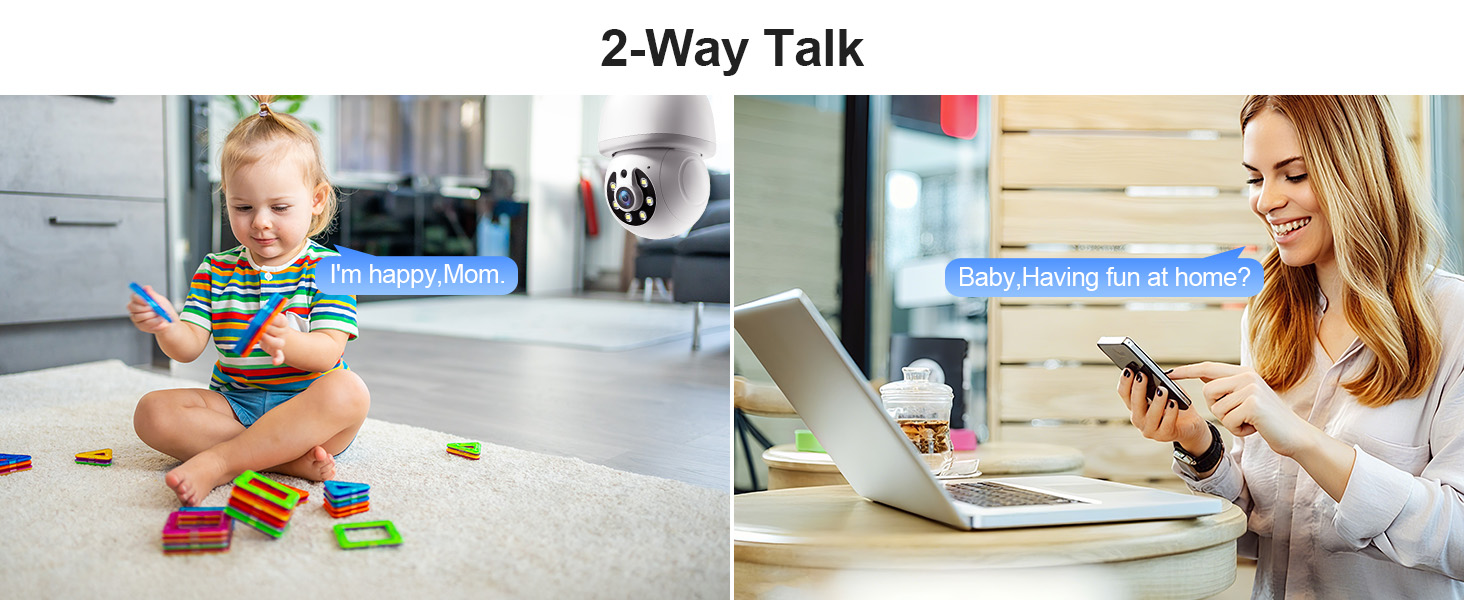
Image 6.4: Comparison of infrared and 2K full-color night vision.
6.6 Enregistrement et stockage
The camera supports continuous 24/7 recording. You have two storage options:
- Stockage dans le cloud : Subscribe to the Eseecloud app's cloud storage service for remote access to your recordings.
- Stockage de la carte TF: Insert a TF (microSD) card (up to 128GB, not included) into the camera's slot for local recording.

Image 6.5: 24/7 recording options with cloud and SD card storage.
6.7 Intégration d'Alexa
The WESECUU camera is compatible with Amazon Alexa. To connect:
- Ouvrez l'application Alexa sur votre smartphone.
- Go to 'Skills & Games' and search for 'Eseecloud'.
- Enable the Eseecloud skill and link your Eseecloud account.
- Discover devices. You can then use voice commands like "Alexa, show me the [camera name]" on compatible Alexa devices with screens.

Image 6.6: Camera integration with Amazon Alexa.
6.8 Patrol Guard Mode
The Patrol Guard mode allows you to set multiple distinct viewpoints (presets). The camera will automatically cycle through these preset positions at custom intervals, providing continuous monitoring of different areas.

Image 6.7: Visualization of the Patrol Guard mode with multiple presets.
7. Entretien
- Nettoyage: Essuyez délicatement l'objectif et le boîtier de l'appareil photo avec un chiffon doux et sec. N'utilisez pas de produits chimiques agressifs ni de nettoyants abrasifs.
- Mises à jour du micrologiciel : Regularly check the Eseecloud app for available firmware updates to ensure optimal performance and security.
- Stockage: Si vous devez ranger l'appareil photo pendant une période prolongée, débranchez-le de l'alimentation et rangez-le dans un endroit frais et sec.
8. Dépannage
| Problème | Cause possible | Solution |
|---|---|---|
| La caméra ne se connecte pas au Wi-Fi. | Incorrect WiFi password; camera too far from router; incorrect WiFi band selected. | Verify WiFi password. Move camera closer to router. Ensure you are connecting to a 2.4GHz or 5GHz network as supported. Restart camera and router. |
| Mauvaise qualité d'image | Objectif sale ; éclairage insuffisant ; problèmes de bande passante réseau. | Clean the camera lens. Ensure adequate lighting for optimal color night vision. Check your internet speed. |
| Aucune alerte de détection de mouvement | Motion detection disabled; sensitivity too low; app notifications blocked. | Enable motion detection and human detection in the app. Adjust sensitivity settings. Check your phone's notification settings for the Eseecloud app. |
| La conversation bidirectionnelle ne fonctionne pas | Microphone/speaker permissions not granted; volume too low. | Check app permissions on your phone. Adjust volume settings in the app and on your phone. |
| La carte TF n'enregistre pas | TF card full or corrupted; not inserted correctly. | Format the TF card in the app. Reinsert the TF card. Replace with a new TF card if corrupted. |
9. Spécifications
| Fonctionnalité | Spécification |
|---|---|
| Nom du modèle | 8050 |
| Utilisation intérieure/extérieure | Indoor, Outdoor (IP65 rated) |
| Résolution de capture vidéo | 2K (3 MP maximum) WebRésolution de l'image de la caméra) |
| Technologie de connectivité | Wireless (Wi-Fi 2.4G/5G) |
| Source d'énergie | Corded Electric (E27 light socket, 100V~240V) |
| Type de contrôleur | Amazon Alexa |
| Type de montage | Montage au plafond |
| Caractéristiques spéciales | 2-Way Audio, Image Sensor, Color Night Vision, Human Detection, Motion Tracking |
| Options de stockage | Cloud Storage, TF Card (up to 128GB, not included) |
| Dimensions du produit | 1 x 1 x 1 pouces |
| Poids de l'article | 1.1 livres |
10. Assistance clientèle
For technical assistance, troubleshooting not covered in this manual, or warranty inquiries, please contact WESECUU customer support through the contact information provided with your purchase or on the official WESECUU website.
Ask a question about this manual
Ask about setup, troubleshooting, compatibility, parts, safety, or missing instructions. Manuals+ will review the question and use this page’s manual context to help answer it.