
Produit terminéview
The ARPHA D25 Dash Cam is a high-performance front and rear car camera system designed to capture clear and detailed footage of your travels day and night. Featuring 5K front recording and 4K+1080P dual-channel recording, it ensures comprehensive coverage.
Caractéristiques principales :
- Dash Cam Front and Rear: 5K (5160*2160P) front, 4K (3840*2160P)+1080P front and rear recording.
- Built-in 128GB eMMC: Provides enhanced performance and portability with non-volatile storage.
- 5.8G WiFi Connectivity: Fast review, download, and sharing of videos via the ARPHA app.
- Smart Touch Screen: User-friendly interface for easy access to recording, playback, and settings.
- 2 Parking Modes: Collision detection (G-sensor auto-lock) and Time-lapse (12/24/48 hours continuous recording).
- Voice Control: Supports spoken commands for locking video, taking pictures, and managing WiFi.
- Hassle-free Warranty: Covered by a 12-month warranty and lifetime technical support.

This image displays the ARPHA D25 dash cam unit, its rear camera, and a smartphone showing the live view and GPS tracking features. The main unit features a 3-inch touch screen.
Qu'y a-t-il dans la boîte
- Front dash camera
- Caméra arrière
- Car charger, Built-in 128GB Card
- Type-C USB Power cable (3.5M/12ft), Cable clip x 5, Pry tool x1
- Electrostatic film x2, User manual x1

This image shows all components included in the ARPHA D25 Dash Cam package: the main dash camera unit, rear camera, Type-C USB power cable (12ft), car charger, 5 cable clips, a pry tool, 2 electrostatic films, and the user manual.
Configuration et installation
1. Préparez l'installation
Ensure your windshield is clean and dry before applying the electrostatic film. This film helps in easy removal and re-positioning of the dash cam mount without leaving residue.
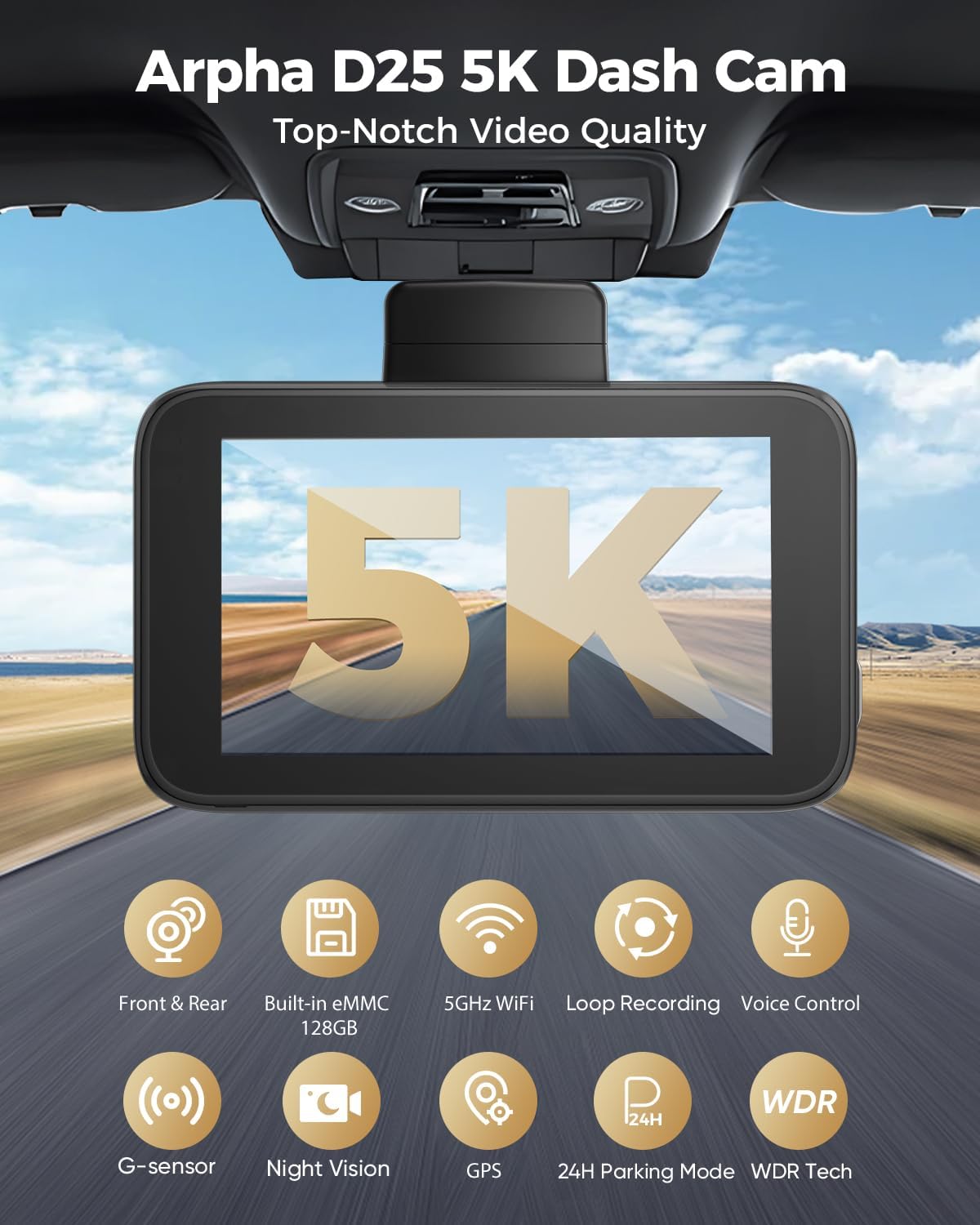
This image highlights the key features of the ARPHA D25 Dash Cam, including its 5K video quality, dual-channel recording, built-in 128GB eMMC storage, 5GHz WiFi, loop recording, voice control, G-sensor, night vision, GPS, 24-hour parking mode, and WDR technology.
2. Mount the Front Dash Camera
Attach the front dash camera to the windshield using the provided mount. Ensure it is placed in a position that does not obstruct your view and allows for optimal recording of the road ahead.
This video demonstrates the step-by-step installation process of the ARPHA D25 dash cam, including mounting the front unit and routing cables for a clean setup.
3. Installez la caméra de recul
Connect the rear camera to the main unit using the long cable. Route the cable neatly along the vehicle's interior trim to the rear windshield. Attach the rear camera to the rear windshield using its adhesive mount, ensuring a clear view de l'arrière.
4. Connexion électrique
Plug the Type-C USB power cable into the dash cam and the car charger into your vehicle's 12V power outlet. Route the power cable discreetly using the provided cable clips and pry tool.

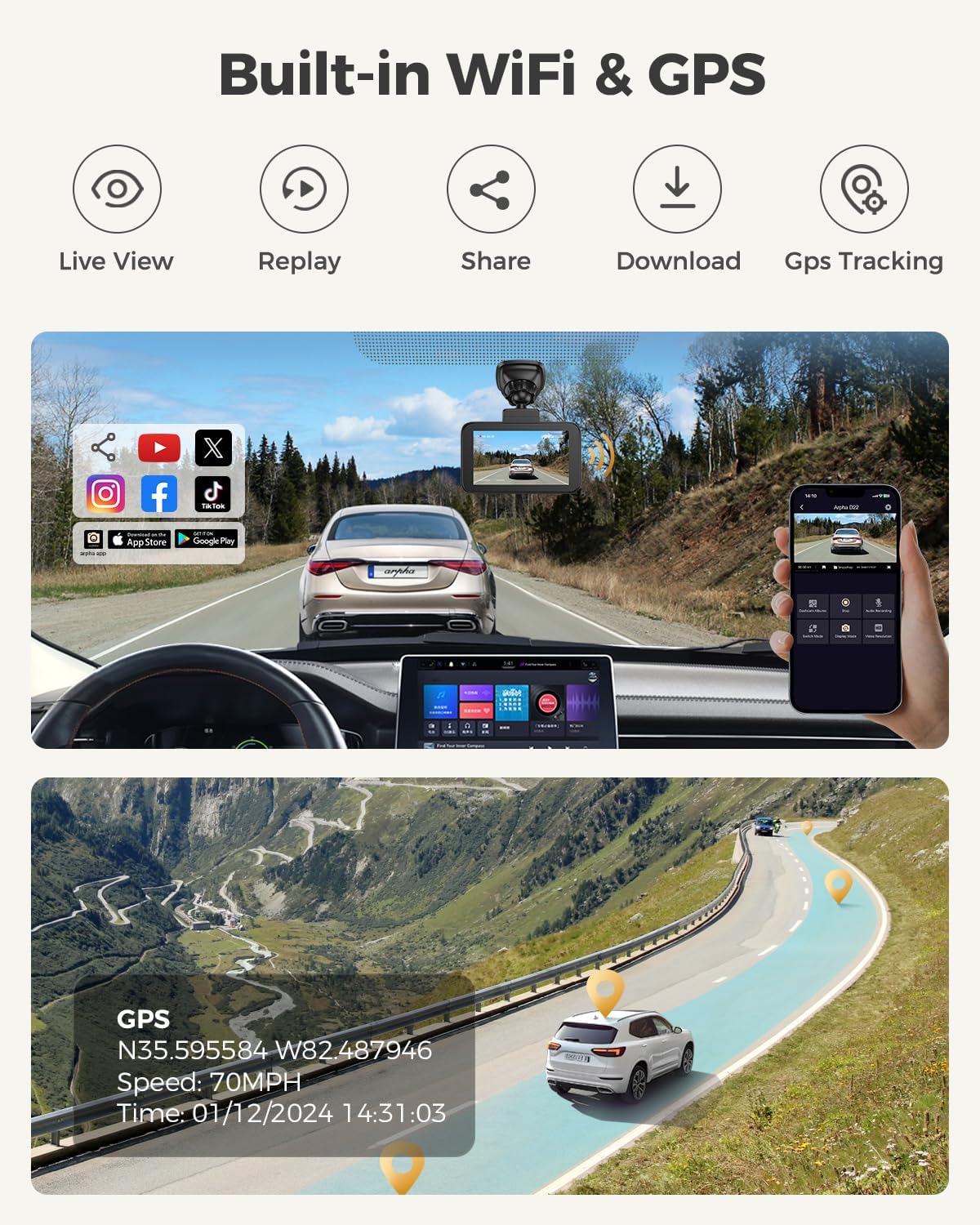
This image illustrates the seamless integration of built-in WiFi and GPS with the ARPHA D25 Dash Cam. Users can access live video, replay recordings, share content, download files, and track their vehicle's location and speed through the dedicated ARPHA app on their smartphone or computer.
Mode d'emploi
1. Configuration initiale et connexion à l'application
Upon first power-up, the dash cam will guide you through initial settings. Download the ARPHA Vision app on your smartphone (available for Android and iOS) to connect to the dash cam via 5.8G WiFi. This allows for live viewing, video playback, downloading, and settings adjustments.

This image highlights the ARPHA D25 Dash Cam's built-in 128GB eMMC storage, emphasizing its enhanced performance and portability for non-volatile data storage.
2. Smart Touch Screen Operation
The 3-inch touch screen provides intuitive control over the dash cam's functions. Navigate through menus, initiate recordings, play back videos, and adjust settings directly on the screen.

This image demonstrates the ARPHA D25 Dash Cam's user-friendly touch screen, allowing easy navigation through settings like resolution, timelapse record, parking mode, and playback, as well as real-time video viewing.
3. Commandes vocales
The ARPHA D25 supports voice commands for hands-free operation. Use commands such as "Lock the video," "Take picture," "Turn on WiFi," and "Turn off WiFi" to control the device safely while driving.
This image illustrates the smart voice control feature of the ARPHA D25 Dash Cam, allowing drivers to issue commands such as 'Lock the video,' 'Take picture,' 'Turn off WiFi,' and 'Open recording' for convenient and safe operation.
4. Parking Modes
The dash cam offers two parking modes for continuous surveillance:
- Mode de stationnement de détection de collision : The built-in G-sensor detects impacts and automatically locks the video footage pour éviter l'écrasement.
- Mode de stationnement accéléré : Records continuously for 12, 24, or 48 hours, compressing footage into time-lapse videos. (Requires a 3-lead Hardwire Kit, search ASIN: B0BMLLDK8W).

This image details the ARPHA D25 Dash Cam's 24-hour parking mode, showcasing both the collision detection parking mode (triggered by G-sensor) and the time-lapse parking mode (continuous recording for 12/24/48 hours). A hardwire kit is required for this feature.
5. Enregistrement en boucle
The dash cam utilizes loop recording, automatically overwriting the oldest unlocked footage when the built-in 128GB eMMC storage is full. Important footage can be manually locked or automatically locked by the G-sensor during collisions to prevent overwriting.

This image demonstrates the emergency lock function of the ARPHA D25 Dash Cam, which automatically saves and protects video footage when a collision is detected by the G-sensor, ensuring critical moments are not lost.
Cette vidéo fournit un aperçu completview of the ARPHA D25 Dash Cam's features, including its 5K recording, built-in eMMC, GPS tracking, smart voice control, user-friendly touch screen, 5.8GHz WiFi, emergency lock, 24-hour parking mode, and wide working temperature range.
Entretien
1. Nettoyage
Regularly clean the camera lenses with a soft, lint-free cloth to ensure clear video quality. Avoid using abrasive cleaners that could scratch the lens.
2. Mises à jour du micrologiciel
Check the ARPHA app periodically for available firmware updates. Keeping your dash cam's firmware up-to-date ensures optimal performance, new features, and bug fixes.
3. Gestion du stockage
While the built-in eMMC automatically manages storage with loop recording, it's good practice to occasionally review et sauvegarder les aliments importantstage to an external device or cloud storage.
Dépannage
1. La caméra embarquée ne s'allume pas.
- Ensure the car charger is properly plugged into the 12V outlet and the vehicle's ignition is on.
- Check the Type-C USB cable connection to the dash cam.
- Verify the vehicle's 12V outlet is functioning correctly.
2. Problèmes d'enregistrement
- Ensure the built-in 128GB eMMC is not full of locked files. Manually delete unnecessary locked files via the app or touch screen.
- Vérifiez si l'enregistrement en boucle est activé dans les paramètres.
- If using time-lapse parking mode, ensure the hardwire kit is correctly installed and providing continuous power.
3. WiFi Connectivity Problems
- Ensure the dash cam's WiFi is turned on (can be done via voice command or touch screen).
- Redémarrez à la fois la caméra embarquée et votre smartphone.
- Assurez-vous que votre smartphone se trouve à proximité immédiate de la caméra embarquée.
4. GPS Not Functioning
- Assurez-vous que la caméra embarquée dispose d'un écran clair. view du ciel pour la réception satellite.
- Vérifiez que le GPS est activé dans les paramètres de la caméra embarquée.
Caractéristiques
| Fonctionnalité | Détail |
|---|---|
| Dimensions du produit | 3.5 x 2.1 x 1.6 pouces |
| Poids de l'article | 1.54 livres |
| Résolution de capture vidéo | 5K (Front), 4K+1080P (Front & Rear) |
| Stockage intégré | eMMC 128 Go |
| Technologie de connectivité | Wi-Fi (5.8G), USB |
| Caractéristiques spéciales | Loop Recording, G-Sensor, App Control, Voice Control, Built-In GPS, WDR Night Vision, 2 Parking Modes |
| Afficher | Écran tactile de 3 pouces |
| Domaine de View | 150 degrés |
| Type de montage | Arrièreview Support de miroir |
Garantie et assistance
The ARPHA D25 dash cam front and rear is covered by a 12-month warranty and lifetime technical supports. For any problems or inquiries, please feel free to contact ARPHA customer support.