
Introduction
Thank you for choosing the Bigben 5000mAh MagSafe Compatible Wireless Power Bank. This portable power bank is designed to provide convenient wireless charging for compatible devices, as well as wired charging via its USB-C port. Please read this manual carefully before using the product to ensure safe and optimal performance.
Consignes de sécurité
Pour éviter toute blessure ou tout dommage à votre appareil, veuillez respecter les consignes de sécurité suivantes :
- N’exposez pas la batterie externe à des températures extrêmes, à la lumière directe du soleil ou au feu.
- Ne plongez pas la batterie externe dans l'eau ou tout autre liquide.
- Avoid dropping, hitting, or disassembling the power bank.
- Tenir hors de portée des enfants.
- Utilisez uniquement des câbles et adaptateurs de charge certifiés.
- Si la batterie externe gonfle, dégage une odeur ou devient excessivement chaude, cessez immédiatement de l'utiliser.
- Mettez au rebut la batterie externe de manière responsable, conformément à la réglementation locale.
Contenu du colis
Veuillez vérifier que le colis contient les éléments suivants :
- Bigben 5000mAh MagSafe Compatible Wireless Power Bank
- Câble de chargement USB-C vers USB-C
- Manuel de l'utilisateur (ce document)
Produit terminéview
Familiarisez-vous avec les composants de votre batterie externe :

Image : Avant view of the Bigben 5000mAh Power Bank, highlighting the LED indicator lights and the USB-C port.
- Voyants LED : Four small lights indicating the remaining battery level.
- Port USB-C : For charging the power bank and for wired device charging.
- Surface de charge sans fil : The flat surface designed for MagSafe compatible wireless charging.
- Bouton d'alimentation : Activates wireless charging and checks battery level.
Installation
Charger la batterie externe
Avant la première utilisation, chargez complètement votre batterie externe.
- Connectez le câble USB-C fourni au port USB-C de la batterie externe.
- Connectez l'autre extrémité du câble USB-C à un adaptateur mural USB compatible (non inclus).
- The LED indicator lights will illuminate to show the charging status. When all four LEDs are solid, the power bank is fully charged.
État de l'indicateur LED :
- 1 LED : charge de 0 à 25 %
- 2 LED : chargées à 25-50 %
- 3 LED : chargées à 50-75 %
- 4 LED : chargées à 75-100 %
Opérationnel
Recharge sans fil (compatible MagSafe)
This power bank supports MagSafe compatible wireless charging up to 10W.
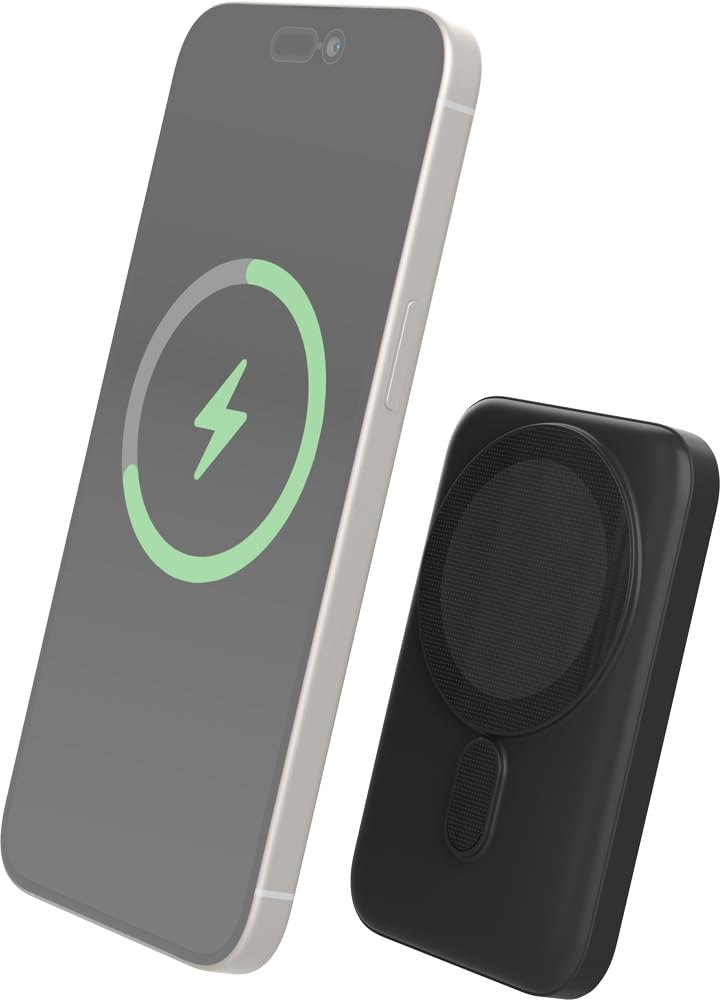
Image: The Bigben power bank magnetically connected to the back of a smartphone, illustrating the wireless charging function.
- Ensure your device is MagSafe compatible or has a MagSafe compatible case.
- Align the power bank with the back of your device. The magnets will snap it into place.
- The power bank will automatically begin charging your device. The LED indicators on the power bank will show its remaining charge.
- To stop charging, simply detach the power bank from your device.
Note: For optimal magnetic attachment and charging efficiency, ensure there are no obstructions between the power bank and your device.
Recharge filaire
You can also charge devices using a USB-C cable.
- Connect one end of a USB-C cable (not included, or use the provided one if suitable) to the power bank's USB-C port.
- Connectez l'autre extrémité du câble au port de chargement de votre appareil.
- La batterie externe commencera automatiquement à charger votre appareil.
Entretien
Nettoyage
- Disconnect the power bank from all devices and power sources before cleaning.
- Essuyez la surface avec un chiffon doux, sec et non pelucheux.
- N'utilisez pas de produits chimiques agressifs, de solvants de nettoyage ou de détergents puissants.
Stockage
- Rangez la batterie externe dans un endroit frais et sec, à l'abri de la lumière directe du soleil et des températures extrêmes.
- En cas de stockage prolongé, rechargez la batterie externe à environ 50 % tous les trois mois afin de préserver sa durée de vie.
Dépannage
| Problème | Solution possible |
|---|---|
| La banque d'alimentation ne charge pas |
|
| L'appareil ne se charge pas sans fil |
|
| L'appareil ne se charge pas par câble. |
|
| Les indicateurs LED ne fonctionnent pas |
|
Caractéristiques
| Fonctionnalité | Détail |
|---|---|
| Numéro de modèle | 6128 |
| Capacité de la batterie | 5000mAh |
| Sortie sans fil | Up to 10W (MagSafe Compatible) |
| Entrée / Sortie Port | USB-C |
| Poids | Environ 300 g |
Garantie et assistance
Bigben products are designed and manufactured to the highest standards. For warranty information or technical support, please refer to the warranty card included with your purchase or visit the official Bigben website.
For further assistance, please contact Bigben customer service.