
Philips LED 585786
Manuel d'utilisation de la lampe solaire portable LED Philips 585786
Modèle: 585786
1. Introduction
Thank you for choosing the Philips LED Solar Portable Light. This manual provides essential information for the safe and efficient operation of your device. Please read it thoroughly before use and retain it for future reference.

Image 1.1: Philips LED Solar Portable Light and its retail packaging.
The Philips LED Solar Portable Light is designed for both indoor and outdoor use, offering versatile lighting with its 3-in-1 light settings, including bright white and color-changing modes. It features dual charging capabilities via solar power and USB, ensuring long-lasting illumination.
2. Consignes de sécurité
- Lisez toutes les instructions avant d'utiliser le produit.
- Do not disassemble, repair, or modify the product. This may cause electric shock, fire, or damage to the product.
- Gardez le produit à l’abri des températures extrêmes, de la lumière directe du soleil et des environnements humides.
- Ensure the USB charging port is dry before connecting the charging cable.
- This product is waterproof (IPX4 rated), meaning it is protected against splashing water from any direction. Do not immerse it in water.
- Tenir hors de portée des enfants.
3. Contenu du colis
Vérifiez que tous les éléments sont présents dans le colis :
- 1 x Philips LED Solar Portable Light
- 1 x câble de chargement USB
- 1 x Manuel d'utilisation (ce document)
4. Produit terminéview
Familiarize yourself with the components of your Philips LED Solar Portable Light.

Image 4.1: Product dimensions. The light measures approximately 5.52 inches (L) x 5.16 inches (W) x 5.87 inches (H).
- Panneau solaire : Situé sur la surface supérieure pour la recharge solaire.
- Light Diffuser: Émet de la lumière.
- Poignée: Pour une portabilité facile.
- Port de charge USB: For wired charging (located at the base).
- Capteur de contrôle : Integrated into the body for tap control.
5. Configuration et chargement
Before first use, it is recommended to fully charge the light.
5.1 Charge solaire
Place the light outdoors in direct sunlight. The integrated solar panel will automatically begin charging the internal battery. Charging time varies depending on sunlight intensity.

Image 5.1: The solar panel on top of the light for outdoor charging.
5.2 Chargement USB
For faster charging or when sunlight is unavailable, use the provided USB cable.
- Locate the USB charging port at the base of the light.
- Connect the small end of the USB cable to the light's charging port.
- Connectez l'extrémité la plus large du câble USB à un adaptateur secteur USB standard (non inclus) ou à un port USB d'ordinateur.
- The light will indicate charging status (specific indicator not detailed in product info, assume visual cue or refer to product for details).
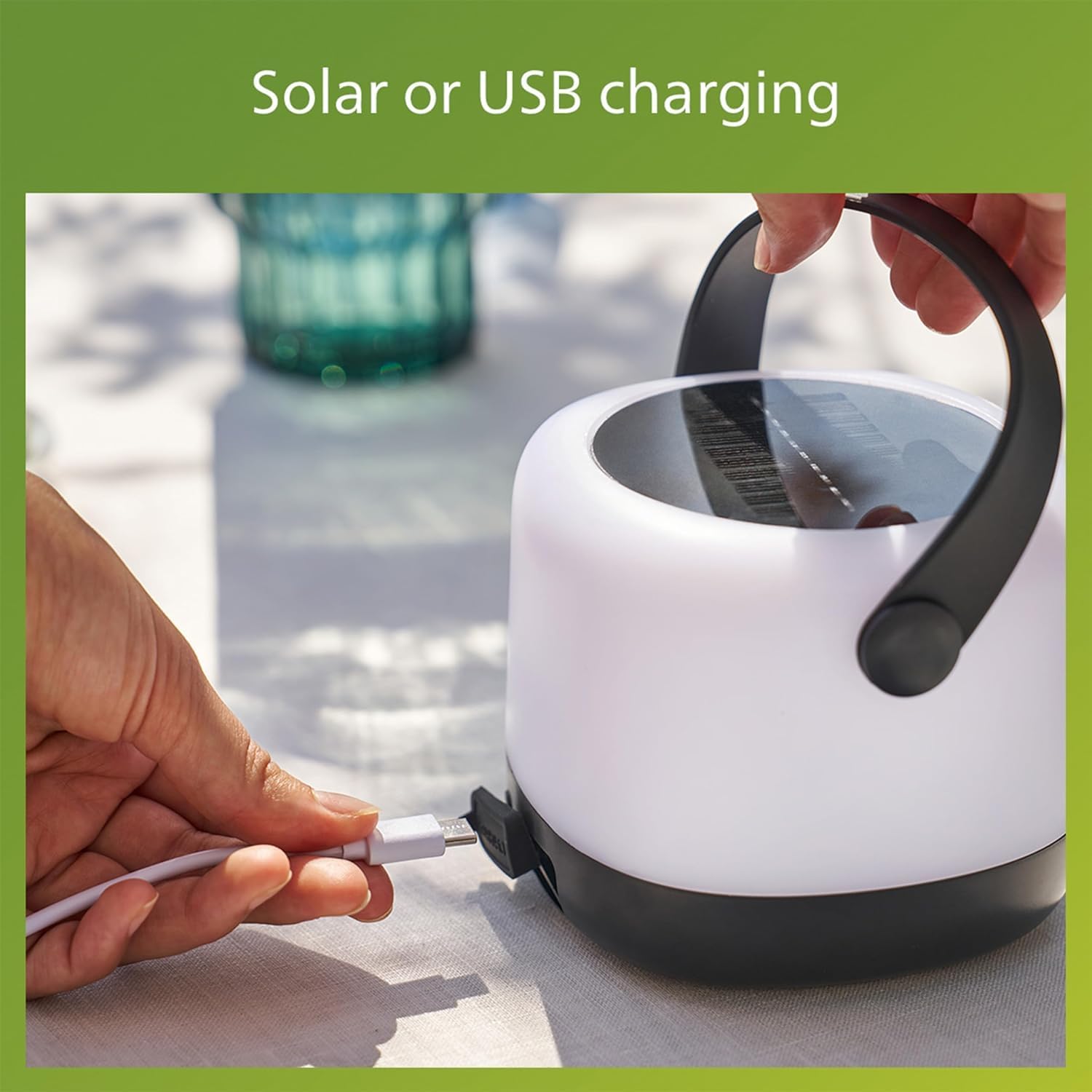
Image 5.2: Connecting the USB charging cable to the light.
A full charge provides up to 24 hours of illumination, depending on the selected light mode.
6. Mode d'emploi
The Philips LED Solar Portable Light features intuitive tap control for changing light settings.
6.1 Mise sous/hors tension
To turn the light on or off, gently tap the body of the light once. (Note: Product description mentions "double-tap" for changing modes, implying a single tap for on/off or initial mode. Clarify with product if needed. Assuming single tap for basic on/off.)
6.2 Changing Light Modes (3-in-1 Settings)
The light offers three distinct modes: two brightness levels of bright white (3000K) and an automatic color-changing mode. To cycle through these modes:
- Ensure the light is on.
- Appuyez deux fois the body of the light. Each double-tap will switch to the next mode in sequence.
- The modes typically cycle as follows:
Mode 1: Bright White (80 Lumens)
Mode 2: Lower Brightness White (20 Lumens)
Mode 3: Automatic Color Changing Mode

Image 6.1: User interacting with the light to change settings.

Image 6.2: Visual representation of the 3-in-1 light modes.
6.3 Selecting a Specific Color (Color Changing Mode)
When in the automatic color changing mode, you can select and fix a specific color:
- Activate the automatic color changing mode by double-tapping until it appears.
- Once the desired color is displayed, tap the light once to pause the color cycle and keep that color.
- To resume color cycling, tap the light once again.

Image 6.3: Effortless control to select and confirm your preferred color.
7. Entretien
7.1 Nettoyage
Pour nettoyer la lumière, essuyez-la avec un chiffon doux, damp cloth. Do not use abrasive cleaners or solvents, as these may damage the surface or internal components.
7.2 Entretien de la batterie
- Pour une durée de vie optimale de la batterie, évitez de la décharger complètement et fréquemment.
- If storing the light for an extended period, charge it fully and recharge every 3-6 months to prevent deep discharge.
- The light uses a Lithium-Ion battery. Do not attempt to replace the battery yourself.
7.3 Résistance à l'eau
The light is rated IPX4 waterproof, making it suitable for outdoor use in various weather conditions, including rain. However, it is not designed for submersion in water.

Image 7.1: The light is designed to perform in various weather conditions.
8. Dépannage
| Problème | Cause possible | Solution |
|---|---|---|
| La lumière ne s'allume pas. | La batterie est épuisée. | Charge the light using the solar panel or USB cable. |
| Light not charging via solar. | Ensoleillement insuffisant ; panneau solaire sale ou obstrué. | Place in direct sunlight; clean the solar panel; try USB charging. |
| Light not changing modes. | Incorrect tapping gesture; sensor obstruction. | Ensure a clear, firm double-tap on the body. Check for any obstructions on the sensor area. |
| La lumière s'éteint de manière inattendue. | Batterie faible. | Rechargez la lumière. |
9. Spécifications
| Fonctionnalité | Détail |
|---|---|
| Marque | DEL Philips |
| Numéro de modèle | 585786 |
| Type de source lumineuse | LED (diode électroluminescente) |
| Température de couleur | 3000K (blanc brillant) |
| Rendement lumineux | 80 Lumens / 20 Lumens (Adjustable) |
| Source d'énergie | Alimentation solaire, chargement USB |
| Type de batterie | Lithium-Ion (1 inclus) |
| Autonomie de la batterie | Jusqu'à 24 heures |
| Niveau de résistance à l'eau | IPX4 (étanche) |
| Dimensions du produit | 5.52"L x 5.16"l x 5.87"H |
| Poids de l'article | 1 livre |
| Matériel | Plastique |
| Voltage | 3.7 volts |
10. Informations sur la garantie
This Philips LED Solar Portable Light comes with a Garantie constructeur d'un an À compter de la date d'achat, cette garantie couvre les défauts de matériaux et de fabrication dans des conditions normales d'utilisation. Elle ne couvre pas les dommages causés par une mauvaise utilisation, un accident, une modification non autorisée ou des causes externes.
Veuillez conserver votre preuve d'achat pour les réclamations au titre de la garantie.
11. Assistance clientèle
For further assistance, technical support, or warranty inquiries, please contact Philips customer service. You can typically find contact information on the Philips Lighting websur le site ou auprès de votre détaillant.
Visit the official Philips Lighting website pour obtenir les informations d'assistance les plus récentes : www.philips.com/éclairage
Ask a question about this manual
Ask about setup, troubleshooting, compatibility, parts, safety, or missing instructions. Manuals+ will review the question and use this page’s manual context to help answer it.