
Introduction
The FLAMMA FX200 is a versatile multi-effects processor designed for guitarists, offering a wide range of features for practice, studio recording, and live performance. This manual provides essential information for setting up, operating, and maintaining your device.
Caractéristiques principales :
- Enhanced footswitches for intuitive preset bank switching and effects control.
- Expanded I/O options including Aux In, Expression Pedal input, Stereo FX Loop, Stereo Out, Headphones Out, XLR Out, 5-pin MIDI In/Out, and USB-C.
- 58 pré intégréamp models and 30 IR-based factory speaker cabinet simulations.
- Support for third-party impulse response (IR) files, with 50 empty slots for custom loading (up to 1024 sampling points each).
- USB-C connectivity for PC connection, enabling use with specialized editing software for tone editing, preset management, firmware updates, and IR loading.
- Battery-powered operation for portability and convenience.
Installation
Options d'alimentation
The FX200 can be powered by its internal Lithium Polymer battery or an optional AC adapter. Ensure the device is adequately charged or connected to a stable power source before use.

Image: FLAMMA FX200 showcasing its battery-powered capability with 3000mAh capacity, 2.5 hours charging time, and 5.6 hours battery life. It also highlights the option for AC adapter power.
Relations
The FX200 offers extensive input/output options to integrate into various setups. Refer to the diagram below for common connection scenarios.

Image : Arrière view of the FLAMMA FX200 showing all input and output jacks, including Aux In, EXP 2, Input, FX Loop (Send/Return), Output (L/Mono, R), Phones, XLR Out (L/Mono, R), MIDI In/Out, USB-C, DC In, and Power Switch.
- Saisir: Connectez votre guitare ou votre basse ici.
- Entrée auxiliaire : Connect an external audio player for backing tracks.
- EXP 2: Connect an external expression pedal for additional control.
- Boucle d'effets (envoi/retour) : Intégrez des pédales d'effets externes à votre chaîne de signal.
- Sortie (L/Mono, R) : Se connecter à un amplifier, mixer, or audio interface. Supports mono or stereo output.
- Téléphones: Branchez des écouteurs pour pratiquer en silence.
- XLR Out (L/Mono, R): Balanced outputs for direct connection to a mixer or PA system.
- Entrée/sortie MIDI : Connect MIDI devices for external control or to control other MIDI gear.
- USB-C : Connect to a PC/Mac for editing software, firmware updates, and USB audio recording.
- Interrupteur: Allume/éteint l'appareil.

Image: Diagram illustrating various connection possibilities for the FLAMMA FX200, including music player, expression pedal, guitar, effector, guitar power amp/monitor/sound card, mixer, MIDI device, power, and PC/Mac.
Operating the FX200
Écran tactile
The FX200 features a 5-inch LCD touchscreen for intuitive navigation and control. You can touch, swipe, drag-and-drop elements to customize your effects chain and settings.

Image: A hand interacting with the touchscreen of the FLAMMA FX200, demonstrating the touch, swipe, drag-and-drop functionality for managing effects.
Pédales et pédale d'expression
The unit is equipped with multiple footswitches for preset selection, effects toggling, and looper/tuner functions. The integrated expression pedal can be assigned to control various parameters like volume or wah effects.
Presets and Effects
The FX200 includes 58 preamp models, 30 cabinet simulations, and 160 different types of effects. You can create and store up to 200 editable user preset slots. The editable effects chain allows you to change the order of modules for precise tone shaping.

Image: Visual representation of the FLAMMA FX200's capabilities, highlighting 160 effects, 50 IR loading slots, 44.1 kHz sampdébit, 24 bits sample accuracy, 30 cab simulations, and 1024 samples points.
Boucleur et boîte à rythmes
An integrated 52-second looper and a drum machine with 80 variations and 10 metronome styles are available for practice and creative use.
Logiciel d'édition
Connect the FX200 to your PC/Mac via USB-C to use the specialized editing software. This software allows for comprehensive tone editing, preset management, preset backup, firmware updates, and IR loading.
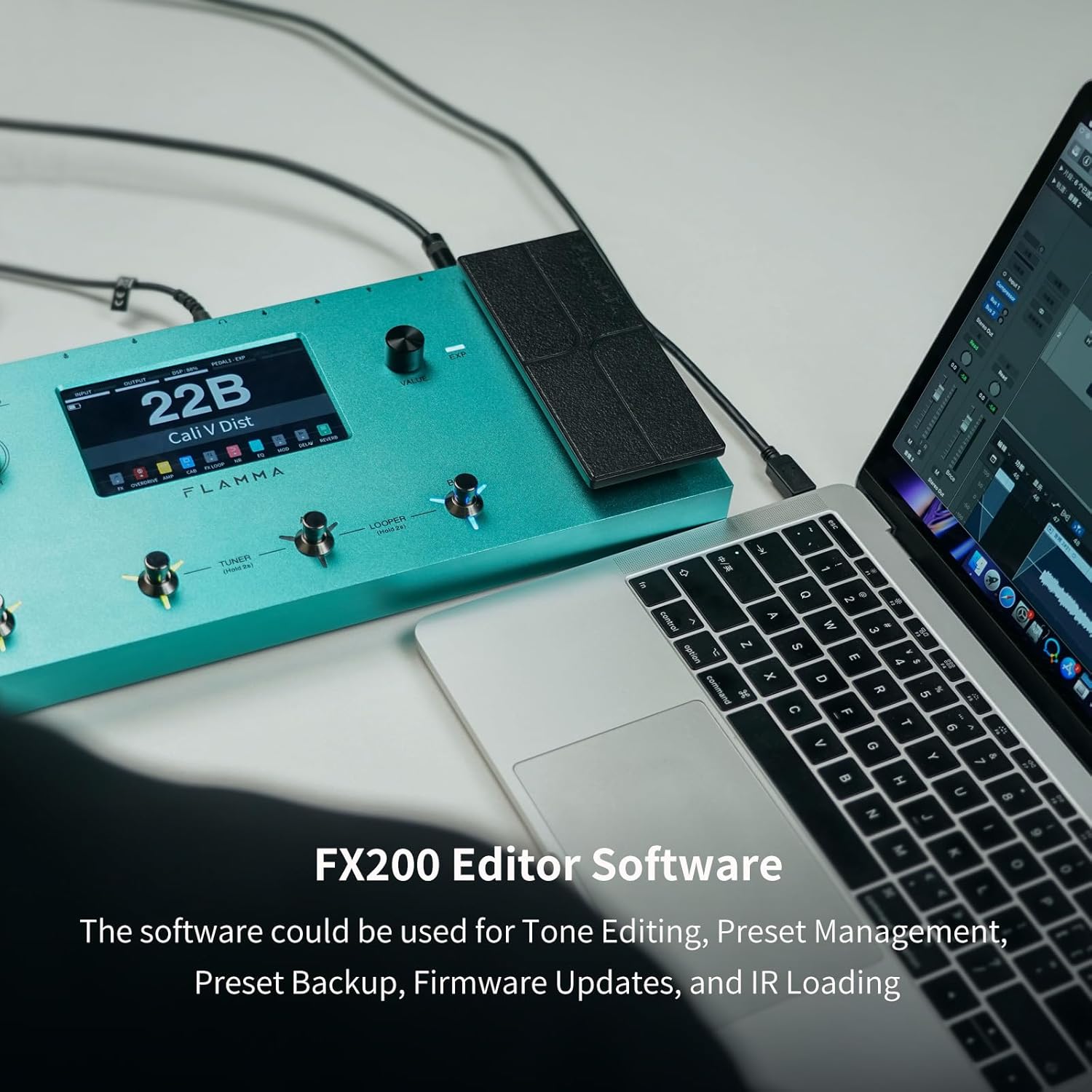
Image: The FLAMMA FX200 connected to a laptop, displaying the editor software interface for tone editing, preset management, backup, firmware updates, and IR loading.
Entretien
Mises à jour du firmware
Firmware updates can be performed by connecting the FX200 to a PC/Mac via USB-C and using the dedicated editing software. Regularly check the FLAMMA webConsultez ce site pour obtenir les dernières versions du firmware et garantir des performances optimales ainsi que l'accès aux nouvelles fonctionnalités.
Nettoyage
Use a soft, dry cloth to clean the unit. Avoid using abrasive cleaners or solvents that could damage the finish or electronic components.
Dépannage
Problèmes de mise à la terre
If you experience unwanted noise or hum, check the grounding of your setup. The FX200 includes a ground lift switch on the rear panel (near the XLR outputs) that can help resolve grounding issues.
Caractéristiques
| Fonctionnalité | Détail |
|---|---|
| Numéro de modèle | FX200 |
| Marque | FLAMME |
| Poids de l'article | 3.9 livres |
| Source d'énergie | Alimenté par batterie |
| Type de batterie | Lithium Polymère (1 inclus) |
| Interface matérielle | USB |
| Format du signal | Analogique |
| Type de matériau | Métal |
| Effets de sortie audio | Effet multiple |
Garantie et assistance
Les détails spécifiques de la garantie et les informations de contact pour l'assistance directe ne sont pas fournis dans les données produit disponibles. Veuillez vous référer au site officiel du fabricant. website or your retailer for warranty terms and customer support options.
Vidéos officielles des produits
FLAMMA FX200 Multi Effects Processor Overview
Vidéo : Un overview of the FLAMMA FX200 Multi Effects Processor by Kyle Bull, demonstrating its features and capabilities.
FLAMMA FX200 Multi Effects Processor Demo
Video: A demonstration of the FLAMMA FX200 Multi Effects Processor by Brett Kingman, showcasing various sounds and effects.
FLAMMA FX200b Multi Effects Processor on NAMM Show
Video: Premier Guitar's coverage of the FLAMMA FX200b Multi Effects Processor at the NAMM Show, highlighting its key features.