
1. Introduction
The QKVCX Kess V5.017 is an advanced ECU programming tool designed for reading and writing data to a vehicle's Engine Control Unit (ECU). This device supports a wide range of vehicles, including cars, trucks, tractors, and motorcycles, across various protocols such as Line, KAN, EDC17, MED17, and Ford J1850. It operates without token limitations, offering lifetime use for vehicle diagnostics and programming tasks.
2. Contenu du colis
Before proceeding with installation and operation, please verify that all components listed below are present in your package:
- Kess V5.017 Main Unit
- Câble de connexion OBD2
- Câble USB
- Various Adapter Cables for different ECU connections
- Software CD / USB Flash Drive (containing installation files)
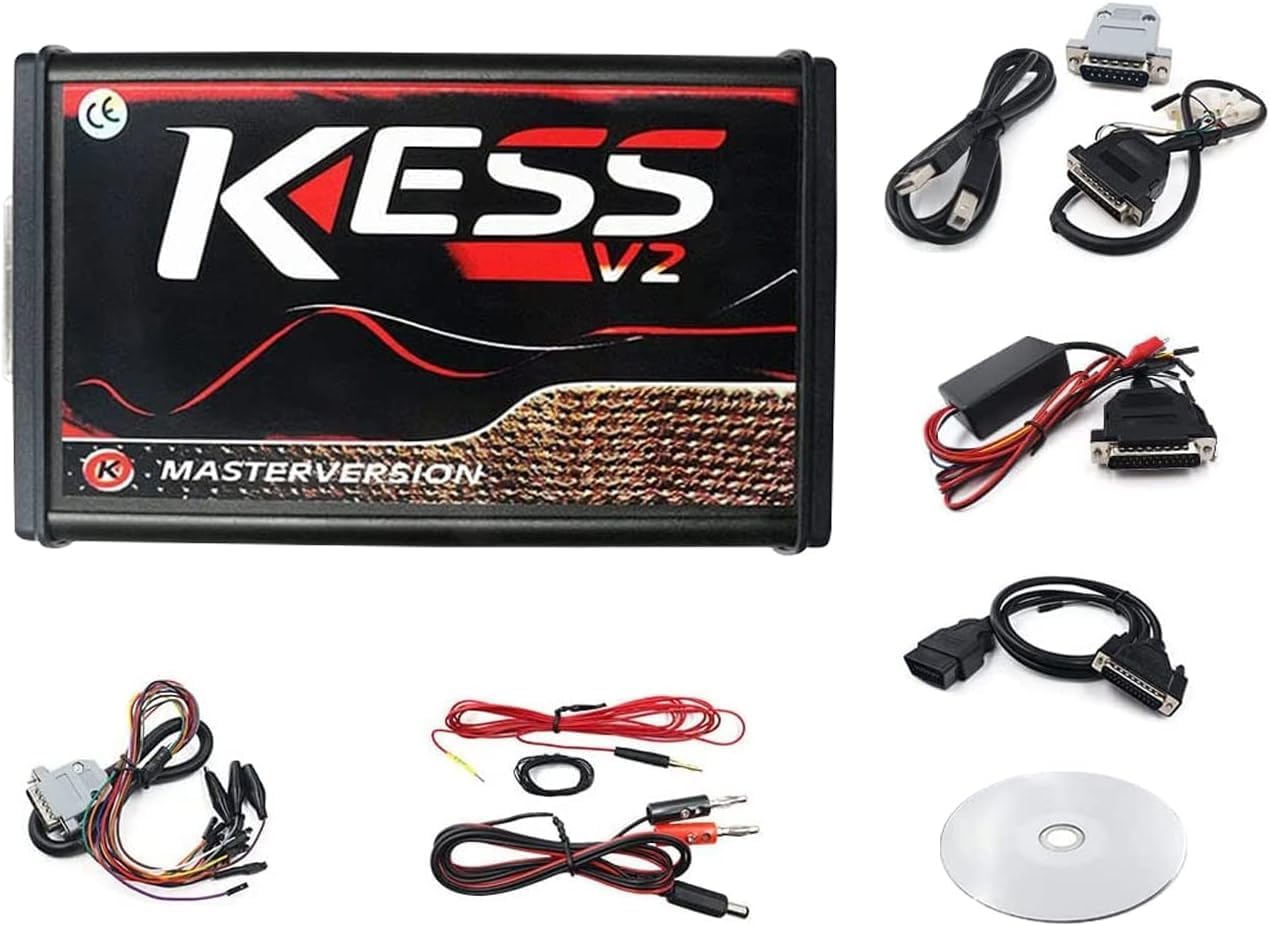
Figure 2.1: The QKVCX Kess V5.017 main unit along with its complete set of accessories, including various connection cables, adapters, and the software CD.
3. caractéristiques du produit
The Kess V5.017 ECU Programming Tool offers a comprehensive set of features designed for efficient and reliable vehicle ECU management:
- Prise en charge étendue des protocoles : Covers major brands and protocols including Line, KAN, EDC17, MED17, and Ford J1850.
- Unlimited Tokens: No token limitations for all supported vehicles, allowing for lifetime use.
- Online Service Support: Firmware V5.017 supports online services via internet connection.
- Compatibilité étendue des véhicules : Supports various vehicle types based on engine, including cars, trucks, tractors, and bikes.
- Direct OBD2 Programming: Enables reading and writing to the ECU directly through the OBD2 port, eliminating the need to disassemble the ECU.
- Vol de batterie en temps réeltage Vérifiez : Surveille le volume de la batterietage during programming to prevent interruptions.
- Full Recovery Function: Provides a recovery option in case of programming issues.
- Automatic Checksum Correction: Ensures data integrity by automatically correcting checksums.
- Boot-Loader Mode Support: Compatible with boot-loader mode for advanced programming.
- ScanTool Function: Includes a ScanTool function to remove Diagnostic Trouble Codes (DTCs).
- Adjustable Read/Write Speed: Offers several options for adjusting reading and writing speeds.
- Partial/Full Map Writing: Option to write full files or specific sections of the ECU map.
- ECM Titanium Integration: Full integration capabilities with ECM Titanium software.

Figure 3.1: A list detailing the main functionalities of the Kess V5.017, including real-time battery voltage check, full recovery function, automatic checksum correction, and boot-loader mode support.

Figure 3.2 : Un aperçu détaillé view of the Kess V5.017's internal circuit board, showcasing the main processor and other critical electronic components for reliable operation.
4. Installation
4.1 Installation du logiciel
- Disable Firewall: Before installing the software, temporarily turn off your computer's firewall software to prevent interference during installation.
- Copy Software: Copy the entire contents of the provided software CD or USB flash drive to the C drive of your computer.
- Exécuter le programme d'installation : Navigate to the copied folder on your C drive and run the installation executable. Follow the on-screen prompts to complete the installation.

Figure 4.1: An important notice advising users to disable computer firewall software before installation and to copy the software contents from the CD to the computer's C drive for proper execution.
4.2 Configuration requise
The Kess V5.017 software is compatible with the following operating systems:
- Windows XP
- Windows 7
- Windows 8
- Windows 10
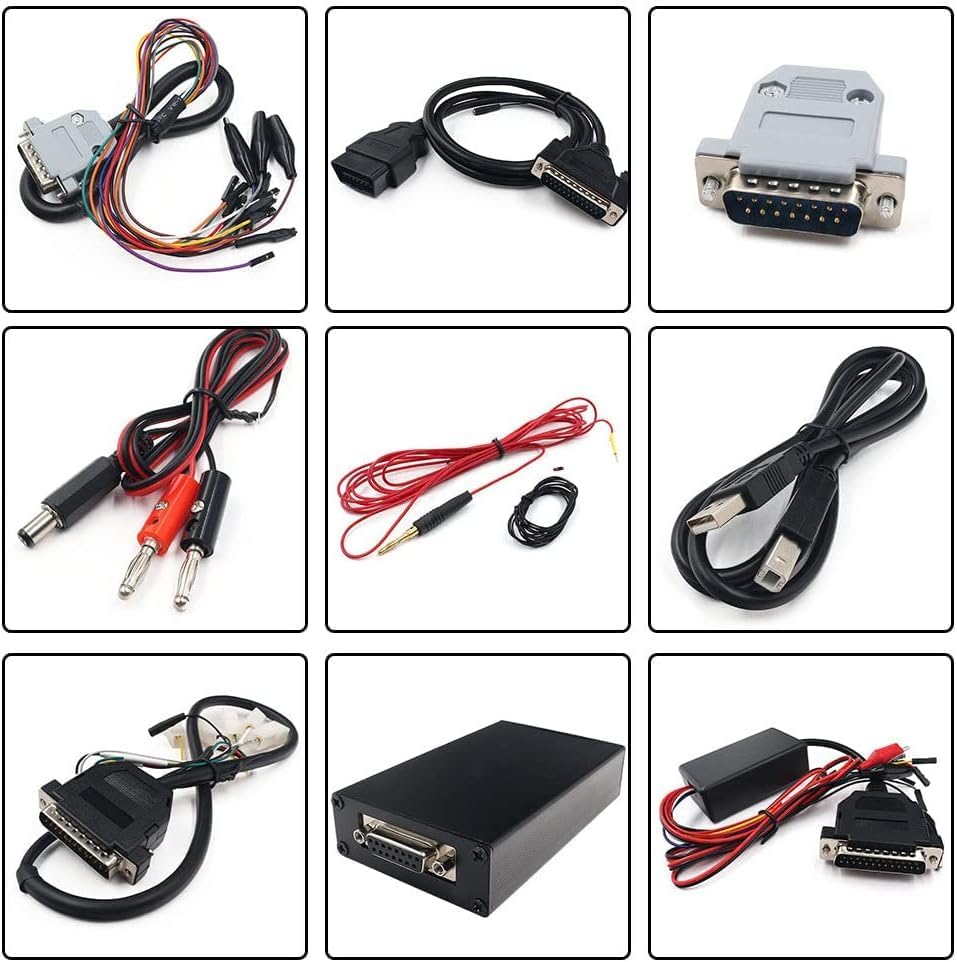
Figure 4.2: This image shows the Kess V5.017 device and its internal board, accompanied by a table outlining supported vehicle types (cars, trucks, tractors, motorcycles) and compatible operating systems (Windows XP, 7, 8, 10).
5. Mode d'emploi
5.1 Connecting via OBD2
For vehicles supporting OBD2 programming, follow these steps:
- Assurez-vous que le contact du véhicule est coupé.
- Repérez le port OBD2 du véhicule (généralement sous le tableau de bord).
- Connect the OBD2 cable from the Kess V5.017 unit to the vehicle's OBD2 port.
- Connect the Kess V5.017 unit to your computer via the USB cable.
- Turn the vehicle's ignition to the ON position (do not start the engine).
- Launch the Kess V5.017 software on your computer and follow the software's instructions for reading or writing the ECU.

Figure 5.1: This diagram demonstrates how to connect the Kess V5.017 to a vehicle's OBD2 port for ECU programming, with the device linked to a laptop.
5.2 Connecting via Tricore
For ECUs requiring Tricore programming, follow these steps:
- Disconnect the ECU from the vehicle.
- Connect the appropriate Tricore adapter cables from the Kess V5.017 unit to the ECU. Refer to the specific ECU's pinout diagram for correct connections.
- Connect the Kess V5.017 unit to your computer via the USB cable.
- Ensure the ECU is powered correctly through the adapter.
- Launch the Kess V5.017 software on your computer and follow the software's instructions for reading or writing the ECU.

Figure 5.2: This diagram illustrates the connection setup for programming an ECU using the Tricore method, showing the Kess V5.017 connected to a laptop and the vehicle's ECU.
6. Entretien
To ensure the longevity and optimal performance of your Kess V5.017 tool, adhere to the following maintenance guidelines:
- Stockage: Rangez l'appareil et ses accessoires dans un endroit sec et frais, à l'abri de la lumière directe du soleil et des températures extrêmes.
- Nettoyage: Utilisez un chiffon doux et sec pour nettoyer l'extérieur de l'appareil. Évitez d'utiliser des produits chimiques agressifs ou des matériaux abrasifs.
- Entretien des câbles : Handle all cables with care. Avoid bending them sharply or pulling them forcefully, which can damage internal wires.
- Mises à jour logicielles : Regularly check for and install official software updates to ensure compatibility with new vehicles and to benefit from performance improvements and bug fixes.
- Firmware Integrity: Do not attempt to modify the device's firmware unless instructed by official support. Unauthorized modifications can lead to device malfunction.
7. Dépannage
This section addresses common issues you might encounter while using the Kess V5.017 tool.
7.1 Problèmes d'installation du logiciel
- CD/USB Not Recognized: If your computer does not recognize the provided CD or USB flash drive, ensure your drive is functioning correctly. If the issue persists, try copying the files to another USB drive or downloading the software from an official source if available.
- Erreurs d'installation : Ensure your firewall and antivirus software are temporarily disabled during installation. Verify that the software files were copied completely and correctly to your C drive.
7.2 Erreurs de communication
- L'appareil ne se connecte pas : Check all cable connections between the Kess V5.017, the vehicle/ECU, and the computer. Ensure the USB drivers for the Kess V5.017 are correctly installed on your computer.
- Vehicle Not Detected: Verify that the vehicle's ignition is in the ON position (engine off) for OBD2 connections. Ensure the correct vehicle protocol is selected in the software.
- Programming Failure: Vérifiez le volume de la batterie du véhiculetage is stable and sufficient during programming. A low battery can interrupt the process. Use the real-time battery voltage check feature. If a programming failure occurs, utilize the full recovery function.
7.3 Fonctionnement général
- Fonctionnement lent : If reading or writing is slow, check your computer's performance and ensure no other demanding applications are running. You can also adjust the read/write speed settings within the software.
- Unsupported ECU: If the software indicates an unsupported ECU, verify that your Kess V5.017 firmware and software versions are up to date. Not all ECUs are universally supported; consult official compatibility lists.
8. Spécifications
| Fonctionnalité | Détail |
|---|---|
| Marque | QKVCX |
| Modèle | KESS V5.017 |
| Version du firmware | V5.017 |
| Une version de logiciel | V2.47 (or V2.53 as per some images) |
| Compatibilité du système d'exploitation | Windows XP, Windows 7, Windows 8, Windows 10 |
| Interface de connexion | OBD2, Tricore |
| Token Limit | Illimité |
| Poids de l'article | Environ 2.33 livre (1.06 kg) |
| Dimensions du colis | Environ 9.17 x 7.6 x 2.83 pouces (23.3 x 19.3 x 7.2 cm) |
9. Garantie et assistance
For warranty information and technical support, please refer to the documentation provided with your purchase or contact the QKVCX customer service directly. Keep your purchase receipt as proof of purchase for any warranty claims.