
Introduction
This manual provides essential information for the proper use and maintenance of your Infinix Smart 8 X6525 mobile phone. Please read it carefully to ensure optimal performance and longevity of your device.
The Infinix Smart 8 features a 6.6-inch HD+ display, 13MP AI dual rear camera, 8MP front camera, 5000 mAh battery, and runs on Android 13. It supports dual nano SIM cards and Type-C charging.
Installation
1. Installation de la carte SIM et de la carte mémoire
Pour installer votre ou vos cartes SIM et une carte microSD (en option) :
- Repérez le tiroir SIM sur le côté de l'appareil.
- Insérez l'outil d'éjection de la carte SIM dans le petit trou situé à côté du tiroir et poussez doucement jusqu'à ce que le tiroir sorte.
- Place your Nano-SIM card(s) and/or microSD card into the tray with the gold contacts facing down, ensuring they are correctly oriented as indicated on the tray.
- Repoussez délicatement le plateau dans son logement jusqu'à ce qu'il soit parfaitement aligné avec le boîtier du téléphone.
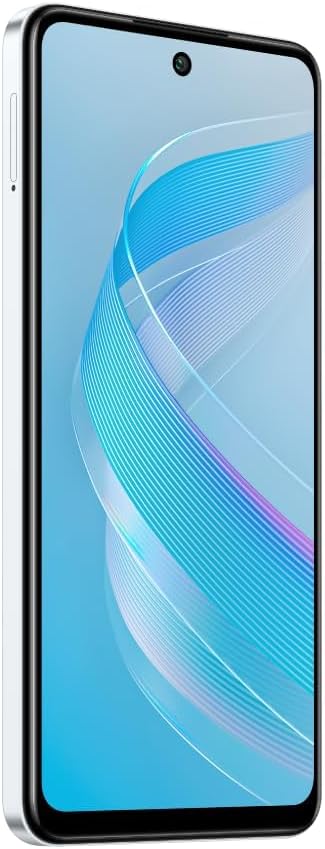
Image : Côté view of the Infinix Smart 8 X6525, illustrating the location of the SIM card tray.
2. Mise sous tension initiale
Press and hold the Power button (located on the right side of the device) until the Infinix logo appears. Follow the on-screen instructions to complete the initial setup, including language selection, Wi-Fi connection, and Google account setup.
3. Chargement de l'appareil
Connect the USB Type-C cable to the phone's charging port and the other end to the power adapter. Plug the power adapter into a wall outlet. The battery indicator on the screen will show the charging status. For optimal battery life, use the provided charger and cable.
Utilisation de votre appareil
1. Navigation de base
Your Infinix Smart 8 X6525 uses a touchscreen for navigation. Swipe up, down, left, or right to move between screens and menus. Tap icons to open applications. Use gestures or the navigation bar at the bottom of the screen for Home, Back, and Recent Apps functions.

Image : Avant view of the Infinix Smart 8 X6525, showing the display and front camera.
2. Utilisation de l'appareil photo
To open the camera, tap the Camera icon on your home screen or lock screen. The device features a 13MP AI dual rear camera and an 8MP front camera. Switch between modes like Photo, Video, Portrait, and Panorama. Tap the shutter button to capture images or start/stop video recording. The AI features automatically optimize settings for various scenes.
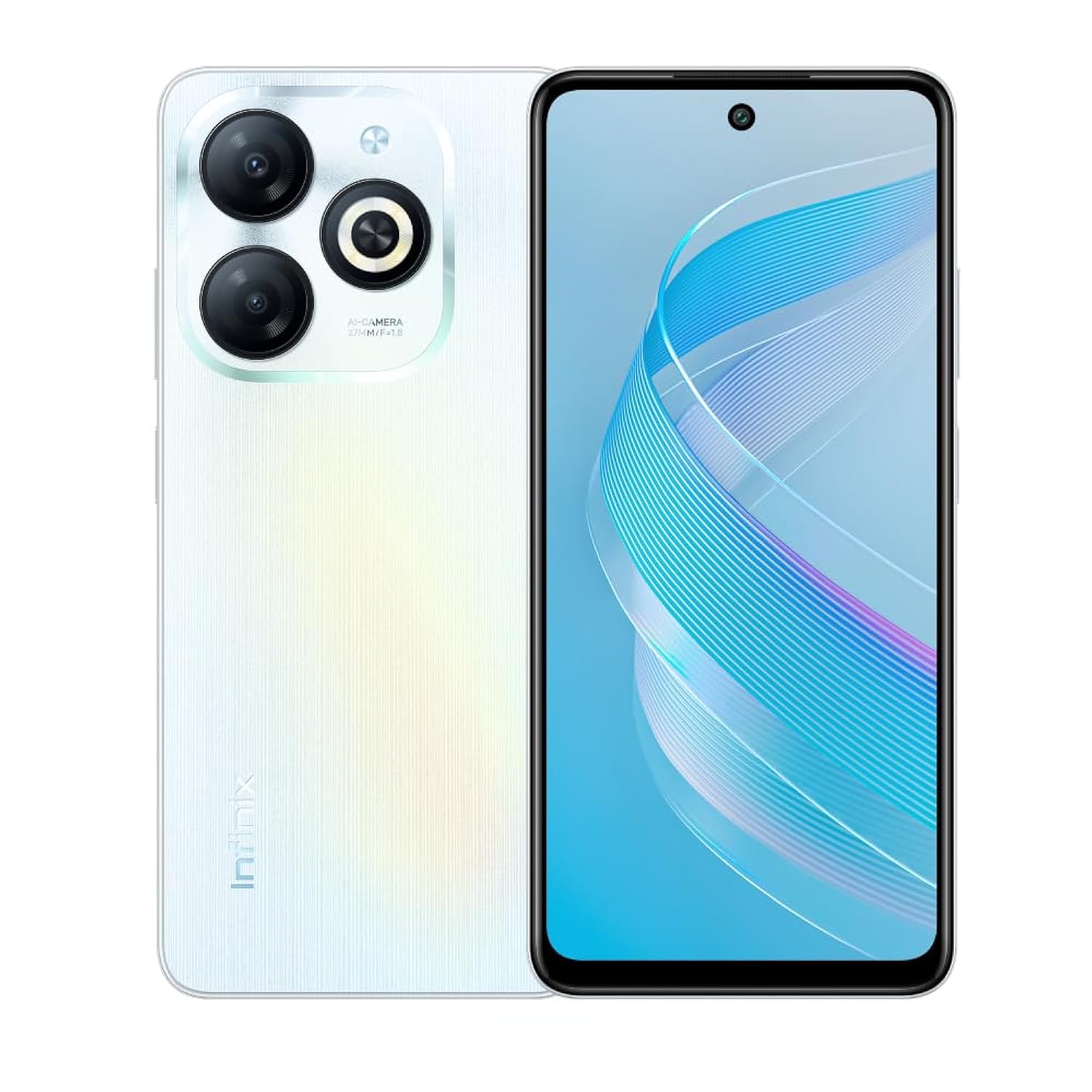
Image : Arrière view of the Infinix Smart 8 X6525, highlighting the dual camera module and ring flashlight.
3. Connectivité
- Wifi: Go to Settings > Network & internet > Wi-Fi to connect to available wireless networks.
- Bluetooth : Accédez à Paramètres > Appareils connectés > Préférences de connexion > Bluetooth pour jumeler des appareils Bluetooth.
- Données mobiles: Ensure your SIM card is active and go to Settings > Network & internet > Mobile network to enable or disable mobile data.
4. Fonctions de sécurité
The device supports a side-mounted fingerprint sensor and face unlock for enhanced security. To set them up, go to Settings > Security > Fingerprint Unlock or Face Unlock and follow the on-screen instructions.
Entretien
1. Entretien de la batterie
- Évitez d'exposer l'appareil à des températures extrêmes.
- Ne déchargez pas complètement la batterie régulièrement.
- Utilisez uniquement des chargeurs et des câbles d'origine ou certifiés.
- Si l'appareil ne doit pas être utilisé pendant une période prolongée, chargez-le à environ 50 % avant de le ranger.
2. Mises à jour logicielles
Regularly check for and install software updates to ensure your device has the latest features, security patches, and performance improvements. Go to Settings > System > System update to check for updates.
3. Nettoyage de votre appareil
Utilisez un chiffon doux non pelucheux pour nettoyer l'écran et le boîtier du téléphone. Évitez les produits chimiques agressifs et les matériaux abrasifs. Pour les taches tenaces, frottez légèrement avec un chiffon doux.ampnettoyez le chiffon avec de l'eau ou un nettoyant pour écrans conçu pour les appareils électroniques.
Dépannage
Problèmes courants et solutions
- L'appareil ne s'allume pas : Assurez-vous que la batterie est chargée. Branchez le chargeur et attendez quelques minutes avant de tenter de rallumer l'appareil.
- Applications qui plantent ou se bloquent : Close and restart the app. If the issue persists, clear the app's cache (Settings > Apps > [App Name] > Storage & cache > Clear cache).
- Mauvaise autonomie de la batterie : Réduisez la luminosité de l'écran, fermez les applications inutilisées, désactivez les fonctions de connectivité inutiles (Wi-Fi, Bluetooth, GPS) lorsqu'elles ne sont pas utilisées.
- Problèmes de connectivité réseau : Check if your SIM card is properly inserted. Try restarting the device. Ensure mobile data or Wi-Fi is enabled.
- Appareil non réactif : Maintenez le bouton Marche/Arrêt enfoncé pendant environ 10 à 15 secondes pour forcer un redémarrage.
Caractéristiques
| Fonctionnalité | Détail |
|---|---|
| Nom de marque | Infinix |
| Nom du modèle | Intelligente 8 |
| Système opérateur | Android 13.0 |
| RAM installée | 4 Go |
| Capacité de stockage de la mémoire | 128 Go |
| Taille de l'écran | 6.6 pouces |
| Résolution | 720 x 1612 pixels |
| Taux de rafraîchissement | 90 Hz |
| Couleur | Blanc |
| Nombre d'emplacements pour carte SIM | Double SIM |
| Type de connecteur | Port USB Type-C |
| Fonction de sécurité biométrique | Reconnaissance des empreintes digitales |
| Front Photo Sensor Resolution | 8 mégapixels |
| Rear Camera Photo Sensor Resolution | 13 mégapixels |
| Description de la caméra | 13MP rear camera, AI dual camera with ring flashlight |
| Résolution de capture vidéo | 1080p |
| Type d'affichage | Écran LCD |
| Technologie cellulaire | 4G |
| Technologie de connectivité | Bluetooth, Wi-Fi |
| Capacité de la batterie | 5000 mAh |
| Poids de l'article | 184 grammes |
| Dimensions de l'article | 16.4 x 0.8 x 7.6 cm |
| Composants inclus | Headset, Phone Cover, USB Cable, Power Adapter, Screen Protector |
Consignes de sécurité
- Ne démontez pas et n'essayez pas de réparer l'appareil vous-même.
- Gardez l'appareil à l'abri de l'eau et de l'humidité.
- Évitez d’exposer l’appareil à la lumière directe du soleil ou à des températures élevées.
- Utilisez uniquement des accessoires approuvés par Infinix.
- Mettez au rebut l'appareil et sa batterie de manière responsable, conformément à la réglementation locale.
Garantie et assistance
Your Infinix Smart 8 X6525 comes with a standard manufacturer's warranty. Please refer to the warranty card included in the product packaging for specific terms and conditions, including warranty period and coverage details.
Pour obtenir une assistance technique, un service après-vente ou pour toute autre question, veuillez consulter le site officiel d'Infinix. webConsultez leur site web ou contactez leur service client. Conservez votre preuve d'achat pour toute réclamation au titre de la garantie.