
AmScope M44-KT
AmScope IQCREW M44-KT 100X-1200X Compound Starter Microscope Kit User Manual
Model: M44-KT | Brand: AmScope
Introduction
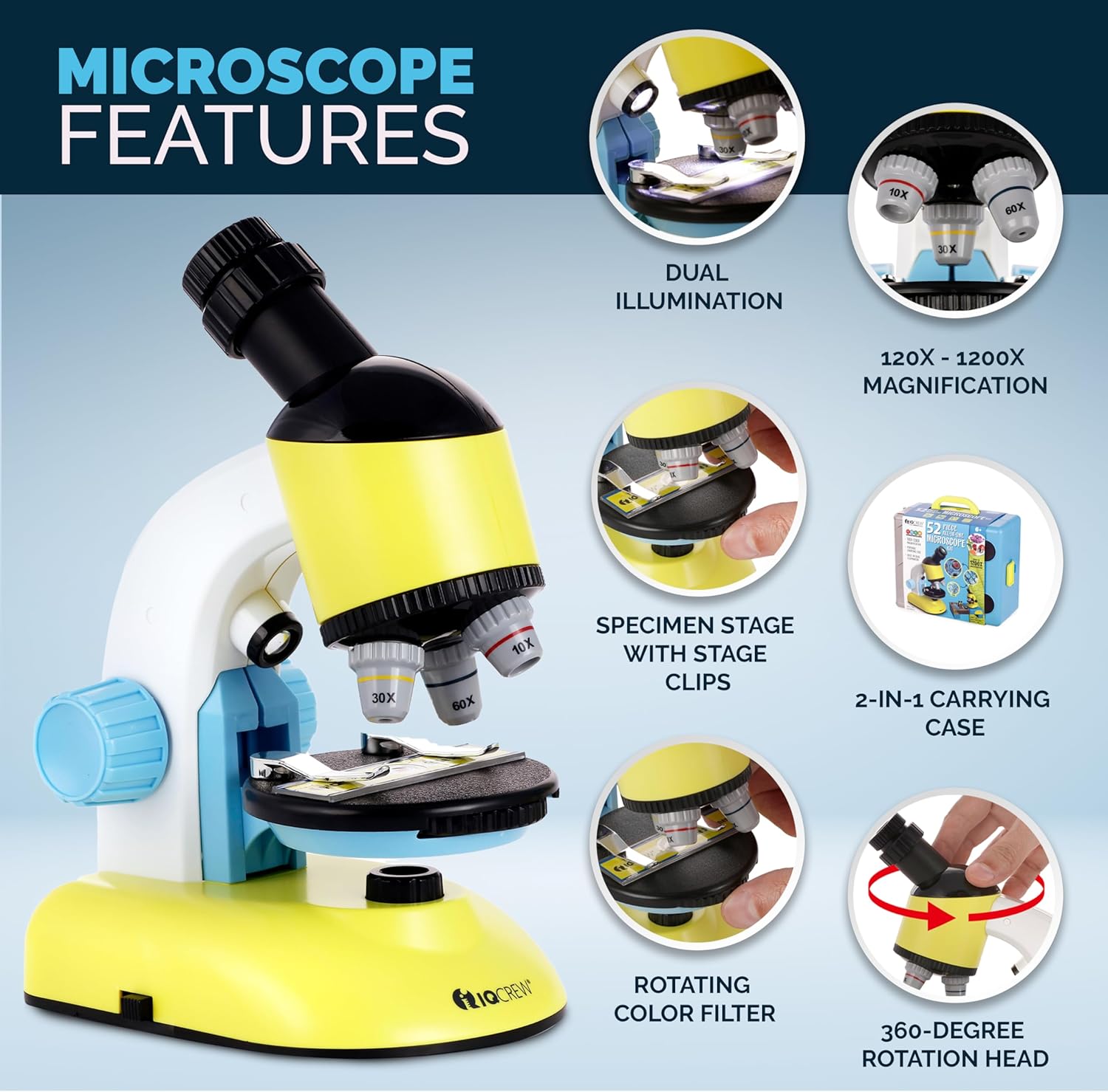
This manual provides detailed instructions for the safe and effective use of your AmScope IQCREW M44-KT Compound Starter Microscope Kit. Please read all instructions carefully before operating the microscope.
The M44-KT is designed for young scientists aged 8 and above, offering magnifications from 100X to 1200X. It features dual LED illumination, a rotating head, a disc condenser, and comes with a comprehensive accessory kit and a carrying case that converts into a mobile lab table.
Qu'y a-t-il dans la boîte
Your AmScope IQCREW M44-KT kit includes the following components:

Description de l'image : Un détail view of all components included in the 52-piece microscope set. The main microscope is visible, along with various accessories such as prepared slides, blank slides, cover slips, collection vials, a graduated cylinder, plastic tools (spatula, scalpel, tweezers, stirring rod, needle), petri dish, dyes (eosin, blue), gum media, sea salt, baker's yeast, AA batteries, slide labels, and a user guide. The items are neatly arranged on a white surface.
- Beginner Microscope (100X-1200X magnification)
- Carrying Case / Mobile Lab Table
- 5 diapositives préparées
- 8 diapositives vierges
- 8 Round Cover Slips
- 8 Slide Labels
- 2 Collection Vials
- 10ml Graduated Cylinder
- Boîte de Petri
- Plastic Scalpel
- Spatule en plastique
- Pince à épiler en plastique
- Plastic Stirring Rod
- Plastic Needle
- Sel de mer
- Médias de gomme
- Eosin Dye
- Teinture bleue
- Baker's Yeast
- 2 piles AA
- 1 tournevis
- Guide de l'utilisateur (ce manuel)
Instructions d'installation
- Déballez le kit : Retirez soigneusement tous les composants de l'étui de transport.
- Installer les piles :Locate the battery compartment on the underside of the microscope base. Using the provided screwdriver, open the compartment and insert the 2 AA batteries, ensuring correct polarity (+/-). Close the compartment securely.
Description de l'image : The blue carrying case is shown with its lid open, revealing the microscope and accessories. An inset image highlights the battery compartment on the underside of the microscope, showing two AA batteries being inserted. This illustrates how the microscope is powered.
- Convert Carrying Case to Mobile Lab: The carrying case can be unfolded to create a stable mobile lab table. Follow the instructions on the case to properly set it up.
- Place the Microscope: Position the microscope securely on the mobile lab table or a stable, flat surface.
Mode d'emploi
1. Placing a Specimen Slide

Description de l'image : A close-up of the microscope's stage. A hand is shown carefully positioning a prepared slide under the stage clips. This demonstrates the first step in preparing a specimen for viewing.
Place a prepared slide or your own specimen slide onto the microscope's stage. Utilisez le stage clips to hold the slide firmly in place.
2. Réglage du grossissement

Description de l'image : A young girl is intently looking through the eyepiece of the yellow and blue microscope. Surrounding her are circular insets displaying magnified views of various cellular structures at 100x, 600x, and 1200x, illustrating the microscope's magnification capabilities.
- Oculaire: The eyepiece offers 10X-20X adjustable magnification. Rotate the eyepiece to select your desired magnification.
- Objectifs : Rotate the revolving nosepiece to select the objective lens (10X, 30X, or 60X). The total magnification is the eyepiece magnification multiplied by the objective lens magnification (e.g., 10X eyepiece * 10X objective = 100X total magnification).
3. Mise au point
While looking through the eyepiece, slowly turn the coarse focus knob (the larger knob on the side) to bring the specimen into focus. Start with the lowest magnification objective for easier focusing, then switch to higher magnifications as needed.
4. Dual LED Illumination

Description de l'image : This image highlights the dual illumination feature. The top panel shows the bottom LED light illuminating a slide from underneath (transmitted light), while the bottom panel shows the top LED light shining down onto a specimen (incident light). This demonstrates how different types of specimens can be viewéd.
The microscope features both top (incident) and bottom (transmitted) LED lights. Use the switch on the base to turn on the illumination. The bottom light is ideal for transparent specimens on slides, while the top light is suitable for opaque, 3D objects.
5. Rotating Color Filter Wheel
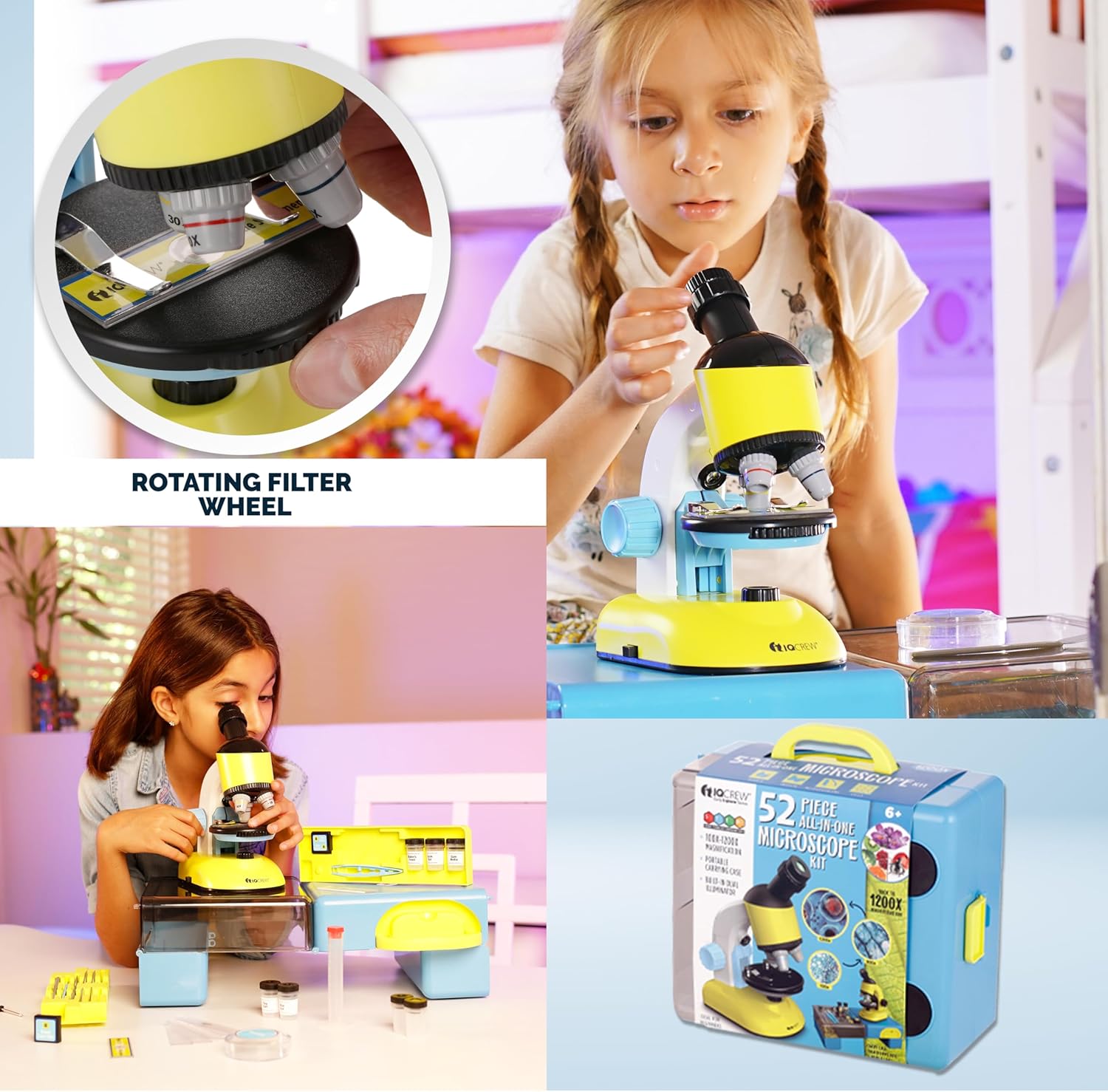
Description de l'image : A hand is shown adjusting the rotating color filter wheel, which is positioned directly beneath the microscope stage. This wheel contains different colored filters that can be used to enhance contrast and visibility of various specimens.
Beneath the stage, you will find a rotating color filter wheel. Rotate this wheel to select different colored filters. These filters can enhance the contrast of transparent specimens, making certain features more visible.
6. Rotating Head
The monocular head can rotate 360 degrees, allowing for comfortable viewing from various angles and making it easy to share observations with others.
Entretien
- Nettoyage des lentilles : Use only specialized lens cleaning paper and lens cleaning solution to clean the objective lenses and eyepiece. Do not use abrasive materials or household cleaners.
- Nettoyage du corps : Essuyez le corps du microscope avec un chiffon doux et sec. Pour les saletés tenaces, utilisez un chiffon légèrement plus sec.amp On peut utiliser un chiffon, puis un chiffon sec.
- Stockage: When not in use, store the microscope and accessories in the provided carrying case to protect them from dust and damage. Keep the kit in a cool, dry place.
- Remplacement de la batterie : Replace AA batteries when the LED illumination becomes dim or stops working.
Dépannage
| Problème | Cause possible | Solution |
|---|---|---|
| Pas d'éclairage | Les piles sont mortes ou mal installées. | Check battery polarity and replace with fresh AA batteries if necessary. Ensure the power switch is ON. |
| L'image est floue ou peu claire. | Incorrect focus, wrong magnification, or dirty lenses. | Adjust the coarse focus knob. Start with the lowest magnification. Clean the eyepiece and objective lenses with lens paper. Ensure the specimen is properly placed and flat. |
| Cannot see anything | No specimen on stage, light blocked, or objective lens not clicked into place. | Ensure a specimen slide is on the stage. Check that the illumination is on and not blocked. Rotate the nosepiece until the objective lens clicks into its viewposition de départ. |
Caractéristiques
- Grossissements: 100X-1200X
- Type de tête: Compound Monocular, 360-degree rotatable
- Éclairage: Built-in Dual LED (Top/Incident and Bottom/Transmitted)
- Oculaire: Single zoom, 10-20X
- Objectifs : 10X, 30X, 60X
- Stage: 83 x 83mm with dual spring clips
- Mise au point : Bouton de mise au point grossière
- Condenseur: Disc condenser with color filters
- Source d'alimentation : 2 piles AA (incluses)
- Matériel: Plastic (ABS frame)
- Dimensions du produit : 5.7 x 4.02 x 8.5 pouces
- Poids de l'article : 3 livres
- Nom du modèle : M44-KT
Vidéo du produitview
Description de la vidéo : Un plusview présentation vidéoasing the AmScope IQCREW M44-KT 52-piece all-in-one microscope kit. The video demonstrates children using the microscope, highlights its features like dual illumination and magnification, and displays the various accessories included in the kit. It emphasizes the kit's educational value for STEM learning.
Garantie et assistance
The AmScope IQCREW M44-KT Microscope Kit comes with a 1-year warranty. For technical support, warranty claims, or further assistance, please contact AmScope customer service. Refer to the AmScope official website pour les coordonnées.
Fabricant: AmScope
Ask a question about this manual
Ask about setup, troubleshooting, compatibility, parts, safety, or missing instructions. Manuals+ will review the question and use this page’s manual context to help answer it.