
VssoPlor B0CKP9461G
VssoPlor Compact Wireless Keyboard Mouse Combo
Model: B0CKP9461G
Introduction
Thank you for choosing the VssoPlor Compact Wireless Keyboard Mouse Combo. This ultra-thin and portable set is designed for convenience and efficiency, making it ideal for daily use, business travel, and various computing environments. This manual provides essential information for setting up, operating, maintaining, and troubleshooting your new wireless keyboard and mouse.
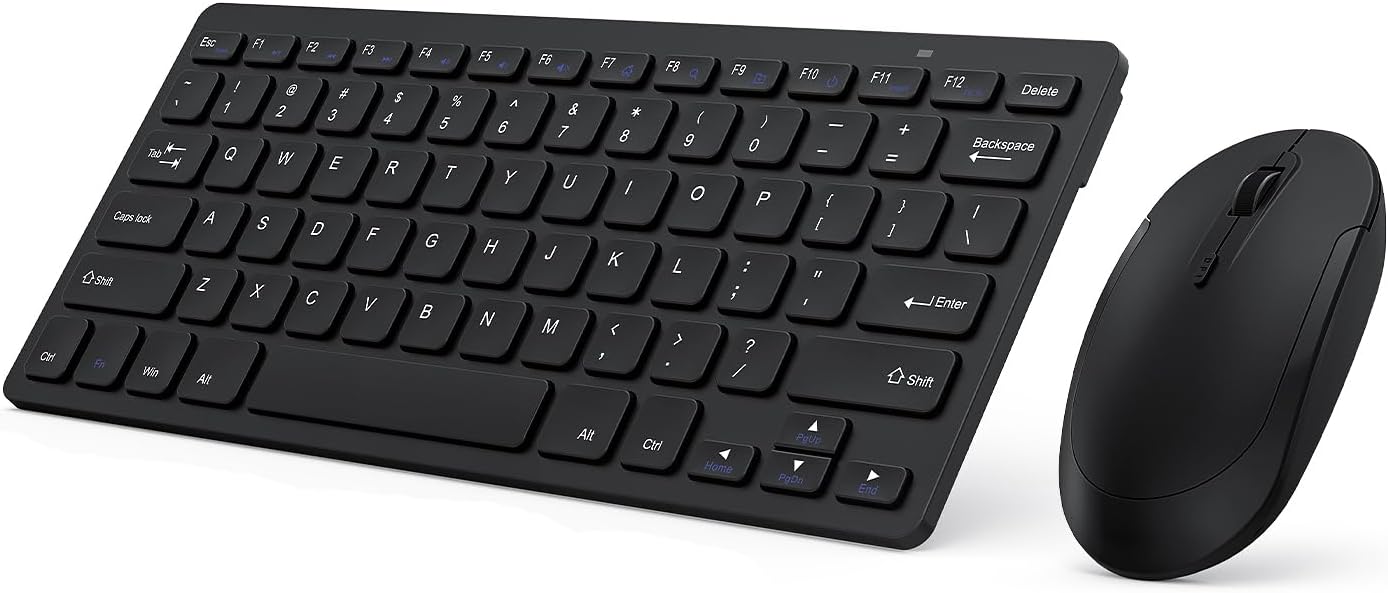
Image: The VssoPlor Compact Wireless Keyboard and Mouse Combo, featuring a sleek black design.
Caractéristiques principales
- Conception ultra-mince et portable : Compact and lightweight, designed for easy transport and space-saving use.
- Connexion sans fil stable à 2.4 GHz : Provides a powerful and reliable connection up to 33 feet (10 meters) with a single Nano USB receiver.
- Expérience de frappe silencieuse : Equipped with scissor-switch construction keys for comfortable typing with fast response and good resilience, minimizing noise.
- High Sensitivity Mouse: Features sensitive clicks with less noise and 3 adjustable DPI levels (800/1000/1200) for precise control.
- Large compatibilité: Well compatible with Windows XP, Vista, 7, 8, and 10. (Note: Not fully compatible with Mac OS System).
- Fonction veille automatique : Designed to save energy by entering sleep mode after periods of inactivity.
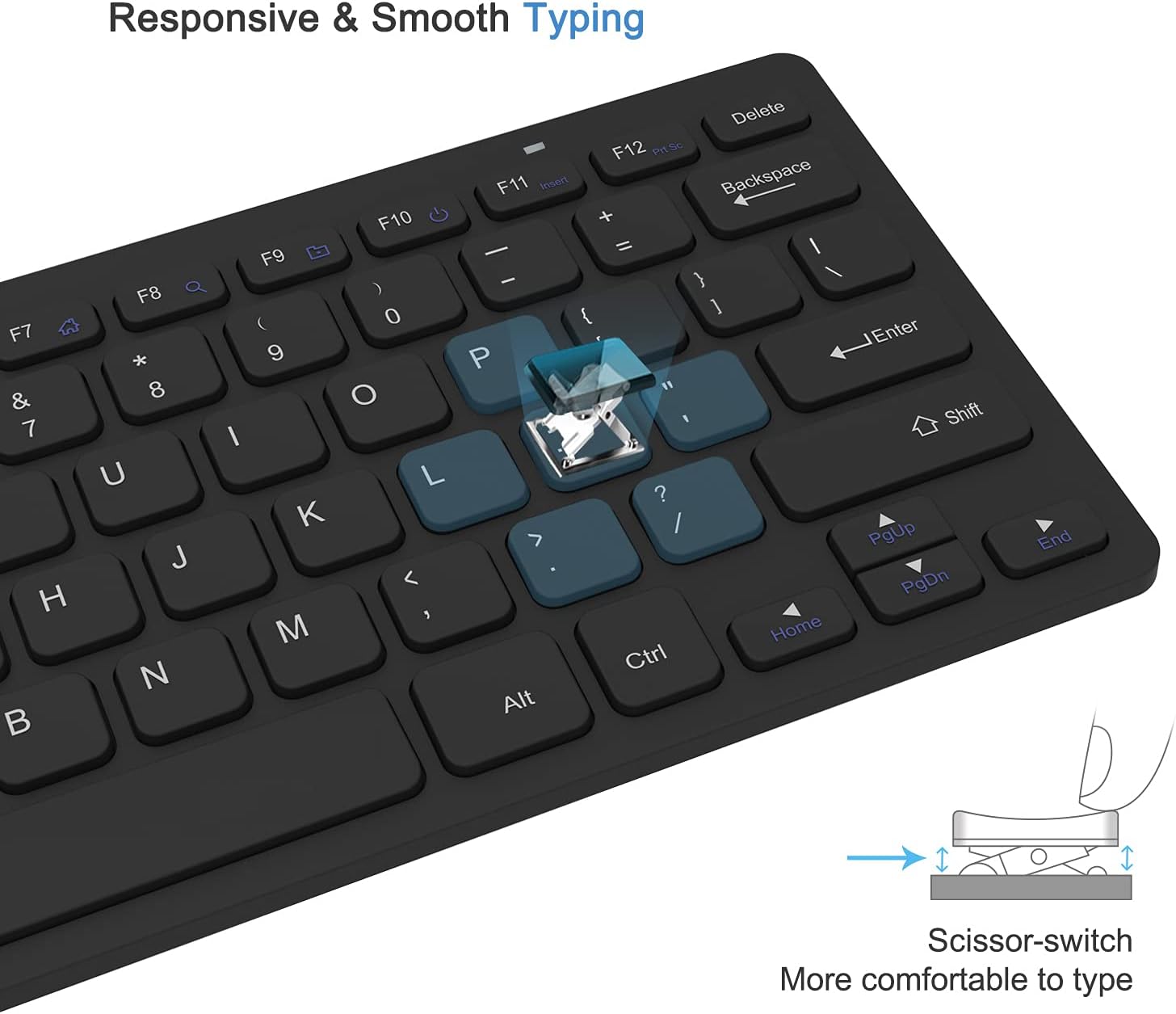
Image: Close-up of the keyboard demonstrating the scissor-switch key mechanism for responsive and smooth typing.

Image: The ultra-thin keyboard and mouse combo being easily stored in a bag, highlighting its portability for leisure, travel, and home use.
Contenu du colis
Veuillez vérifier le contenu du colis à l'ouverture afin de vous assurer que tous les articles sont présents :
- 1 x Compact Wireless Keyboard
- 1 x Souris sans fil
- 1 x Nano USB Receiver (stored in the keyboard's battery compartment)
- 1 x Manuel d'utilisation (ce document)
Instructions d'installation
- Installer les piles :
The keyboard requires 2 AAA batteries and the mouse requires 1 AA battery (batteries are not included). Open the battery compartments on the underside of both the keyboard and the mouse, insert the batteries according to the polarity indicators, and close the covers.
- Localiser le récepteur USB :
The Nano USB receiver is conveniently stored inside the battery compartment of the keyboard. Carefully remove it.
- Connecter le récepteur :
Plug the Nano USB receiver into an available USB port on your computer (desktop or laptop). Your operating system will automatically detect and install the necessary drivers. This is a plug-and-play device, requiring no additional software installation.

Image: Diagram illustrating the 2.4GHz wireless connection, showing the USB receiver plugged into a laptop and the wireless signal to the keyboard and mouse.
- Allumer les appareils :
Locate the power switch on the underside of both the keyboard and the mouse. Slide the switches to the "ON" position. The devices should now be connected and ready for use.
Mode d'emploi
Utilisation du clavier
- Dactylographie: Begin typing as you would with any standard keyboard. The scissor-switch keys provide a comfortable and responsive experience.
- Touches de fonction : The top row of keys (F1-F12) may have secondary functions (e.g., media control, volume) accessible by pressing the Fn Appuyez simultanément sur les touches. Consultez la légende des touches pour connaître les fonctions spécifiques.
- Veille automatique : To conserve battery life, the keyboard will enter sleep mode after approximately 10 minutes of inactivity. To wake it up, press any key for 3 seconds.
Utilisation de la souris
- Fonctionnement de base : Use the left and right click buttons for standard mouse functions. The scroll wheel allows for vertical scrolling.
- Ajustement PPP : The mouse features 3 adjustable DPI levels (800/1000/1200) for varying cursor sensitivity. Press the DPI button (usually located near the scroll wheel) to cycle through the settings and find your preferred speed.
- Veille automatique : The mouse will enter sleep mode after approximately 8 minutes of inactivity. To wake it up, simply move the mouse or click any button.

Image: Illustration of the auto-sleep feature for both the keyboard and mouse, indicating battery requirements and how to reactivate the devices.
Entretien
- Nettoyage: Utilisez un chiffon doux et sec pour nettoyer le clavier et la souris. Pour les saletés tenaces, un chiffon légèrement plus sec peut être utile.amp Un chiffon imbibé de savon doux peut être utilisé, en veillant à ce qu'aucun liquide ne pénètre dans l'appareil. Évitez les nettoyants abrasifs et les solvants.
- Remplacement de la batterie : When the devices become unresponsive or exhibit delayed input, it is likely time to replace the batteries. Follow the "Install Batteries" steps in the Setup section. Always dispose of used batteries responsibly.
- Stockage: When not in use for extended periods, turn off both the keyboard and mouse to conserve battery life. Store them in a cool, dry place away from direct sunlight and extreme temperatures.
Dépannage
| Problème | Solution |
|---|---|
| Le clavier ou la souris ne répond pas. |
|
| Le mouvement du curseur est erratique ou lent. |
|
| Some keys on the keyboard do not work. |
|
Spécifications du produit
| Attribut | Détail |
|---|---|
| Marque | VssoPlor |
| Modèle | B0CKP9461G |
| Technologie de connectivité | USB sans fil 2.4 GHz |
| Appareils compatibles | Laptop, Personal Computer (Windows XP/Vista/7/8/10) |
| Dimensions du clavier (L x l x H) | Approx. 11 x 4.8 x 0.7 inches (at thickest point) |
| Dimensions de la souris (L x l x H) | Environ. 4.3 x 2.2 x 0.6 pouces |
| Poids de l'article | 13.1 ounces (Keyboard and Mouse combined) |
| Batterie du clavier | 2 piles AAA (non incluses) |
| Batterie de souris | 1 pile AA (non incluse) |
| Niveaux DPI (Souris) | 800 / 1000 / 1200 DPI |
| Caractéristiques spéciales | Lightweight, Portable, Scissor-switch keys, Auto-sleep function |

Image: Detailed dimensions of the compact wireless keyboard and mouse.
Garantie et assistance
For warranty information and technical support, please refer to the warranty card included with your product or visit the official VssoPlor website. You may also contact the seller directly through the platform where you purchased the product for assistance.
For common questions and further assistance, please visit the VssoPlor Store on Amazon.