
1. Introduction
The Nonstop NSO2-BK is a versatile hotel alarm clock designed for convenience and functionality. It features a clear digital display, multiple charging options including USB-C, and an intuitive interface for setting time and alarms. This manual provides detailed instructions for setting up and operating your alarm clock.
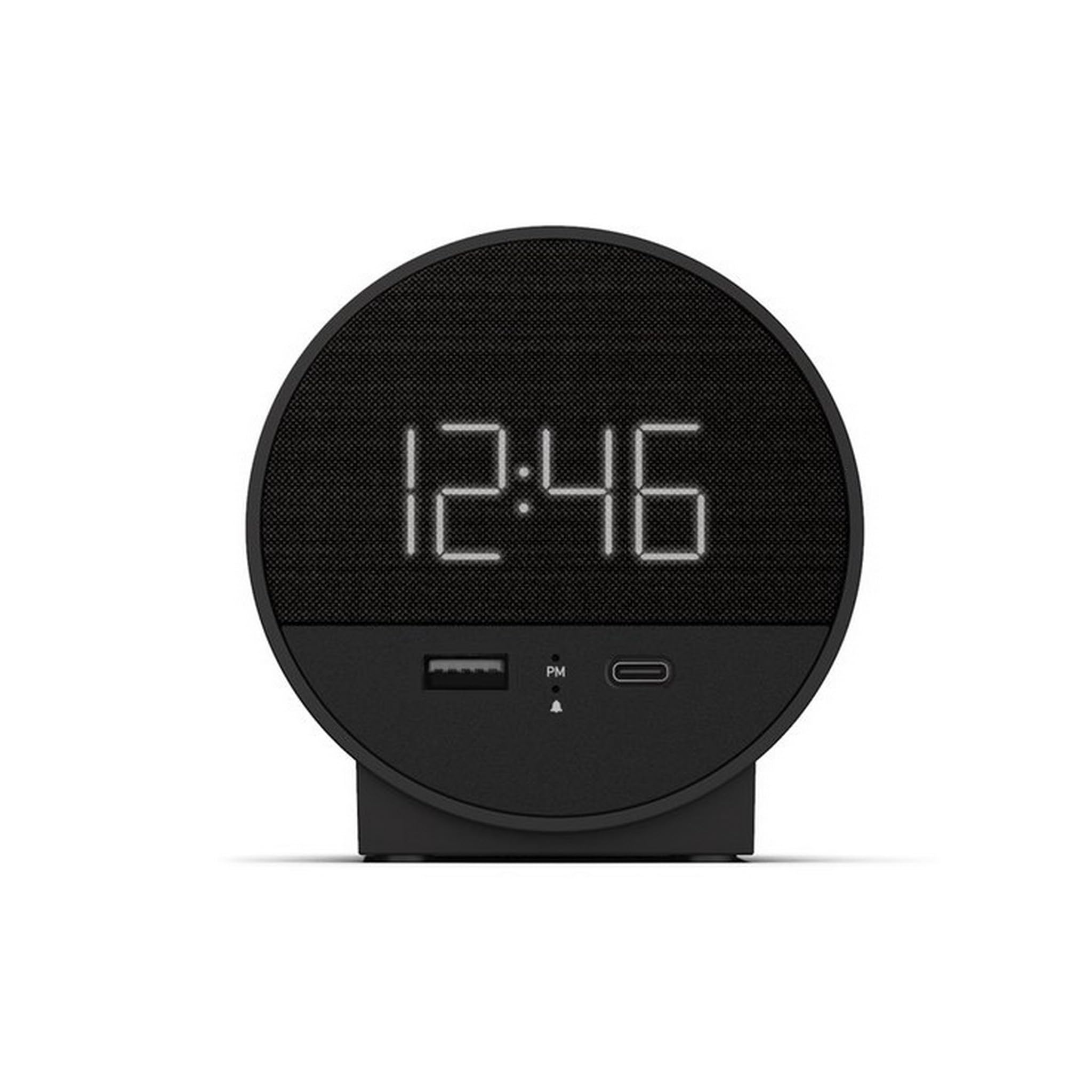
Figure 1 : Face avant view of the Nonstop NSO2-BK USB-C Hotel Alarm Clock.
2. caractéristiques du produit
- Digital Time Display: Clear and easy-to-read time.
- Dual Alarm Function: Set two independent alarms.
- Snooze Function: Temporarily silence the alarm.
- Display Dimmer: Adjust screen brightness for comfort.
- USB-C Charging Port: Modern charging for compatible devices.
- USB-A Charging Port: Standard USB charging for various devices.
- Bluetooth Speaker: Connect your smartphone or other devices to play audio.
- Relaxation Sounds: Built-in sound machine for sleep or relaxation.

Figure 2: Close-up of the USB-A and USB-C charging ports on the alarm clock.
3. Installation
3.1 Connexion d'alimentation
- Déballez le réveil et tous ses accessoires.
- Branchez l'adaptateur secteur au port d'entrée CC situé à l'arrière du réveil.
- Branchez l'adaptateur secteur sur une prise électrique standard. L'écran s'allumera.
3.2 Backup Battery (Not included)
Pour une mesure du temps continue pendant les coupures de couranttages, insert 2 AAA batteries (not included) into the battery compartment on the bottom of the unit. The backup battery maintains time settings but does not power the display or alarm functions.
4. Mode d'emploi
4.1 Réglage de l'heure
- Appuyez et maintenez enfoncé le RÉGLAGE DE L'HEURE button (often labeled 'M' or a clock icon) for 3 seconds until the hour digits flash.
- Utilisez le HR (Heure) et MIN Boutons (minute) pour régler le temps.
- Presse RÉGLAGE DE L'HEURE à nouveau pour confirmer et quitter le mode de réglage de l'heure.
4.2 Réglage de l'alarme
The NSO2-BK supports two independent alarms (Alarm 1 and Alarm 2).
- Appuyez et maintenez enfoncé le ALARME 1 or ALARME 2 button (bell icon) for 3 seconds until the hour digits flash.
- Utilisez le HR et MIN boutons pour régler l'heure de l'alarme souhaitée.
- Appuyez sur la touche correspondante. ALARME Appuyez à nouveau sur le bouton pour confirmer l'heure de l'alarme.
- Pour activer/désactiver une alarme, appuyez brièvement sur le bouton correspondant. ALARME button. An indicator light will appear/disappear on the display.
4.3 Fonction de répétition
Lorsque l'alarme sonne, appuyez sur le grand bouton. ROUPILLON button on top of the unit to temporarily silence the alarm for 9 minutes. The alarm will sound again after the snooze period.
4.4 Contrôle de la luminosité de l'écran
Appuyez sur le SNOOZE/GRADATEUR button (or a dedicated dimmer button if available) repeatedly to cycle through different brightness levels for the display. Select the level that is most comfortable for you.
4.5 Appareils de charge
The NSO2-BK provides convenient charging for your electronic devices:
- Port USB-C : Located on the front, plug in your USB-C compatible device for fast charging.
- Port USB-A : Located on the front, plug in your standard USB-A compatible device for charging.
4.6 Bluetooth Speaker
To use the alarm clock as a Bluetooth speaker:
- Appuyez sur le MODE button (labeled 'M') until 'BT' appears on the display.
- Sur votre appareil mobile, activez Bluetooth et recherchez les appareils disponibles.
- Select 'A21-B' (or similar model name) from the list to pair.
- Once paired, you can play audio from your device through the alarm clock's speaker.
Video 1: Demonstrates various functions including time setting, alarm setting, snooze, brightness, and charging on a similar multifunctional alarm clock. Note: Specific button labels may vary slightly from your model.
5. Entretien
- Nettoyez l'appareil avec un chiffon doux et sec. N'utilisez pas de nettoyants liquides ni de produits abrasifs.
- Tenir l'appareil à l'écart de la lumière directe du soleil, des sources de chaleur et de l'humidité.
- N’essayez pas de démonter ou de réparer l’appareil vous-même. Contactez le service client pour obtenir de l’aide.
6. Dépannage
- Pas d'alimentation/Écran éteint : Ensure the power adapter is securely plugged into both the alarm clock and a working electrical outlet. Check if the power outlet is functional.
- L'alarme ne sonne pas : Verify that the alarm is activated (indicator light on) and the alarm time is correctly set. Check the alarm volume settings.
- La charge ne fonctionne pas : Ensure your device is compatible with USB-C or USB-A charging. Check the charging cable for damage.
- Problèmes de couplage Bluetooth : Ensure the alarm clock is in Bluetooth pairing mode ('BT' displayed). Turn off and on Bluetooth on your mobile device and try pairing again.
7. Spécifications
| Spécification | Détail |
|---|---|
| Modèle | NSO2-BK |
| Poids de l'article | 2 livres |
| ASIN | B0CKCNX688 |
| Date de première disponibilité | 29 juillet 2024 |
8. Garantie et assistance
This Nonstop NSO2-BK USB-C Hotel Alarm Clock comes with a 365-Day Warranty from the date of purchase. For any product-related inquiries, technical support, or warranty claims, please contact our customer service team.
- Politique de retour: 30-day refund/replacement period.
- Période de garantie : 365 jours à compter de l'achat.
- Courriel d'assistance : Andoservice@outlook.com