
Agunto AGU-OC1IC1
Agunto AGU-OC1 & AGU-IC1 Security Camera Set User Manual
Model: AGU-OC1IC1
Brand: Agunto
1. Introduction
This manual provides detailed instructions for the installation, operation, and maintenance of your Agunto AGU-OC1 & AGU-IC1 Security Camera Set. Please read this manual thoroughly before using the product to ensure proper functionality and safety.
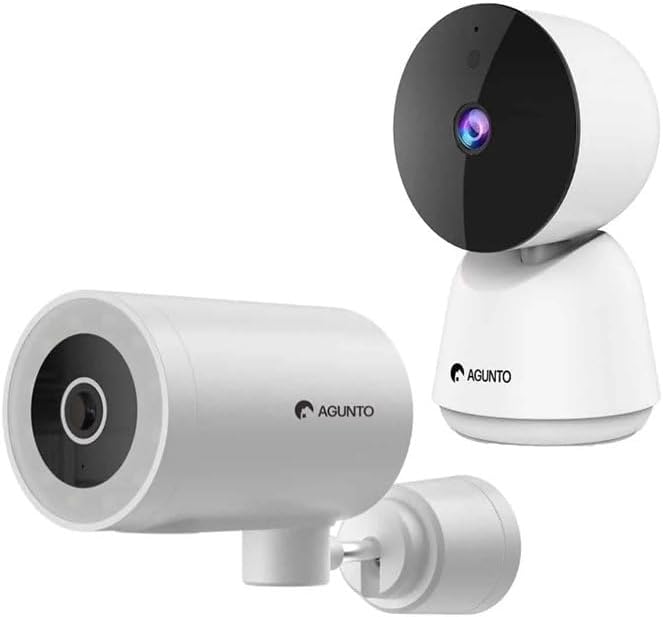
Image: The Agunto AGU-OC1 outdoor camera (left) and AGU-IC1 indoor camera (right), forming the complete security camera set.
2. Produit terminéview
The Agunto Security Camera Set includes two primary components: the AGU-OC1 outdoor camera and the AGU-IC1 indoor camera. This system is designed to provide comprehensive surveillance for both indoor and outdoor environments.
2.1. AGU-OC1 Outdoor Camera
- Résolution: 1080P
- Lentille: 180-degree rotatable lens
- Résistance aux intempéries : IP66 étanche à l'eau et à la poussière
- Vision nocturne : Infrared night vision and color night vision (due to built-in lamp)
- Détection: Détection de mouvement et de son
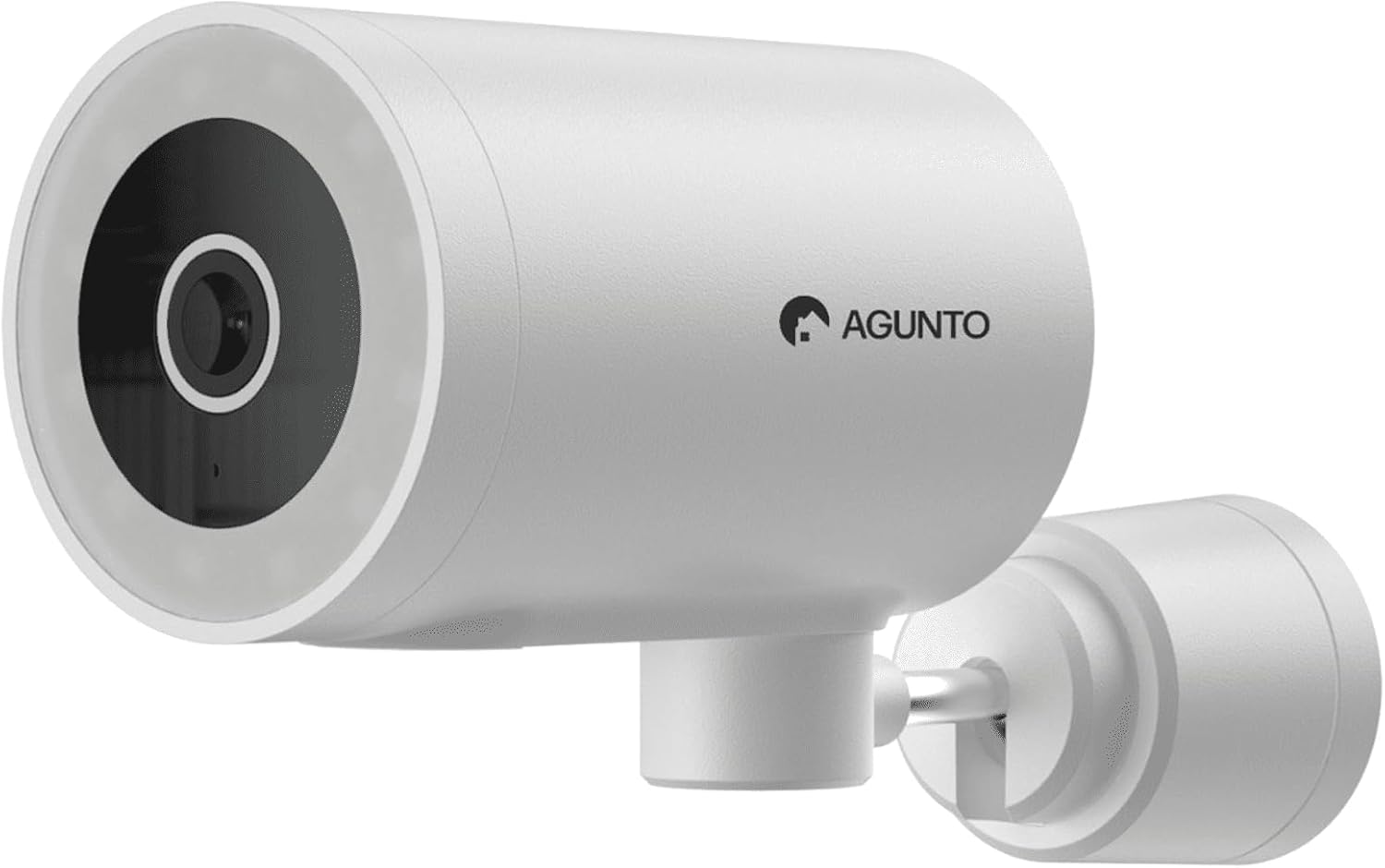
Image : Une image détaillée view of the Agunto AGU-OC1 outdoor camera, highlighting its robust design and lens.
2.2. AGU-IC1 Indoor Camera
- Résolution: 1080P
- Lentille: 359-degree rotatable lens
- Vision nocturne : Vision nocturne infrarouge
- Détection: Détection de mouvement et de son

Image: The Agunto AGU-IC1 indoor camera, shown with its product packaging, indicating Wi-Fi connectivity and Google Assistant compatibility.
3. Configuration et installation
3.1. Avant de commencer
- Assurez-vous d'avoir une connexion Wi-Fi stable.
- Download the free Agunto app from the App Store (iOS) or Google Play Store (Android).
- Unpack all components and verify contents against the packing list.

Image: A screenshot of the Agunto mobile application interface, demonstrating remote control capabilities and links to download the app from the App Store and Google Play.
3.2. Installation de l'application et création du compte
- Rechercher "Agunto" in your device's app store and install the application.
- Open the Agunto app and follow the on-screen prompts to create a new account or log in if you already have one.
3.3. Placement et fixation de la caméra
AGU-OC1 Outdoor Camera:
- Choisissez un emplacement avec une vue dégagée view de la zone que vous souhaitez surveiller.
- Assurez-vous que la caméra est à portée de votre réseau Wi-Fi.
- Mount the camera securely to a wall using the provided mounting hardware. The camera supports wall mounting.
AGU-IC1 Indoor Camera:
- Place the camera on a flat surface or mount it to a wall/ceiling in a central location for optimal coverage.
- Ensure it is within Wi-Fi range.
3.4. Connecting Cameras to the App
- Open the Agunto app.
- Appuyez sur l'icône « + » pour ajouter un nouvel appareil.
- Select the appropriate camera model (AGU-OC1 or AGU-IC1).
- Follow the in-app instructions to connect each camera to your Wi-Fi network. This typically involves scanning a QR code displayed on your phone with the camera's lens or entering Wi-Fi credentials.
- Once connected, you can name each camera for easy identification.
4. Mode d'emploi
4.1. Vivre View et contrôle à distance
- Open the Agunto app.
- Select the desired camera from the device list to view son flux en direct.
- For AGU-OC1, use the app to rotate the 180-degree lens.
- For AGU-IC1, use the app to control the 359-degree pan/tilt function.
4.2. Enregistrement et stockage
The camera set supports two storage options:
- Carte Micro SD: Insert a Micro SD card (not included) into the designated slot on each camera for local storage of recordings.
- Stockage dans le cloud : Utilize the cloud storage options provided through the Agunto app (subscription may be required).
4.3. Vision nocturne
- Both cameras feature infrared night vision for clear images in low-light conditions.
- The AGU-OC1 outdoor camera also has a built-in lamp for color night vision, providing enhanced visibility at night.
4.4. Détection de mouvement et de son
- Enable motion and sound detection in the Agunto app settings for each camera.
- Receive real-time alerts on your smartphone when motion or sound is detected.
- Adjust sensitivity settings to minimize false alarms.
5. Entretien
- Nettoyage: Gently wipe the camera lenses and body with a soft, dry cloth. Do not use harsh chemicals or abrasive cleaners.
- Mises à jour du micrologiciel : Regularly check the Agunto app for available firmware updates to ensure optimal performance and security.
- Stabilité du réseau : Ensure your Wi-Fi network remains stable for uninterrupted camera operation.
6. Dépannage
6.1. La caméra ne se connecte pas au Wi-Fi
- Assurez-vous que votre mot de passe Wi-Fi est correctement saisi.
- Rapprochez la caméra de votre routeur Wi-Fi.
- Redémarrez votre routeur et votre caméra.
- Verify that your Wi-Fi network is 2.4GHz, as these cameras may not support 5GHz networks.
6.2. No Live View Caméra hors ligne
- Vérifiez votre connexion Internet.
- Assurez-vous que la caméra est sous tension.
- Restart the camera from its power source.
- Si le problème persiste, essayez de réappairer la caméra avec l'application.
6.3. Détection de mouvement défaillante
- Vérifiez que la détection de mouvement est activée dans les paramètres de l'application.
- Réglez le niveau de sensibilité.
- Assurez-vous qu'aucun obstacle ne bloque la caméra. view.
6.4. Mauvaise qualité d'image
- Nettoyez l'objectif de l'appareil photo.
- Assurez un éclairage adéquat dans la zone surveillée.
- Check your internet speed, as low bandwidth can affect streaming quality.
7. Spécifications
| Fonctionnalité | Détail |
|---|---|
| Marque | Agunto |
| Nom du modèle | AGU-OC1IC1 |
| Protocole de connectivité | Wifi |
| Appareils compatibles | Smartphone |
| Type de montage | Support mural |
| Matériel | Plastique |
| Product Dimensions (L x B x H) | 10 x 4.4 x 7.3 cm |
| Poids de l'article | 78 gramme |
| Piles requises | Non |
| Outdoor Camera (AGU-OC1) Features | 1080P, 180-degree rotatable lens, IP66 waterproof/dustproof, Infrared & Color Night Vision |
| Indoor Camera (AGU-IC1) Features | 1080P, 359-degree rotatable lens, Infrared Night Vision |
| Options de stockage | Micro SD card (local), Cloud storage |
8. Garantie et assistance
For warranty information and technical support, please refer to the official Agunto website or contact their customer service. The product is designed for long-term use with proper care and maintenance.
Politique de retour: Le gagnant de la Buy Box indique une politique de retour de 30 jours pour remboursement/remplacement.
Fabricant: Agunto
Vendeur: Homevitaal (via Amazon.nl)
Pour obtenir de l'aide supplémentaire, vous pouvez consulter le Agunto Store on Amazon.
Ask a question about this manual
Ask about setup, troubleshooting, compatibility, parts, safety, or missing instructions. Manuals+ will review the question and use this page’s manual context to help answer it.