
Introduction
Thank you for choosing the HAMMER SpeedMotion II Elliptical Trainer. This manual provides essential information for the safe and effective use of your new fitness equipment. Please read it thoroughly before assembly and operation, and keep it for future reference.
The SpeedMotion II offers an innovative and comfortable workout experience, combining dynamic movement with individual intensity control. Its natural, ergonomic design supports effective calorie burning and targets various muscle groups through its 3-fold incline adjustment.

The HAMMER SpeedMotion II Elliptical Trainer provides a full-body workout experience in the comfort of your home, featuring 24 programs, 16 resistance levels, an LCD display, and Bluetooth connectivity.
Consignes de sécurité
- Consultez un médecin avant de commencer un nouveau programme d'exercices.
- Assurez-vous que tous les boulons et écrous sont bien serrés avant chaque utilisation.
- Placez le vélo elliptique sur une surface plane et stable.
- Gardez les enfants et les animaux domestiques éloignés de l'équipement pendant son fonctionnement.
- Portez des chaussures et des vêtements de sport appropriés.
- Arrêtez immédiatement l'exercice si vous vous sentez faible, étourdi ou si vous ressentez une douleur.
- Le poids maximal de l'utilisateur pour cet appareil est de 130 kg.
Configuration et assemblage
The HAMMER SpeedMotion II Elliptical Trainer requires assembly. An instruction manual is included with the product to guide you through the process. It is recommended to lay out all parts and verify them against the parts list before beginning assembly.
- Déballage: Retirez soigneusement tous les composants de l'emballage.
- Vérification des composants : Vérifiez que toutes les pièces mentionnées dans le guide d'assemblage sont présentes et non endommagées.
- Assemblage de base : Fixez les stabilisateurs avant et arrière au cadre principal.
- Pedal Arms and Flywheel: Assemble the pedal arms and connect them to the flywheel mechanism.
- Guidon: Secure the stationary and moving handlebars.
- Installation de la console : Mount the LCD console and connect all necessary cables.
- Réglage de l'inclinaison : Ensure the 3-fold incline adjustment mechanism is correctly installed and functional.
- Vérification finale : Double-check all connections and ensure the elliptical is stable before first use.
Assembly typically takes approximately 45 minutes for one person, following the detailed, illustrated instructions provided.
Mode d'emploi
Console terminéeview

The LCD display provides real-time feedback on your workout, controlled by the intuitive Push & Turn button.
The black-backlit LCD display provides clear visibility of your workout data. Use the central Push & Turn Button for intuitive navigation and selection.
- TR/MIN : Tours par minute
- Vitesse: Vitesse actuelle
- Distance: Total distance covered
- Training Time: Duration of your workout
- Consommation de calories : Calories brûlées estimées
- Fréquence cardiaque : Measured via handgrip sensors
- Niveau de résistance : Current resistance setting
Programmes d'entraînement
The SpeedMotion II features 24 programmes d'entraînement prédéfinis to help you achieve your fitness goals. Navigate through the programs using the Push & Turn Button and select the one that suits your needs.
Réglage de la résistance
The elliptical trainer uses a manual resistance mechanism. Adjust the resistance level to increase or decrease the intensity of your workout. Higher resistance targets strength, while lower resistance focuses on endurance.
3-Fold Incline Adjustment

Adjust the incline to target different muscle groups: higher incline for glutes and hamstrings, lower incline for quadriceps.
The 3-fold incline adjustment allows you to vary your workout and target different muscle groups. A higher incline emphasizes the glutes and posterior thigh muscles, while a lower incline places more emphasis on the anterior thigh muscles (quadriceps).
Surveillance de la fréquence cardiaque
Integrated handgrip sensors allow for real-time heart rate monitoring. Grip the sensors firmly during your workout to display your heart rate on the LCD console. This helps you stay within your target heart rate zone for optimal training.
Kinomap & Zwift Compatibility
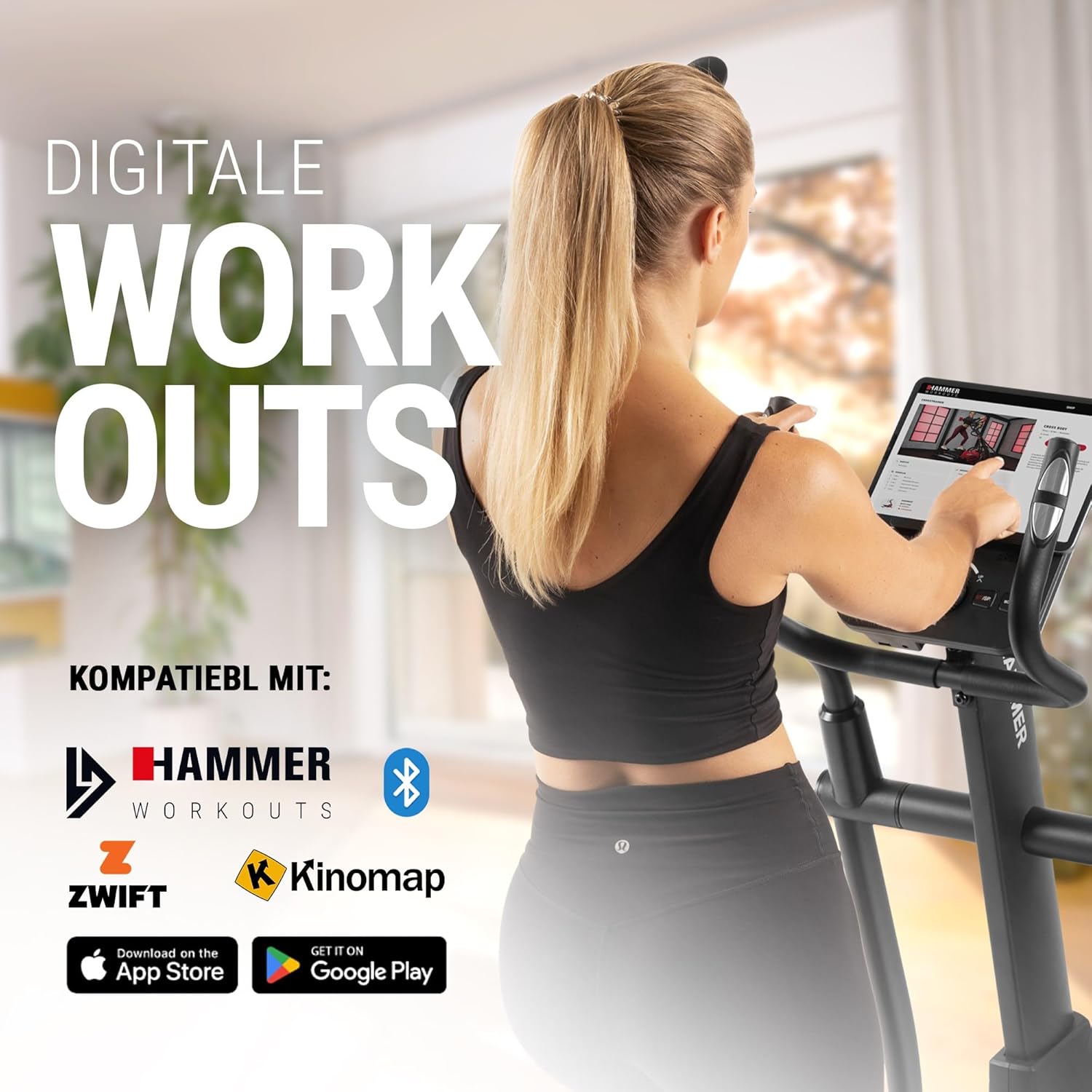
Connect your tablet or smartphone to the elliptical trainer for interactive workouts with Kinomap and Zwift.
The SpeedMotion II is compatible with popular fitness apps like Kinomap and Zwift. Connect your smartphone or tablet via Bluetooth to access virtual training worlds, interactive routes, and track your performance. Download the respective apps from the App Store or Google Play.
Entretien
Un entretien régulier garantit la longévité et les performances optimales de votre vélo elliptique.
- Nettoyage: Essuyez l'équipement avec de l'eau.amp Essuyez le chiffon après chaque utilisation pour enlever la transpiration et la poussière. Évitez les nettoyants abrasifs.
- Lubrification: Periodically check moving parts, especially the rollers and tracks, for smooth operation. Lubricate as recommended in the detailed product manual if necessary.
- Contraction: Regularly inspect all bolts, nuts, and connections. Tighten any loose components to prevent noise and ensure stability.
- Stockage: Store the elliptical trainer in a dry, temperate environment away from direct sunlight and extreme temperatures.

The SpeedMotion II features a quiet drive system, high-quality rollers for smooth movement, and stability adjustments for a secure workout.
Dépannage
If you encounter issues with your HAMMER SpeedMotion II, refer to the following common troubleshooting tips:
| Problème | Cause possible | Solution |
|---|---|---|
| Squeaking or rattling noises | Boulons ou fixations desserrés ; manque de lubrification des pièces mobiles. | Check and tighten all visible bolts and nuts. Lubricate joints and rollers as per the main manual. |
| L'affichage ne fonctionne pas | Loose cable connection; depleted batteries (if applicable). | Ensure all console cables are securely connected. Check and replace batteries if the unit is battery-powered (AA batteries required, not included). |
| Uneven movement or instability | Uneven floor surface; loose frame components. | Adjust the leveling feet on the stabilizers. Check and tighten all frame connections. |
| La résistance ne change pas | Issue with the resistance mechanism. | Refer to the detailed manual for specific resistance mechanism troubleshooting or contact customer support. |
If the problem persists after attempting these solutions, please contact HAMMER customer support.
Caractéristiques
| Fonctionnalité | Spécification |
|---|---|
| Nom du modèle | SpeedMotion II |
| Numéro de modèle | 11000 |
| Dimensions (L x l x H) | 160 x 60 x 177 cm |
| Poids de l'article | 61.9 kg |
| Poids maximum de l'utilisateur | 130 kg |
| Masse du volant d'inertie | 18 kg (implied from product title, not explicitly in specs table but in product title) |
| Longueur de foulée | 50 cm |
| Distance de pédalage | 14 cm (from feature bullets) |
| Réglage de l'inclinaison | 3-fold manual adjustment |
| Mécanisme de résistance | Manuel |
| Programmes | 24 (from product title and feature bullets) |
| Type d'affichage | Black-backlit LCD, 17.78 cm (7 inches) |
| Connectivité | Bluetooth, Kinomap & Zwift compatible |
| Type de matériau | Métal |
| Source d'énergie | Nécessite des piles AA (non incluses) |
Garantie et assistance
Informations sur la garantie
Specific warranty details for the HAMMER SpeedMotion II Elliptical Trainer are typically provided with your purchase documentation. Please refer to the warranty card or the official HAMMER website for comprehensive information regarding coverage and terms.
Assistance clientèle
For technical assistance, spare parts, or any questions regarding your HAMMER SpeedMotion II, please contact HAMMER SPORT customer service. Contact details can usually be found on the official HAMMER websur votre site ou dans la documentation de votre produit.
Lorsque vous contactez l'assistance, veuillez avoir votre numéro de modèle (11000) et une preuve d'achat à portée de main.


