
About Your Ray-Ban Meta Smart Glasses
Tap into timeless style and advanced technology designed to help you move effortlessly through life. Collaborate with Meta AI* on ideas and answers based on what you see. Capture photos and videos from your POV, listen to music, make calls and even send texts on the fly—all without taking out your phone. From legendary Wayfarer to trendsetting Skyler, these are statement-making frames with a slim, comfortable fit that are perfect for everyday wear. Whether you’re remembering a parking spot or translating foreign languages in real-time, get the most out of life with Ray-Ban Meta glasses.
Caractéristiques principales
- Capture mains libres : Record exactly what you see and hear with an ultra-wide 12 MP camera and a five-mic system. Livestream directly to Facebook and InstagRAM.
- Audio à oreille ouverte : Enjoy music, podcasts, and calls through discreet open-ear speakers, allowing you to stay aware of your surroundings.
- Intégration de l'IA méta : Get real-time answers and context-rich suggestions based on your surroundings, all from your smart glasses.
- Communication mains libres : Make calls, send texts, and join meetings via Bluetooth directly from your glasses.
- Traduction en temps réel : Experience live translations between French, Italian, Spanish, English, German, and Portuguese without needing Wi-Fi.
- Contrôles de confidentialité : Manage voice commands and other privacy preferences through intuitive settings.
Contenu du colis
Your Ray-Ban Meta Smart AI Glasses package includes the following items:
- Ray-Ban Meta Smart AI Glasses
- Étui de chargement
- Chiffon de nettoyage
- Manuel d'utilisation
- Guide de démarrage rapide

Image: Ray-Ban Meta Smart Glasses shown inside their brown leather charging case.
Video: A user unboxes the Ray-Ban Meta Smart Glasses, showcasing the charging case, glasses, and included accessories like the cleaning cloth and quick start guide.
Commencer
Configuration initiale
- Télécharger le Meta View Application: Scan the QR code provided in the Quick Start Guide or search for 'Meta View« dans la boutique d'applications de votre appareil. »
- Rechargez vos lunettes : Place your glasses in the charging case. Ensure the charging contacts align. The case itself can be charged via the USB-C port.
- Jumeler avec votre appareil : Suivez les instructions à l'écran dans Meta View app to pair your glasses via Bluetooth.
Video: A user demonstrates how to charge the Ray-Ban Meta Wayfarer Smart Glasses by placing them into their charging case and connecting the case via USB-C.
Using Your Smart Glasses
Capturer des photos et des vidéos
Capture photos and videos from your perspective with the integrated 12 MP ultra-wide camera. Simply tap the capture button on the temple or use voice commands like "Hey Meta, take a photo."

Image: A woman wearing Ray-Ban Meta Smart Glasses, with text highlighting the built-in HD camera and voice command feature.
Video: A user demonstrates how to record video using the Ray-Ban Meta Smart Glasses, showing the process of starting and stopping recording and importing the video to a smartphone.
Fonctionnalités audio
Listen to music, podcasts, and other audio content through the discreet open-ear speakers. These speakers deliver quality audio without blocking ambient noises, keeping you aware of your surroundings. You can also manage playback and volume via touch controls on the temples.

Image: A man wearing Ray-Ban Meta Smart Glasses, with text highlighting the open-ear audio feature for listening to music without blocking ambient sounds.
Meta AI and Voice Commands
Engage with Meta AI to get real-time answers and context-rich suggestions. Simply activate Meta AI with a voice command to ask questions about your surroundings, get directions, or summarize information.

Image: A man wearing Ray-Ban Meta Smart Glasses, with text indicating interaction with Meta AI for real-time suggestions and answers.
Appels et messages
Take calls, text friends, or join work meetings hands-free. The integrated microphones and open-ear speakers allow for seamless communication directly from your glasses via Bluetooth.
Traduction en direct
Utilize the live translation feature to hear real-time translations between supported languages, such as French, Italian, Spanish, English, German, and Portuguese. This feature operates without Wi-Fi, making it ideal for travel.

Image: A man wearing Ray-Ban Meta Smart Glasses, with text explaining the live translation feature for real-time language conversion.
Contrôles de confidentialité
Your privacy is paramount. The Ray-Ban Meta glasses provide controls to manage your data. You can enable or disable voice commands at any time and adjust other privacy settings through the Meta View application.
Chargement et batterie
The Ray-Ban Meta Smart Glasses are designed for extended use, with fully charged glasses lasting up to four hours with moderate use. The included charging case provides an additional 32 hours of charge, allowing you to recharge your glasses multiple times on the go. Simply place the glasses in the case to begin charging.

Image: A person holding the brown leather charging case for the Ray-Ban Meta Smart Glasses, with text detailing the battery life of the glasses and the additional charge provided by the case.
Fit and Lenses
Taille du cadre
The Ray-Ban Meta Wayfarer glasses are available in different sizes to ensure a comfortable and secure fit. Use your face width to determine the best frame size for you. Regular frames offer a balanced, natural fit, while large frames provide comfort for wider faces.
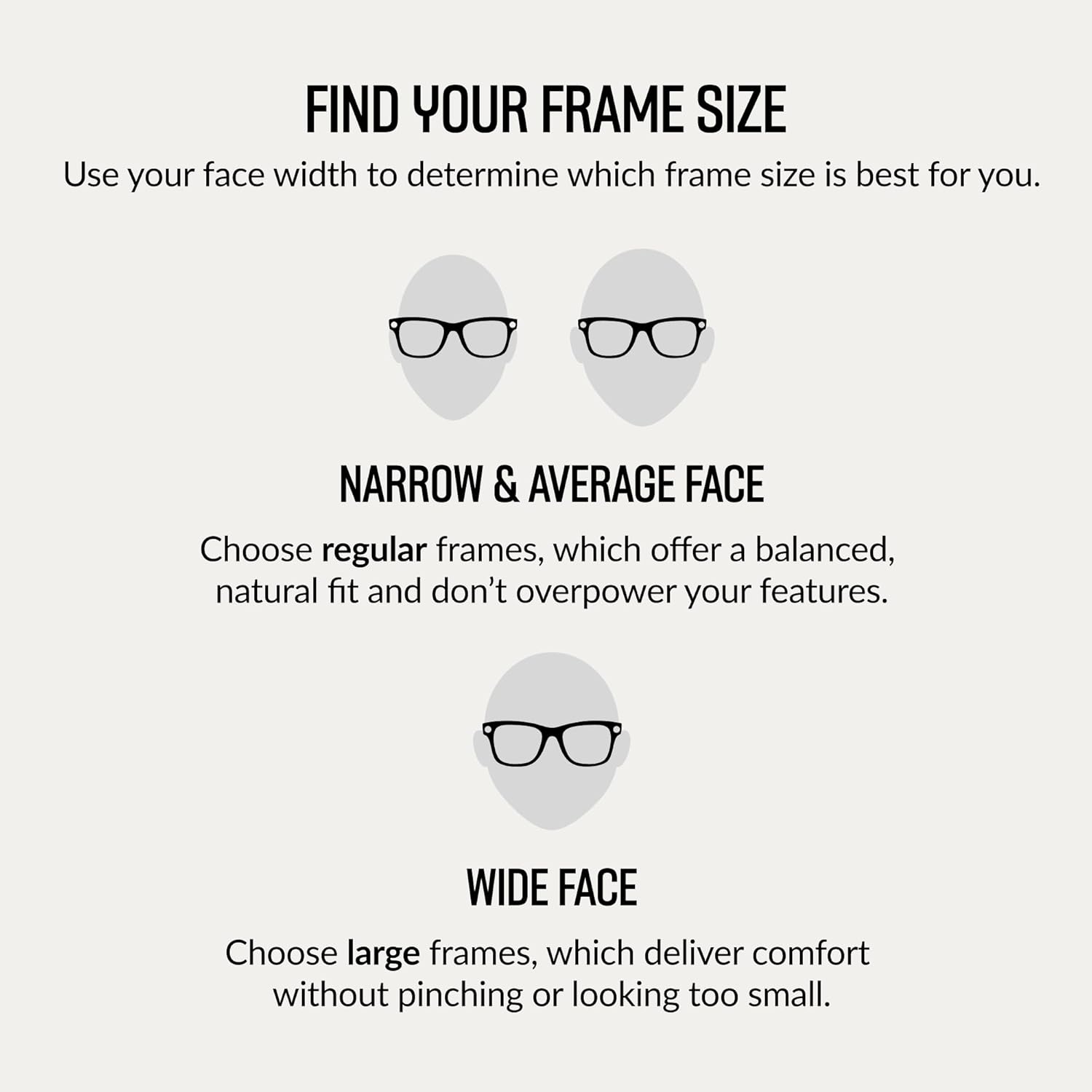
Image: A diagram illustrating how to determine the correct frame size for your face, distinguishing between narrow/average and wide faces.
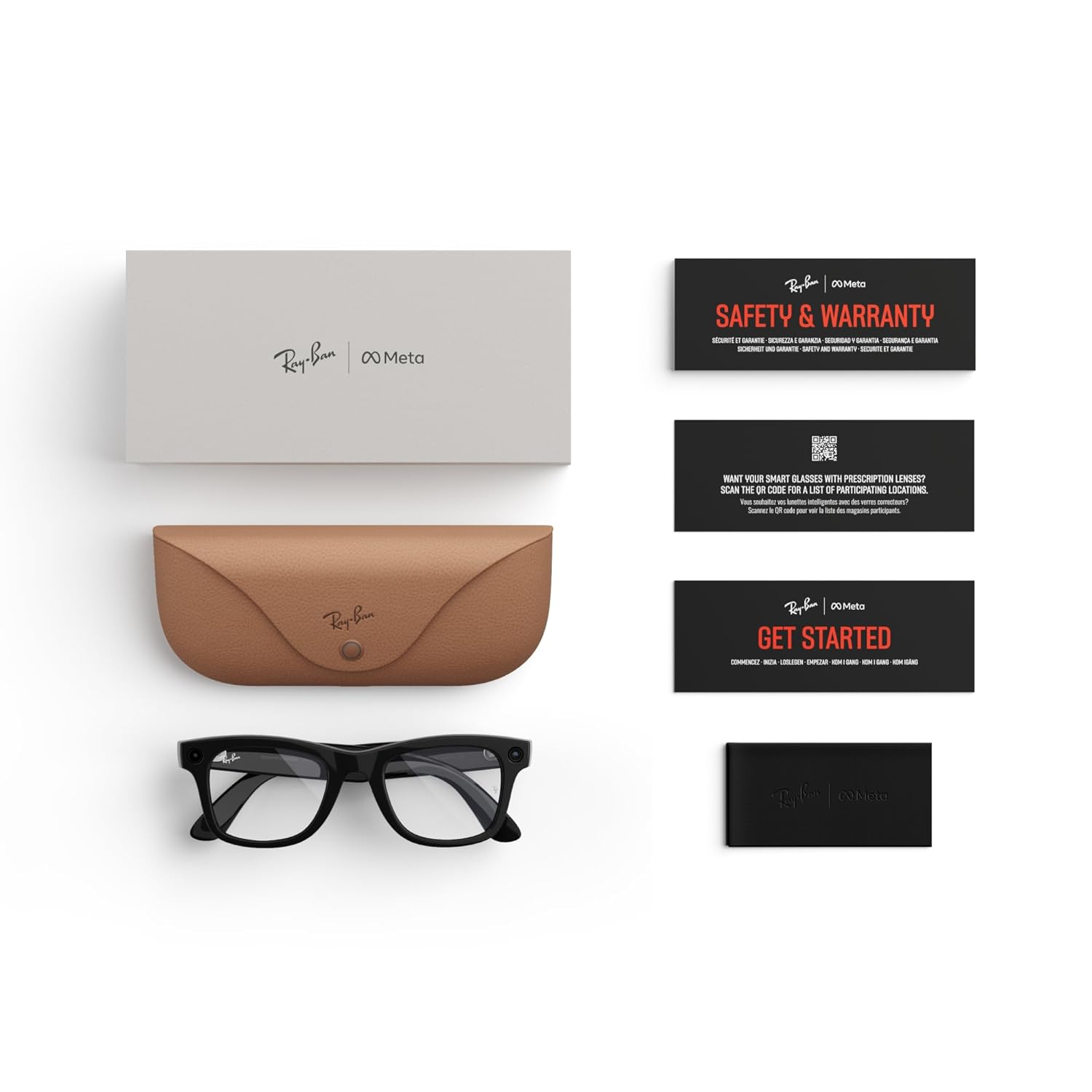
Image: A detailed diagram displaying the dimensions (hinge to hinge, lens height, bridge width, temple length) for regular fit Ray-Ban Meta Wayfarer glasses.
Types de Lentilles
Choose from a variety of high-performance lenses to suit your needs, all offering exceptional clarity, comfort, and protection. All frames can be fitted with prescription (Rx) lenses.
- Lentilles solaires : Offre une protection oculaire avancée en conditions de forte luminosité grâce à une protection à 100 % contre les UVA et les UVB.
- Lentilles transparentes : Blue light filter lenses designed to improve visual comfort by filtering at least 20% of blue light between 380-450nm from digital screens, indoor fluorescent lights, and even sun rays.
- Verres Transitions® : S'adapte en toute fluidité aux variations de luminosité, passant d'une transparence totale ou d'une légère teinte à l'intérieur à une obscurité totale à l'extérieur.
- Verres polarisés: La technologie Polar intercepte les reflets et réduit l'éblouissement pour un meilleur contraste et une clarté améliorée, avec une protection à 100 % contre les UVA et les UVB.

Image : Un surview montrerasing various lens types available for Ray-Ban Meta Smart Glasses, including sun, clear, and Transitions lenses.
Spécifications du produit
| Fonctionnalité | Détail |
|---|---|
| Marque | Méta |
| Nom du modèle | Ray-ban | Meta Smart Glasses |
| Numéro de modèle | 0RW4006 |
| Couleur | Shiny Black/Clear |
| Poids de l'article | 310 gramme |
| Dimensions de l'article | 5.91 x 3.94 x 3.94 pouces |
| Caméra | 12 MP Ultra-Wide |
| Audio | Open-Ear Speakers, Five-Mic System |
| Technologie de connectivité | Bluetooth, radiofréquence 5 GHz |
| Capacité de stockage de la mémoire | 32 Go |
| Type de cellule de batterie | Lithium-ion |
| Fonctionnalités supplémentaires | Voice Control, Meta AI, Live Translation |
| Fabricant | Luxottica |
Dépannage des problèmes courants
If you encounter any issues with your Ray-Ban Meta Smart Glasses, please try the following steps:
- Vérifiez le niveau de la batterie : Ensure both your glasses and charging case are sufficiently charged.
- Redémarrez les appareils : Try restarting your smart glasses and your paired smartphone.
- Réappairer le Bluetooth : Disconnect and re-pair your glasses via Bluetooth in the Meta View application.
- Mise à jour du logiciel : Ensure your Meta View app and glasses firmware are up to date.
- Consult App Help: Le Meta View app often has a comprehensive help section for common problems.
- Contacter le support : If issues persist, refer to the Warranty and Support section for contact information.
Entretien et maintenance
To ensure the longevity and optimal performance of your Ray-Ban Meta Smart Glasses, follow these care guidelines:
- Nettoyage des lentilles : Use the provided microfiber cleaning cloth to gently wipe lenses. Avoid abrasive materials or harsh chemicals.
- Nettoyage des cadres : Essuyez les cadres avec un chiffon doux, damp chiffon. Ne pas immerger les verres dans l'eau.
- Stockage: Always store your glasses in the charging case when not in use to protect them from scratches and damage.
- Évitez les conditions extrêmes : Do not expose your glasses to extreme temperatures, direct sunlight for prolonged periods, or high humidity.
Garantie et support client
Your Ray-Ban Meta Smart AI Glasses come with a Garantie de 1 ans. For detailed warranty information, product support, or service inquiries, please visit the official Meta Store on Amazon or contact customer service through the Meta View application.
Vous pouvez visiter le Meta Store pour des ressources et un soutien supplémentaires.