
Introduction
This manual provides comprehensive instructions for the setup, operation, and maintenance of your Surfans F22 Portable HiFi MP3 Player. Please read this manual thoroughly before using the device to ensure proper functionality and to maximize your listening experience.
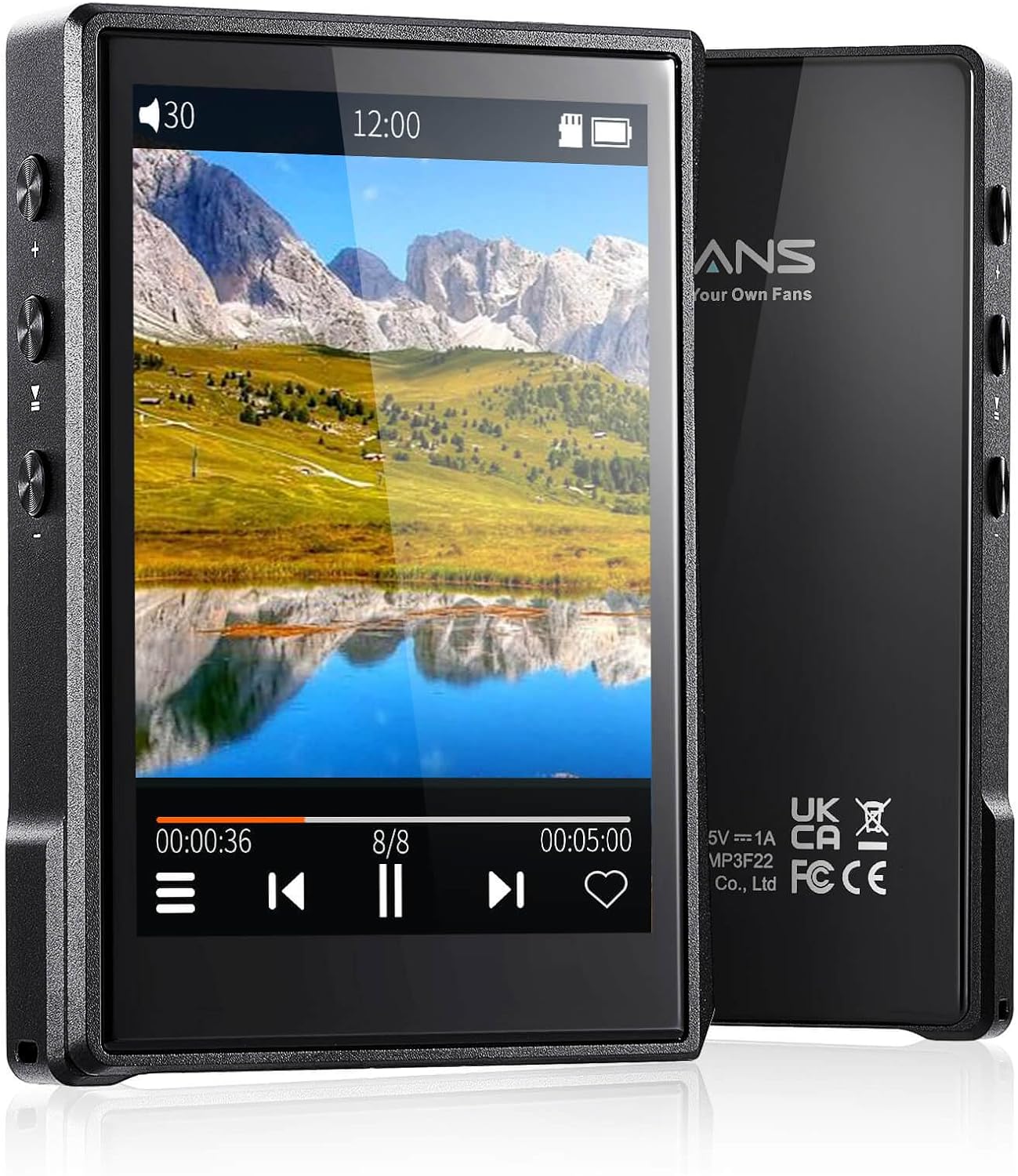
Image : recto et verso view of the Surfans F22 Portable HiFi MP3 Player, showcasing its 2.8-inch touchscreen and sleek design.
Contenu du colis
Vérifiez que tous les éléments sont présents dans le colis :
- Surfans F22 HiFi Music Player
- Manuel de l'utilisateur (ce document)
- Câble USB-C
- Carte mémoire de 32 Go (préinstallée ou fournie séparément)
Appareil terminéview
Familiarize yourself with the physical components of your F22 player.

Image: Diagram illustrating the various ports and buttons on the Surfans F22 MP3 Player, including the power button, volume controls, headphone jack, and USB-C port.
- 2.8-inch IPS TFT Full Touchscreen: Interface principale pour la navigation et le contrôle.
- Bouton d'alimentation : Allume/éteint l'appareil et verrouille/déverrouille l'écran.
- Boutons de volume : Régule le niveau de sortie audio.
- Prise casque (3.5 mm) : Branchez des écouteurs filaires.
- Port USB-C : Pour le chargement et le transfert de données.
- Emplacement pour carte micro SD : Pour un stockage extensible jusqu'à 1 To.
Installation
1. Chargement de l'appareil
Before first use, fully charge the F22 player. Connect the provided USB-C cable to the device's USB-C port and the other end to a USB power adapter (not included) or a computer's USB port. The charging indicator will show progress. A full charge typically takes approximately 2 hours and provides up to 10 hours of playback.
2. Insertion d'une carte micro SD
The F22 comes with a 32GB memory card. For additional storage, you can insert a Micro SD card (up to 1TB) into the designated slot. Ensure the card is inserted correctly until it clicks into place.

Image: A Surfans F22 MP3 Player shown with a Micro SD card being inserted into its slot, illustrating the expandable storage capability.
3. Transfert de musique Files
Connect the F22 player to your computer using the USB-C cable. The device will appear as a removable storage drive. Drag and drop your music files (FLAC, WMA, WAV, DSF, DSD, MP3, etc.) into the appropriate folders on the player's internal storage or the Micro SD card.

Image: A Surfans F22 MP3 Player displaying music playback, with a person wearing headphones in the background, symbolizing the high-fidelity audio experience.
Mode d'emploi
1. Mise sous/hors tension et verrouillage de l'écran
- Pour allumer l'appareil, maintenez le bouton Marche/Arrêt enfoncé jusqu'à ce que l'écran s'allume.
- To power off, press and hold the Power button, then select "Power Off" on the screen.
- To lock/unlock the screen, briefly press the Power button.
2. Naviguer dans l'interface
The F22 features a 2.8-inch touchscreen for navigation. Swipe left/right or up/down to browse menus and lists. Tap icons to select options or open applications.
3. Lecture de musique
- From the main menu, select "Music" to access your library.
- Browse by Artist, Album, Song, Genre, or Folder.
- Touchez un morceau pour lancer la lecture.
- During playback, use the on-screen controls for play/pause, skip track, and volume adjustment. Physical volume buttons also control volume.

Image: The Surfans F22 MP3 Player screen showing options for music playback modes: List play, Single play, List loop, and Random, indicating flexible listening options.
4. Connectivité Bluetooth
The F22 supports Bluetooth 4.2 for wireless audio output.
- Allez dans « Paramètres » et sélectionnez « Bluetooth ».
- Turn Bluetooth on. The player will scan for available devices.
- Sélectionnez dans la liste le casque ou l'enceinte Bluetooth que vous souhaitez appairer.
- Once paired, audio will stream wirelessly to the connected device.

Image: A visual representation of the Surfans F22 MP3 Player's Bluetooth 4.2 capabilities, showing connections to Bluetooth headphones, a Bluetooth speaker, and a car stereo system.
5. E-Book Functionality
The F22 also supports E-book reading.
- Transfer compatible E-book files à l'appareil.
- Dans le menu principal, sélectionnez « Livre électronique ».
- Browse and select a book to open and read.
Entretien
- Nettoyage: Utilisez un chiffon doux et sec pour nettoyer l'appareil. Évitez les nettoyants liquides ou abrasifs.
- Stockage: Conservez le lecteur dans un endroit frais et sec, à l'abri de la lumière directe du soleil et des températures extrêmes.
- Entretien de la batterie: Pour prolonger la durée de vie de la batterie, évitez de la décharger complètement trop souvent. Chargez l'appareil régulièrement, même en cas de non-utilisation prolongée.
- Mises à jour logicielles : Vérifiez le fabricant webConsultez régulièrement ce site pour effectuer les mises à jour du micrologiciel afin de garantir des performances optimales et de nouvelles fonctionnalités.
Dépannage
| Problème | Cause possible | Solution |
|---|---|---|
| L'appareil ne s'allume pas. | Batterie faible. | Chargez l'appareil pendant au moins 30 minutes. |
| Pas de son. | Volume too low; headphones not connected properly; incorrect audio output. | Increase volume; ensure headphones are fully plugged in; check Bluetooth connection if using wireless. |
| Impossible de transférer files. | USB cable issue; device not recognized by computer. | Try a different USB port or cable; ensure the device is in data transfer mode if prompted. |
| Connexion Bluetooth instable. | Interference; device too far from player. | Reduce distance between devices; avoid obstacles; try re-pairing. |
| Écran non réactif. | Problème logiciel temporaire. | Effectuez une réinitialisation logicielle en maintenant le bouton d'alimentation enfoncé jusqu'à ce que l'appareil redémarre. |
Caractéristiques
| Fonctionnalité | Détail |
|---|---|
| Modèle | Surfans F22 Hi Res Music Player |
| Processeur | RK3308G 64-bit Quad-core ARM Cortex-A35 |
| Afficher | 2.8-inch IPS TFT Full Touchscreen (240*320 resolution) |
| Formats audio pris en charge | FLAC, WMA, WAV, DSF, DSD (Native DSD 128/256), PCM (up to 384kHz/32bit), DFF, DTS, APE, OGG, M4A, AIFF, AAC, MP3, Apple Lossless |
| Bluetooth | Version 4.2 |
| Stockage interne | 32 Go (inclus) |
| Stockage extensible | Carte microSD jusqu'à 1 To |
| Batterie | Polymère de lithium 1500mAh |
| Autonomie de la batterie | Jusqu'à 10 heures de lecture |
| Temps de charge | Approximately 2 hours (fast charge) |
| Dimensions | 4.72 x 3.15 x 1.77 pouces |
| Poids | 7.4 onces |
| Connectivité | USB-C |
| Caractéristiques spéciales | Equalizer, Hi-Res Audio, E-book function |
Garantie et assistance
The Surfans F22 Portable HiFi MP3 Player comes with a one-year return and exchange guarantee from the date of purchase. This warranty covers manufacturing defects under normal use.
For technical support, warranty claims, or further assistance, please contact Surfans customer service through their official website or the retailer where the product was purchased. Please have your purchase receipt and product model number (F22) available when contacting support.
Fabricant: Surfans
Website: Surfans Official Store