
1. Installation
This section provides instructions for the initial setup of your TCL 55S41 television, including unpacking, stand installation, wall mounting, and connecting external devices.
1.1 Déballage
- Retirez délicatement le téléviseur de son emballage.
- Ensure all accessories are present: remote control, AAA batteries, power cord, and stand components.
- Conservez les matériaux d'emballage pour de futurs besoins de transport ou d'entretien.
1.2 Installation du support
If you are not wall-mounting the television, install the included stand according to these steps:
- Place the television face-down on a soft, clean surface to prevent screen damage.
- Align the stand legs with the screw holes on the bottom of the television. The stand separation distance is approximately 41.5 inches.
- Secure each stand leg using the provided M4 x 25 screws (4 screws total). Tighten securely with a screwdriver.
- Carefully lift the television to an upright position on a stable, level surface.
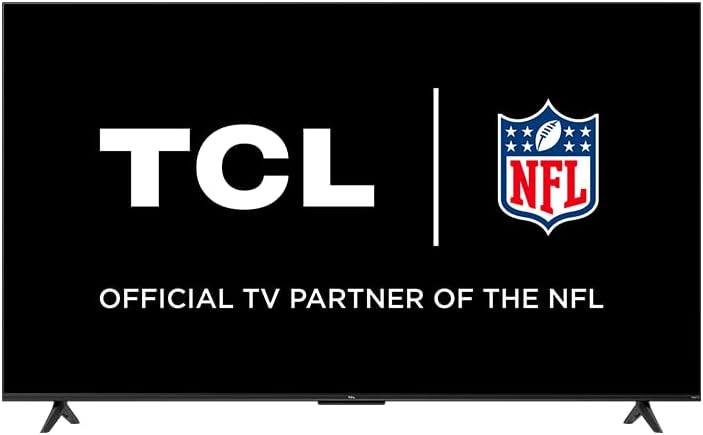
Image: The TCL 55S41 television with its stand attached, illustrating the typical appearance after stand installation. The stand provides stable support for the television on a flat surface.
1.3 Montage mural
If you plan to wall-mount your television, ensure you use a VESA-compatible wall mount (sold separately) that supports the television's weight and size.
- The VESA wall mount pattern for this model is 200 mm x 200 mm.
- Use M6 x 12 screws for attaching the wall mount bracket to the television.
- Follow the instructions provided with your specific wall mount for safe and secure installation.
- Remove the stand legs before wall mounting.
1.4 Connexion d'appareils
Connectez vos périphériques externes aux ports appropriés situés à l'arrière du téléviseur.
- Entrées HDMI : The TV features 4 HDMI inputs, including 1 eARC port for enhanced audio return channel functionality. Use these for connecting Blu-ray players, game consoles, cable boxes, etc.
- Composite Audio/Video Input: 1 input for older devices using RCA cables.
- Sortie audio optique numérique : 1 output for connecting to soundbars or audio receivers.
- Prise casque: 1 output for private listening with headphones.
- Entrée d'antenne RF : 1 input for connecting an antenna for over-the-air broadcasts.
- Port USB 2.0: 1 port for connecting USB storage devices to play media.
- Port Ethernet: Pour une connexion internet filaire.
- Connexion sans fil : Supports 802.11ac 2x2 Dual Band (2.4GHz & 5GHz) Wi-Fi for wireless internet access.
Image : Un général view of the TCL 55S41 television, indicating the typical location of various input and output ports on the rear panel for connecting external devices.
1.5 Mise sous tension initiale et configuration du Roku
- Connect the power cord to the television and then to a power outlet.
- Appuyez sur le bouton marche/arrêt de la télécommande ou du téléviseur.
- Follow the on-screen instructions to complete the Roku guided setup, which includes selecting your language, connecting to a network, and activating your Roku account.
2. Utilisation du téléviseur
This section details the basic operation of your TCL Roku TV, including remote control functions, smart features, and input selection.
Télécommande 2.1
The included remote control (model RC280) requires two "AAA" batteries. It provides intuitive control over your television and Roku OS.
- Bouton d'alimentation : Allume ou éteint le téléviseur.
- Pavé directionnel : Permet de naviguer dans les menus et de sélectionner des éléments.
- Bouton d'accueil: Retour à l'écran d'accueil Roku.
- Bouton Retour : Revient à l'écran précédent.
- Boutons de volume : Règle le volume du téléviseur.
- Bouton de sourdine: Coupe ou rétablit le son.
- Boutons de raccourci : Dedicated buttons for popular streaming channels.
2.2 Smart Features (Roku TV)
Your TCL TV is powered by Roku OS, offering a wide range of smart features:
- Chaînes de streaming : Access thousands of streaming channels for movies, TV shows, news, sports, and more.
- Contrôle vocal : The TV works with Siri, Alexa, and Hey Google for voice commands to search for content, launch apps, or switch inputs.
- AirPlay : Share videos, photos, and music directly from your Apple devices.
- Écran d'accueil personnalisable : Organize your favorite channels and inputs for quick access.
- Application mobile Roku : Use the free Roku mobile app for private listening via headphones, voice control, and as an alternative remote.
2.3 Sélection d'entrée
To switch between connected devices or the antenna input:
- From the Roku home screen, navigate to the desired input tile (e.g., HDMI 1, Antenna TV).
- Appuyez sur le OK button on your remote to select the input.
2.4 Fonctionnalités audio
- Dolby Digital Plus : Enhanced audio quality for compatible content.
- Écoute privée : Use the Roku mobile app with headphones for personal audio.
2.5 Live TV Pause
If you have an antenna connected, you can pause live TV for up to 30 minutes. A USB drive (sold separately) is required for this feature.
3. Entretien
Un entretien régulier garantit la longévité et les performances optimales de votre téléviseur.
3.1 Nettoyage
- Écran: Essuyez délicatement l'écran avec un chiffon doux non pelucheux. Pour les taches tenaces, utilisez un nettoyant pour écrans spécialement conçu pour les téléviseurs, à appliquer sur le chiffon et non directement sur l'écran.
- Cabinet: Essuyez le meuble TV avec un chiffon doux et sec. Évitez d'utiliser des nettoyants abrasifs ou des solvants.
- Débranchez toujours le téléviseur avant de le nettoyer.
3.2 Mises à jour logicielles
Your TCL Roku TV receives automatic software updates to improve performance and add new features. Ensure your TV is connected to the internet for these updates.
4. Dépannage
This section provides solutions to common issues you might encounter with your TCL 55S41 television.
4.1 Pas d'alimentation
- Vérifiez que le cordon d'alimentation est bien branché à la fois sur le téléviseur et sur la prise de courant.
- Vérifiez le bon fonctionnement de la prise de courant en y branchant un autre appareil.
- Essayez d'appuyer sur le bouton d'alimentation directement sur le téléviseur, et non pas sur la télécommande.
4.2 Absence d'image / Mauvaise qualité d'image
- Assurez-vous que la source d'entrée correcte est sélectionnée.
- Check all cable connections (HDMI, composite) to external devices.
- If using an antenna, check antenna connection and try rescanning for channels.
- Adjust picture settings (brightness, contrast, etc.) in the TV menu.
4.3 Absence de son / Mauvaise qualité sonore
- Vérifiez le niveau du volume et assurez-vous que le téléviseur n'est pas en mode silencieux.
- If using external audio equipment (soundbar, receiver), ensure it is powered on and correctly connected.
- Vérifiez les paramètres de sortie audio dans le menu du téléviseur.
4.4 Télécommande ne répondant pas
- Replace the batteries with fresh "AAA" batteries.
- Assurez-vous qu'aucun obstacle ne se trouve entre la télécommande et le capteur infrarouge du téléviseur.
- Try pairing the remote again if it's a voice remote (refer to Roku TV settings).
4.5 Problèmes de connectivité réseau
- Check your Wi-Fi router and modem to ensure they are powered on and functioning.
- Redémarrez votre routeur et votre modem.
- Accédez aux paramètres réseau de votre téléviseur et essayez de vous reconnecter à votre réseau Wi-Fi.
- Si vous utilisez une connexion filaire, assurez-vous que le câble Ethernet est correctement branché.
5. Spécifications
Detailed technical specifications for the TCL 55S41 55-inch 4-Series 4K UHD HDR LED Smart Roku TV.
| Fonctionnalité | Spécification |
|---|---|
| Nom du modèle | 55S41 |
| Taille de l'écran | 55 pouces (54.6 pouces) Viewcapable) |
| Résolution du panneau | 3840 x 2160 (4K UHD) |
| Taux de rafraîchissement | 60 Hz |
| Technologie d'affichage | Écran LED-LCD |
| Format HDR pris en charge | HDR10, HLG |
| Plateforme intelligente | Téléviseur Roku |
| Puissance de sortie audio | 10W + 10W |
| Audio haut de gamme | Dolby Digital Plus |
| Entrées HDMI | 4 (1 eARC) |
| Ports USB 2.0 | 1 |
| Connectivité sans fil | 802.11ac 2x2 Double bande (2.4 GHz et 5 GHz) |
| Port Ethernet | 1 |
| Dimensions du produit (L x H x P) avec support | 48.3" x 29.8" x 10.1" |
| Product Size (WxHxD) without Stand | 48.3" x 28" x 3.2" |
| Product Weight with Stand | 22.5 livres |
| Product Weight without Stand | 22 livres |
| Modèle de montage mural VESA | 200 mm x 200 mm |
| Taille de vis VESA | M6 x 12 |
| Télécommande incluse | RC280 |
| Type de batterie de la télécommande | Two "AAA" |
| Code UPC | 846042065061 |
6. Garantie et assistance
Information regarding the product warranty and how to obtain support.
6.1 Informations sur la garantie
This TCL television comes with a Garantie limitée de 1 ans. This warranty covers manufacturing defects and issues arising from normal use. Please refer to the warranty card included with your product or visit the official TCL website pour les termes et conditions complets.
6.2 Assistance clientèle
For technical assistance, troubleshooting beyond this manual, or warranty claims, please contact TCL Customer Support. You can typically find support contact information (phone, email, or live chat) on the official TCL website. When contacting support, have your TV model number (55S41) and serial number ready.