
1. Introduction
This manual provides detailed instructions for the installation, operation, and maintenance of your Ymlike Bluetooth Smart Hose Water Timer with Wi-Fi Hub. Please read this manual thoroughly before use to ensure proper function and longevity of the device.
2. Consignes de sécurité
- Assurez-vous que tous les raccords sont bien fixés afin d'éviter les fuites.
- Do not immerse the Wi-Fi Hub in water. The water timer is IP54 waterproof, but the hub is not.
- Use only specified batteries (2 AAA) for the water timer.
- Operate within the specified temperature range of 3℃ - 50℃ (37 °F-122 °F).
- Gardez l’appareil hors de portée des enfants.
3. Contenu du colis
Vérifiez que tous les éléments sont présents dans votre colis :
- Ymlike Bluetooth Smart Hose Water Timer (SWV-02)
- Hub Wi-Fi
- Manuel de l'utilisateur (ce document)
- Note: 2 AAA batteries for the water timer are not included.

Image 3.1: Components of the Ymlike Smart Hose Water Timer system, including the timer, Wi-Fi hub, and a smartphone displaying the control application.
4. caractéristiques du produit
- Connectivité Bluetooth et Wi-Fi : Connects to your smartphone via Bluetooth and remotely via the Wi-Fi Hub (2.4GHz network required).
- Deux modes d'irrigation : Supports Normal and Cycle & Soak watering schedules.
- Horaires flexibles : Set up to 20 separate watering schedules with options for daily, weekdays, or specific periods.
- Arrosage manuel : Initiate watering instantly via the device button or the app.
- Fonction de retard de pluie : Automatically skips watering based on local weather forecasts.
- Construction durable : IP54 waterproof ABS plastic with anti-UV coating.
- Fonctionne sur batterie : Requires 2 AAA batteries (not included) for up to 12 months of operation.
- Prise en charge multi-appareils : Connect up to 4 water timers to a single Wi-Fi hub.
- App Control & Sharing: Manage watering schedules and share control with family members via the Tuya app.
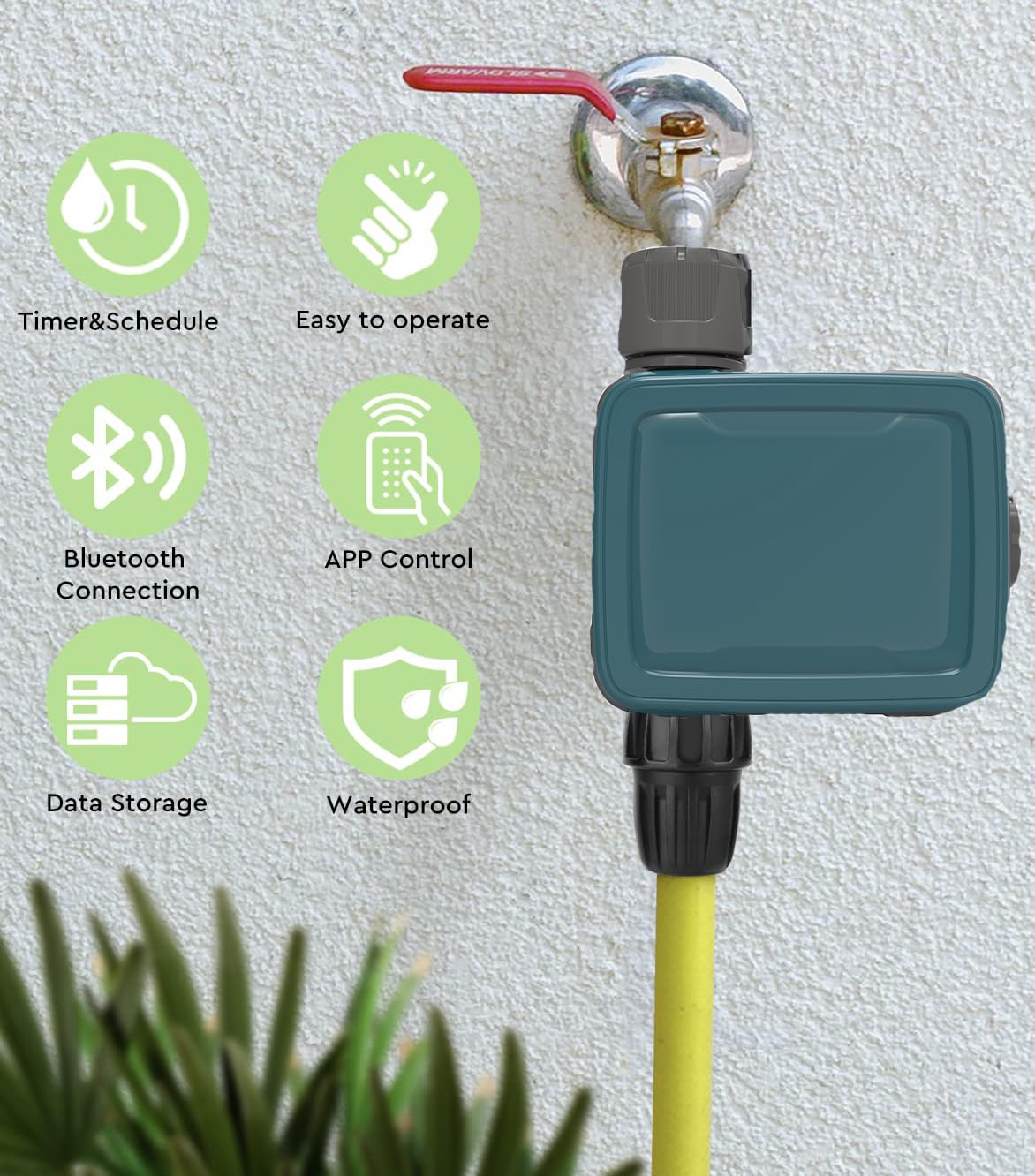
Image 4.1: Visual representation of key product features, including scheduling, ease of use, Bluetooth and app control, data storage, and waterproof design.
5. Configuration et installation
5.1 Install Batteries in Water Timer
- Locate the battery compartment on the water timer.
- Open the compartment and insert 2 new AAA alkaline batteries, ensuring correct polarity.
- Securely close the battery compartment, ensuring the two shields are properly seated to maintain IP54 waterproof rating.
5.2 Install Water Timer
- Screw the water timer onto your outdoor faucet (tap). The inlet thread is 3/4'' F. A reduction to 3/4'' F is also provided if needed.
- Connect your garden hose to the outlet of the water timer.
- Assurez-vous que tous les raccords sont serrés à la main pour éviter les fuites.
5.3 Wi-Fi Hub Connection
- Plug the Wi-Fi Hub into a standard electrical outlet indoors, within range of your home's 2.4GHz Wi-Fi network.
- Ensure the hub is placed in a location that allows for good signal strength to both your Wi-Fi router and the water timer (via Bluetooth).

Image 5.1: Illustration of the remote connectivity setup, demonstrating the Wi-Fi Hub's role in enabling remote control of the water timer via a smartphone application. Note: Only supports 2.4GHz Wi-Fi.
5.4 Installation et appairage de l'application
- Download the "Tuya" app from your smartphone's app store (iOS or Android).
- Inscrivez-vous ou connectez-vous à votre compte Tuya.
- In the app, add the Wi-Fi Hub by following the on-screen instructions. Ensure your phone is connected to a 2.4GHz Wi-Fi network during this process.
- Once the Wi-Fi Hub is added, use the app to pair the water timer to the hub via Bluetooth. The app will guide you through the pairing process.
- You can connect up to 4 water timers to a single Wi-Fi hub.
6. Mode d'emploi
6.1 Établissement des programmes d'arrosage
The Tuya app allows for flexible scheduling with two main irrigation modes:
- Mode normal : Set a specific start time and duration for watering.
- Cycle & Soak Mode: Ideal for sloped areas or dense soil, this mode allows you to set a watering duration, followed by a soak time, repeated over a set period. This helps prevent runoff and promotes deeper water penetration.
Pour définir un horaire :
- Open the Tuya app and select your water timer.
- Accédez à la section « Minuteur » ou « Programme ».
- Choose your desired irrigation mode (Normal or Cycle & Soak).
- Set the start time, duration (1 minute to 11 hours 59 minutes), and frequency (once, daily, weekdays, or specific days).
- Save the schedule. You can set up to 20 separate schedules.

Image 6.1: App interface demonstrating how to configure watering schedules, including Normal and Cycle & Soak modes, with options for start times and durations.
6.2 Arrosage manuel
You can initiate watering instantly without affecting your programmed schedules:
- Via l'application : In the Tuya app, select your water timer and look for a "Manual" or "Water Now" option. Set the desired duration (1 minute to 60 minutes) and confirm.
- Via l'appareil : Press the button on the water timer to start or stop manual watering. The default manual watering duration can usually be configured in the app.
6.3 Fonction de temporisation en cas de pluie
The smart timer can automatically adjust to local weather conditions:
- The timer uses local weather forecasts to detect rain or snow.
- If precipitation is expected, the timer can automatically skip scheduled watering cycles to conserve water. This function does not disrupt your existing programmed schedules; it only postpones them.
- This feature can typically be enabled or disabled within the Tuya app settings for your water timer.
6.4 Surveillance de la consommation d'eau
The Tuya app provides insights into your water consumption:
- View the last watering run time and duration.
- Check the total water usage over a period (e.g., daily, weekly, monthly).
- Monitor upcoming schedules and local weather forecasts directly in the app.

Image 6.2: App screen displaying water usage monitoring features, including historical data and future schedule information, integrated with local weather forecasts.
7. Entretien
7.1 Nettoyage
- Wipe the exterior of the water timer with a damp chiffon selon les besoins.
- N'utilisez pas de nettoyants abrasifs ni de solvants.
- Ensure the Wi-Fi Hub remains dry and clean.
7.2 Remplacement de la batterie
- When the battery indicator in the app shows low power, replace the 2 AAA alkaline batteries in the water timer.
- Follow the steps in Section 5.1 for battery installation, ensuring the compartment is sealed correctly.
- Jetez les piles usagées conformément à la réglementation locale.
7.3 Hivérisation
- Before the first frost, disconnect the water timer from the faucet and store it indoors in a dry, protected area.
- Remove batteries if storing for an extended period.
8. Dépannage
| Problème | Cause possible | Solution |
|---|---|---|
| Water timer not responding. | Piles faibles ou mortes. | Remplacez-les par des piles alcalines AAA neuves. |
| Pas de débit d'eau. | Faucet is off; timer is not scheduled; manual watering not activated; low water pressure. | Ensure faucet is fully open. Check app schedule or activate manual watering. Verify water pressure. |
| App cannot connect to Wi-Fi Hub. | Hub is unplugged; incorrect Wi-Fi network (not 2.4GHz); poor Wi-Fi signal. | Ensure hub is plugged in. Confirm your router is broadcasting a 2.4GHz network and your phone is connected to it during setup. Move hub closer to router. |
| Water timer not pairing with Wi-Fi Hub. | Timer out of Bluetooth range of hub; batteries low. | Move timer closer to hub during pairing. Replace batteries. |
| Fuites au niveau des connexions. | Loose connections; missing or damaged washer. | Tighten connections. Check for and replace any damaged rubber washers. |
9. Spécifications
| Fonctionnalité | Détail |
|---|---|
| Numéro de modèle | SWV-02 |
| Marque | Ymlike |
| Matériel | Acrylonitrile butadiène styrène (ABS) |
| Filetage d'entrée | 3/4'' F (with 3/4'' F reduction) |
| Débit maximal | 35 L/min @ 3 bar |
| Pression de service maximale | 8 barres |
| Température de fonctionnement | 3℃ - 50℃ (37 °F-122 °F) |
| Fréquence d'irrigation | Tous les 1-7 jours |
| Auto Irrigation Duration | 1 minute à 11 heures 59 minutes |
| Durée d'arrosage manuel | 1 minute aux minutes 60 |
| Waterproof Rating (Timer) | IP54 |
| Source d'alimentation (minuterie) | 2 piles AAA (non incluses) |
| Communication (Hub) | Wi-Fi 2.4 GHz |
| Connectable Timers per Hub | Jusqu'à 4 |
| Item Weight (Timer) | 0.5 kilogramme (environ 500 g) |

Image 9.1: Physical dimensions of the Ymlike water timer and its accompanying Wi-Fi hub.
10. Garantie et assistance
Ce produit est livré avec un Garantie de 1 ans from the date of purchase. If you encounter any issues or require technical assistance, please contact Ymlike customer support through your retailer or the contact information provided with your purchase documentation.
Votre satisfaction est notre priorité. Veuillez conserver votre preuve d'achat pour toute réclamation au titre de la garantie.


