
1. Introduction
Welcome to the user manual for your new realme C53 smartphone. This guide provides essential information on setting up, operating, maintaining, and troubleshooting your device. The realme C53 is designed to offer a seamless user experience with its advanced camera system, efficient performance, and long-lasting battery.
2. Contenu du colis
Veuillez cocher la case correspondant aux éléments suivants :
- Téléphone realme C53
- Adaptateur secteur
- Câble USB
- Livret d'informations importantes avec carte de garantie
- Guide rapide
- Outil de carte SIM
- Étui de protection
3. Disposition de l'appareil
Familiarize yourself with the physical components of your realme C53 smartphone.
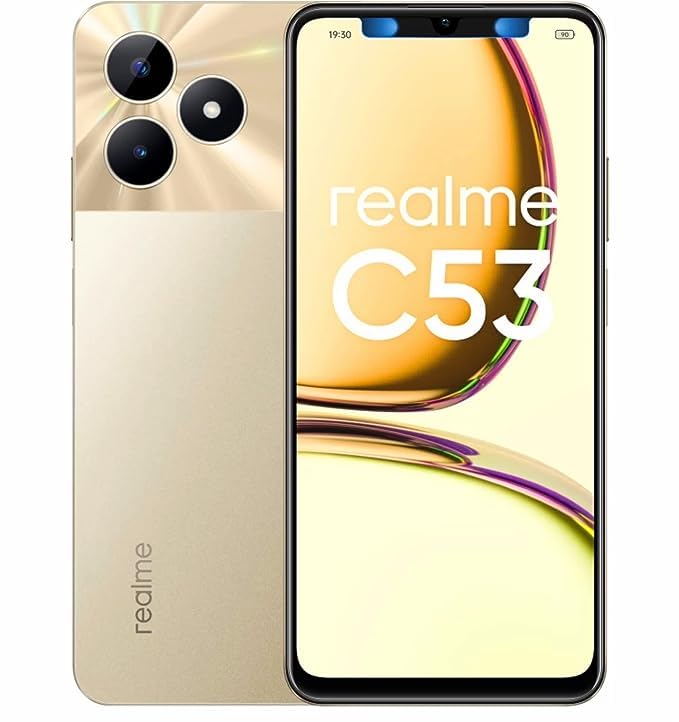
Image 3.1: Devant et derrière view of the realme C53 smartphone in Champion Gold. The front features the display, while the back shows the camera module and realme branding.
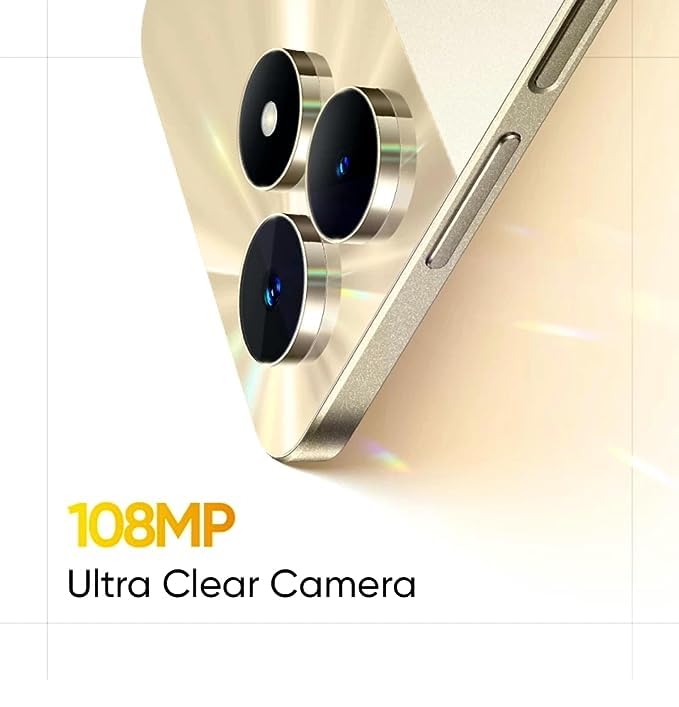
Image 3.2: Détaillé view of the realme C53, highlighting the display and the slim profile de l'appareil.
- Devant: Large touchscreen display, front camera, earpiece.
- Côté droit : Power button (integrated with fingerprint sensor), Volume Up/Down buttons.
- Côté gauche : Plateau pour carte SIM.
- Bas: USB-C port, microphone, speaker.
- Arrière: Dual camera module (108MP main, 2MP depth), LED flash, realme logo.
4. Installation
4.1. Installation de la carte SIM
- Repérez le tiroir de la carte SIM sur le côté gauche de votre appareil.
- Insérez l'outil d'éjection de la carte SIM dans le petit trou situé à côté du tiroir et appuyez fermement jusqu'à ce que le tiroir sorte.
- Place your Nano-SIM cards into the designated slots. The realme C53 supports Dual SIM functionality with a dedicated slot for a microSD card.
- Réinsérez soigneusement le plateau dans le téléphone.
4.2. Mise sous tension et configuration initiales
- Maintenez le bouton d'alimentation situé sur le côté droit enfoncé jusqu'à ce que le logo realme apparaisse.
- Suivez les instructions à l'écran pour sélectionner votre langue, vous connecter au Wi-Fi et configurer votre compte Google.
- Configure security features such as fingerprint recognition and a screen lock (PIN, pattern, or password).
5. Utilisation de votre appareil
5.1. Naviguer dans l'interface
Your realme C53 runs on Android 13, offering an intuitive and customizable user experience.
- Écran tactile : The 6.74-inch HD LCD display with a 90Hz refresh rate provides smooth scrolling and responsiveness. Use gestures like tap, swipe, pinch-to-zoom to interact with apps and content.
- Reconnaissance des empreintes digitales : Unlock your device quickly and securely using the side-mounted fingerprint sensor integrated into the power button.
- Notifications: Faites glisser votre doigt du haut vers le bas de l'écran pour accéder à vos notifications et au panneau des paramètres rapides.
5.2. Connectivité
The realme C53 supports various connectivity options:
- Réseau mobile: Supports 2G, 3G, and 4G cellular technologies. Ensure your SIM card is active and has a data plan.
- Wifi: Connectez-vous aux réseaux sans fil pour accéder à Internet. Accédez à Paramètres > Réseau et Internet > Wi-Fi pour gérer les connexions.
- Bluetooth : À associer avec des casques sans fil, des haut-parleurs et autres appareils compatibles Bluetooth.
- USB: Utilisez le port USB-C pour le chargement et le transfert de données avec un ordinateur.
6. Caractéristiques de l'appareil photo
Capture high-quality photos and videos with the realme C53's advanced camera system.
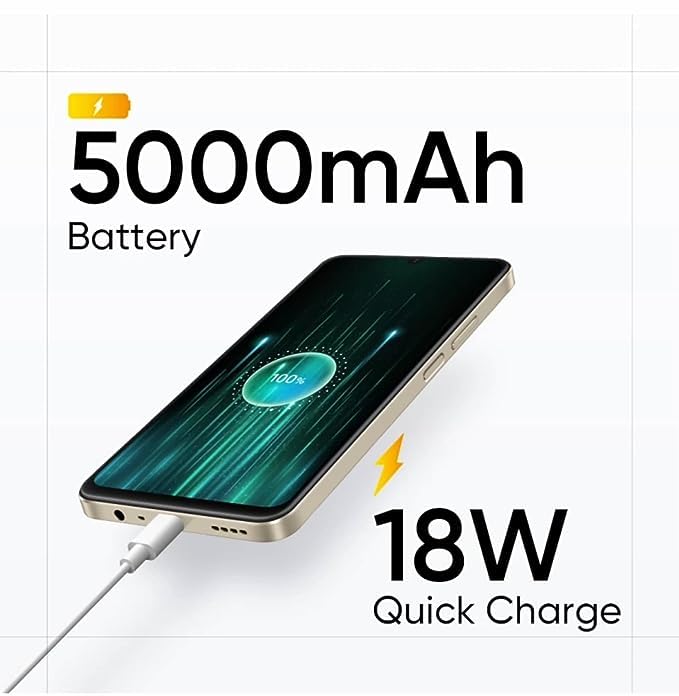
Image 6.1: The 108MP Ultra Clear Camera module on the realme C53, designed for detailed photography.
- Caméra arrière : Features a 108MP main sensor and a 2MP depth sensor for detailed photos and portrait effects.
- Caméra frontale : An 8MP front camera for selfies and video calls.
- Modes de caméra : Explore various modes including Photo, Portrait, Night, Pro, and Panorama. Utilize the 108MP mode for maximum detail and 3X zoom for distant subjects.
- Enregistrement vidéo : Supports Full HD (1080p) video recording at 60 FPS.
7. Gestion de la batterie
The realme C53 is equipped with a high-capacity battery and fast charging capabilities.
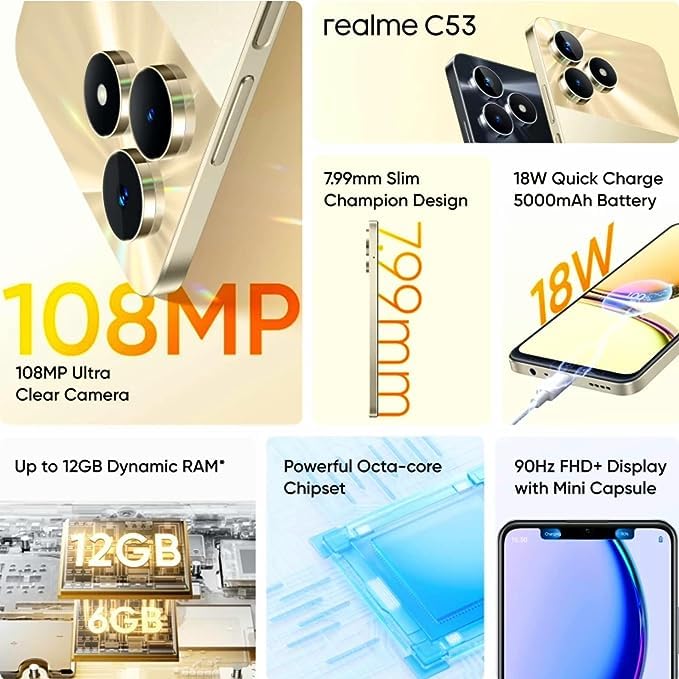
Image 7.1: The realme C53 connected to an 18W Quick Charge adapter, illustrating its 5000mAh battery capacity.
- Capacité de la batterie : A 5000mAh Lithium-Ion battery provides extended usage time.
- Charge rapide : Supports 18W Quick Charge. Use the provided adapter and USB cable for optimal charging speed.
- Optimisation de la batterie : To prolong battery life, manage background app usage, reduce screen brightness, and enable power-saving modes when needed.
8. Stockage et performances
Your device is designed for smooth performance and ample stockage.
- Processeur: Powered by an Octa-core Unisoc T612 processor for efficient multitasking and app performance.
- BÉLIER: Comes with 4GB of RAM, with support for up to 12GB Dynamic RAM for enhanced responsiveness.
- Stockage interne : 128GB of internal storage for your apps, photos, and files.
- Stockage extensible : A dedicated microSD card slot allows storage expansion up to 2TB.
9. Entretien
Proper care ensures the longevity and optimal performance of your realme C53.
- Nettoyage: Utilisez un chiffon doux non pelucheux pour nettoyer l'écran et le boîtier. Évitez les produits chimiques agressifs et les matériaux abrasifs.
- Résistance à l'eau : The device has a water-resistant rating. Avoid submerging it in water or exposing it to high-pressure water jets.
- Mises à jour logicielles : Regularly check for and install system updates to ensure your device has the latest features and security patches. Go to Settings > About phone > Software update.
- Température: Évitez d'exposer l'appareil à des températures extrêmes (chaudes ou froides) afin de prévenir tout dommage à la batterie et aux composants internes.
10. Dépannage
If you encounter issues with your device, try these common troubleshooting steps.
- L'appareil ne répond pas : Maintenez le bouton Marche/Arrêt enfoncé pendant environ 10 à 15 secondes pour forcer un redémarrage.
- Plantages d'applications : Videz le cache de l'application concernée (Paramètres > Applications > [Nom de l'application] > Stockage et cache > Vider le cache). Si le problème persiste, essayez de réinstaller l'application.
- Batterie se déchargeant rapidement : Check battery usage in Settings > Battery to identify apps consuming excessive power. Reduce screen brightness and disable unnecessary features like GPS or Bluetooth when not in use.
- Problèmes de connectivité réseau : Toggle Airplane Mode on and off. Restart your device. Check your SIM card insertion. Reset network settings (Settings > System > Reset options > Reset Wi-Fi, mobile & Bluetooth).
- Stockage plein : Supprimer inutile files, photos, and videos. Uninstall unused apps. Consider moving media to the expandable microSD card.
11. Spécifications
Detailed technical specifications for the realme C53 smartphone.
| Fonctionnalité | Spécification |
|---|---|
| Nom du modèle | C53 (RMX3762) |
| Taille de l'écran | 17.12 cm (6.74 pouces) |
| Type d'affichage | Écran LCD haute définition |
| Résolution | 1600 x 720 pixels |
| Taux de rafraîchissement | 90 Hz |
| Système opérateur | Android 13 |
| Processeur | Unisoc T612 Octa Core (1.82 GHz Primary, 1.8 GHz Secondary) |
| BÉLIER | 4 GB (Up to 12GB Dynamic RAM) |
| Stockage interne | 128 Go |
| Stockage extensible | Up to 2 TB (Dedicated Slot) |
| Caméra arrière | 108 MP + 2 MP |
| Caméra frontale | 8 MP |
| Capacité de la batterie | 5000 mAh |
| Chargement | Charge rapide 18 W |
| Type de carte SIM | Dual Nano SIM (Dedicated Slot) |
| Type de réseau | 2G, 3G, 4G |
| Sécurité biométrique | Fingerprint Recognition (Side-mounted) |
| Dimensions (H x L x P) | 167.16 mm x 76.67 mm x 7.99 mm |
| Poids | 186 g |
| Matériel | Plastique |
| Niveau de résistance à l'eau | Résistant à l'eau |
12. Garantie et assistance
Your realme C53 smartphone comes with a manufacturer's warranty.
- Phone Warranty: 1 Year Manufacturer Warranty from the date of purchase.
- Garantie des accessoires : 6 Months Warranty for in-box accessories (e.g., adapter, USB cable).
- Réclamations au titre de la garantie : For warranty service, please retain your proof of purchase and contact realme customer support. Refer to the "Important Info Booklet with Warranty Card" included in your package for detailed terms and conditions.
- Coordonnées du fabricant : Oppo Mobiles India Private Limited, 5th Floor, Tower-B, Building No. 8, DLF Cyber City, Gurugram, Haryana-122002, India.
For further assistance, visit the official realme support website ou contactez leur service client.