
Introduction
This user manual provides detailed instructions for setting up, operating, maintaining, and troubleshooting your DUODUOGO A7 Android Tablet. Please read this manual carefully before using your device to ensure optimal performance and longevity.
Produit terminéview
The DUODUOGO A7 is a high-performance Android 11 tablet designed for a wide range of uses, from entertainment to productivity. It features a vibrant 10.1-inch FHD IPS display, a powerful 8-core processor, ampla mémoire et des options de connectivité polyvalentes.

Image: The DUODUOGO A7 Android Tablet shown with its detachable keyboard case, displaying the Android 11 interface and various app icons.
Installation
1. Charge initiale
Before first use, fully charge the tablet using the provided Type-C cable and power adapter. The 7000mAh battery ensures extended usage time.

Image: A visual representation of the tablet's 7000mAh battery capacity and charging status.
2. Marche/Arrêt
To power on, press and hold the power button located on the side of the tablet until the DUODUOGO logo appears. To power off, press and hold the power button, then select 'Power off' from the options.
3. Installation de la carte SIM/TF
Locate the card slot on the side of the tablet. Carefully insert your SIM card(s) for 4G connectivity and/or a TF (microSD) card for expanded storage (up to 512GB). Ensure the cards are inserted correctly as shown in the diagram.

Image : Une image détaillée view of the tablet's Type-C interface and the card insertion slot, highlighting its dual SIM and 4G LTE capabilities.
4. Configuration initiale
Upon first boot, follow the on-screen prompts to select your language, connect to a Wi-Fi network, and sign in with your Google account. The tablet is GMS certified, ensuring access to Google Play Store and services.
Mode d'emploi
1. Navigation de base
The DUODUOGO A7 runs on Android 11, offering an intuitive user experience. Use touch gestures to navigate: tap to select, swipe to scroll, pinch to zoom. The 10.1-inch IPS display provides a clear and responsive interface.

Image: The tablet displaying the clean and modern interface of the Android 11 operating system.
2. Connectivité
- Wifi: Go to Settings > Network & internet > Wi-Fi to connect to available networks. Supports 802.11a/b/g/n.
- Bluetooth : Enable Bluetooth in Settings > Connected devices to pair with Bluetooth keyboards, headphones, or other accessories.
- 4G LTE : If a SIM card is installed, mobile data can be enabled via Settings > Network & internet > Mobile network.
3. Utilisation de l'appareil photo
The tablet is equipped with a 5MP front camera and an 8MP rear camera. Open the Camera app to capture photos and videos. Switch between front and rear cameras as needed.

Image: Demonstrates the tablet's 8MP rear camera for capturing moments and the 5MP front camera for video calls and selfies.
4. Media Playback and Storage
Enjoy movies, music, and games on the FHD IPS display. The tablet comes with 64GB of internal storage, expandable up to 512GB with a TF card, providing ampl'espace pour vos médias files.
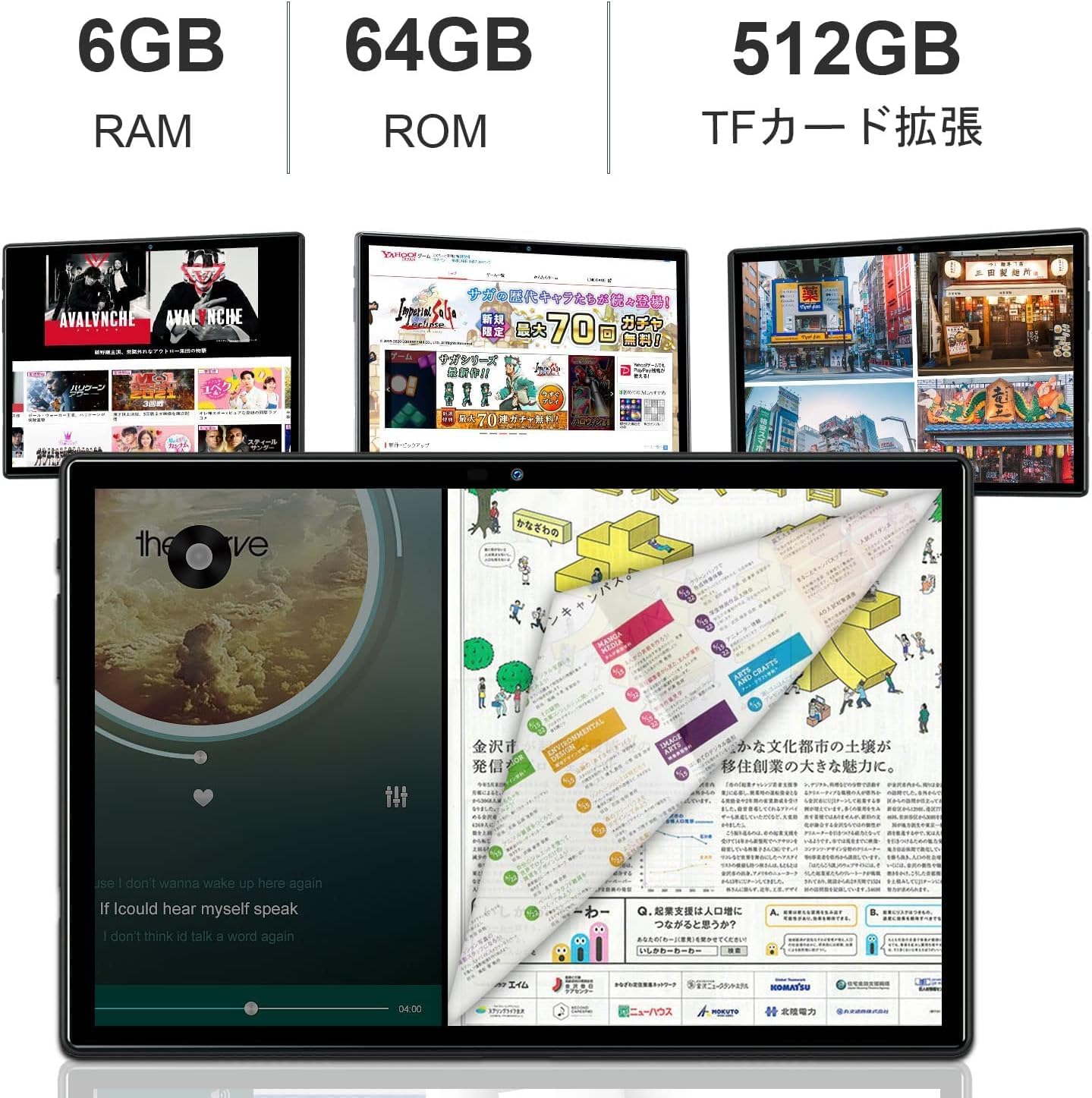
Image: Illustrates the tablet's 6GB RAM, 64GB ROM, and the option for 512GB TF card expansion.
5. Projection sans fil
The tablet supports wireless projection, allowing you to mirror your screen to compatible displays for presentations or larger viewing experiences. Refer to the Android 11 settings for screen casting options.
6. Utilisation polyvalente
The DUODUOGO A7 is suitable for various activities including online meetings, office tasks, sharing content, video calls, watching videos, using GPS navigation, and playing games.

Image: A collage demonstrating various applications of the tablet, such as for meetings, office work, content sharing, video calls, GPS, and gaming.
Entretien
1. Entretien de la batterie
To prolong battery life, avoid extreme temperatures. It is recommended to fully charge the tablet before it completely drains. For long-term storage, charge the battery to about 50%.
2. Nettoyage
Utilisez un chiffon doux non pelucheux pour nettoyer l'écran et le boîtier de la tablette. Évitez d'utiliser des produits chimiques agressifs ou des matériaux abrasifs qui pourraient endommager la surface.
3. Mises à jour logicielles
Vérifiez régulièrement les mises à jour système pour que votre tablette bénéficie des dernières fonctionnalités et correctifs de sécurité. Accédez à Paramètres > Système > Mise à jour système.
4. Gestion du stockage
Nettoyez régulièrement les zones inutiles files and apps to maintain optimal performance. You can manage storage in Settings > Storage.
Dépannage
Problèmes courants et solutions :
- L'appareil ne s'allume pas : Vérifiez que la batterie est chargée. Branchez le chargeur et réessayez.
- Problèmes de connexion Wi-Fi : Restart the tablet and your Wi-Fi router. Check Wi-Fi settings to ensure correct password and network selection.
- Applications qui plantent ou se bloquent : Close the app and reopen it. If the issue persists, clear the app's cache (Settings > Apps & notifications > App info > Storage & cache > Clear cache).
- Performances lentes : Close background apps, clear cache, or consider a factory reset as a last resort (Settings > System > Reset options > Erase all data).
Caractéristiques
| Fonctionnalité | Spécification |
|---|---|
| Marque | DUODUOGO |
| Nom du modèle | DUODUOGO A7 |
| Système opérateur | Android 11 |
| Taille de l'écran | 10.1 pouces |
| Résolution d'affichage | 1920 x 1200 (FHD IPS) |
| Vitesse du processeur | 2.0 GHz (8-Core) |
| BÉLIER | 6 Go |
| Stockage interne | 64 Go |
| Stockage extensible | Jusqu'à 512 Go (carte TF) |
| Capacité de la batterie | 20 000 mAh (Lithium Polymère) |
| Caméra arrière | 8 MP |
| Caméra frontale | 5 MP |
| Type sans fil | 802.11a/b/g/n (Wi-Fi), Bluetooth |
| Format de communication | Wi-Fi, 4G LTE |
| Intervenants | Deux haut-parleurs |
| Connectivité | Type C |
Garantie et assistance
This DUODUOGO A7 tablet comes with a Garantie de 1 ans. If you encounter any issues or have questions, please contact our customer support. We aim to respond within 24 hours to assist you.
For further assistance, please visit the official DUODUOGO website ou consultez les informations de contact fournies avec votre achat.