
1. Introduction
Thank you for choosing the Retevis RB639P Mini Two-Way Radio. This manual provides essential information for the safe and efficient use of your device. Please read it thoroughly before operating the radio and keep it for future reference.
2. Consignes de sécurité
Respectez toujours les précautions de sécurité de base suivantes afin de réduire les risques d'incendie, d'électrocution et de blessure :
- N'utilisez pas la radio dans des atmosphères explosives (par exemple, gaz inflammables, particules de poussière, poudres métalliques).
- N'ouvrez pas la radio casing. Repairs should only be performed by qualified technicians.
- Utilisez uniquement des batteries et des chargeurs homologués.
- Tenez la radio à l'écart de l'eau et de l'humidité.
- Évitez l’exposition prolongée à la lumière directe du soleil ou aux températures élevées.
- N'utilisez pas la radio si l'antenne est endommagée.
3. Contenu du colis
The Retevis RB639P package includes:
- 4 x Retevis RB639P Radio
- 4 x casque sans fil
- 4 x Clip de ceinture
- 2 x Type-C One-to-Two Charging Cable
- 1 x Manuel d'utilisation
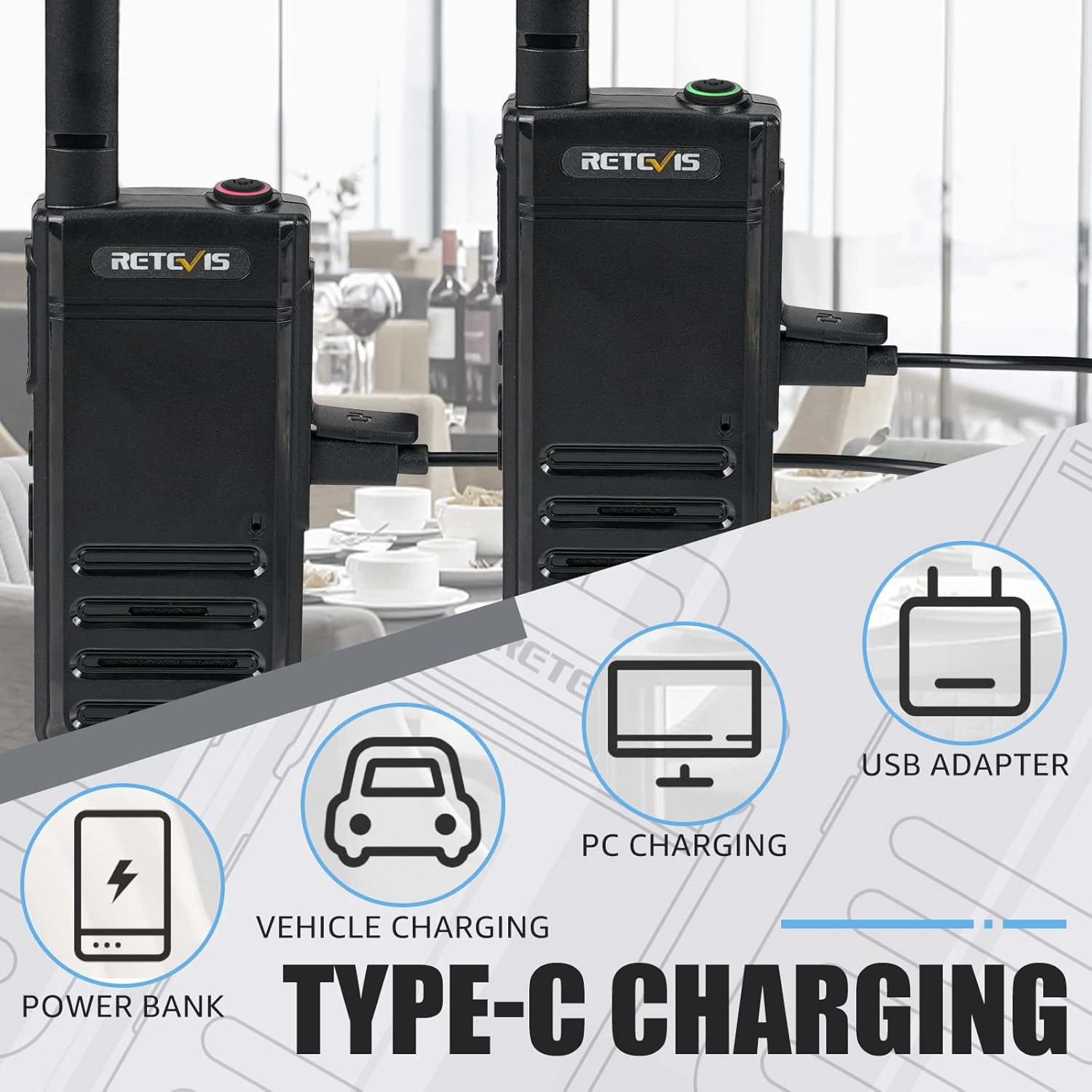
Figure 3.1: Included components of the Retevis RB639P package.
4. Produit terminéview
The Retevis RB639P is a compact and portable mini two-way radio designed for convenient communication. It features a slim design, VOX function, and USB-C charging.
4.1. Composants radio

Figure 4.1: The ultra-slim design of the RB639P, measuring 18mm in thickness.

Figure 4.2: Multi-functional menu button with VOX, Bluetooth, Call Tone, and Roger Beep indicators.
5. Installation
5.1. Chargement de la batterie
The RB639P radio is equipped with a 1000 mAh rechargeable Li-ion battery. Before first use, fully charge the battery.
- Connectez le câble de chargement de type C au port USB-C de la radio.
- Connect the other end of the cable to a USB power source (e.g., USB adapter, PC, power bank, vehicle charger).
- L'indicateur de charge affichera l'état de la charge. Une charge complète prend généralement environ 3 heures.

Figure 5.1: Various Type-C charging methods for the RB639P.

Figure 5.2 : Spécifications et caractéristiques de la batterie.
5.2. Fixation du clip de ceinture
Align the belt clip with the designated slots on the back of the radio and slide it down until it clicks into place.
5.3. Connecting the Wireless Headset
The RB639P supports wireless headset connection for hands-free operation.
- Ensure both the radio and the wireless headset are powered on.
- Follow the headset's instructions to enter pairing mode.
- On the radio, activate Bluetooth pairing via the multi-functional menu button (refer to Figure 4.2).
- Once paired, the headset will connect automatically when both devices are on and within range.

Figure 5.3: Wireless headset connection for hands-free use.
6. Fonctionnement
6.1. Marche/Arrêt
Pour allumer la radio, tournez le bouton marche/arrêt/volume dans le sens des aiguilles d'une montre. Pour l'éteindre, tournez-le dans le sens inverse jusqu'à entendre un clic.
6.2. selection de CHAINE
The RB639P has 16 channels. Rotate the channel selector knob to choose your desired channel. Ensure all radios in your group are on the same channel for communication.
6.3. Réglage du volume
Tournez le bouton marche/arrêt/volume pour régler le volume d'écoute.
6.4. Transmission et réception
Pour émettre, maintenez enfoncé le bouton PTT (Push-to-Talk) situé sur le côté de la radio. Parlez clairement dans le microphone. Relâchez le bouton PTT pour recevoir.
6.5. Fonction VOX (échange téléphonique à commande vocale)
The VOX function allows for hands-free transmission without pressing the PTT button. To activate/deactivate VOX:
- Press the multi-functional menu button (refer to Figure 4.2).
- Use the + button to navigate to the VOX setting.
- Press the menu button again to confirm activation or deactivation.

Figure 6.1: Hands-free operation using the VOX function and wireless headset.
6.6. Fonction d'alarme d'urgence
The RB639P includes an emergency alarm feature for critical situations.
- To activate the emergency alarm, press and hold the designated emergency button (often a side button, refer to your specific radio's button layout).
- The radio will emit a loud alarm sound.
- To deactivate, press the PTT button.

Figure 6.2: Emergency alarm feature for enhanced safety.
7. Entretien
7.1. Entretien de la batterie
- Évitez de surcharger ou de vider complètement la batterie.
- Rangez la batterie dans un endroit frais et sec lorsqu'elle n'est pas utilisée.
- Si vous n'utilisez pas la radio pendant une période prolongée, retirez la batterie.
7.2. Nettoyage de la radio
- Essuyez la radio avec un chiffon doux, damp tissu.
- N'utilisez pas de produits chimiques agressifs ou de nettoyants abrasifs.
- Assurez-vous que le cache du port USB-C est bien fermé pour préserver l'étanchéité.
8. Dépannage
| Problème | Cause possible | Solution |
|---|---|---|
| La radio ne s'allume pas. | Batterie faible ; batterie mal installée | Charger la batterie ; Réinstaller la batterie |
| Impossible de transmettre ou de recevoir | Incorrect channel; Out of range; Low battery | Verify channel settings; Move closer to other radios; Charge the battery |
| Mauvaise qualité audio | Low battery; Obstructions; Volume too low/high | Charge the battery; Move to an open area; Adjust volume |
| Wireless headset not connecting | Not paired; Out of range; Headset battery low | Re-pair headset; Move closer; Charge headset battery |
9. Spécifications
| Fonctionnalité | Détail |
|---|---|
| Numéro de modèle | RB639P |
| Marque | Rétevis |
| Couleur | Noir |
| Nombre de canaux | 16 |
| Gamme de fréquences | 446.00625-446.19375 MHz (PMR446) |
| Portée de conversation maximale | 3 kilomètres |
| Type de batterie | Lithium-ion (1000 mAh) |
| Autonomie de la batterie | 11 heures |
| Temps de charge | Environ 3 heures |
| Méthode de chargement | USB-C |
| Voltage | 3.7 volts |
| Niveau de résistance à l'eau | Résistant à l'eau (IP67) |
| Dimensions du produit (P x L x H) | 1.8 x 5.5 x 16.8 cm |
| Poids | 200 gramme |
| Caractéristiques spéciales | Light and thin, VOX, Bluetooth |
| Appareils compatibles | Casque audio |
| Plage de température | -20~+55°C |
10. Garantie et assistance
Retevis offers a 2-year warranty on the radio body and a 1-year warranty on accessories. Additionally, there is a 30-day no-reason return policy. After the warranty period, maintenance services are still available, with buyers responsible for associated costs.
For any inquiries or support, please contact us via Amazon. We aim to respond within 12 hours.
11. Vidéos produits
There are no official product videos specifically for the Retevis RB639P model available in the provided data.