
1. Configuration et installation
1.1 Liste de contrôle de pré-installation
- Compatibilité du système : Ensure your motherboard has an available PCI Express 4.0 x16 slot.
- Alimentation: Vérifiez que votre bloc d'alimentation (PSU) respecte la puissance minimale requise.tage requirements for the RTX 3060 Ti and has the necessary PCIe power connectors. Consult your PSU manual for details.
- Autorisation: Confirm your PC case has adequate space for the graphics card dimensions.
- Conducteurs : Download the latest NVIDIA drivers from the official NVIDIA website avant l'installation.
1.2 Installation physique
- Éteindre: Éteignez complètement votre ordinateur et débranchez le câble d'alimentation.
- Dossier ouvert : Ouvrez le boîtier de votre ordinateur pour accéder à la carte mère.
- Localisez l'emplacement PCIe : Identify an available PCI Express 4.0 x16 slot. Remove any expansion slot covers if necessary.
- Insérer la carte graphique : Alignez soigneusement la carte graphique avec le port PCIe et appuyez fermement jusqu'à ce qu'elle soit bien enclenchée. Vous devriez entendre un clic provenant du clip de fixation du port.
- Carte sécurisée : Fasten the graphics card to the case using the screw or latch mechanism.
- Connecter l'alimentation : Connect the appropriate PCIe power cables from your PSU to the graphics card. The PNY GeForce RTX 3060 Ti typically requires one 8-pin PCIe power connector. Ensure all pins are fully seated.
- Affaire close : Refermez le boîtier de votre ordinateur et rebranchez le câble d'alimentation.
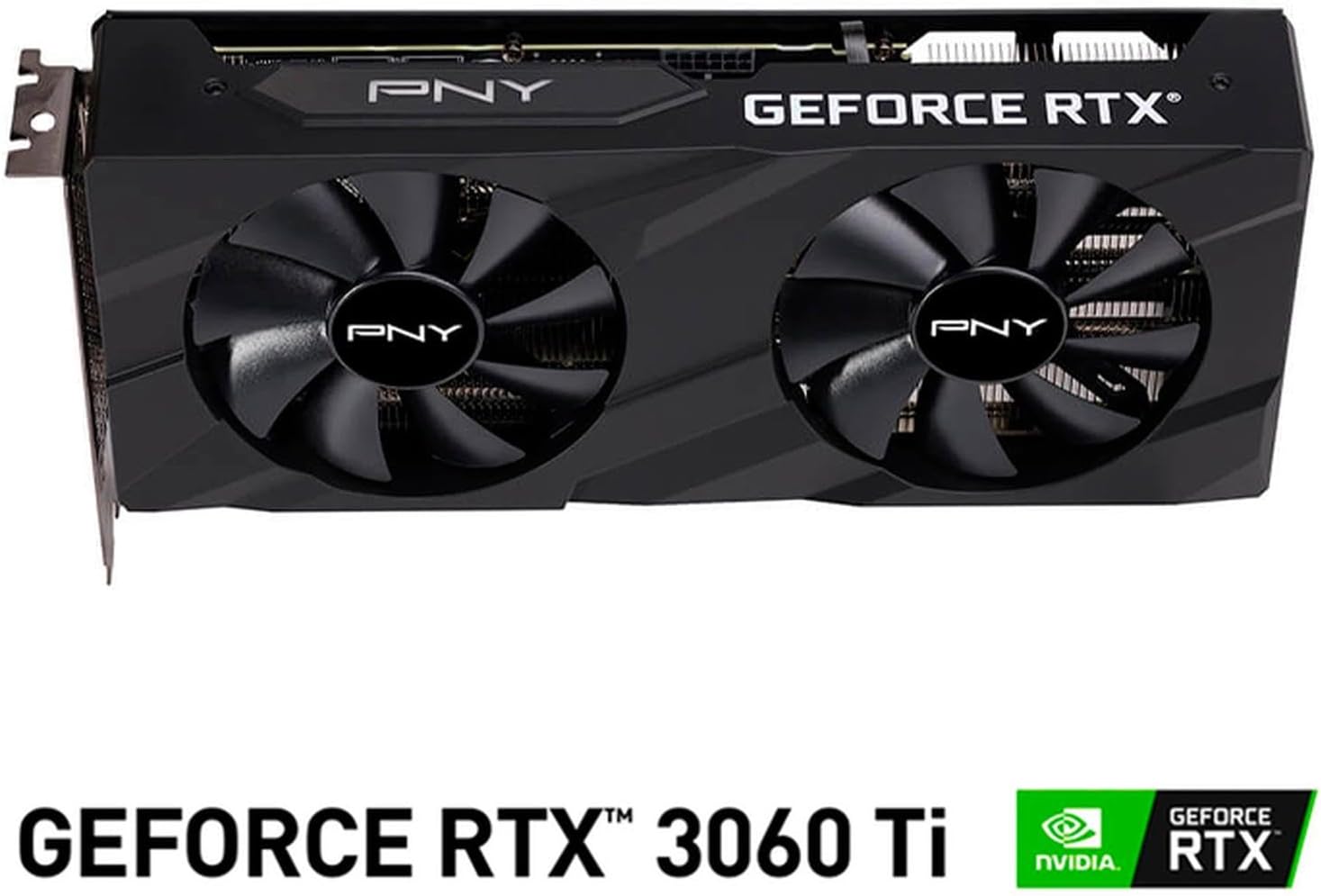
Image : Avant view of the PNY GeForce RTX 3060 Ti Verto Dual Fan Graphics Card, showing the dual fans and PNY branding.
1.3 Installation du pilote
- Système de démarrage : Power on your computer. It may boot into a lower resolution or use generic display drivers initially.
- Installer les pilotes : Run the NVIDIA driver installer downloaded earlier. Follow the on-screen prompts to complete the installation. A restart may be required.
- Vérifier l'installation : After restarting, open NVIDIA GeForce Experience or the NVIDIA Control Panel to confirm the graphics card is recognized and drivers are up to date.
2. Fonctionnement
2.1 Connexion des écrans
The PNY GeForce RTX 3060 Ti features multiple video output interfaces for connecting displays:
- DisplayPort 1.4a : Pour les moniteurs haute résolution et à fréquence de rafraîchissement élevée.
- HDMI 2.1: For connecting to TVs or monitors supporting 4K at higher refresh rates.
Connect your display cables to the appropriate ports on the graphics card. The card supports a maximum display resolution of 7680 x 4320 @60Hz.

Image : inclinée view of the PNY GeForce RTX 3060 Ti Verto Dual Fan Graphics Card, highlighting the cooling solution and overall design.
2.2 NVIDIA GeForce Experience
NVIDIA GeForce Experience is a companion application for your graphics card. It allows you to:
- Optimize Game Settings: Automatically configure game settings for the best experience.
- Keep Drivers Up to Date: Receive notifications and easily install the latest NVIDIA Game Ready Drivers.
- Capture & Share: Record gameplay, take screenshots, and livestream with friends using features like ShadowPlay.
2.3 Performancesview
The GeForce RTX 3060 Ti is built on NVIDIA’s 2nd generation RTX architecture (Ampere), featuring enhanced Ray Tracing Cores and Tensor Cores for advanced graphics and AI acceleration. Key performance specifications include:
- Horloge de base: 1410 MHz
- Horloge Boost : 1665 MHz
- Mémoire: 8GB GDDR6X (256-bit) with up to 608GB/sec bandwidth.
- Cœurs CUDA : 4864
3. Entretien
3.1 Cleaning Your Graphics Card
Regular cleaning helps maintain optimal performance and extends the lifespan of your graphics card. Always power off your computer and disconnect the power cable before cleaning.
- Élimination de la poussière : Use compressed air to gently blow dust from the fans and heatsink fins. Hold the fans to prevent them from spinning rapidly during cleaning.
- Nettoyage de surface : Essuyez les surfaces extérieures avec un chiffon doux, sec et non pelucheux. Évitez d'utiliser des nettoyants liquides directement sur la carte.
3.2 Mises à jour des pilotes
Keep your graphics drivers updated to ensure compatibility with the latest games and applications, and to benefit from performance improvements and bug fixes. Use NVIDIA GeForce Experience or visit the official NVIDIA website pour télécharger et installer les derniers pilotes.
4. Dépannage
4.1 Problèmes courants et solutions
- Aucune sortie d'affichage :
- Assurez-vous que les câbles d'affichage sont correctement connectés à la fois à la carte graphique et au moniteur.
- Verify the graphics card is fully seated in the PCIe slot and all power connectors are attached.
- Si possible, effectuez un test avec un autre câble d'affichage ou un autre moniteur.
- Instabilité ou plantages du système :
- Assurez-vous que votre alimentation électrique respecte la puissance recommandée.tage.
- Check for overheating. Monitor GPU temperatures using software like MSI Afterburner or HWMonitor.
- Effectuez une installation propre des pilotes graphiques les plus récents.
- Mauvaises performances dans les jeux :
- Assurez-vous d'avoir installé les pilotes graphiques les plus récents.
- Vérifiez les paramètres du jeu ; réduisez la résolution ou la qualité graphique si nécessaire.
- Verify that your system is not bottlenecked by other components (CPU, RAM).

Image : Côté view of the PNY GeForce RTX 3060 Ti Verto Dual Fan Graphics Card, showing the heatsink fins and power connectors.
5. Spécifications
Below are the detailed technical specifications for the PNY GeForce RTX 3060 Ti 8GB GDDR6X Verto Dual Fan Graphics Card:
| Fonctionnalité | Spécification |
|---|---|
| Coprocesseur graphique | Carte graphique NVIDIA GeForce RTX 3060 Ti |
| Marque | PNY |
| Taille de la mémoire RAM graphique | 8 Go |
| Type de RAM graphique | GDDR6X |
| Vitesse d'horloge du GPU | 1410 MHz |
| Vitesse d'horloge de la mémoire | 1410 MHz (Effective 19000 MHz) |
| Interface de sortie vidéo | DisplayPort, HDMI |
| Interface de la carte graphique | PCI-Express x16 |
| Nombre de fans | 2 |
| Résolution d'affichage maximale | 7680 x 4320 à 60 Hz |
| Appareils compatibles | Bureau |
| Nom du modèle | VERTO Dual Fan |
| Numéro de modèle | VCG3061T8LDFBPB1 |
| Code UPC | 751492767314 |
| Poids de l'article | 1 kilogramme |

Image : Dos view of the PNY GeForce RTX 3060 Ti Verto Dual Fan Graphics Card, showing the backplate and PCB.
6. Garantie et assistance
6.1 Garantie du produit
This PNY GeForce RTX 3060 Ti Graphics Card comes with a Garantie de 3 ans. For specific terms and conditions, please refer to the warranty documentation included with your product or visit the official PNY website.
6.2 Assistance technique
If you encounter any issues not covered in this manual or require further assistance, please contact PNY Technical Support. You can typically find support contact information, FAQs, and driver downloads on the official PNY website: