
1. Introduction
Thank you for choosing the Simrad NAC-1 Outboard Pilot Hydraulic Pack MkII PUMP-1 with POINT-1. This system is designed to provide reliable and precise autopilot control for outboard-powered vessels with hydraulic steering. The NAC-1 processor, combined with the PUMP-1 hydraulic pump and POINT-1 GPS antenna, offers advanced navigation capabilities, enhancing your boating experience. This manual provides essential information for the proper installation, operation, and maintenance of your Simrad autopilot system.
2. Consignes de sécurité
Please read all safety warnings and instructions carefully before installing or operating the product. Failure to follow these instructions could result in product malfunction, property damage, serious injury, or death.
- Sécurité électrique : Ensure all power connections are made correctly and protected by appropriate fuses. Disconnect power before performing any installation or maintenance.
- Installation: All installation procedures should be performed by qualified personnel. Incorrect installation can lead to system failure.
- Navigation: The autopilot system is an aid to navigation and should not be used as the sole means of navigation. Always maintain a proper lookout and be prepared to take manual control of the vessel.
- Système hydraulique: Exercise caution when working with hydraulic systems. Ensure the engine is off and the steering system is depressurized before connecting the hydraulic pump.
3. Contenu du colis
Vérifiez que tous les composants sont présents dans le package :
- Simrad NAC-1 Autopilot Computer
- Simrad PUMP-1 Hydraulic Pump (MkII)
- Simrad POINT-1 GPS Antenna with Heading Sensor
- NMEA 2000 Starter Kit (includes power cable, backbone cable, T-connectors, terminators)
- Kit de matériel d'installation
- Documentation (Guide de démarrage rapide, Informations sur la garantie)
4. Configuration et installation
Proper installation is crucial for the optimal performance of your Simrad autopilot system. Follow these steps carefully.
4.1 Planification de l'installation
Before beginning, plan the location for each component. Consider cable routing, accessibility for maintenance, and environmental factors.
- NAC-1 Processor: Mount in a dry, protected area, away from heat sources and strong electromagnetic fields.
- PUMP-1 Hydraulic Pump: Install close to the steering cylinder, ensuring easy access for hydraulic line connections and fluid checks.
- POINT-1 GPS Antenna: Mount in a location with a clear, unobstructed view of the sky (360 degrees horizontally, 10 degrees above the horizon). Avoid mounting near radar, VHF antennas, or other transmitting devices.
4.2 Mounting the NAC-1 Processor
- Sélectionnez une surface de montage appropriée.
- Use the provided template (if applicable) to mark drill holes.
- Secure the NAC-1 processor using the supplied mounting hardware.
4.3 Installing the PUMP-1 Hydraulic Pump
- Ensure the vessel's engine is off and the steering system is depressurized.
- Mount the pump securely to a rigid surface.
- Connect the hydraulic lines from the steering system to the pump according to the diagram in the quick start guide. Ensure all connections are tight and leak-free.
- Bleed the hydraulic system thoroughly after installation.
4.4 Mounting the POINT-1 GPS Antenna
- Choose a high, unobstructed location.
- Secure the POINT-1 antenna using the provided mounting hardware.
- Route the NMEA 2000 cable from the antenna to the NMEA 2000 backbone.
4.5 Connexions de câblage
All components connect to a common NMEA 2000 network. Ensure the network is properly terminated at both ends.
- Réseau NMEA 2000 : Connect the NAC-1 processor, PUMP-1 pump, and POINT-1 antenna to the NMEA 2000 backbone using T-connectors.
- Pouvoir: Connect the NMEA 2000 network power cable to a fused 12V DC power source. The NAC-1 processor and PUMP-1 pump draw power from the NMEA 2000 network.
- Steering Feedback: Connect the steering feedback unit (if external, otherwise integrated) to the NAC-1 processor as per the wiring diagram.
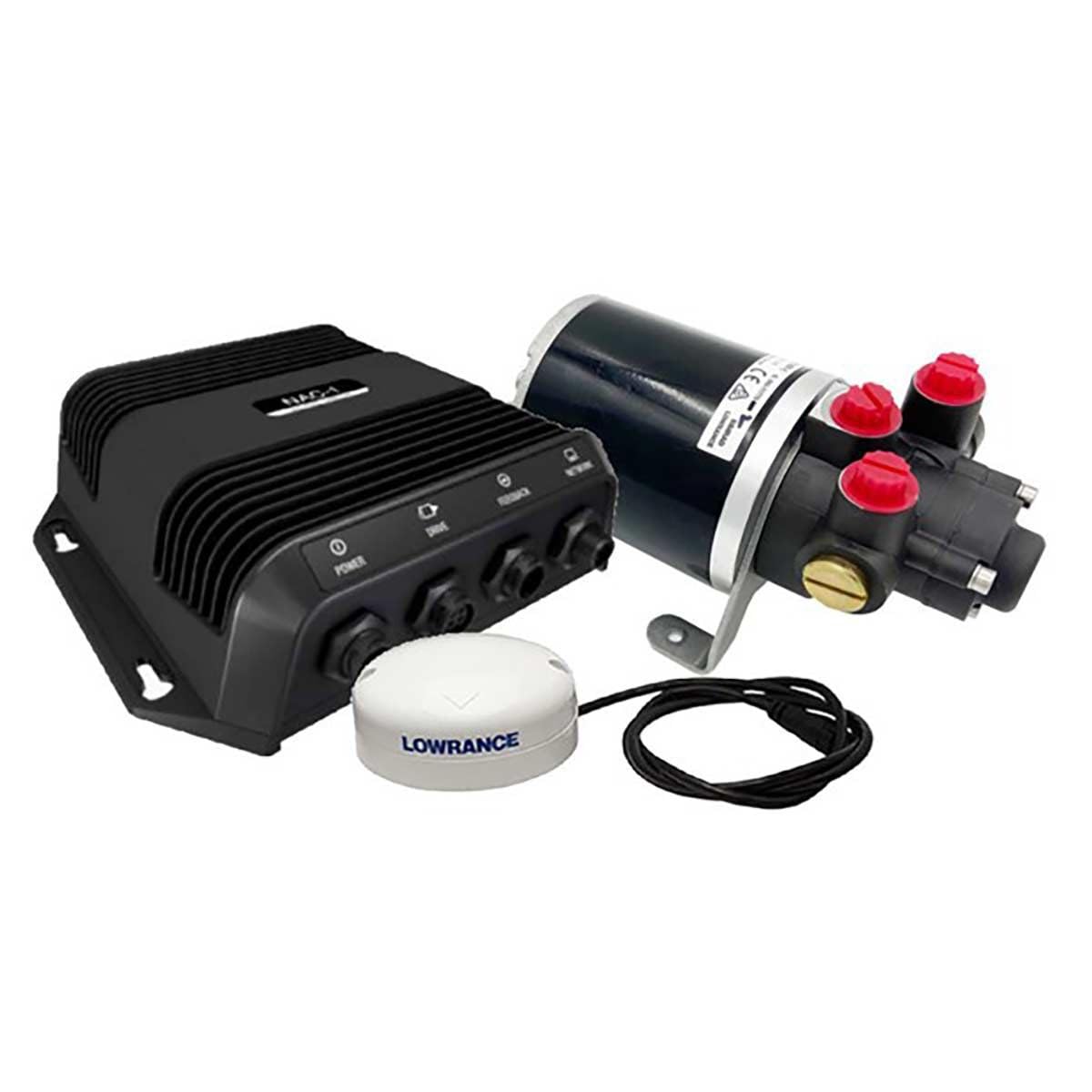
Figure 4.5.1 : Example of Simrad NAC-1 Outboard Pilot Hydraulic Pack components. This image illustrates the main units including the NAC-1 processor, PUMP-1 hydraulic pump, and POINT-1 GPS antenna, which are central to the autopilot system installation.
4.6 Mise sous tension et configuration initiales
- Apply power to the NMEA 2000 network.
- Turn on your Simrad multifunction display (MFD) or autopilot controller.
- Follow the on-screen prompts to perform initial setup, including compass calibration, rudder response calibration, and sea trial calibration. Refer to your MFD's manual for detailed calibration procedures.
5. Mode d'emploi
Once installed and calibrated, your Simrad autopilot system is ready for operation.
5.1 Fonctionnement de base
- Marche/Arrêt : The autopilot system powers on with the NMEA 2000 network.
- Mode veille: Press the 'Standby' button on your controller or MFD to disengage the autopilot and take manual control.
- Mode automatique: Press the 'Auto' button to engage the autopilot and maintain the current heading.
- Heading Adjustments: Use the +/- 1 degree or +/- 10 degree buttons on your controller to adjust the heading in Auto mode.
5.2 fonctionnalités avancées
- NoDrift Mode: This mode maintains your vessel's position over ground, compensating for wind and current. Activate from your MFD.
- Navigation par points de passage : If connected to a chartplotter, the autopilot can steer to a selected waypoint or along a route. Select the waypoint/route on your MFD and engage 'Nav' mode on the autopilot.
- Turn Patterns: Access pre-defined turn patterns (e.g., U-turn, spiral turn) from your MFD for specific maneuvers.
6. Entretien
Regular maintenance ensures the longevity and reliable performance of your autopilot system.
- Connexions de câble : Periodically check all NMEA 2000 and power cable connections for corrosion or looseness.
- Fluide hydraulique : Check the hydraulic fluid level in the steering system reservoir regularly. Top up with the recommended fluid if necessary. Inspect hydraulic lines for leaks.
- Mises à jour logicielles : Check the Simrad website for the latest software updates for your NAC-1 processor and POINT-1 antenna. Updates can improve performance and add new features.
- Nettoyage: Clean the exterior of the NAC-1 processor and POINT-1 antenna with a damp tissu. Évitez les produits chimiques agressifs.
7. Dépannage
If you encounter issues with your Simrad autopilot, refer to the following common problems and solutions.
| Problème | Cause possible | Solution |
|---|---|---|
| Autopilot not engaging | System not calibrated; NMEA 2000 network issue; Low voltage | Perform full system calibration; Check NMEA 2000 connections and power; Verify battery voltage. |
| No GPS signal (POINT-1) | Antenna obstructed; Faulty cable; NMEA 2000 issue | Assurez-vous d'être clair view of sky; Check POINT-1 cable and NMEA 2000 connections. |
| Poor steering performance | Incorrect calibration; Air in hydraulic system; Rudder feedback issue | Recalibrate autopilot; Bleed hydraulic system; Check rudder feedback unit. |
| Pump running continuously | Leak in hydraulic system; Steering feedback issue | Inspect hydraulic lines for leaks; Check steering feedback unit and connections. |
For more complex issues or error codes not listed, consult the full Simrad support documentation or contact Simrad customer support.
8. Spécifications
Key technical specifications for the Simrad NAC-1 Outboard Pilot Hydraulic Pack MkII PUMP-1 (Model DSI-163):
- Numéro de modèle : DSI-163
- Fabricant: Simrad
- Poids de l'article : 2.2 pounds (approximate, for the combined pack)
- Dimensions du colis : 0.04 x 0.04 x 0.04 pouces (Remarque : ces dimensions semblent être des valeurs indicatives et peuvent ne pas refléter la taille réelle du produit.)
- Alimentation: 12V DC (via NMEA 2000)
- Connectivité : NMEA2000
- Première date disponible : 23 février 2023
9. Garantie et assistance
Simrad products are backed by a limited warranty. For detailed warranty terms and conditions, please refer to the official Simrad webConsultez le site web ou la carte de garantie fournie avec votre produit. Conservez votre preuve d'achat pour toute réclamation au titre de la garantie.
For technical support, product registration, or to find authorized service centers, please visit the official Simrad website or contact their customer service department. Online resources often include FAQs, software downloads, and additional troubleshooting guides.
Simrad Officiel Website: www.simrad-yachting.com