
Introduction
Merci pour votre achatasing the Auna Mary Ann Bluetooth Turntable System. This versatile audio system combines vintage aesthetics with modern functionality, allowing you to enjoy your vinyl records, CDs, DAB+/FM radio, and digital music via USB or Bluetooth. This manual provides essential information for safe operation, setup, and maintenance of your device. Please read it thoroughly before use and keep it for future reference.
Consignes de sécurité
- Lisez attentivement toutes les instructions avant d’utiliser l’appareil.
- Conservez le manuel pour référence ultérieure.
- N’exposez pas l’appareil à la pluie, à l’humidité ou à la lumière directe du soleil.
- Assurez une ventilation adéquate ; ne bloquez aucune ouverture de ventilation.
- Placez l'appareil sur une surface stable et plane.
- Utilisez uniquement les accessoires spécifiés par le fabricant.
- Débranchez l'appareil pendant les orages ou lorsqu'il n'est pas utilisé pendant de longues périodes.
- Confiez toute intervention d'entretien à un personnel qualifié.
- Évitez de placer sur l'appareil des objets remplis de liquide, tels que des vases.
- Ne placez pas de sources de flamme nue, telles que des bougies allumées, sur l’appareil.
Contenu du colis
Déballez soigneusement le carton et assurez-vous que tous les articles sont présents et en bon état :
- 1 x Auna Mary Ann Turntable System with Integrated Speakers
- 1 x adaptateur secteur
- 1 x télécommande
- 1 adaptateur 45 tr/min.
- 1 x Manuel d'utilisation (ce document)
Produit terminéview
The Auna Mary Ann system features a comprehensive set of controls and connections for various audio sources.
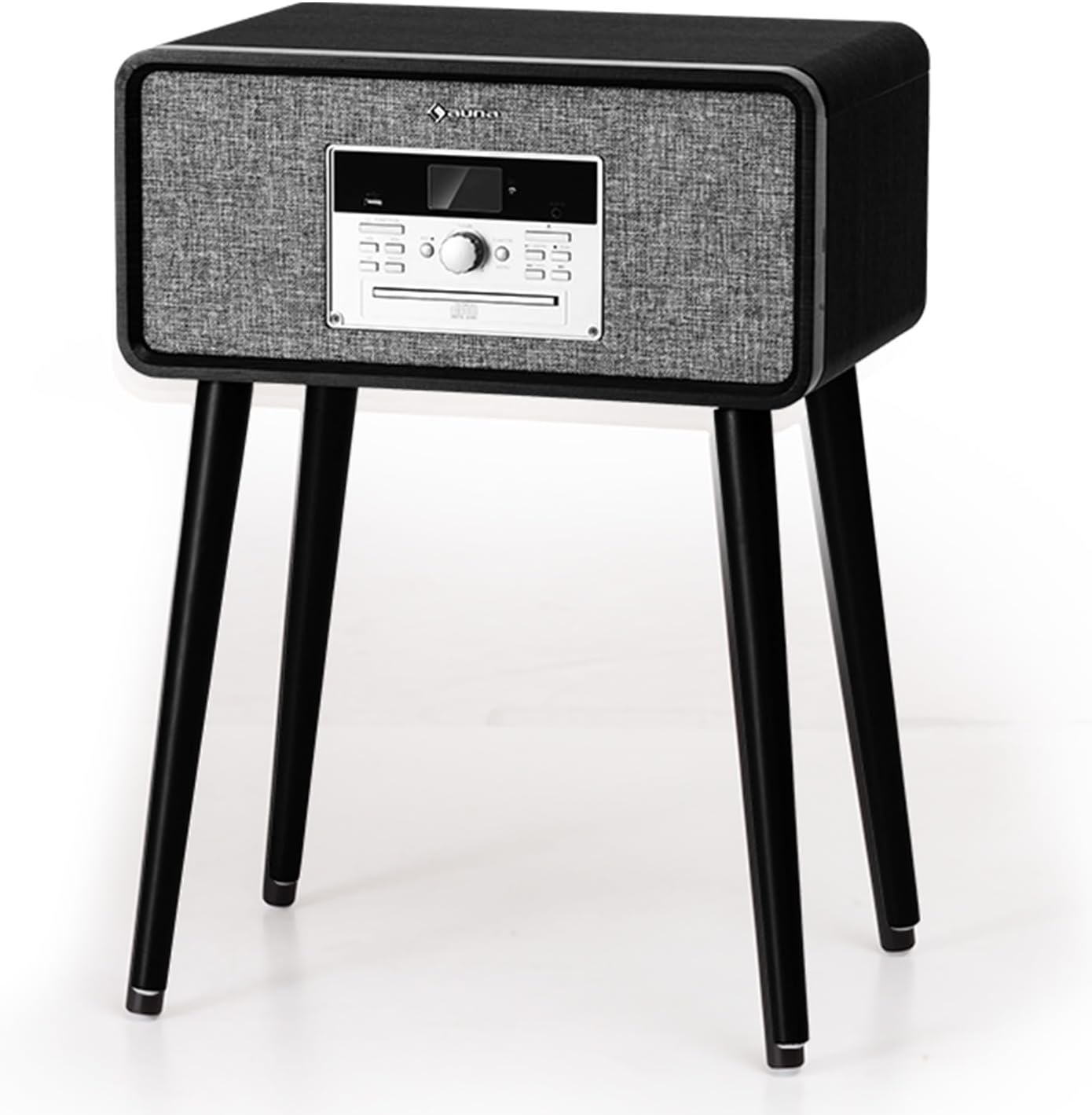
Devant view of the Auna Mary Ann Turntable System, showing the main unit with integrated speakers, control panel, and LCD display.
Caractéristiques principales :
- Platine vinyle à 3 vitesses : Compatible avec les disques 33 1/3, 45 et 78 tours/minute.
- Haut-parleurs stéréo intégrés : 24 Watts RMS for clear audio output.
- Fonction d'arrêt automatique : Automatically stops the platter when a record finishes, protecting your vinyl.
- Plusieurs options de lecture : CD player, DAB+/FM radio, USB input for MP3 playback, AUX-in, and Bluetooth connectivity.
- Conversion numérique : Easily convert vinyl records to MP3 filevia USB.
- Commandes conviviales : Intuitive control panel with an LCD display and a multifunctional rotary knob.
- VintagConception : Elegant wooden finish with a straight tonearm and magnetic cartridge.
- Conception convertible : Removable feet allow for standalone use or tabletop placement.
Installation
- Déballage: Carefully remove the turntable system from its packaging. Retain the packaging for future transport or storage.
- Placement: Place the unit on a stable, level surface away from direct sunlight, heat sources, and excessive dust or vibrations. Ensure adequate space around the unit for ventilation.
- Feet Installation (Optional): If you wish to use the system as a standalone unit, attach the provided feet to the designated points on the bottom of the main unit. Ensure they are securely fastened.

Diagram showing the dimensions of the Auna Mary Ann Turntable System, illustrating its convertible design with and without the removable feet.
- Connexion électrique : Connect the power adapter to the DC input port on the back of the unit, then plug the adapter into a suitable wall outlet.
- Connexion d'antenne: For optimal DAB+/FM radio reception, ensure the FM antenna is properly extended.
- Cache-poussière : Remove any protective films or ties from the dust cover and ensure it can open and close smoothly.
Mode d'emploi
Fonctionnement général :
- Marche/Arrêt : Press the Power button on the front panel or remote control to turn the unit on or off.
- Sélection du mode : Use the "Function" button on the unit or remote to switch between Phono (Vinyl), CD, DAB+, FM, USB, AUX, and Bluetooth modes.
- Contrôle du volume : Adjust the volume using the rotary knob on the front panel or the Volume +/- buttons on the remote control.
Écouter des disques vinyles :
- Select "Phono" mode.
- Placez un disque sur le plateau. Si vous écoutez un 45 tours, placez d'abord l'adaptateur 45 tours sur l'axe.
- Select the correct speed (33 1/3, 45, or 78 RPM) using the speed selector switch.
- Relâchez le verrou du bras de lecture.
- Lift the tonearm using the cueing lever and position it over the desired track on the record.
- Lower the tonearm gently onto the record using the cueing lever. The record will begin to play.
- At the end of the record, the auto-stop function will stop the platter. Lift the tonearm, return it to its rest, and engage the lock.

Visual representation of key features including 3-speed playback, powerful stereo speakers, auto-stop function, and support for various record sizes.
Lecture de CD :
- Sélectionnez le mode « CD ».
- Appuyez sur le bouton d'éjection pour ouvrir le tiroir du CD.
- Placez un CD, étiquette vers le haut, dans le plateau.
- Press the Eject button again to close the tray. The CD will load and begin playing automatically.
- Use the Play/Pause, Skip Forward/Backward buttons on the unit or remote to control playback.
Radio DAB+/FM :
- Sélectionnez le mode « DAB+ » ou « FM ».
- For DAB+ radio, the system will automatically scan for available stations upon first use. Use the navigation buttons to browse and select stations.
- For FM radio, use the tuning buttons to manually or automatically scan for stations.
- You can save your favorite stations as presets for quick access. Refer to the display for specific instructions on saving presets.
Connectivité Bluetooth :
- Select "Bluetooth" mode. The display will show "BT" or "Pairing".
- Activez le Bluetooth sur votre appareil externe (smartphone, tablette, etc.).
- Rechercher "Auna Mary Ann" or a similar device name in your device's Bluetooth settings.
- Select the device to pair. Once connected, you will hear a confirmation sound, and the display will indicate a successful connection.
- Play music from your external device. Audio will stream through the turntable system's speakers.
Lecture et enregistrement USB :
- Insérez une clé USB dans le port USB.
- Select "USB" mode. The system will automatically detect and play compatible MP3 files.
- Enregistrement de vinyles sur clé USB :
- Ensure a USB drive is inserted.
- Select "Phono" mode and start playing a vinyl record.
- Press the "Record" button (usually indicated by a REC icon) on the unit. The display will show recording status.
- Press the "Record" button again to stop recording. The recorded audio will be saved as an MP3 file sur la clé USB.
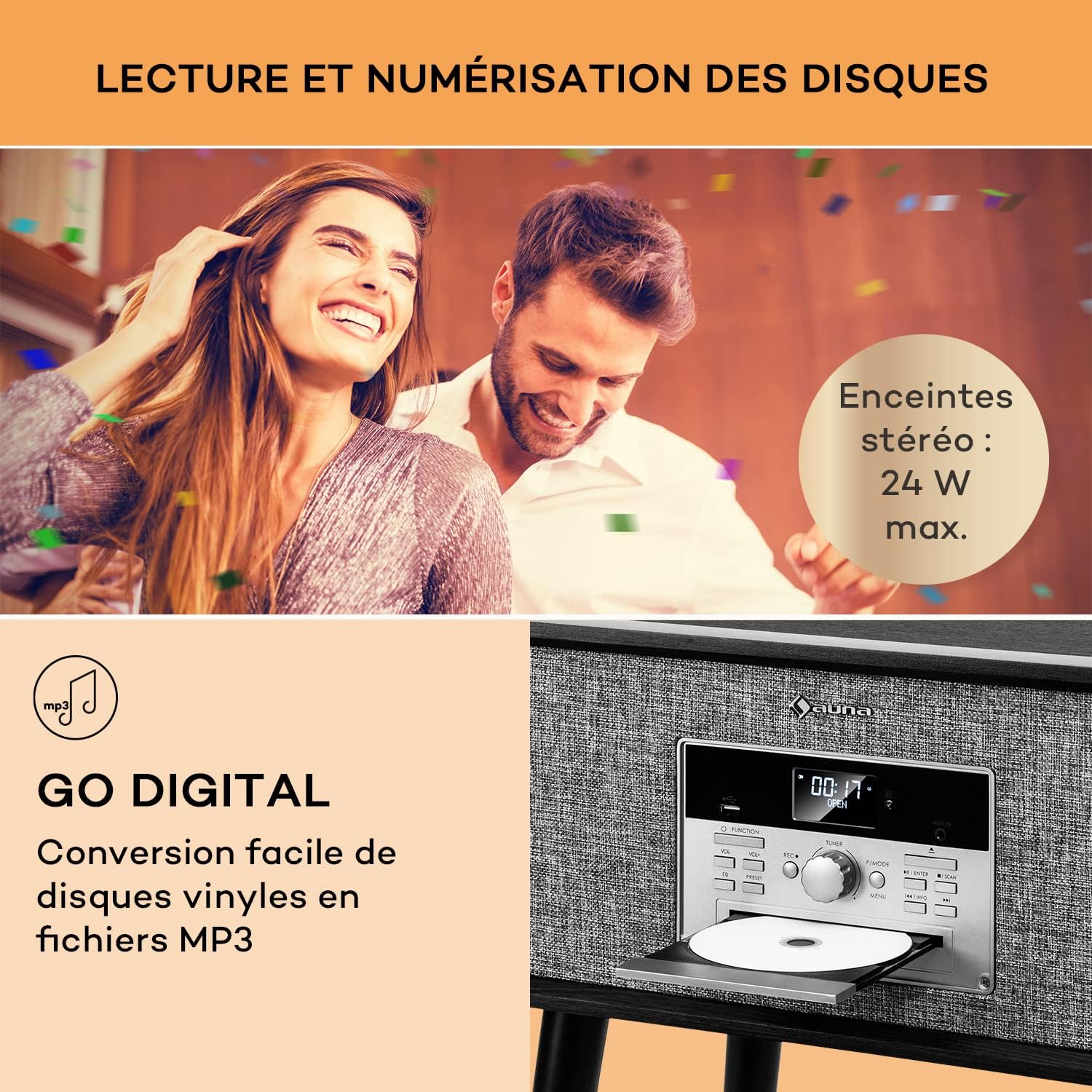
Image illustrating the "Go Digital" feature for converting vinyl to MP3 via USB, and the silent belt-drive mechanism for 33 1/3, 45, or 78 RPM playback.
Entrée AUX :
- Connect an external audio device (e.g., an older MP3 player) to the AUX-in port using a 3.5mm audio cable (not included).
- Select "AUX" mode.
- Diffuser le son depuis votre périphérique externe.
Entretien
- Nettoyage de l'unité : Essuyez l'extérieur de l'appareil avec un chiffon doux et sec. N'utilisez pas de nettoyants abrasifs, de cires ni de solvants.
- Nettoyage du stylet : Gently clean the stylus regularly with a soft brush, brushing from back to front. Avoid touching the stylus with your fingers.
- Registres de nettoyage : Use a dedicated record cleaning brush and solution to keep your vinyl records free of dust and static.
- Cache-poussière : Keep the dust cover closed when not in use to protect the turntable and stylus from dust.
- Remplacement du stylet : The stylus has a limited lifespan (typically 300-500 hours of playback). If you notice a decrease in sound quality, replace the stylus. Contact Auna support for compatible replacement styli.
Dépannage
| Problème | Cause possible | Solution |
|---|---|---|
| Pas de courant | Adaptateur secteur non connecté ; prise de courant non active. | Assurez-vous que l'adaptateur secteur est correctement connecté à l'appareil et à une prise de courant fonctionnelle. |
| Aucun son des haut-parleurs | Volume too low; incorrect mode selected; external speakers connected (if applicable). | Increase volume. Select the correct input mode. Disconnect external speakers if you want sound from internal speakers. |
| La platine ne tourne pas | Speed selector incorrect; tonearm not lifted; auto-stop engaged. | Check speed setting. Lift tonearm. Ensure auto-stop is not preventing rotation prematurely (though it should only stop at end of record). |
| Mauvaise qualité sonore du vinyle | Dirty record; dirty or worn stylus; incorrect speed. | Clean the record. Clean or replace the stylus. Verify the correct speed setting. |
| Bluetooth ne se connecte pas | Device not in pairing mode; external device Bluetooth off; too far from unit. | Ensure the turntable is in Bluetooth pairing mode. Turn on Bluetooth on your external device and search for "Auna Mary Ann". Move closer to the unit. |
| Le CD ne joue pas | CD inserted incorrectly; dirty or scratched CD; incorrect mode. | Ensure CD is inserted label-side up. Clean the CD. Select "CD" mode. |
Caractéristiques
| Marque | AUNA |
| Nom du modèle | Mary Ann |
| Vitesses du plateau tournant | 33 1/3, 45, 78 tours/minute |
| Type de moteur | À courroie |
| Technologie de connectivité | Bluetooth, USB, RCA (output, implied by HiFi system) |
| Puissance de sortie audio | 24 Watts RMS (integrated speakers) |
| Consommation d'énergie | 24 watts |
| Source d'énergie | Câble électrique |
| Appareils compatibles | Speaker, MP3 player, Personal computer, Smartphone, Tablet, Amplifier |
| Matériel | Bois |
| Couleur | Noir |
| Poids de l'article | 8.5 kilogrammes |
| Dimensions (L x W x H) with feet | 34 cm x 49 cm x 68.5 cm |
| Dimensions (L x W x H) without feet | 34 cm x 49 cm x 25 cm |
Garantie et assistance
Auna products are designed and manufactured to the highest quality standards. For information regarding warranty coverage, please refer to the warranty card included with your purchase or visit the official Auna website.
Should you encounter any issues or require technical assistance, please contact Auna customer support. You can typically find contact information on the official Auna website or through your retailer. Please have your model name ("Mary Ann") and purchase details ready when contacting support.
Support en ligne: Visit the Auna brand store on Amazon or the official Auna webSite de FAQ et d'assistance supplémentaire.