
1. Produit terminéview
The Amazon Echo Show 8 (3rd Generation) is a smart display designed to enhance your daily life with immersive entertainment, smart home control, and seamless communication. Featuring an 8-inch HD touchscreen and spatial audio, it offers a rich visual and auditory experience. The device integrates a built-in smart home hub for simplified control of compatible devices and a 13 MP camera for clear video calls.
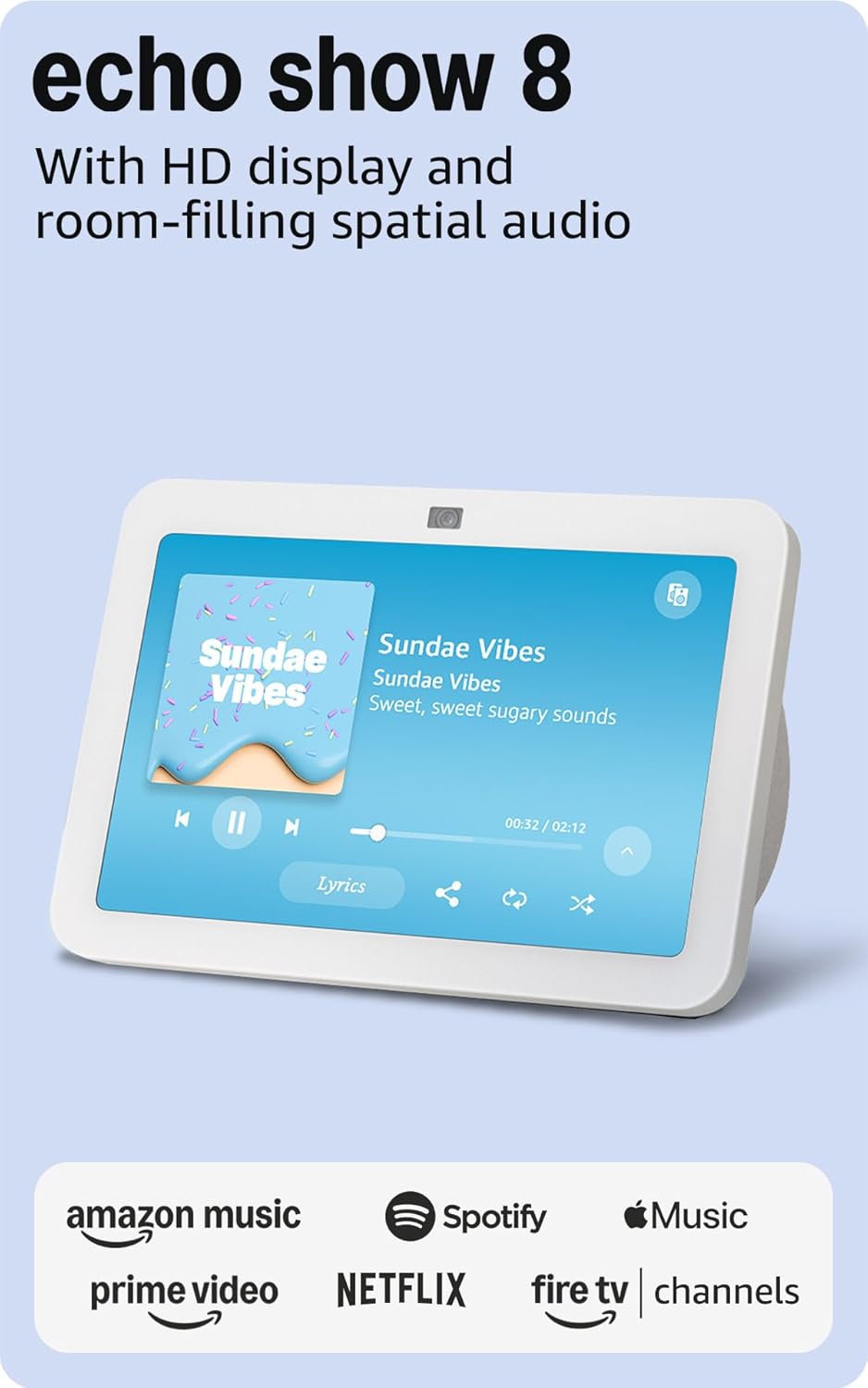
Image : Avant view of the Amazon Echo Show 8 (3rd Gen) in Glacier White, displaying a music interface.
2. Contenu de la boîte
- Appareil Echo Show 8 (3e génération)
- Glacier White power adapter (30W) with 4.9 ft. cable
- Guide de démarrage rapide
3. Guide de configuration
3.1 Mise sous tension initiale
- Connectez l'adaptateur secteur à l'Echo Show 8 et branchez-le à une prise murale.
- The device will power on automatically and display the Amazon logo.
Connexion réseau 3.2
- Follow the on-screen instructions to select your language and connect to your Wi-Fi network. The Echo Show 8 supports dual-band Wi-Fi (802.11a/b/g/n/ac).
- For simplified setup, Amazon Wi-Fi simple setup allows compatible devices to connect to your Wi-Fi network in a few easy steps.
3.3 Amazon Account Login
- Sign in with your Amazon account credentials. An Amazon account is required for full functionality.
- If you do not have an Amazon account, you can create one at amazon.com.
Personnalisation 3.4
Follow the prompts to personalize your device, including setting up Visual ID for personalized greetings and content display based on who is near the device. Alexa processes images on the device to recognize you.
4. Mode d'emploi
4.1 Commandes vocales avec Alexa
The Echo Show 8 is primarily voice-controlled. Simply say "Alexa" followed by your command or question. Examples incluent :
- "Alexa, mets de la musique."
- "Alexa, quel temps fait-il ?"
- "Alexa, programme un minuteur pour 10 minutes."
- "Alexa, montre-moi la caméra de la porte d'entrée."
4.2 Navigation tactile
The 8-inch HD touchscreen allows for intuitive navigation and control:
- Faites glisser votre doigt du haut vers le bas : Access quick settings like Home, Settings, Do Not Disturb, Brightness, Notifications, Alarms, Photo Frame, Communicate, Music, Smart Home, Video, and Routines.
- Swipe left from the right edge: View adaptive content such as calendar, reminders, news, and suggested activities.
- Tap icons: Interact with on-screen elements, select options, or open applications.
Image: Amazon Echo Show 8 (3rd Gen) on a kitchen counter, displaying weather information.
4.3 Gestes
The Echo Show 8 supports gestures for quick actions:
- Hold your palm towards the camera: Dismiss timers and alarms.
5. Principales caractéristiques
5.1 Spatial Audio and HD Display
Experience immersive entertainment with room-filling spatial audio and an 8-inch HD touchscreen. The device features 2 x 2" full range neodymium drivers with a passive bass radiator for rich sound. Room adaptation technology automatically analyzes acoustics for optimal sound.
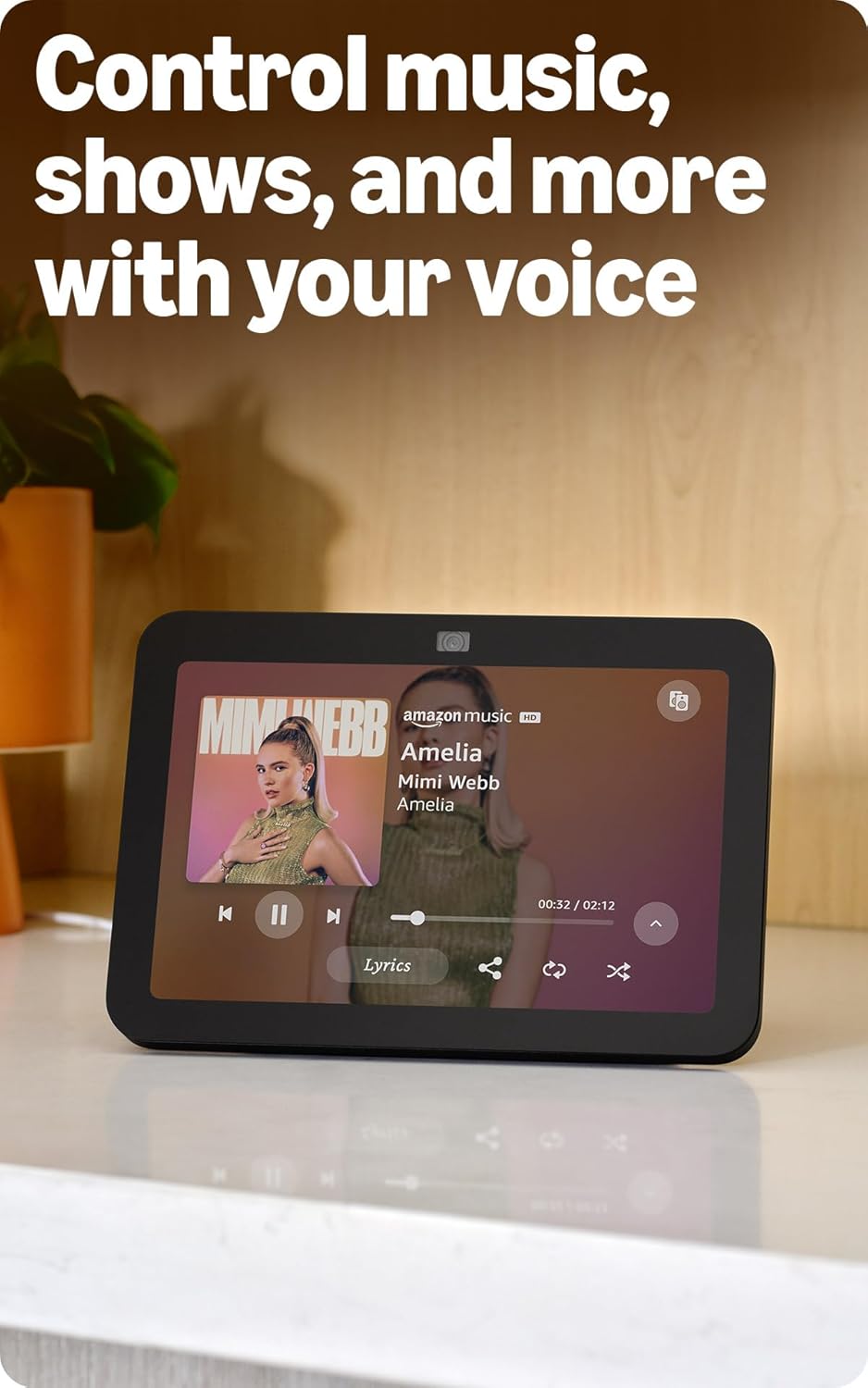
Image: Amazon Echo Show 8 (3rd Gen) showing music playback with lyrics on screen.
5.2 Enhanced Camera for Video Calls
The 13 MP centered camera with auto-framing and noise reduction technology ensures crisper video calls. The camera can keep you centered in the frame as you move. A built-in camera shutter provides privacy when needed.
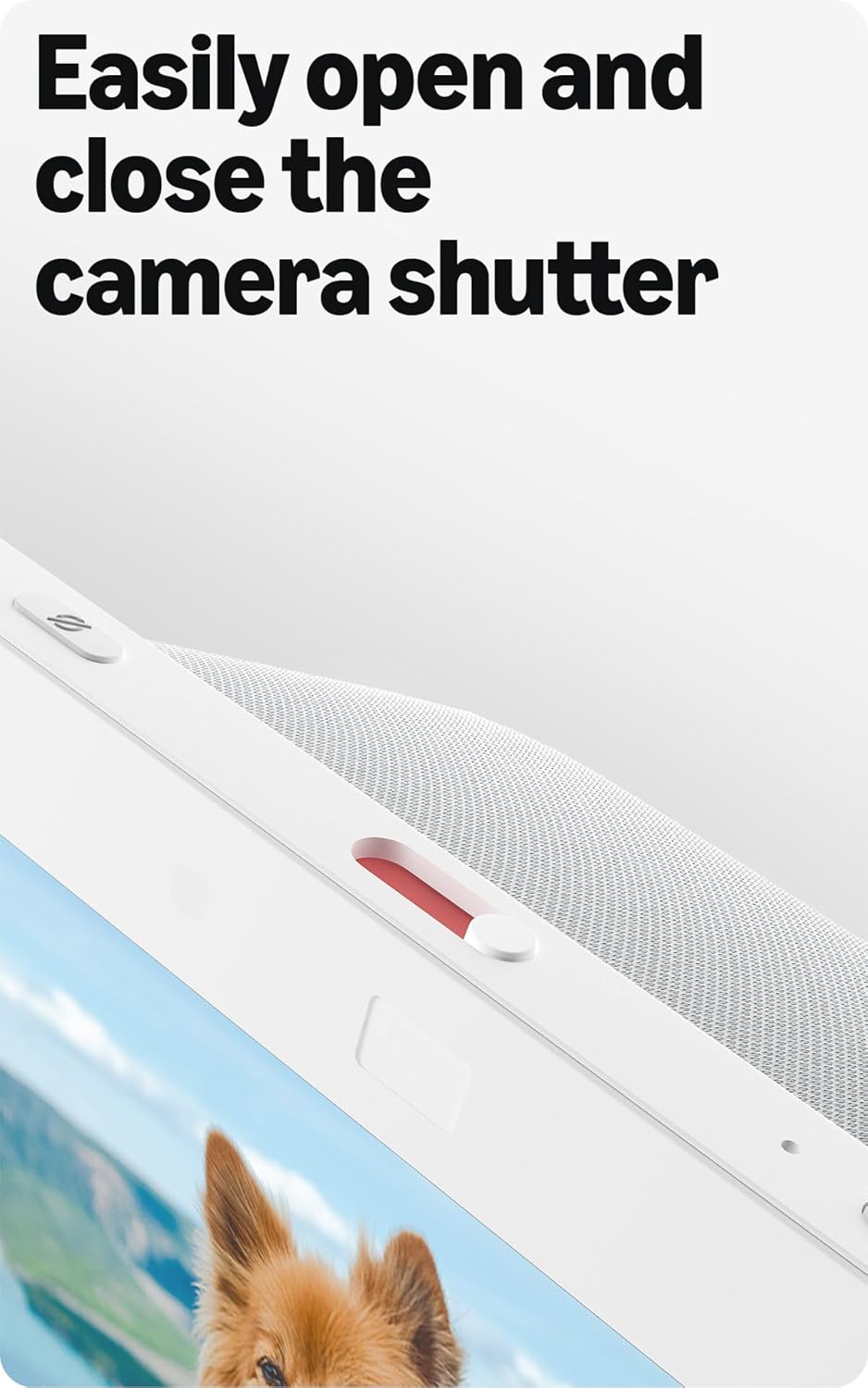
Image: Close-up of the top of the Echo Show 8 (3rd Gen) showing the physical camera shutter control.
5.3 Built-in Smart Home Hub
The Echo Show 8 includes a built-in smart home hub compatible with Zigbee, Matter, and Thread Border Router protocols. This allows you to pair and control a wide range of smart devices directly from your Echo Show 8 without needing a separate hub. Manage cameras, lights, and more using the display or your voice.
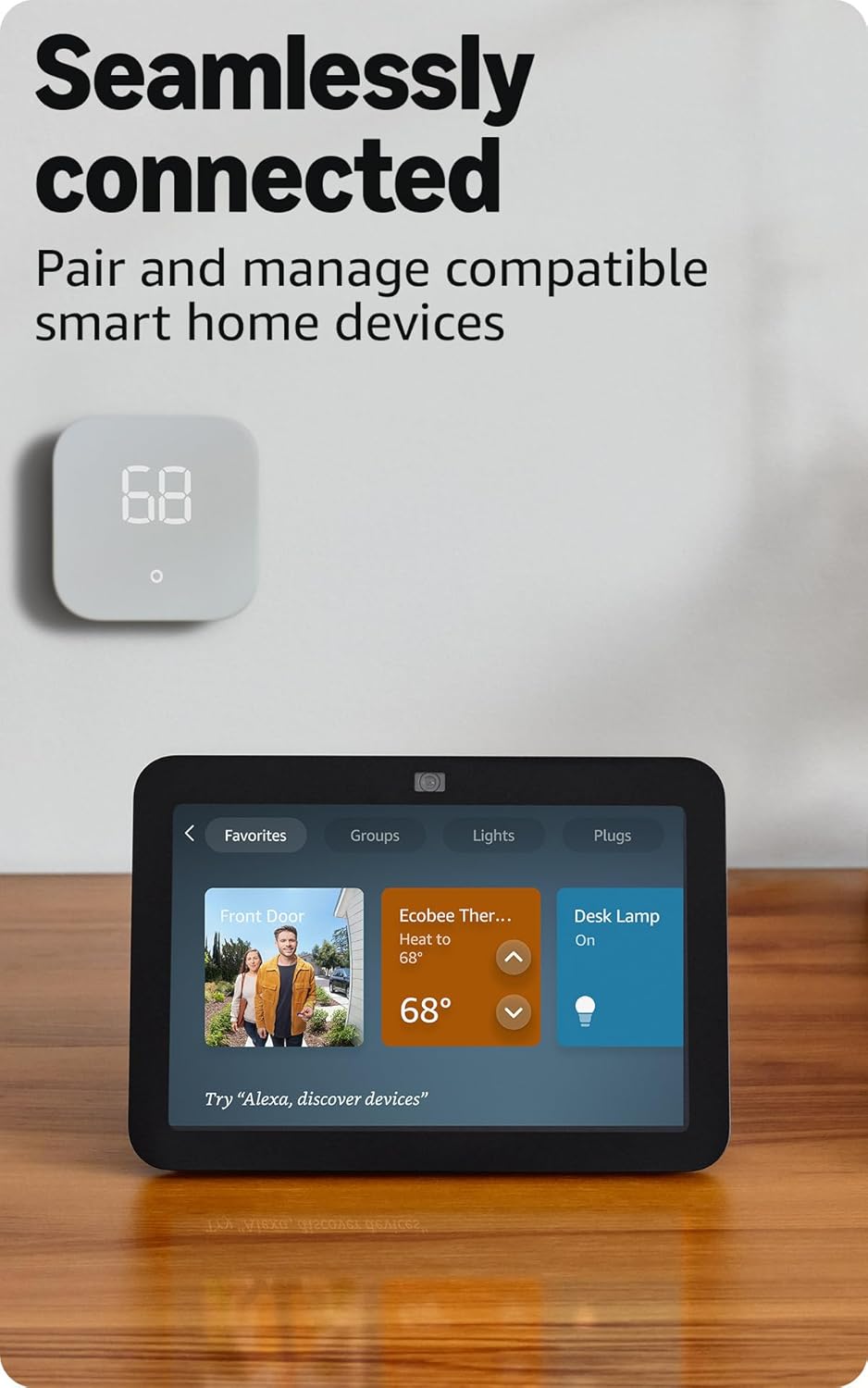
Image: Amazon Echo Show 8 (3rd Gen) screen showing smart home device controls for lights and thermostats.
5.4 Adaptive Content
Adaptive Content adjusts the information displayed on the screen based on your proximity. Glance at your calendar or reminders from afar, or see more detailed content when you're nearby. Shortcut icons on the home screen provide easy access to frequently used widgets.
6. Fonctionnalités de confidentialité
L'Amazon Echo Show 8 est conçu avec plusieurs niveaux de contrôle de la confidentialité :
- Technologie du mot de réveil : L'appareil ne commence à écouter qu'après avoir détecté le mot d'activation (« Alexa »).
- Indicateurs de flux : Visual indicators confirm when audio or video is being streamed to the cloud.
- Bouton d'arrêt du microphone/de la caméra : Un bouton physique permet de déconnecter électroniquement les microphones et la caméra.
- Obturateur de caméra intégré : A physical slider covers the camera lens for complete visual privacy.
- Voice Recordings: Vous avez la capacité de view et supprimez vos enregistrements vocaux.
7. Spécifications
| Fonctionnalité | Détail |
|---|---|
| Taille | 7.9” x 5.5” x 4.2” (200 mm x 139 mm x 106 mm) |
| Poids | 36.6 oz (1034 grammes) |
| Afficher | Écran tactile HD de 8.0 pouces |
| Caméra | Caméra centrale de 13 MP avec obturateur intégré |
| Connectivité Wi-Fi | Wi-Fi double bande (802.11a/b/g/n/ac) |
| Hub Smart Home | Routeur de bordure Zigbee + Matter + Thread |
| Connectivité Bluetooth | Prise en charge A2DP et AVRCP |
| Audio | Deux haut-parleurs néodyme large bande de 2 pouces avec radiateur de basses passif |
| Processeur | SoC octocœur avec moteur de réseau neuronal Amazon AZ2 |
| Génération | Echo Show 8 (3e génération) - Sortie prévue en 2023 |
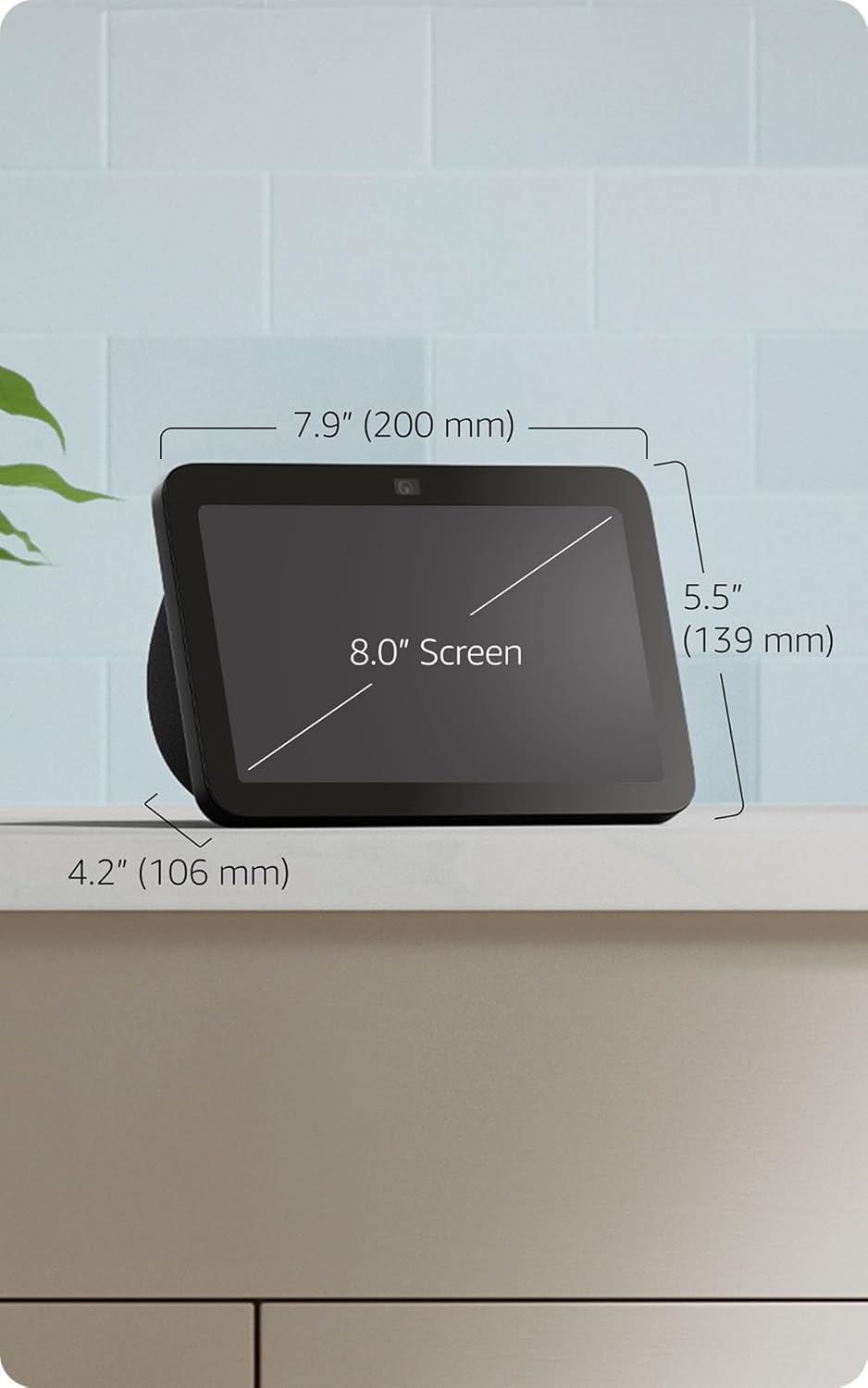
Image: Amazon Echo Show 8 (3rd Gen) with key dimensions labeled.
8. Dépannage
8.1 Appareil ne répond pas
- Assurez-vous que l'appareil est branché et que l'adaptateur secteur est correctement connecté.
- Vérifiez votre connexion Internet.
- Verify that the microphone is not muted (red light on top indicates mute).
- Redémarrez l'appareil en le débranchant pendant 30 secondes puis en le rebranchant.
8.2 Problèmes de connexion Wi-Fi
- Confirm your Wi-Fi password is correct.
- Rapprochez l'Echo Show 8 de votre routeur Wi-Fi.
- Redémarrez votre routeur Wi-Fi et votre modem.
8.3 La caméra ne fonctionne pas
- Assurez-vous que l'obturateur de l'appareil photo est ouvert.
- Check that the camera is not disabled in the device settings or Alexa app.
9. Entretien
- Nettoyage: Utilisez un chiffon doux non pelucheux pour nettoyer l'écran et l'extérieur de l'appareil. Évitez les nettoyants ou sprays abrasifs.
- Mises à jour logicielles : The device automatically receives software security updates. Ensure it is connected to Wi-Fi for updates.
- Placement: Place the device on a stable surface, away from heat sources, direct sunlight, and liquids.
10. Fonctionnalités d'accessibilité
L'Echo Show 8 inclut diverses fonctionnalités d'accessibilité :
- Appuyez sur Alexa : Accédez à Alexa par le toucher via les vignettes à l'écran ou un clavier.
- Écoute adaptative : Cela vous laisse plus de temps pour terminer votre phrase avant qu'Alexa ne réponde.
- Tarif horaire préféré : Contrôlez la vitesse à laquelle Alexa parle.
- Sous-titrage Alexa, sous-titrage d'appels, sous-titrage codé : Fournissez des légendes textuelles pour le contenu pris en charge.
- Présentation et exposé : Helps blind or visually impaired users identify products by saying "Alexa, what am I holding."
- VoixView Lecteur d'écran: Permet l'accès aux utilisateurs aveugles ou malvoyants.
- Loupe d'écran : Zoomez/dézoomer et déplacez-vous sur l'écran.
- Prévenez-moi en cas de proximité : Émet des sons de notification lorsqu'il est détecté à proximité de l'appareil.
- Lecture à voix haute sur Kindle : Alexa lit des livres Kindle à voix haute.
- Texte en temps réel : Saisissez du texte en direct lors d'un appel vidéo.
- Paramètres supplémentaires pour l'inversion des couleurs, la correction des couleurs, la demande de son, et plus encore.
Pour activer ces fonctionnalités, rendez-vous sur Paramètres → Accessibilité sur votre appareil.
11. Garantie et assistance
The Amazon Echo Show 8 (3rd Gen) includes a 1-year limited warranty and service. Optional 1-year, 2-year, and 3-year extended warranties are available for U.S. customers and sold separately. Use of Echo Show 8 is subject to these terms.
Pour obtenir de l'aide supplémentaire, consultez le support Amazon. website ou contacter le service client.