
1. Plus deview
The SnapFresh 20V 4.0Ah Lithium-Ion Battery (Model BBT-DC40A) is designed to provide reliable power for your SnapFresh 20V cordless tools. This high-capacity battery offers extended runtime and features an integrated LED fuel gauge for convenient monitoring of the charge level. It is engineered for durability and includes multiple protection features to ensure safe operation and longevity.
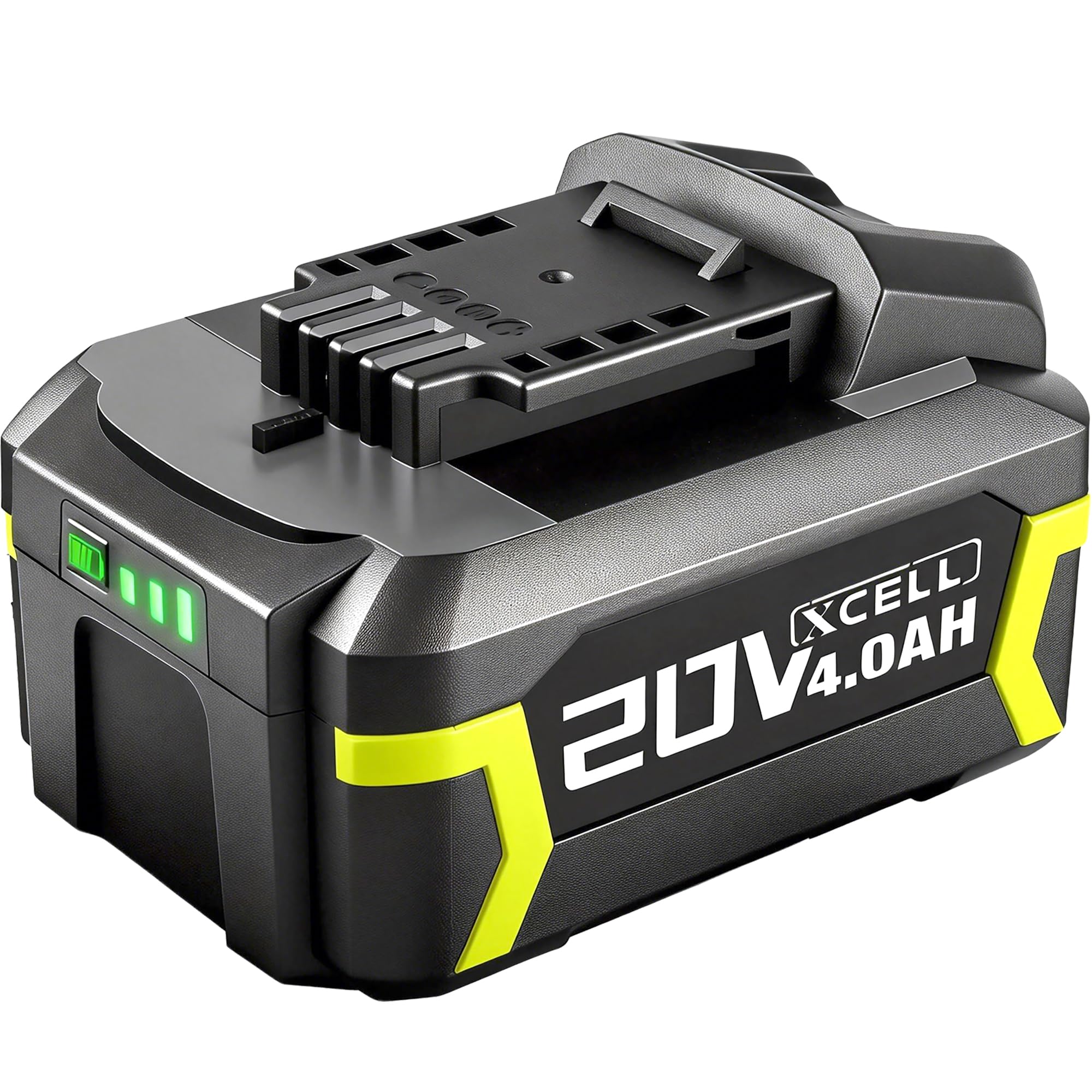
Figure 1: SnapFresh 20V 4.0Ah Lithium-Ion Battery (Model BBT-DC40A)
2. Consignes de sécurité
Veuillez lire et comprendre toutes les consignes de sécurité avant d'utiliser cette batterie. Le non-respect de ces consignes peut entraîner un choc électrique, un incendie et/ou des blessures graves.
- Compatibilité: Cette batterie est ONLY compatible with SnapFresh 20V cordless tools and chargers. Do not attempt to use it with tools or chargers from other brands, as this may cause damage or injury.
- Chargement : Use only the specified SnapFresh 20V charger (e.g., BBT-XH20V, BBT-YFT20V) for this battery. Charging with an incompatible charger may create a risk of fire.
- Stockage: Store the battery away from metal objects like paper clips, coins, keys, nails, screws, or other small metal objects that can make a connection from one terminal to another. Shorting the battery terminals together may cause burns or a fire.
- Température: N’exposez pas la batterie à des températures extrêmes (supérieures à 50 °C / 122 °F ou inférieures à -10 °C / 14 °F) ni à la lumière directe du soleil.
- Dommage: N'utilisez pas de batterie ou d'appareil endommagé ou modifié. Les batteries endommagées ou modifiées peuvent présenter un comportement imprévisible pouvant entraîner un incendie, une explosion ou un risque de blessure.
- Élimination: Do not dispose of batteries in fire or water. Always follow local regulations for battery recycling and disposal.
- Manutention: Do not open, crush, heat above 100°C (212°F), or incinerate the battery.

Figure 2: SnapFresh 20V 4.0Ah Battery, compatible only with SnapFresh 20V tools and chargers.
3. Principales caractéristiques
- Haute capacité : 4.0Ah capacity provides extended runtime for various tasks, effectively doubling the capacity of two 2.0Ah batteries.
- Jauge à carburant LED : A 3-LED indicator system provides immediate feedback on the battery's state of charge, allowing you to monitor remaining power.

Figure 3: Battery with visible LED indicator for charge status.
- Charge rapide : Achieves full capacity in approximately 110 minutes when used with a compatible SnapFresh fast charger.
- Protection renforcée : Built-in intelligent management system provides comprehensive protection against:
- Protection contre la surchauffe
- Protection contre les surintensités
- Plus de voltaget protection
- Protection contre les courts-circuits
- Protection contre les décharges excessives
- Protection contre les surcharges
- Construction durable : Features premium 18650 cells and enhanced impact protection for increased durability and heat dissipation.
Vidéo 1 : Terminéview of the SnapFresh 20V Lithium-ion Battery features and compatibility with various tools.
4. Configuration et installation
4.1 Chargement de la batterie
Before first use, fully charge the battery. Use only a compatible SnapFresh 20V charger.
- Connect the SnapFresh 20V charger to a standard power outlet.
- Alignez la batterie avec l'emplacement du chargeur et faites-la glisser jusqu'à ce qu'elle s'enclenche correctement.
- Le voyant du chargeur indique l'état de charge. Consultez le manuel de votre chargeur pour connaître les différents signaux lumineux.
- Une charge complète prend généralement environ 110 minutes.
- Une fois complètement chargée, retirez la batterie du chargeur.

Figure 4: SnapFresh 20V 4.0Ah Battery on a compatible SnapFresh charger (BBT-XH20V and BBT-YFT20V models shown).
4.2 Installation de la batterie dans un outil
Ensure the tool is turned off before installing or removing the battery.
- Align the battery with the battery port on your SnapFresh 20V tool.
- Slide the battery into the tool until it clicks firmly into place. Ensure it is fully seated to prevent accidental dislodgement during operation.
- To remove the battery, press the release button (if present on your tool/battery) and slide the battery out.

Figure 5: Quick release mechanism for inserting and removing the battery from a SnapFresh tool.
5. Mode d'emploi
Once the battery is securely installed in a compatible SnapFresh 20V tool, operate the tool according to its specific instruction manual. Always monitor the battery's charge level using the LED indicator to avoid unexpected power loss during tasks.
- Vérification du niveau de charge : Press the button on the battery to illuminate the LED indicators.
- 3 LED : charge de 90 à 100 %
- 2 LED : charge de 60 à 70 %
- 1 LED: 30% charge (recharge soon)
- Performances optimales : For best results, allow the battery to cool down after heavy use before recharging.
Video 2: Demonstrates the SnapFresh 20V 4.0Ah Lithium-ion Battery in use with various SnapFresh tools, including a lawnmower, string trimmer, hedge trimmer, and leaf blower.
6. Entretien
- Nettoyage: Keep the battery terminals clean and free of debris. Use a dry cloth to wipe any dust or dirt.
- Stockage: When not in use for extended periods, store the battery in a cool, dry place, away from direct sunlight and extreme temperatures. It is recommended to store the battery with a partial charge (around 50%) to prolong its lifespan.
- Évitez les décharges profondes : Do not allow the battery to completely discharge. Recharge it when the LED indicator shows a low charge.
7. Dépannage
| Problème | Cause possible | Solution |
|---|---|---|
| La batterie ne charge pas |
|
|
| Short runtime / Rapid discharge |
|
|
| Battery LED indicator not working |
|
|
8. Spécifications
| Attribut | Valeur |
|---|---|
| Marque | SnapFresh |
| Numéro de modèle | BBT-DC40A |
| Voltage | 20 volts |
| Capacité de la batterie | 4.0 Amp Heures (4.0 Ah) |
| Composition des cellules de batterie | Lithium-ion |
| Réutilisabilité | Rechargeable |
| Durée approximative de charge complète | 110 minutes (with compatible fast charger) |
| Poids | 450 gramme |
| Compatibilité | SnapFresh 20V cordless tools and chargers ONLY |
9. Garantie et assistance
The SnapFresh 20V 4.0Ah Lithium-Ion Battery comes with a Garantie de 1 ans à compter de la date d'achat. Cette garantie couvre les défauts de matériaux et de fabrication dans des conditions normales d'utilisation.
For warranty claims, technical support, or any questions regarding your SnapFresh product, please contact SnapFresh customer service. You can find contact information on the official SnapFresh websur le site ou auprès de votre détaillant.
Please have your model number (BBT-DC40A) and purchase date available when contacting support.