
1. Introduction
The MAUL Commercial Calculator MXL16 is designed for commercial use, offering a stable and resilient build with an extra-large case (20.5 x 15.5 cm) for comfortable operation. It features a large, angled 16-digit display for improved readability and large, distinctively colored buttons for quick and accurate input. This calculator combines precision and reliability for both desk and mobile use.
Les principales caractéristiques comprennent :
- 16-digit LCD display with 1 line.
- Angled display for optimal viewing.
- Solar and battery powered (LR44 battery included).
- Automatic shut-off to conserve energy.
- Comprehensive functions including tax calculation, 3-button memory, root calculation, and percentage.
- Durable plastic buttons for easy cleaning.
2. Installation
2.1 Source d'alimentation
The MAUL MXL16 calculator operates using both solar power and a single LR44 battery. The solar panel provides power in well-lit environments, while the battery ensures operation when light is insufficient. An LR44 battery is included with the calculator.

Figure 2.1 : Bas view of the calculator, indicating the battery compartment.
2.2 Utilisation initiale
Upon first use, ensure the calculator is exposed to adequate light for solar power or that the included LR44 battery is correctly installed. The calculator features an automatic shut-off function to conserve power when not in use.

Figure 2.2 : Côté view showing the angled display for better reading.
3. Mode d'emploi
The MAUL MXL16 calculator provides a range of functions for commercial calculations. The buttons are color-coded for easier identification and faster operation.
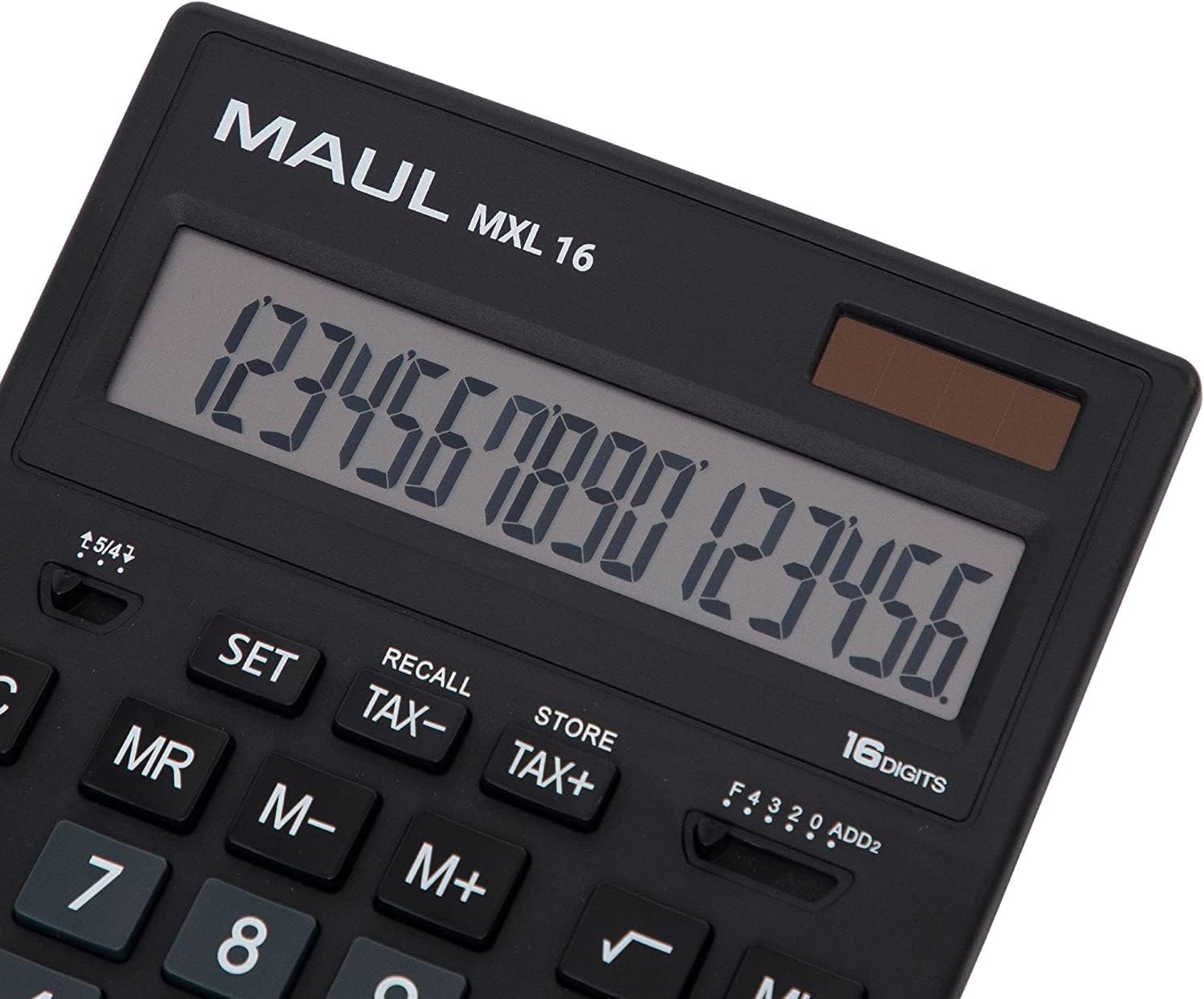
Figure 3.1 : Display and key layout of the MAUL MXL16.
3.1 Opérations de base
- MARCHE/CA : Allume la calculatrice ou efface toutes les données et la mémoire.
- CE/C : Clears the last entered number or the current calculation without affecting memory. Pressing twice may clear all.
- Touches numériques (0-9) : Input numerical values.
- Decimal Point (.): Entre un point décimal.
- Opérateurs arithmétiques (+, -, ×, ÷) : Effectuer des additions, des soustractions, des multiplications et des divisions.
- Égal à (=) : Displays the result of a calculation.
3.2 Fonctions spéciales
- Calcul de l'impôt (TAX+, TAX-) : Allows for easy calculation of prices with or without tax. Use the SET button to configure the tax rate.
- Memory Functions (MR, M-, M+):
- M+ : Ajoute la valeur affichée à la mémoire.
- M- : Soustrait la valeur affichée de la mémoire.
- M: Rappelle la valeur stockée en mémoire.
- MC: Clears the memory (often by pressing MR twice or a dedicated MC button).
- Root Calculation (√): Calcule la racine carrée du nombre affiché.
- Pourcentagetage (%) : Performs percentage calculs.
- Changement de signe (+/-) : Modifie le signe du nombre affiché (positif en négatif, ou vice versa).
- Double Zero (00) / Triple Zero (000): For quick entry of multiple zeros.
- Comma Selector Switch: Adjusts the decimal point display.
- Automatic Rounding: Allows selection of how numbers are rounded (e.g., up, down, or standard).
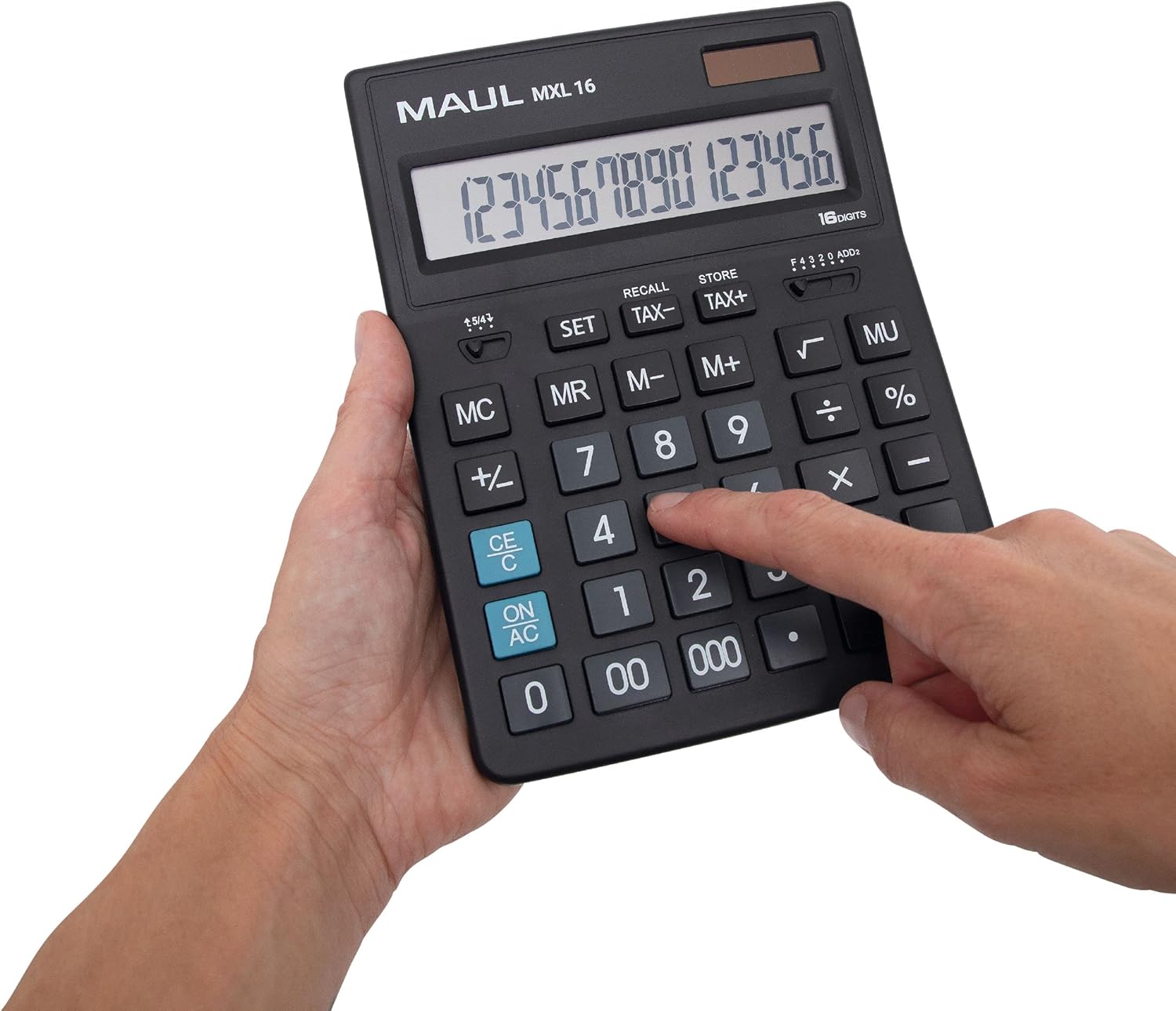
Figure 3.2 : User interacting with the calculator keys.
4. Entretien
The MAUL MXL16 calculator is designed for durability with sturdy plastic buttons that are easy to clean.
- Nettoyage: Use a soft, dry cloth to wipe the calculator's surface and keys. For stubborn dirt, a slightly damp On peut utiliser un chiffon imbibé de savon doux, en veillant à ce qu'aucun liquide ne pénètre dans l'appareil.
- Stockage: Rangez la calculatrice dans un endroit frais et sec, à l'abri de la lumière directe du soleil et des températures extrêmes.
- Remplacement de la batterie : If the display becomes dim or the calculator functions intermittently in low light, the LR44 battery may need replacement. Refer to the battery compartment on the underside of the calculator for access.
5. Dépannage
- La calculatrice ne s'allume pas :
- Assurez-vous que la calculatrice soit exposée à une lumière suffisante pour l'alimentation solaire.
- Check if the LR44 battery is correctly installed and has sufficient charge. Replace if necessary.
- Calculs incorrects :
- Press the ON/AC button to clear all previous entries and memory, then re-enter the calculation.
- Verify the correct input of numbers and operations.
- L’affichage est sombre ou scintille :
- Ensure adequate lighting for the solar panel.
- Remplacez la pile LR44.
6. Spécifications
| Nom du modèle | MXL16 |
| Numéro de modèle | 7267890 |
| Afficher | 16 Digits, 1 Line LCD, Angled |
| Dimensions (L x l) | 20.5 x 15.5 cm |
| Source d'énergie | Solar and 1 x LR44 Battery (included) |
| Matériel | Plastic (housing and buttons) |
| Fonctions | Tax calculation, 3-button memory, Root, Percent, Sign change, Automatic rounding, Double/Triple zero buttons, Comma selector switch |
| Arrêt automatique | Oui |
7. Garantie
The MAUL Commercial Calculator MXL16 comes with a Garantie de 5 ansVeuillez conserver votre preuve d'achat pour toute réclamation au titre de la garantie. La garantie couvre les défauts de fabrication dans des conditions normales d'utilisation.
8. Assistance
For further assistance, technical support, or warranty inquiries, please contact your retailer or the MAUL customer service department. Refer to the product packaging or the MAUL official website pour les coordonnées.