
1. Informations importantes sur la sécurité
Veuillez lire et comprendre toutes les instructions avant le montage et l'utilisation. Conservez ce manuel pour toute consultation ultérieure.
- Assemblage à deux personnes : Always assemble this desk with two people to ensure safety and proper alignment.
- Capacité de poids : Ne pas dépasser la capacité de poids maximale de 300 lb (136 kg) sur le bureau.
- Risque d'escalade : Do not allow children to climb on the desk. This product is not designed for climbing.
- Sécurité électrique : Ensure the power cord for the integrated outlets and USB ports is properly connected to a grounded electrical outlet. Do not overload the power strip. Keep liquids away from electrical components.
- Placement stable : Place the desk on a flat, stable surface. Adjust the leveling feet if necessary to prevent wobbling.
2. Produit terminéview
The Armocity 47.2-inch Computer Desk is designed for versatility and functionality, featuring integrated LED lighting, a power outlet with USB ports, a movable monitor stand, and a reversible desktop configuration. It includes storage shelves and iron hooks for organization.

Image 2.1 : Terminéview of the Armocity 47.2-inch Computer Desk, demonstrating its design and features in a typical setup.
3. Contenu du colis
Verify that all components listed below are present before beginning assembly. If any parts are missing or damaged, please contact customer service.
- 1 x Desktop (composed of two sections, pink and white)
- 1 x Frame Set (metal legs and support bars)
- 1 x Monitor Stand Shelf
- 1 x Power Outlet and USB Charging Station (pre-installed or separate unit)
- 2 crochets en fer
- 1 x Manuel d'instructions d'installation
- 1 x Full Set of Installation Accessories (screws, Allen wrench, screwdriver, etc.)
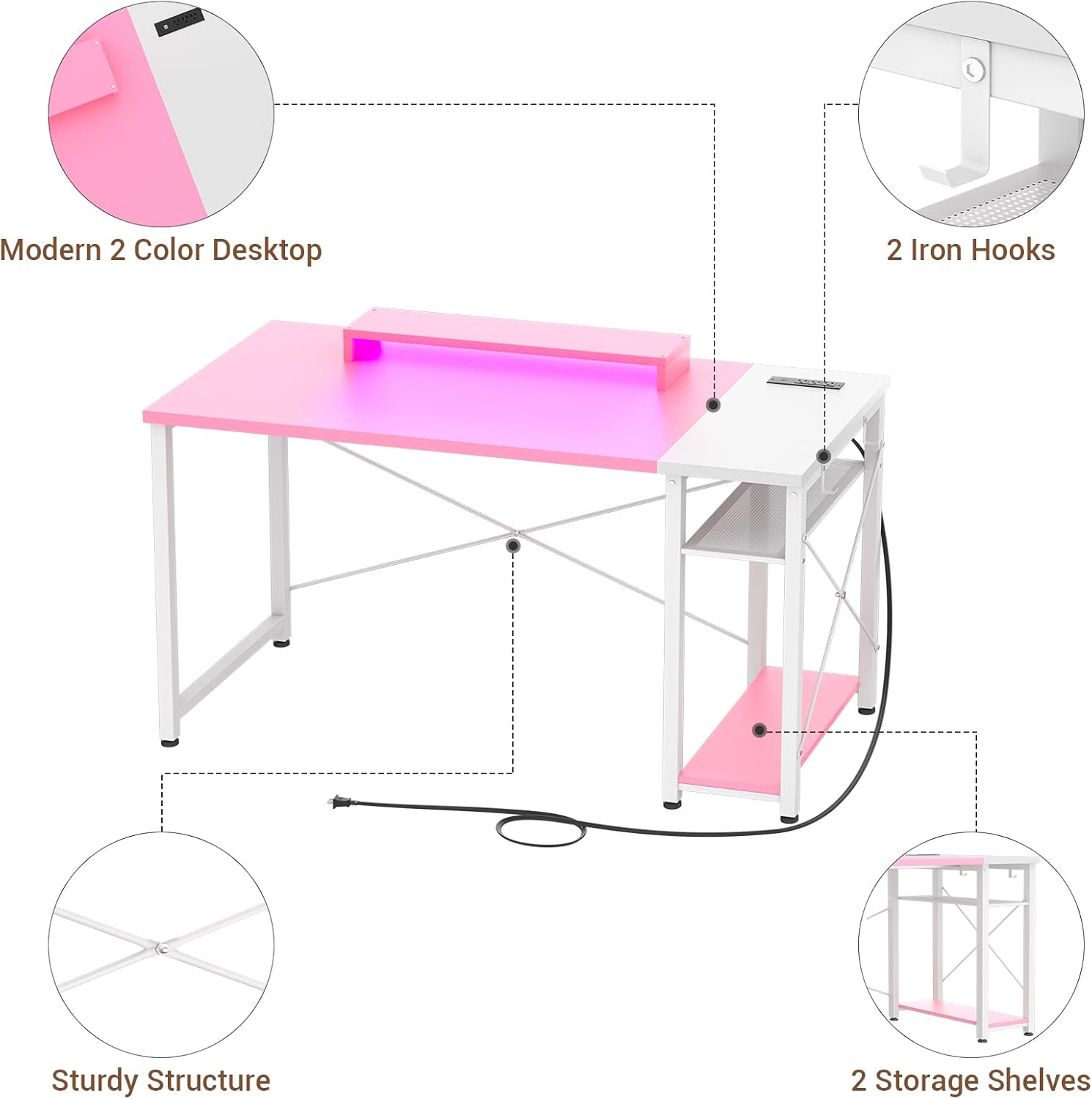
Image 3.1 : Vue éclatée view of the desk components, highlighting the modern two-color desktop, iron hooks, sturdy structure, and storage shelves.
4. Instructions d'installation et de montage
Assembly typically requires two individuals and approximately 1 hour. Follow the numbered steps in the included installation instruction manual. Pay close attention to the orientation of each part.
4.1 Étapes de pré-assemblage
- Dégagez un espace spacieux pour le rassemblement.
- Déballez tous les composants et vérifiez-les par rapport à la liste du contenu de l'emballage.
- Separate and identify all hardware.
4.2 Étapes d'assemblage
- Assemblez le cadre : Connect the metal legs and support bars according to the diagrams in the instruction manual. Ensure all screw holes align correctly before tightening. Note: Some reviews indicate that careful attention to bar orientation is crucial for proper alignment.
- Attach Storage Shelves: Secure the storage shelves to the designated frame sections.
- Position Desktop Sections: The desk features a reversible design. Decide whether you want the white desktop section (with the power outlet) on the left or right side. Place the two desktop sections onto the assembled frame.
- Bureau sécurisé : Fasten the desktop sections to the frame using the provided screws. It may be easier to flip the assembled frame upside down to attach the desktop.
- Installer le support du moniteur : Place the movable monitor stand on the desktop in your desired position.
- Attach Iron Hooks: Secure the iron hooks to the side of the desk frame as desired for headphones or other accessories.
- Connecter l'alimentation : Plug the power cord from the integrated charging station into a wall outlet.

Image 4.1: The reversible desktop design allows for flexible placement of the power outlet section.
5. Mode d'emploi
5.1 Integrated Power Outlet and USB Charging Station
The desk includes a built-in power strip with 3 AC outlets (120V/12A) and 2 USB ports (5V/2A) for convenient charging of your devices. The power cord is 6.57 feet long.
- Branchez le cordon d'alimentation principal du bureau dans une prise murale standard.
- Insert device power adapters into the AC outlets.
- Connect USB charging cables to the USB ports for compatible devices.

Image 5.1: Detail of the integrated power outlet and USB charging station.
5.2 Système d'éclairage LED
The desk features integrated LED lights to enhance your workspace or gaming environment. Control the lighting modes using the provided remote control or a compatible mobile application (if applicable).
- Marche/Arrêt : Use the designated button on the remote or app to turn the LED lights on or off.
- Sélection de couleur : Choose from 20 static colors to match your preference.
- Modes dynamiques : Choisissez parmi 21 modes d'éclairage dynamiques pour des effets variés.
- Réglage de la luminosité : Ajustez le niveau de luminosité en fonction de votre environnement.

Image 5.2: LED lighting modes and color options.
5.3 Movable Monitor Stand
The included monitor stand is designed to help you achieve an ergonomic sitting position by raising your monitor to eye level.
- Place the monitor stand on the desktop directly beneath your monitor.
- Adjust its position forward or backward to achieve optimal viewing distance and height.
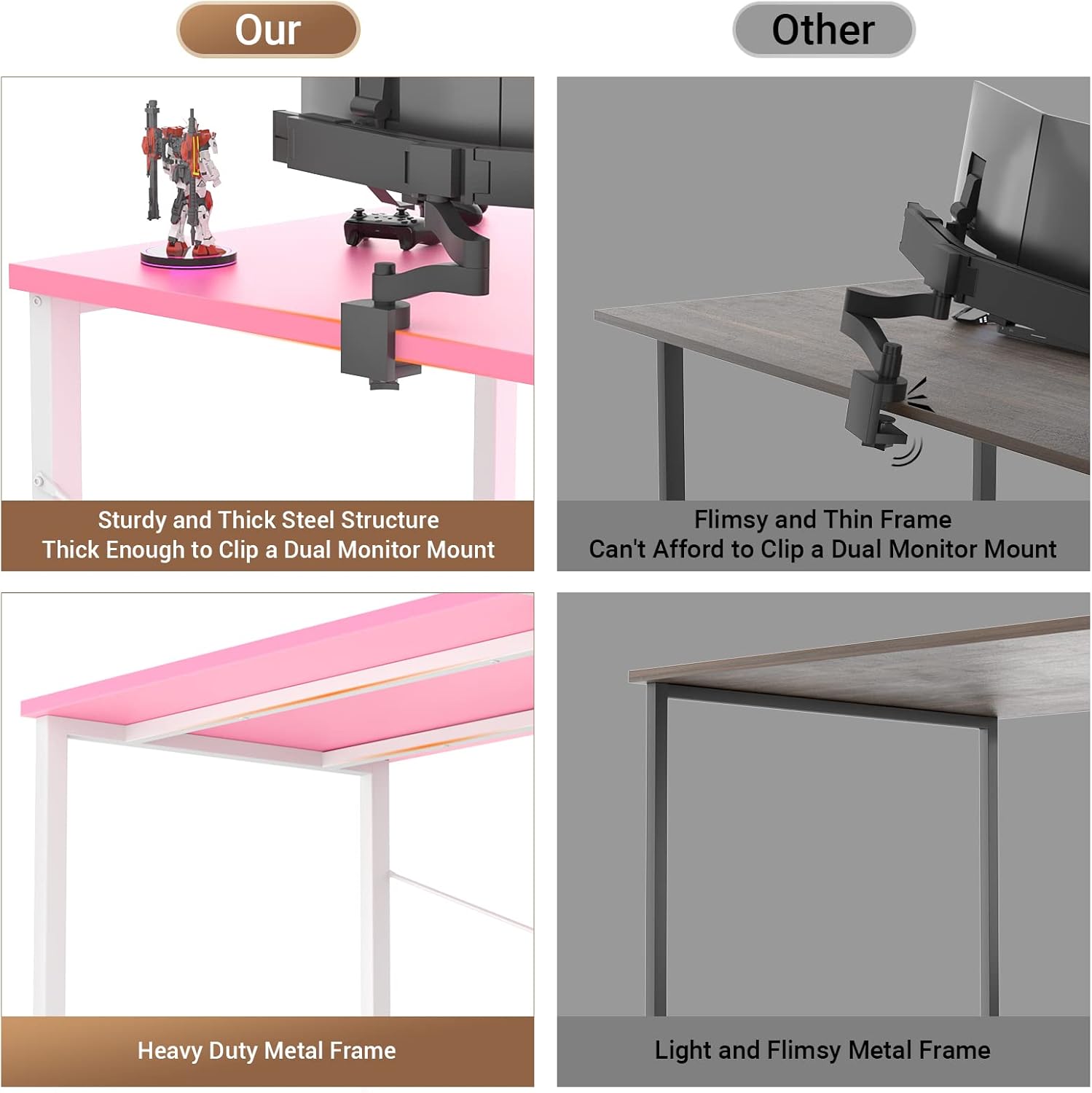
Image 5.3: Proper ergonomic posture with the movable monitor stand.
6. Entretien
6.1 Nettoyage
- Essuyez le bureau et le cadre avec un chiffon doux et sec.amp tissu.
- Évitez d'utiliser des produits chimiques agressifs ou des nettoyants abrasifs, car ils peuvent endommager la finition.
- Ensure all electrical components are unplugged before cleaning.
6.2 Entretien général
- Vérifiez régulièrement le serrage de toutes les vis et fixations. Resserrer si nécessaire.
- Avoid placing excessively hot or cold items directly on the desktop without protective coasters.
- Do not drag the desk; lift it when moving to prevent damage to the legs or floor.
7. Dépannage
7.1 Assembly Difficulties / Misaligned Holes
- Solution: Révisez soigneusementview the instruction manual diagrams. Ensure all metal bars and frame components are oriented correctly. Sometimes, a slight rotation of a part can resolve alignment issues. Do not overtighten screws until all parts are loosely fitted.
7.2 Le bureau oscille
- Solution: Vérifiez que toutes les vis sont bien serrées. Ajustez les pieds de nivellement situés sous les pieds du bureau pour compenser les irrégularités du sol.
7.3 Voyants LED non fonctionnels
- Solution: Ensure the desk's main power cord is securely plugged into a working wall outlet. Verify that the LED light strip's connection to the power source is firm. Check the remote control's battery if applicable.
7.4 Power Outlets / USB Ports Not Working
- Solution: Confirm the desk's main power cord is plugged into a live wall outlet. Test the wall outlet with another device. Ensure devices are properly plugged into the desk's outlets/USB ports. Avoid overloading the power strip.
8. Spécifications
| Fonctionnalité | Détail |
|---|---|
| Marque | Armocité |
| Modèle | 47.2-inch Computer Desk |
| Dimensions du produit (P x L x H) | 47.2 po x 19.6 po x 29.6 po (120 cm x 50 cm x 75 cm) |
| Couleur | Rose et blanc |
| Matériel | Metal (Frame), Engineered Wood (Desktop) |
| Poids maximum recommandé | 300 livres (136 kg) |
| Nombre d'étagères | 2 (Open Shelves) |
| Prises de courant | 3 prises secteur (120 V/12 A) |
| Ports USB | 2 ports USB (5V/2A) |
| Longueur du cordon d'alimentation | 6.57 2 pieds (XNUMX XNUMX mètres) |
| Caractéristiques spéciales | Reversible Design, LED Lights, Movable Monitor Stand, Iron Hooks |
| Personnes recommandées pour l'assemblée | 2 |
| Poids de l'article | 13.79 kilogrammes (30.4 livres) |

Image 8.1: Detailed dimensions of the Armocity Computer Desk.
9. Garantie et assistance
9.1 Garantie limitée
This Armocity product comes with a limited warranty. Please refer to the warranty documentation included in your package for specific terms and conditions regarding parts and labor.
9.2 Service à la clientèle
For any questions regarding assembly, damaged parts, or general inquiries, please contact Armocity customer support. Our team is committed to resolving any issues you may encounter within one business day.
For support, please visit the Armocity store on Amazon or refer to the contact information provided in your product packaging.