Introduction
This manual provides essential information for the safe and efficient use of your SHARP 24EA4E 24-inch HD-Ready LED TV. Please read these instructions thoroughly before operating the television and retain them for future reference. This television is designed for use in living rooms, bedrooms, or guest rooms, offering an elegant design and intuitive operation.
Contenu du colis
Avant de commencer l'installation, assurez-vous que tous les éléments énumérés ci-dessous sont présents dans votre colis :
- SHARP 24EA4E LED TV Unit
- Télécommande
- 2 piles AAA (pour la télécommande)
- TV Stand Installation Kit
- Guide de démarrage rapide

Image: SHARP 24EA4E LED TV with its included stand.
Installation
1. Installation physique
Your television can be placed on a flat surface using the included stand or mounted on a wall using a VESA-compatible bracket (not included). The VESA standard for this model is 100 x 100 mm.
- Installation du support : Carefully attach the TV stand to the bottom of the television using the screws provided in the installation kit. Ensure the stand is securely fastened before placing the TV on a stable surface.
- Montage mural : If wall mounting, refer to the instructions provided with your VESA 100 x 100 mm wall mount bracket. Ensure proper ventilation around the TV.

Image : Côté view of the SHARP 24EA4E LED TV, illustrating the stand attachment.
2. Connexion de périphériques externes
The SHARP 24EA4E offers various connection options for your external devices:
- Ports HDMI (x2) : Connect Blu-Ray players, game consoles, satellite boxes, or other HDMI-enabled devices.
- Port USB (x1) : For playing media (music, movies, photos) from USB storage devices.
- Entrée SCART : Pour connecter des appareils plus anciens.
- Satellite Input (DVB-S/S2): Connect your satellite dish.
- RF Input (DVB-T/T2/C): Connect your terrestrial antenna or cable TV.
- Headphone Jack (3.5mm Audio): Pour une écoute privée.
- Port CI : Pour les modules d'accès conditionnel (CAM) afin de décrypter les canaux chiffrés.
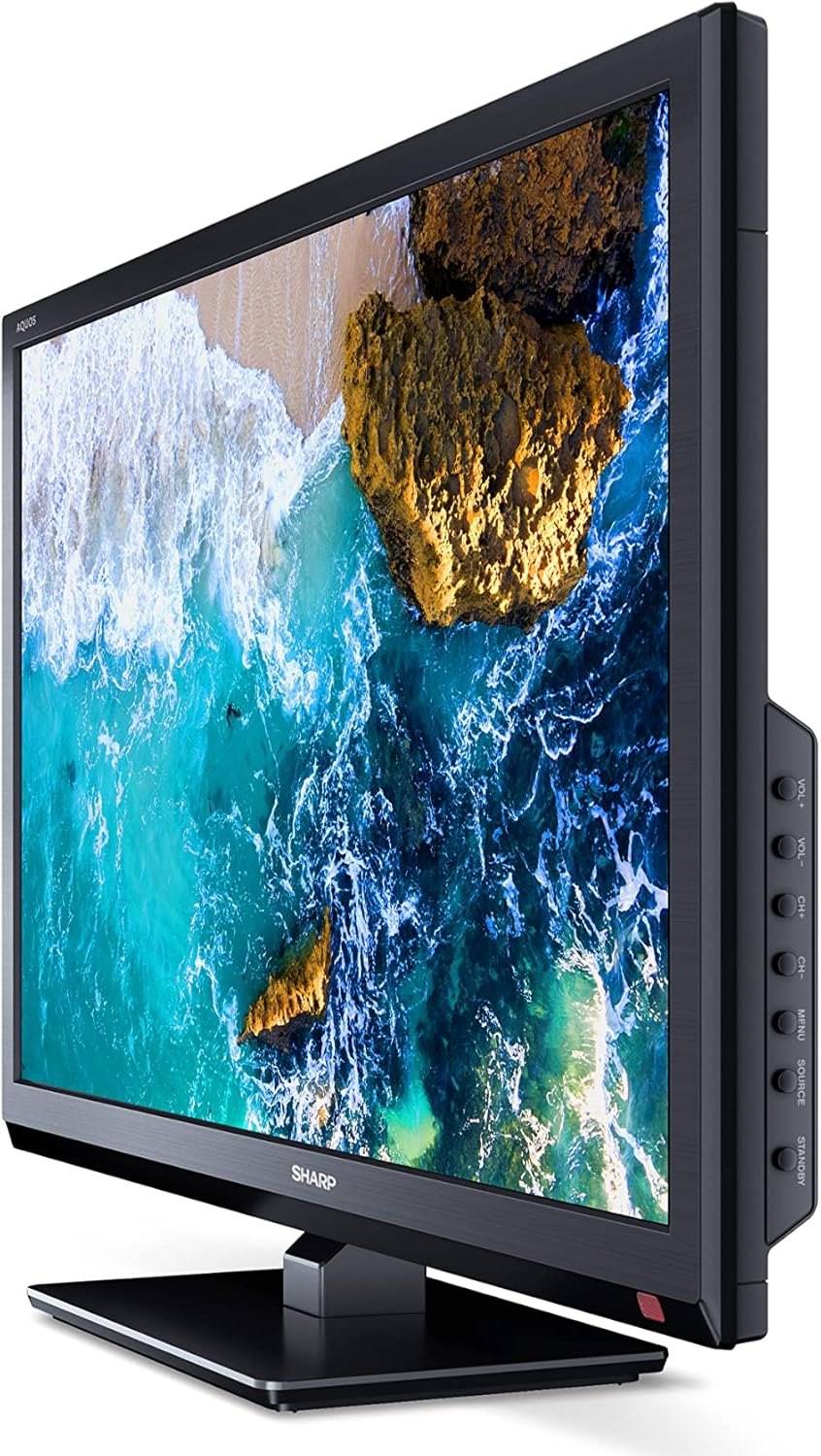
Image : Côté view of the SHARP 24EA4E LED TV, highlighting the various input ports.
After connecting all desired devices, plug the TV's power cord into a suitable electrical outlet (220V).
Mode d'emploi
1. Configuration initiale et recherche des chaînes
Upon first power-on, the TV will guide you through an initial setup process. Follow the on-screen prompts to select your language, country, and perform a channel scan for DVB-T/T2 (terrestrial), DVB-C (cable), or DVB-S/S2 (satellite) signals.
2. Fonctions de la télécommande
The included infrared remote control allows full operation of your TV. Insert the 2 AAA batteries into the remote control, ensuring correct polarity.
- Bouton d'alimentation : Allume ou éteint le téléviseur.
- Boutons de canal (CH+/-) : Change de chaîne.
- Boutons de volume (VOL+/-) : Règle le niveau de volume.
- Bouton source: Sélectionne les sources d'entrée (HDMI, AV, USB, TV).
- Bouton Menu : Permet d'accéder au menu principal du téléviseur pour modifier les paramètres.
- Boutons de navigation: Permet de naviguer dans les menus et de sélectionner les options.
- Bouton OK : Confirme les sélections.
- Bouton de sortie : Exits menus.
- Boutons numériques (0-9) : Sélection directe de la chaîne.

Image : Côté view of the SHARP 24EA4E LED TV, showing the physical control buttons on the side panel.
3. Lecture multimédia via USB
Vous pouvez lire différents médias files directly from a USB storage device:
- Insert your USB drive into the USB port on the TV.
- Select the USB input source using the remote control's Source button.
- Naviguez à travers le files and folders using the remote control and select the desired media (music, video, or photo) to play.
Entretien
To ensure the longevity and optimal performance of your SHARP 24EA4E TV, follow these maintenance guidelines:
- Nettoyage de l'écran : Essuyez délicatement l'écran avec un chiffon doux non pelucheux. Pour les taches tenaces, frottez légèrement.ampNettoyez le chiffon avec de l'eau ou un nettoyant pour écrans spécialisé. Ne vaporisez jamais de liquide directement sur l'écran.
- Nettoyage de l'armoire : Utilisez un chiffon doux et sec pour essuyer le meuble TV. Évitez d'utiliser des nettoyants abrasifs ou des solvants.
- Ventilation: Veillez à ce que les ouvertures de ventilation à l'arrière du téléviseur ne soient pas obstruées afin d'éviter toute surchauffe.
- Cordon d'alimentation : Vérifiez régulièrement l'état du cordon d'alimentation. En cas de dommage, contactez un technicien qualifié pour le faire remplacer.
Dépannage
Si vous rencontrez des problèmes avec votre téléviseur, reportez-vous aux étapes de dépannage courantes suivantes :
| Problème | Solution possible |
|---|---|
| Pas de courant | Check if the power cord is securely plugged into both the TV and the wall outlet. Ensure the wall outlet is functional. |
| Pas d'image, mais le son est présent. | Vérifiez la source d'entrée sélectionnée. Assurez-vous que les périphériques externes sont allumés et correctement connectés. |
| Pas de son, mais l'image est présente. | Check the volume level and mute status. Ensure audio cables are connected correctly for external devices. |
| Mauvaise qualité d'image | Check antenna/cable connections. Adjust picture settings in the TV menu. For external devices, check their output resolution. |
| La télécommande ne fonctionne pas | Remplacez les piles AAA. Assurez-vous qu'aucun obstacle ne se trouve entre la télécommande et le capteur infrarouge du téléviseur. |
Si le problème persiste après avoir essayé ces solutions, veuillez contacter le service client de SHARP.
Caractéristiques
Key technical specifications for the SHARP 24EA4E LED TV:
- Modèle: 24EA4E
- Technologie d'affichage : DIRIGÉ
- Taille de l'écran : 24 pouces (60 cm en diagonale)
- Résolution: 1366 x 768 pixels (HD Ready)
- Rapport hauteur/largeur : 16:9
- Taux de rafraîchissement : 60 Hz (Active Motion 100)
- Rapport de contraste : 100000:1
- Temps de réponse : 8 millisecondes
- ViewAngle d'attaque : 178 degrés
- Sortie audio : 2 x 5W speakers, Dolby Digital, Dolby Digital Plus, Surround Sound
- Technologie d'accord : DVB-T/T2 (Terrestrial), DVB-C (Cable), DVB-S/S2 (Satellite) - MPEG4 + HEVC/H.265 (10-bit)
- Connectivité : 2 x HDMI, 1 x USB, 1 x SCART, RF Input, Satellite Input, 3.5mm Audio (Headphone Jack), CI Port
- Système opérateur: Linux
- Consommation d'énergie : 17 Watts (in SDR mode)
- Voltage: 220V
- Dimensions (avec support) : 56 cm (L) x 38.5 cm (H) x 14 cm (P)
- Poids: 3.8 kg
- Norme VESA: 100 x 100 mm

Image: Diagram showing the dimensions of the SHARP 24EA4E LED TV.
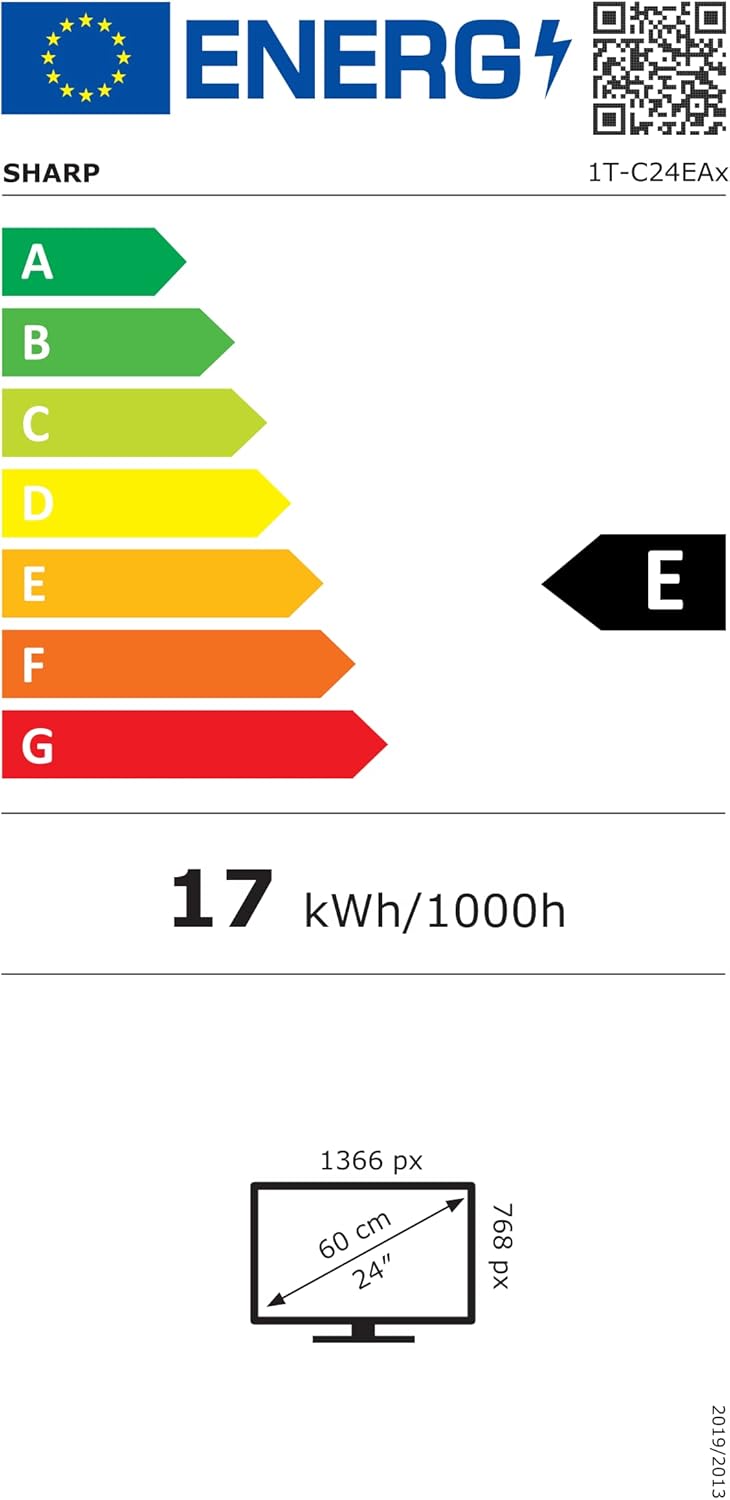
Image: EU Energy Label for the SHARP 24EA4E LED TV, indicating Energy Class E and 17 kWh/1000h consumption.
Pour des informations plus détaillées sur le produit, veuillez consulter la base de données officielle EPREL de l'UE : https://eprel.ec.europa.eu/qr/1242293
Garantie et assistance
Your SHARP 24EA4E LED TV comes with a manufacturer's warranty. The minimum guaranteed product support is 2 years, and the minimum guaranteed availability of spare parts is 8 years from the date of market introduction.
For warranty claims, technical assistance, or further support, please contact your retailer or visit the official SHARP support webConsultez le site. Conservez votre preuve d'achat pour faire valoir la garantie.