
1. Introduction
Thank you for choosing the Roseland Boombox 20W TWS Bluetooth Speaker. This manual provides essential information for the safe and efficient operation of your device. Please read it thoroughly before use and retain it for future reference.
The Roseland Boombox 20W TWS Bluetooth Speaker delivers rich, powerful sound. Connect wirelessly via Bluetooth, or use AUX and USB inputs for versatile playback. Enjoy up to 5.5 hours of playtime on a single charge. The integrated color-changing light enhances your listening experience. This lightweight speaker features a convenient handle for portability and supports True Wireless Stereo (TWS) pairing for an expanded soundstage.
2. Contenu du colis
Vérifiez que tous les articles sont présents dans le colis :
- Roseland Boombox 20W TWS Bluetooth Speaker
- Câble de chargement USB-C
- Câble auxiliaire (AUX)
- Manuel d'instructions (ce document)
3. caractéristiques du produit
- Sortie audio : 20W for powerful sound.
- Véritable stéréo sans fil (TWS) : Connect two speakers wirelessly for stereo sound.
- Connectivité : Bluetooth, AUX Input, USB Port.
- Autonomie de la batterie : Jusqu'à 5.5 heures d'autonomie.
- Temps de charge : Environ 2.5 heures.
- Éclairage: Integrated color-changing light.
- Méthode de contrôle : Commandes tactiles.
- Portabilité: Lightweight design with a convenient handle.
- Durabilité: Fabrication étanche.
4. Commandes et indicateurs
The control panel is located on the rear of the speaker. Specific button functions are detailed below. (Refer to the image for visual reference).
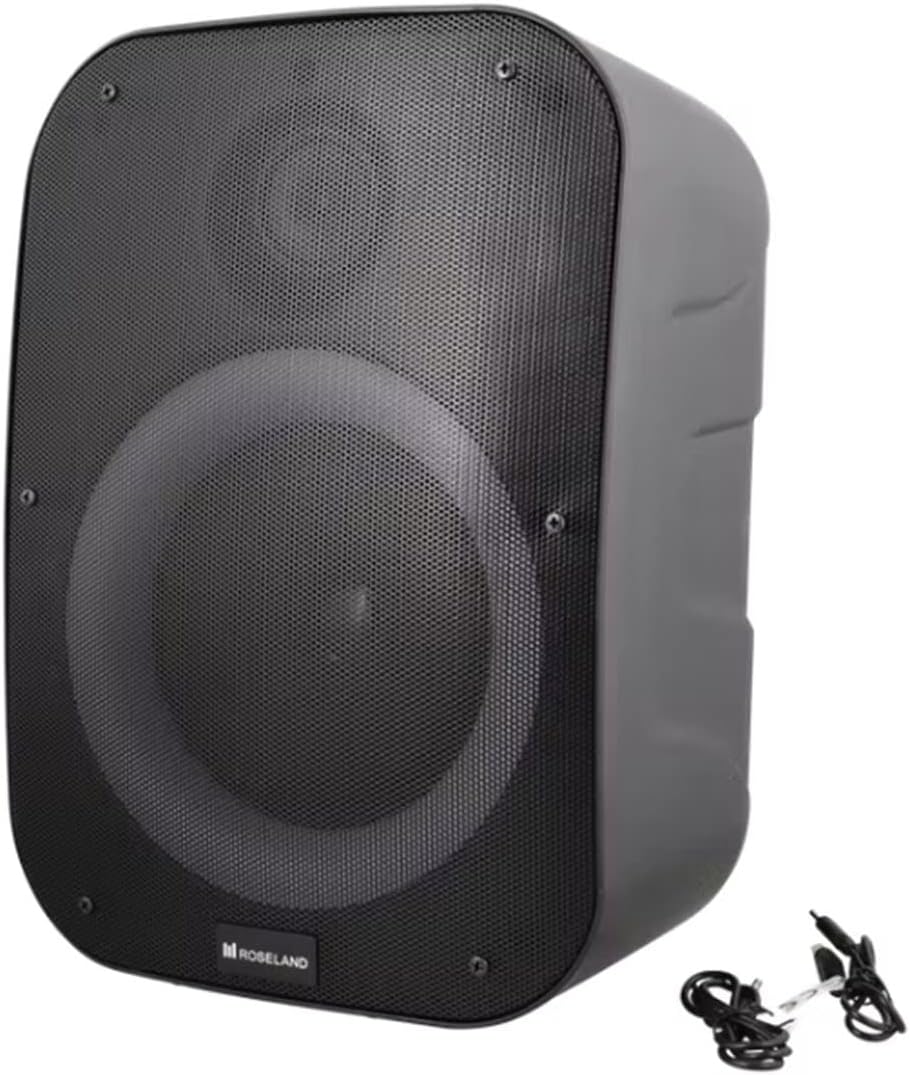
Image : Arrière view of the Roseland Boombox, highlighting the control panel and integrated handle for portability.
- Bouton d'alimentation : Appuyez longuement pour allumer ou éteindre le haut-parleur.
- Bouton de mode (M) : Appuyez pour basculer entre les modes de lecture Bluetooth, AUX et USB.
- Play/Pause Button (▶❚❚): Appuyez pour lire ou mettre en pause le son.
- Bouton de diminution du volume / piste précédente (-) : Appuyez pour baisser le volume. Appuyez longuement pour revenir à la piste précédente.
- Bouton Volume + / Piste suivante (+) : Appuyez pour augmenter le volume. Appuyez longuement pour passer à la piste suivante.
- Bouton de mode d'éclairage : Press to cycle through different color-changing light modes or turn the lights off.
- Bouton d'appairage TWS : Appuyez pour lancer le jumelage True Wireless Stereo (voir section 5.4).
- Port de chargement (USB-C) : Connectez le câble USB-C pour le chargement.
- Port d'entrée AUX : Connect an external audio device using the auxiliary cable.
- Port USB : Insérez une clé USB pour la lecture audio.
5. Installation
5.1 Chargement de l'enceinte
- Connect the supplied USB-C charging cable to the speaker's USB-C charging port.
- Connectez l'autre extrémité du câble USB-C à un adaptateur secteur USB compatible (non inclus) ou au port USB d'un ordinateur.
- Le voyant de charge s'allume, généralement en rouge, pendant la charge. Il s'éteint ou change de couleur (par exemple, en bleu) une fois la charge complète.
- Une charge complète prend environ 2.5 heures.
5.2 Mise sous/hors tension
- Pour allumer : Press and hold the Power Button for a few seconds until you hear an audible prompt or see an indicator light.
- Pour éteindre : Press and hold the Power Button again for a few seconds until the speaker powers down.
5.3 Couplage Bluetooth
- Ensure the speaker is powered on and in Bluetooth mode. If not, press the Mode Button (M) until you hear a "Bluetooth mode" prompt or see a flashing blue indicator light.
- Activez le Bluetooth sur votre smartphone, tablette ou autre appareil compatible Bluetooth.
- Rechercher "Roseland Boombox" in the list of available Bluetooth devices.
- Select "Roseland Boombox" to connect. Once connected, you will hear a confirmation sound, and the indicator light will become solid blue.
- L'enceinte tentera automatiquement de se reconnecter au dernier appareil apparié lors de sa mise sous tension.
5.4 Couplage stéréo sans fil (TWS)
TWS allows you to connect two Roseland Boombox speakers wirelessly for a stereo sound experience.
- Ensure both Roseland Boombox speakers are powered on and in Bluetooth mode, but not yet connected to any device.
- On one of the speakers (this will be the primary speaker), press the TWS Pairing Button. You will hear a prompt indicating it's searching for another speaker.
- Les deux enceintes se connecteront automatiquement. Vous entendrez un signal sonore de confirmation une fois l'appairage TWS réussi.
- Now, connect your Bluetooth device to the primary speaker (the one you pressed the TWS button on) as described in Section 5.3. The audio will now play in stereo through both speakers.
5.5 Connexion AUX
- Connect one end of the supplied AUX cable to the AUX Input Port on the speaker.
- Connect the other end of the AUX cable to the headphone jack or audio output of your external audio device.
- Press the Mode Button (M) on the speaker until you hear an "AUX mode" prompt.
- Contrôlez la lecture et le volume directement depuis votre appareil audio connecté.
5.6 Lecture USB
- Insérez une clé USB contenant un fichier audio MP3. files into the USB Port on the speaker.
- Press the Mode Button (M) on the speaker until you hear a "USB mode" prompt.
- Le haut-parleur commencera automatiquement à diffuser du son. files à partir de la clé USB.
- Use the Play/Pause, Volume Up/Down, and Next/Previous Track buttons on the speaker to control playback.
6. Mode d'emploi
6.1 Lecture de musique
- Lecture/Pause : Appuyez sur le bouton Lecture/Pause.
- Piste suivante : Appuyez sur le bouton Volume + et maintenez-le enfoncé.
- Piste précédente: Appuyez sur le bouton Volume Bas (-) et maintenez-le enfoncé.
- Réglage du volume : Appuyez sur les boutons Volume + ou Volume - pour régler le volume.
Modes d'éclairage 6.2
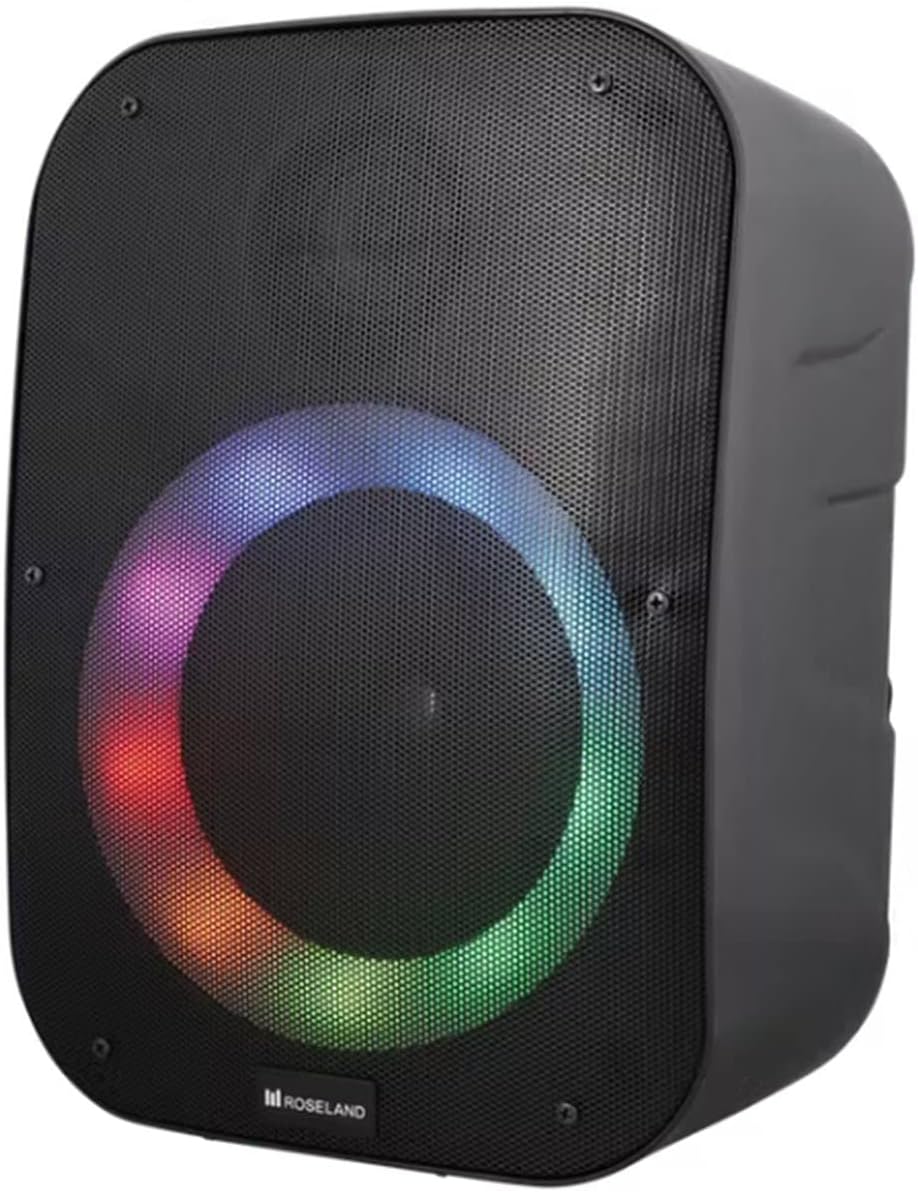
Image : Avant view of the Roseland Boombox showcasing its dynamic color-changing light feature.
Press the Light Mode Button on the control panel to cycle through various color-changing light patterns. Continue pressing to find your preferred mode or to turn the lights off.
7. Entretien
- Nettoyage: Utilisez un chiffon doux et sec pour nettoyer la surface du haut-parleur. N'utilisez pas de produits nettoyants abrasifs ni de solvants.
- Stockage: Rangez l'enceinte dans un endroit frais et sec, à l'abri de la lumière directe du soleil et des températures extrêmes lorsqu'elle n'est pas utilisée pendant une période prolongée.
- Entretien de la batterie: Pour prolonger la durée de vie de la batterie, chargez complètement l'enceinte avant la première utilisation et rechargez-la au moins une fois tous les trois mois si elle n'est pas utilisée régulièrement.
8. Dépannage
| Problème | Cause possible | Solution |
|---|---|---|
| Le haut-parleur ne s'allume pas. | Batterie faible. | Charge the speaker using the supplied USB-C cable. |
| Pas de son. | Volume trop faible ; mode incorrect ; appareil non connecté. | Increase volume; ensure correct mode (Bluetooth/AUX/USB); re-pair Bluetooth device or check AUX/USB connection. |
| L'appairage Bluetooth échoue. | Enceinte non en mode appariement ; appareil trop éloigné ; interférences. | Assurez-vous que l'enceinte est en mode de couplage Bluetooth ; rapprochez l'appareil ; désactivez les autres appareils Bluetooth. |
| L'appairage TWS a échoué. | Les enceintes sont trop éloignées les unes des autres ; une enceinte est déjà connectée à un appareil. | Ensure both speakers are in TWS pairing mode and close to each other; disconnect any Bluetooth devices from both speakers before TWS pairing. |
9. Spécifications
| Fonctionnalité | Détail |
|---|---|
| Nom du modèle | Roseland Boombox 20W TWS Bluetooth Speaker |
| Marque | Roseland |
| Puissance de sortie du haut-parleur | 20 watts |
| Technologie de connectivité | Bluetooth, Auxiliary (AUX), USB |
| Communication sans fil | Bluetooth |
| Mode de sortie audio | Stéréo |
| Configuration des canaux de son surround | 2.0 |
| Méthode de contrôle | Touche |
| Source d'énergie | Wireless (Rechargeable Battery) |
| Autonomie de la batterie | Jusqu'à 5.5 XNUMX heures |
| Temps de charge | Environ 2.5 heures |
| Caractéristiques spéciales | Bluetooth, USB Port, Color-changing Light, Waterproof |
| Utilisation recommandée | Pour smartphone ou tablette |
| Appareils compatibles | Ordinateur personnel, télévision, tablette, smartphone, ordinateur portable |
| Type de montage | Montage au sol |
| ASIN | B0B58VP4RH |
10. Informations sur la garantie
This Roseland Boombox 20W TWS Bluetooth Speaker comes with a Garantie limitée du fabricant d'un an À compter de la date d'achat, cette garantie couvre les défauts de matériaux et de fabrication dans des conditions normales d'utilisation. Elle ne couvre pas les dommages causés par une mauvaise utilisation, un accident, une modification non autorisée ou des causes externes.
For warranty claims or support, please contact your retailer or the manufacturer's customer service with your proof of purchase.
11. Consignes de sécurité
- N’exposez pas le haut-parleur à des températures extrêmes, à la lumière directe du soleil ou à des flammes nues.
- Ne démontez, ne réparez ni ne modifiez vous-même l'enceinte. Cela pourrait annuler la garantie et présenter des risques pour votre sécurité.
- Tenez l'enceinte à l'écart des enfants et des animaux domestiques.
- Use only the supplied charging cable. Using incompatible chargers may damage the device or cause fire.
- Évitez d'écouter à des volumes élevés pendant de longues périodes pour éviter des dommages auditifs.
- Although waterproof, avoid submerging the speaker in water for prolonged periods or exposing it to high-pressure water jets.