1. Produit terminéview
The Loolinn Z3 Drone is designed for beginners, offering stable flight and ease of use. It features optical flow positioning technology for intelligent hovering and includes a 720p camera for capturing aerial photos and videos. With three included batteries, users can enjoy extended flight times.

Image 1.1: The Loolinn Z3 Drone, its remote control, and three rechargeable batteries.
2. Contenu du colis
Veuillez vérifier que tous les articles énumérés ci-dessous sont présents dans votre colis :
- 1 x Loolinn Z3 Drone
- 1 x télécommande
- 1 x Manuel d'utilisation
- 1 x support de smartphone
- 3 batteries pour drone
- 2 x câbles de chargement USB
- 4 x Rotor Blade Protectors
- 4 hélices supplémentaires
- 1 x tournevis

Image 2.1: Contents of the Loolinn Z3 Drone package, including the drone, remote, batteries, and accessories.
3. Consignes de sécurité
Before operating the Loolinn Z3 Drone, please read and adhere to the following safety guidelines to ensure a safe and enjoyable experience:
- Always fly in open areas, away from people, animals, buildings, and obstacles.
- Évitez de voler par vents forts ou par conditions météorologiques défavorables.
- Maintenez un contact visuel permanent avec le drone.
- Ensure the drone batteries and remote control batteries are fully charged before each flight.
- Tenez vos doigts et vos vêtements amples éloignés des hélices en rotation.
- Do not operate the drone near airports or restricted airspace.
- This product is suitable for ages 14 and up. Adult supervision is recommended for younger users.
4. Installation
4.1 Chargement et installation de la batterie
The drone comes with three 1500mAh Lithium Ion batteries. Each battery provides approximately 20 minutes of flight time. Use the provided USB charging cables to charge the drone batteries. A full charge typically takes about 35 minutes per battery.
- Connect the USB charging cable to a power source (e.g., computer USB port, USB wall adapter).
- Connect the battery to the charging cable. The indicator light on the cable will show charging status.
- Une fois la batterie complètement chargée, débranchez-la.
- Insert a charged battery into the drone's battery compartment.
The remote control requires 4 AA batteries (not included). Open the battery compartment on the back of the remote and insert the batteries, observing correct polarity.

Image 4.1: The three 1500mAh Lithium Ion batteries included with the Loolinn Z3 Drone.
4.2 Installation de l'hélice et de la protection
Attach the propeller guards to the drone's arms by snapping them into place. Ensure they are securely fastened. If replacing propellers, match the propellers marked 'A' with motor 'A' and 'B' with motor 'B'.
4.3 Smartphone Holder Attachment
Attach the smartphone holder to the top of the remote control. This allows you to mount your smartphone to view the drone's camera feed.
4.4 Appairage du drone et de la télécommande
- Placez le drone sur une surface plane et de niveau.
- Allumez le drone en appuyant sur le bouton d'alimentation. Les voyants du drone clignoteront.
- Allumez la télécommande.
- Poussez le joystick gauche (manette des gaz) à fond vers le haut, puis à fond vers le bas. Les voyants du drone cesseront de clignoter et resteront allumés en continu, indiquant que l'appairage a réussi.
4.5 Étalonnage du gyroscope
Après l'appairage, calibrez le gyroscope pour un vol stable :
- Ensure the drone is on a flat, level surface.
- Push both joysticks on the remote control down and to the right simultaneously.
- Les voyants du drone clignoteront rapidement puis resteront fixes, indiquant un étalonnage réussi.
5. Mode d'emploi
5.1 Commandes de vol de base
- Décollage/atterrissage en une seule touche : Press the one-key take-off/landing button (usually marked with an arrow) to automatically take off or land.
- Manette des gaz (joystick gauche) : Poussez vers le haut pour monter, tirez vers le bas pour descendre.
- Commande directionnelle (joystick droit) : Poussez vers l'avant pour voler vers l'avant, tirez vers l'arrière pour voler vers l'arrière, poussez à gauche pour voler à gauche, poussez à droite pour voler à droite.
- Lacet (Joystick gauche gauche/droite) : Push left to rotate left, push right to rotate right.
5.2 Positionnement du flux optique
The Loolinn Z3 Drone is equipped with an optical flow positioning sensor on its underside. This technology helps the drone maintain its position and hover stably, especially in indoor environments or areas with minimal wind. This feature contributes to easier control and clearer image capture.

Image 5.1: The Loolinn Z3 Drone utilizing its optical flow positioning technology for stable flight.
5.3 Fonctionnement de la caméra
The drone features a 720p camera for capturing photos and videos. To access the camera feed and control, download the dedicated Loolinn drone app on your smartphone and connect via Wi-Fi.
- Download the Loolinn drone app from your smartphone's app store.
- Allumez le drone.
- Connect your smartphone to the drone's Wi-Fi network (usually named 'Loolinn_XXXX').
- Ouvrez l'application pour view le flux de la caméra en direct.
- Use the app interface to take photos or start/stop video recording.

Image 5.2: A smartphone displaying the 720p live video feed from the drone's camera.
5.4 Special Features: 3D Flip
The Loolinn Z3 Drone can perform 3D flips. To execute a flip:
- Faites voler le drone à une hauteur d'au moins 2 mètres (6.5 pieds).
- Press the 3D flip button on the remote control (refer to your remote diagram for exact location).
- Poussez immédiatement le joystick droit dans la direction souhaitée (avant, arrière, gauche ou droite) pour effectuer le flip.

Image 5.3: The Loolinn Z3 Drone executing a 3D flip, demonstrating its acrobatic capabilities.
5.5 Considérations relatives à l'environnement de vol
The Loolinn Z3 Drone is lightweight (approximately 4.65 ounces) and can be sensitive to wind. For optimal performance and control, fly in calm conditions. The maximum control range is approximately 262 feet (80 meters).
6. Entretien
6.1 Entretien de la batterie
- Always use the provided charging cables.
- Ne surchargez pas ou ne déchargez pas excessivement les batteries.
- Conservez les batteries dans un endroit frais et sec, à l'abri de la lumière directe du soleil et des températures extrêmes.
- Si elles ne sont pas utilisées pendant une période prolongée, chargez les batteries à environ 50 % de leur capacité.
6.2 Remplacement de l'hélice
In case of propeller damage, use the included extra propellers and screwdriver for replacement. Ensure the correct 'A' and 'B' propellers are installed on their respective motors.
6.3 Nettoyage
Use a soft, dry cloth to clean the drone and remote control. Avoid using water or chemical cleaners, which can damage electronic components.
7. Dépannage
- Le drone ne s'allume pas : Assurez-vous que la batterie est complètement chargée et correctement insérée.
- Difficulté d'appariement : Make sure the drone and remote are turned on and within range. Repeat the pairing steps (Section 4.4).
- Vol instable : Perform gyroscope calibration (Section 4.5). Avoid flying in windy conditions. Check for damaged propellers.
- Mauvaise qualité de la caméra : The camera records at 720p resolution. Ensure good lighting conditions for best results.
- Durée de vol courte : Assurez-vous que les batteries sont complètement chargées. La durée de vol peut être affectée par un pilotage brusque ou des vents forts.
- Propeller damage: Replace damaged propellers immediately using the spare parts provided.
- Perte de connexion : If the drone loses connection with the remote, it will typically descend and land automatically. Ensure you are within the maximum range of 262 feet.
8. Spécifications
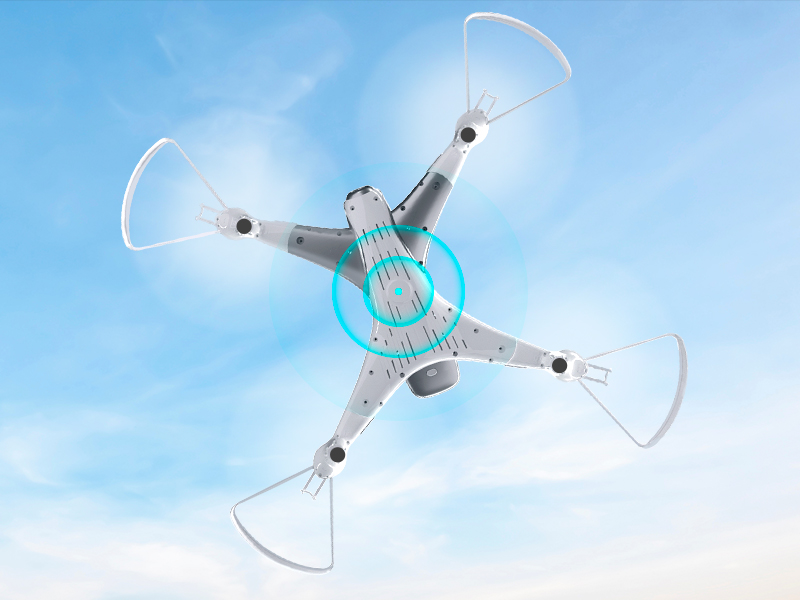
Image 8.1: The Loolinn Z3 Drone's weight measured on an electronic scale.
| Fonctionnalité | Spécification |
|---|---|
| Marque | loonn |
| Nom du modèle | Drone Z3 |
| Caractéristiques spéciales | 3 Batteries, 3D Flip, 60 Minutes Long Flight Time (total), Optical Flow Positioning Technology, Stable Flight |
| Tranche d'âge (description) | Kids, Teenagers |
| Couleur | Blanc |
| Résolution de capture vidéo | 720p |
| Technologie de connectivité | Wifi |
| Niveau de compétence | Débutant |
| Poids de l'article | 4.65 onces (environ 131.7 grammes) |
| Capacité de la batterie | 1500 millièmeamp Heures (par batterie) |
| Format de capture vidéo | MP4 |
| Technologie de contrôle à distance | Wifi |
| Portée maximale | 262 pieds (environ 80 mètres) |
| Matériel | Métal, plastique |
| Composition des cellules de batterie | Lithium-ion |
| Format d'image pris en charge | JPEG |
| Dimensions du produit | 12.6"L x 12.6"l x 1.97"H |
| Code UPC | 768492333128 |
9. Garantie et assistance
Loolinn is committed to providing quality products and customer satisfaction. For any inquiries or support needs, please refer to the following:
- Politique de retour: Un remboursement intégral est possible dans les 30 jours suivant l'achat.
- Service client: Loolinn offers responsive customer service, typically providing replies within 12 hours.
- Pièces de rechange : For replacement parts such as propellers, please contact Loolinn customer support or visit their official website.
Pour obtenir de l'aide supplémentaire, veuillez consulter le Loolinn Store on Amazon.