
1. Informations importantes sur la sécurité
Please read all instructions carefully before using the Eumspo G3 Bluetooth Headset. Keep this manual for future reference.
- Do not expose the headset or charging case to extreme temperatures, moisture, or corrosive materials.
- Évitez de laisser tomber ou de soumettre l'appareil à des impacts violents.
- Do not attempt to disassemble or modify the headset or charging case. This may void the warranty and cause damage.
- Tenir hors de portée des enfants et des animaux domestiques.
- Utilisez uniquement le câble de chargement fourni et un adaptateur secteur certifié.
- Une exposition prolongée à des bruits forts peut endommager l'audition. Réglez le volume à un niveau sûr.
2. Produit terminéview
The Eumspo G3 Bluetooth Headset is designed for clear communication and extended use. It features Bluetooth 5.0 connectivity, dual-mic noise cancellation, and a portable charging case.

Figure 2.1: Eumspo G3 Bluetooth Headset and Charging Case.

Figure 2.2: Headset components and controls, including the Multi-Function Button (MFB), Power On/Off, Dual-Mic Noise Cancelling, and Volume controls.
3. Contenu de la boîte
Le forfait comprend généralement :
- Eumspo G3 Bluetooth Headset
- Étui de chargement
- Câble de chargement USB
- Manuel d'utilisation
- Ear tips/ear hooks
4. Installation
4.1 Chargement du casque et de l'étui
Before first use, fully charge the headset and its charging case.
- Place the headset into the charging case. Ensure it is properly seated.
- Connectez le boîtier de chargement à une source d'alimentation à l'aide du câble USB fourni.
- The LED indicator on the charging case will show the charging status. A full charge is indicated when the display shows 100.

Figure 4.1: The charging case provides power to the headset and displays the charge level.
4.2 Couplage avec un appareil
Follow these steps to pair your Eumspo G3 headset with your smartphone or other Bluetooth-enabled device:
- Take the headset out of the charging case. It will automatically enter pairing mode.
- Activez le Bluetooth sur votre appareil.
- Rechercher available Bluetooth devices and select "G3" to connect.
- Une fois connecté, le casque indiquera que l'appairage a réussi.
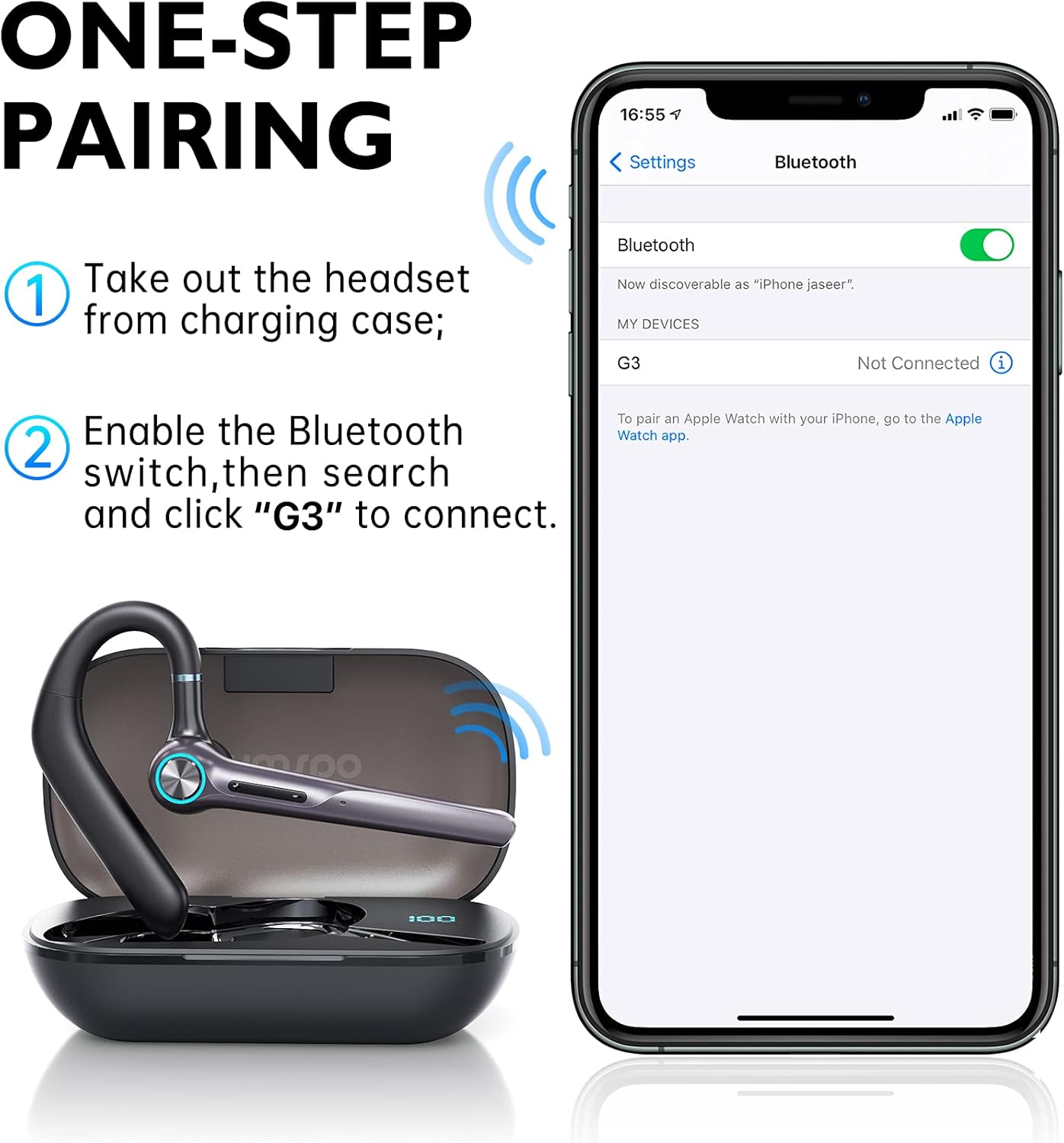
Figure 4.2: Visual guide for one-step pairing with a mobile device.
Vidéo 4.1 : Un overview of the Eumspo G3 Bluetooth Noise-Cancelling Headset, demonstrating key features and usage.
5. Mode d'emploi
5.1 Port du casque
The Eumspo G3 headset is designed for comfortable wear on either ear.
- Adjust the ear hook to fit securely over your ear.
- The headset can rotate 180 degrees to switch between the right and left ear.
- The earpiece can also rotate 270 degrees for optimal positioning and comfort.

Figure 5.1: The headset can be worn on either the right or left ear and adjusted for fit.
5.2 Basic Functions (Calls & Music)
The Multi-Function Button (MFB) and volume buttons control various headset operations.
- Marche/Arrêt : Press and hold the Power On/Off button.
- Répondre/Terminer l'appel : Cliquez une fois sur le bouton MFB.
- Rejeter l'appel : Appuyez longuement sur le bouton MFB pendant 3 secondes.
- Recomposer le dernier numéro : Click the MFB button twice.
- Lire/mettre en pause la musique : Cliquez une fois sur le bouton MFB.
- Monter le son: Click the "+" button once.
- Baisser le volume: Click the "-" button once.
- Piste suivante : Appuyez longuement sur le bouton « + ».
- Piste précédente: Appuyez longuement sur le bouton « - ».
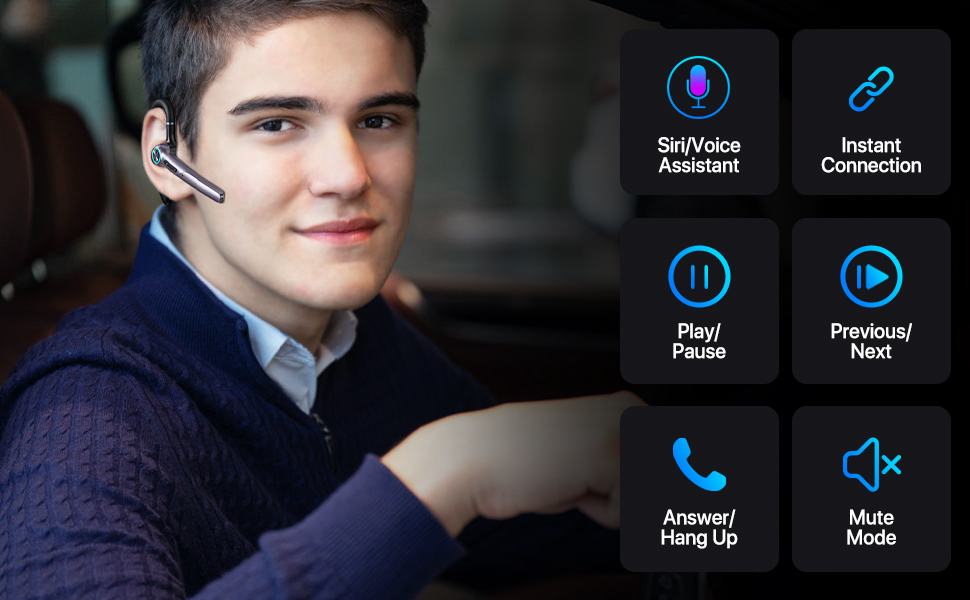
Figure 5.2 : Détaillé view of headset controls for various functions.
6. Entretien
6.1 Nettoyage
Un nettoyage régulier permet de maintenir les performances et l'hygiène du casque.
- Essuyez le casque et l'étui de chargement avec un chiffon doux, sec et non pelucheux.
- N’utilisez pas de nettoyants abrasifs, d’alcool ou de solvants chimiques.
- Nettoyez régulièrement les embouts auriculaires avec de la publicité.amp Essuyez-les avec un chiffon et laissez-les sécher complètement avant de les remettre en place.
6.2 Stockage
Lorsqu'il n'est pas utilisé, rangez le casque dans son étui de chargement afin de le protéger de la poussière et des dommages.
- Conserver dans un endroit frais et sec, à l'abri de la lumière directe du soleil.
- If storing for an extended period, charge the headset and case periodically to maintain battery health.
7. Dépannage
If you encounter issues with your Eumspo G3 headset, refer to the following common solutions:
| Problème | Solution |
|---|---|
| Le casque ne s'allume pas. | Ensure the headset is charged. Place it in the charging case and connect the case to power. |
| Impossible de jumeler l'appareil. | Make sure Bluetooth is enabled on your device. Ensure the headset is in pairing mode (taken out of the case). Forget previous pairings on your device and try again. Move closer to the device. |
| Aucun son ou mauvaise qualité sonore. | Check the volume levels on both the headset and your connected device. Ensure the headset is properly seated in your ear. Re-pair the headset with your device. |
| Le boîtier de charge ne charge pas. | Verify the charging cable and power adapter are working correctly. Ensure the cable is securely connected to both the case and the power source. |
| MFB button unresponsive. | Some users have reported intermittent issues with the MFB button. Try resetting the headset by placing it back in the charging case and taking it out again. If the issue persists, contact customer support. |
8. Spécifications
| Fonctionnalité | Détail |
|---|---|
| Marque | Eumspo |
| Numéro de modèle | G3 |
| Technologie de connectivité | Bluetooth v5.0, sans fil |
| Placement des oreilles | Dans l'oreille |
| Contrôle du bruit | Annulation active du bruit |
| Durée de vie moyenne de la batterie | 48 heures (avec étui de chargement) |
| Capacité du boîtier de charge | 400mAh |
| Appareils compatibles | Android and iOS Smartphones, Laptops, Tablets |
| Niveau de résistance à l'eau | Étanche |
| Matériel | Plastique |
| Dimensions | 5.67 x 3.07 x 1.54 pouces |
| Poids | 4.97 onces |
9. Informations sur la garantie
Eumspo products typically come with a limited warranty. Please refer to the product packaging or the official Eumspo webConsultez le site pour connaître les conditions générales de garantie. Conservez votre preuve d'achat pour toute réclamation au titre de la garantie.
10. Assistance
For further assistance, technical support, or customer service, please contact Eumspo through their official support channels. Details can usually be found on the product packaging or their website.