
1. Introduction
Merci pour votre achatasing the Muse M-308 BT Bluetooth Speaker. This manual provides essential information for the safe and correct use of your device. Please read it thoroughly before use and keep it for future reference.
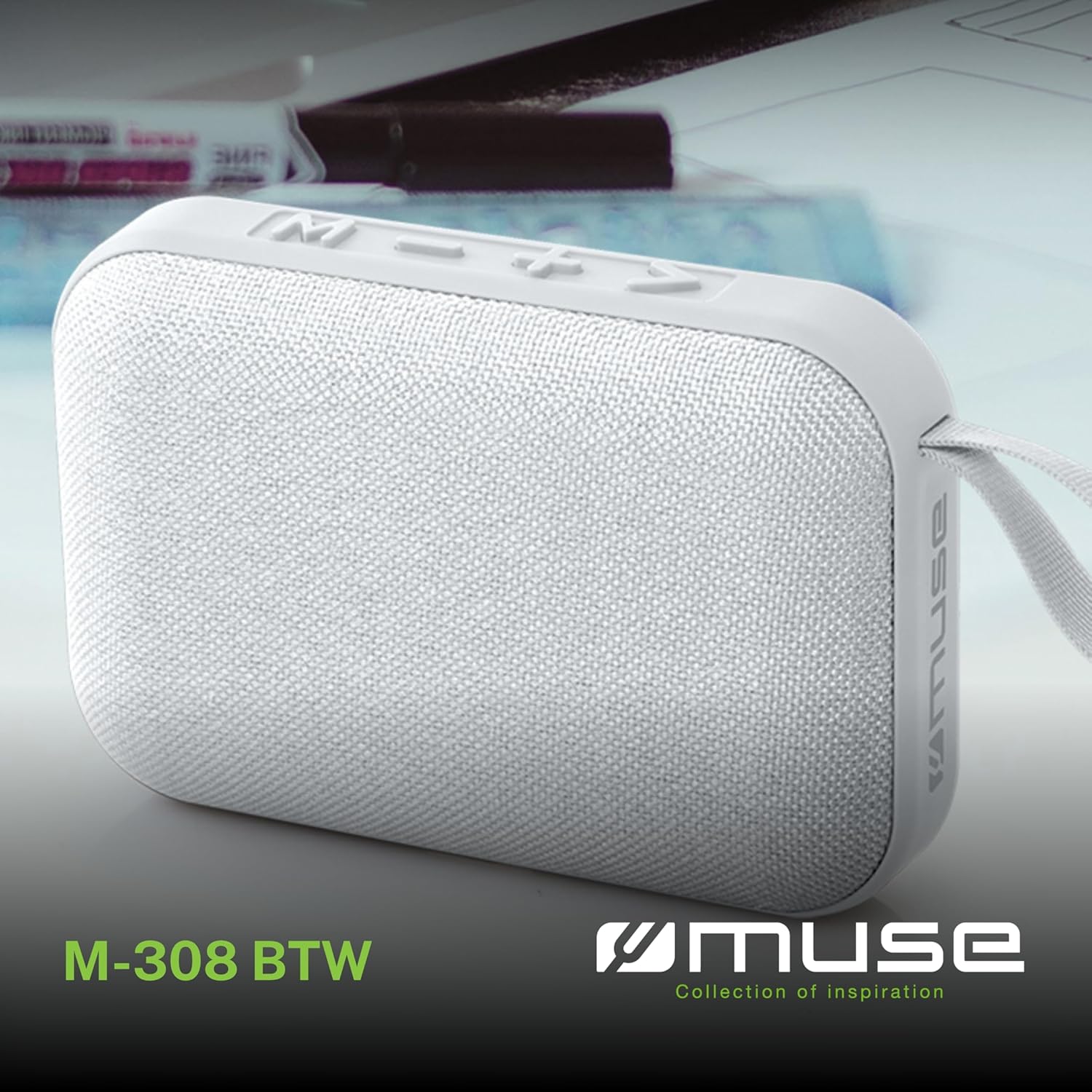
Illustration 1.1 : Avant view of the Muse M-308 BT Bluetooth Speaker.
2. caractéristiques du produit
- Connectivité Bluetooth : Diffusez du contenu audio sans fil depuis des appareils compatibles.
- Fonction mains libres : Integrated microphone for taking calls.
- Lecture multimédia: Supports music playback from USB and MicroSD (TF) cards.
- Couplage stéréo : Connect two M-308 BT speakers for enhanced stereo sound.
- Indicateur LED : Provides visual feedback for Bluetooth pairing and charging status.
- Compact et léger : Designed for portability, weighing approximately 200g.
- Batterie rechargeable intégrée : 1200mAh capacity for up to 10 hours of playback.
- Puissance de sortie : 5 Watts for clear audio.

Image 2.1: Key features of the Muse M-308 BT speaker.

Image 2.2: Additional functionalities of the Muse M-308 BT speaker.
3. Contenu du colis
Vérifiez que tous les articles sont présents lors du déballage :
- Muse M-308 BT Bluetooth Speaker
- Câble de chargement USB
- Manuel de l'utilisateur (ce document)
4. Commandes et connexions
Familiarisez-vous avec les commandes et les ports de connexion de l'enceinte :

Image 4.1: Top panel with various connections.
- Port USB : Pour lire de la musique depuis une clé USB.
- Port micro-USB : Pour charger le haut-parleur.
- Micro SD (TF) Card Slot: Pour lire de la musique à partir d'une carte Micro SD.
- Interrupteur marche / arrêt: Pour allumer ou éteindre le haut-parleur.

Image 4.2: Side panel with control buttons.
- Bouton M (Mode) : Press to switch between Bluetooth, USB, and Micro SD modes.
- - Button (Volume Down / Previous Track):
- Appui court : Diminuer le volume.
- Appui long : Aller à la piste précédente.
- + Button (Volume Up / Next Track):
- Appui court : Augmenter le volume.
- Appui long : Passer à la piste suivante.
- > Button (Play / Pause / Call):
- Appui court : Lecture ou pause de la musique.
- Appui court (pendant un appel entrant) : Répondre à l’appel.
- Appui long (pendant un appel entrant) : Rejeter l’appel.
- Appui court (pendant l'appel) : Mettre fin à l'appel.
5. Installation
5.1 Chargement de l'enceinte
- Connect the supplied USB charging cable to the Micro-USB port on the speaker.
- Connectez l'autre extrémité du câble USB à un adaptateur secteur USB (non inclus) ou au port USB d'un ordinateur.
- Le voyant LED s'allume pour indiquer l'état de charge. Il s'éteint ou change de couleur une fois la charge complète.
5.2 Mise sous/hors tension
- Pour allumer l'appareil, faites glisser l'interrupteur MARCHE/ARRÊT sur la position « MARCHE ». Vous entendrez un signal sonore.
- Pour éteindre l'appareil, faites glisser l'interrupteur MARCHE/ARRÊT sur la position « ARRÊT ».
5.3 Couplage Bluetooth
- Ensure the speaker is powered on and in Bluetooth mode (indicated by a flashing LED). If not, press the 'M' button to switch to Bluetooth mode.
- Activez le Bluetooth sur votre smartphone, tablette ou autre appareil compatible.
- Rechercher available Bluetooth devices and select "M-308 BT" from the list.
- Une fois l'appairage effectué, le voyant LED cessera de clignoter et restera allumé en continu, et vous entendrez un signal sonore de confirmation.
- L'enceinte se connectera automatiquement au dernier appareil apparié lors de sa mise sous tension, si celui-ci se trouve à portée.
5.4 Appairage stéréo (fonction TWS)
To pair two M-308 BT speakers for true wireless stereo sound:
- Ensure both speakers are powered on and in Bluetooth pairing mode (LED flashing).
- On one of the speakers (this will be the primary speaker), double-press the 'M' button. The speaker will search for another M-308 BT speaker.
- Once connected, both speakers will emit a confirmation tone, and the LED on the primary speaker will flash slowly, while the LED on the secondary speaker will remain solid.
- Connectez maintenant votre appareil au haut-parleur principal via Bluetooth comme décrit dans la section 5.3.
6. Mode d'emploi
6.1 Écouter de la musique
- Mode Bluetooth: After successful pairing, start playing music on your connected device. The audio will stream through the speaker.
- Mode USB/Micro SD : Insert a USB flash drive or Micro SD card into the respective port. The speaker will automatically switch to the corresponding mode and begin playing music. If it doesn't, press the 'M' button to cycle through modes.
6.2 Contrôle du volume
- Appuyez sur le bouton « + » pour augmenter le volume.
- Appuyez sur le bouton « - » pour diminuer le volume.
6.3 Navigation sur piste
- Appuyez longuement sur le bouton « + » pour passer à la piste suivante.
- Long press the '-' button to go back to the previous track.
6.4 Appels mains libres
- When a call comes in, the music will pause. Press the '>' button to answer the call.
- To end a call, press the '>' button again.
- To reject an incoming call, long press the '>' button.
7. Entretien
- Tenez le haut-parleur à l'écart des températures extrêmes, de la lumière directe du soleil et de l'humidité.
- Do not expose the speaker to water or other liquids. This model is not water-resistant.
- Nettoyez le haut-parleur avec un chiffon doux et sec. N'utilisez pas de produits nettoyants abrasifs ni de solvants.
- N’essayez pas de démonter ou de réparer vous-même l’enceinte. Cela annulera la garantie.
- En cas de non-utilisation prolongée, rechargez la batterie au moins une fois tous les trois mois afin de préserver sa durée de vie.
8. Dépannage
| Problème | Cause possible | Solution |
|---|---|---|
| Le haut-parleur ne s'allume pas. | La batterie est épuisée. | Rechargez l'enceinte à l'aide du câble USB fourni. |
| Impossible de coupler via Bluetooth. | Bluetooth is not enabled on your device or speaker is not in pairing mode. Speaker is too far from the device. | Ensure Bluetooth is active on both devices. Make sure the speaker is in Bluetooth pairing mode (flashing LED). Move the speaker closer to your device (within 10 meters). |
| Pas de son. | Volume is too low. Speaker is not connected. Incorrect mode selected. | Increase the volume on both the speaker and your connected device. Re-pair the Bluetooth connection. Press the 'M' button to cycle through modes (Bluetooth, USB, Micro SD). |
| Music playback from Micro SD card is erratic or "screaming". | Corrompu files on Micro SD card. Incompatible file format. | Assurez-vous que le son files are in a compatible format (e.g., MP3). Try using a different Micro SD card or reformatting the current one and reloading files. |
| Speaker switches between modes (e.g., SD and BT) unexpectedly. | Interference or a temporary software glitch. | Power off the speaker, wait a few seconds, then power it back on. Ensure no other devices are causing interference. If the issue persists, try removing the Micro SD card if it's inserted. |
9. Spécifications
| Nom du modèle | M-308BT |
| Marque | Muse |
| Technologie de connectivité | Bluetooth, filaire |
| Technologie de communication sans fil | Bluetooth |
| Puissance de sortie maximale du haut-parleur | 5 watts |
| Mode de sortie audio | Stéréo |
| Type de haut-parleur | Haut-parleur Bluetooth portable |
| Caractéristiques spéciales | Bluetooth |
| Appareils compatibles | Smartphone, Tablette |
| Source d'énergie | Batterie |
| Autonomie de la batterie | 10 heures |
| Capacité de la batterie | 1200 millièmeampavant-heure |
| Dimensions du produit (P x L x H) | 118D x 30B x 76H millimeters (11.8 x 3 x 7.6 cm) |
| Poids de l'article | 200 gramme |
| Matériel | Plastic rubber material |
| Is Water Resistant | Non |
| Composants inclus | Câble de chargement USB |
Image 9.1: Dimensions of the Muse M-308 BT speaker.
10. Garantie et assistance
The Muse M-308 BT Bluetooth Speaker comes with a Garantie de 2 ans à compter de la date d'achat.
For technical support, warranty claims, or further assistance, please contact your retailer or visit the official MUSE website pour les coordonnées.