
Introduction
Thank you for choosing the Miroddi MagSafe Wallet. This ultra-thin magnetic card holder is designed to securely attach to your compatible iPhone, providing convenient access to your essential cards. This manual provides instructions for setup, operation, maintenance, and troubleshooting to ensure optimal use of your product.
Compatibilité
- Compatible with iPhone 17, 16, 15, 14, 13, and 12 series.
- Requires a MagSafe-compatible iPhone or a MagSafe-compatible phone case.
- Not compatible with iPhone 13/12 mini models.
- Not compatible with non-MagSafe phones or non-MagSafe cases.
Installation
- Assurez la compatibilité : Verify that your iPhone model or phone case is MagSafe compatible.
- Surface propre : Ensure the back surface of your iPhone or MagSafe case is clean and free of dust or debris.
- Attach Wallet: Align the Miroddi MagSafe Wallet with the MagSafe ring on the back of your iPhone or MagSafe case. The strong magnets will snap the wallet securely into place.

Mode d'emploi
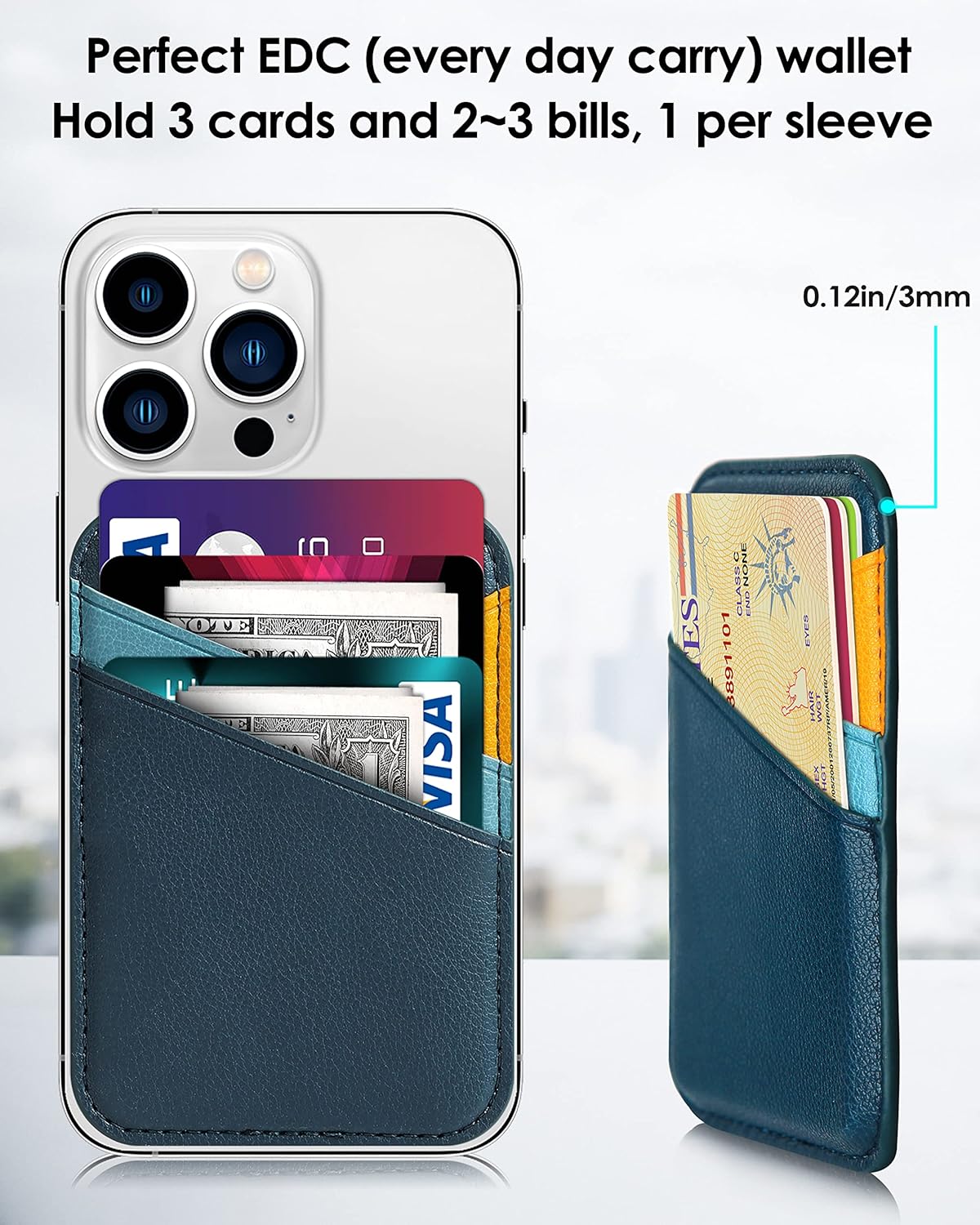
- Insertion de cartes : The wallet features 3 card slots. Gently slide your cards (credit cards, ID, cash) into the designated slots. The wallet is designed to comfortably hold 2-3 cards.
- Retrait des cartes : To remove a card, gently push it up from the bottom opening or slide it out from the top of the slot. The trapezoidal design facilitates easy access.
- Attachement sécurisé : The upgraded magnets provide a strong magnetic force of up to 4200Gs, ensuring the wallet remains firmly attached to your iPhone even during movement.

Entretien
- Nettoyage: Use a dry cloth to clean the vegan leather surface of the wallet. Avoid using harsh chemicals or abrasive materials.
- Stockage: Store the wallet in a cool, dry place when not in use to maintain its quality and appearance.
Dépannage
- Wallet Not Attaching Securely:
- Ensure your iPhone or case is MagSafe compatible. Non-MagSafe devices or cases will not provide sufficient magnetic hold.
- Check for any obstructions (e.g., dust, debris) between the wallet and your phone/case. - Difficulty Inserting/Removing Cards:
- Avoid overfilling the wallet. It is designed for 2-3 cards for optimal functionality.
- The vegan leather may be slightly stiff initially; it will soften with use. - Protection RFID : The wallet includes RFID blocking technology to protect your credit cards from unauthorized scanning and demagnetization. Ensure cards are fully inserted into the slots for full protection.
Caractéristiques
| Fonctionnalité | Détail |
|---|---|
| Marque | Miroddi |
| Numéro de modèle | CB038 (MCB038) |
| Matériel | Cuir végétalien |
| Couleur | Blue & Orange - Color Blocking |
| Dimensions (L x P x H) | 0.12"P x 2.64"L x 3.78"H |
| Poids | 1.16 onces |
| Emplacements pour cartes | 3 |
| Force magnétique | Up to 4200Gs |
| Fonctionnalités de sécurité | Blocage RFID |
| Conseils d'entretien | Dry Cloth Clean |
Garantie et assistance
Your Miroddi MagSafe Wallet comes with 24 months of full technical support covering any defects caused during the production and delivery of the product. For any inquiries or assistance, please contact our customer service team, available 24 hours a day.
Contact information can be found on the official Miroddi website ou via votre plateforme d'achat.