
1. Introduction
Thank you for choosing the VOYEE WE-07 Wired Game Controller. This manual provides detailed instructions for setting up, operating, and maintaining your controller. The WE-07 is designed for a responsive and immersive gaming experience on both PC and PlayStation 3 platforms.

Image: The VOYEE WE-07 wired game controller, featuring a black and red design with prominent VOYEE branding and illuminated rumble effects, indicating its dual shock capabilities.
2. caractéristiques du produit
- Connectivité filaire : Equipped with a 1.8-meter (5.9ft) USB cable for a stable connection and comfortable gaming distance.
- Vibration à double choc : Built-in dual motion motors provide varied intensity feedback for an authentic gaming experience.
- Conception ergonomique : Features a special matte layer for a comfortable grip during extended gaming sessions.
- Large compatibilité : Supports Windows 7/8/8.1/10/11 PC games (DInput and XInput modes) and is fully compatible with Sony PlayStation 3 consoles.

Image: An illustration highlighting the internal dual shock rumble motor within the VOYEE WE-07 controller, emphasizing its vibration feedback capability.
3. Disposition du contrôleur
Familiarize yourself with the buttons and controls of your VOYEE WE-07 controller:

Image: A detailed diagram of the VOYEE WE-07 controller, labeling all buttons and joysticks, including R1/R2/L1/L2 buttons, LED indicators, SELECT, START, HOME, D-Pad, Left/Right Joysticks, and A/B/X/Y buttons.
- Joystick gauche : Pour les mouvements directionnels.
- Joystick droit : Pour le contrôle ou le pointage de la caméra.
- Croix directionnelle: Pavé directionnel pour une saisie précise.
- Boutons d'action (A, B, X, Y) : Pour les actions en jeu.
- Boutons d'épaule (L1, R1) : Boutons montés sur le dessus.
- Boutons de déclenchement (L2, R2) : Bottom-mounted analog triggers.
- Bouton SÉLECTIONNER : Typically for menu navigation or specific game functions.
- Bouton Start: Typically for pausing or starting games.
- HOME/P3 Button: For accessing system menus or PlayStation 3 home screen.
- Voyants LED (1-4) : Show player number or connection status.
4. Instructions de configuration
Connecting your VOYEE WE-07 controller is a straightforward process:
4.1. Connecting to a PC (Windows 7/8/8.1/10/11)
- Localisez un port USB disponible sur votre ordinateur.
- Plug the USB connector of the VOYEE WE-07 controller into the USB port.
- Your computer will automatically detect and install the necessary drivers. This may take a few moments.
- Once installed, the controller will be ready for use. You may need to configure the controller settings within your game or platform (e.g., Steam) for optimal performance.
The controller supports both DInput (DirectInput) and XInput modes. Most modern PC games use XInput, which is automatically recognized. For older games, DInput might be used.
4.2. Connecting to a PlayStation 3 (PS3)
- Assurez-vous que votre console PS3 est allumée.
- Plug the USB connector of the VOYEE WE-07 controller into an available USB port on your PS3.
- The PS3 will recognize the controller. The LED indicators on the controller will light up to show the assigned player number.
- The controller is now ready for use with your PlayStation 3 games.

Image: A close-up of the VOYEE WE-07 controller's USB cable connecting to a device, illustrating the wired connection process.
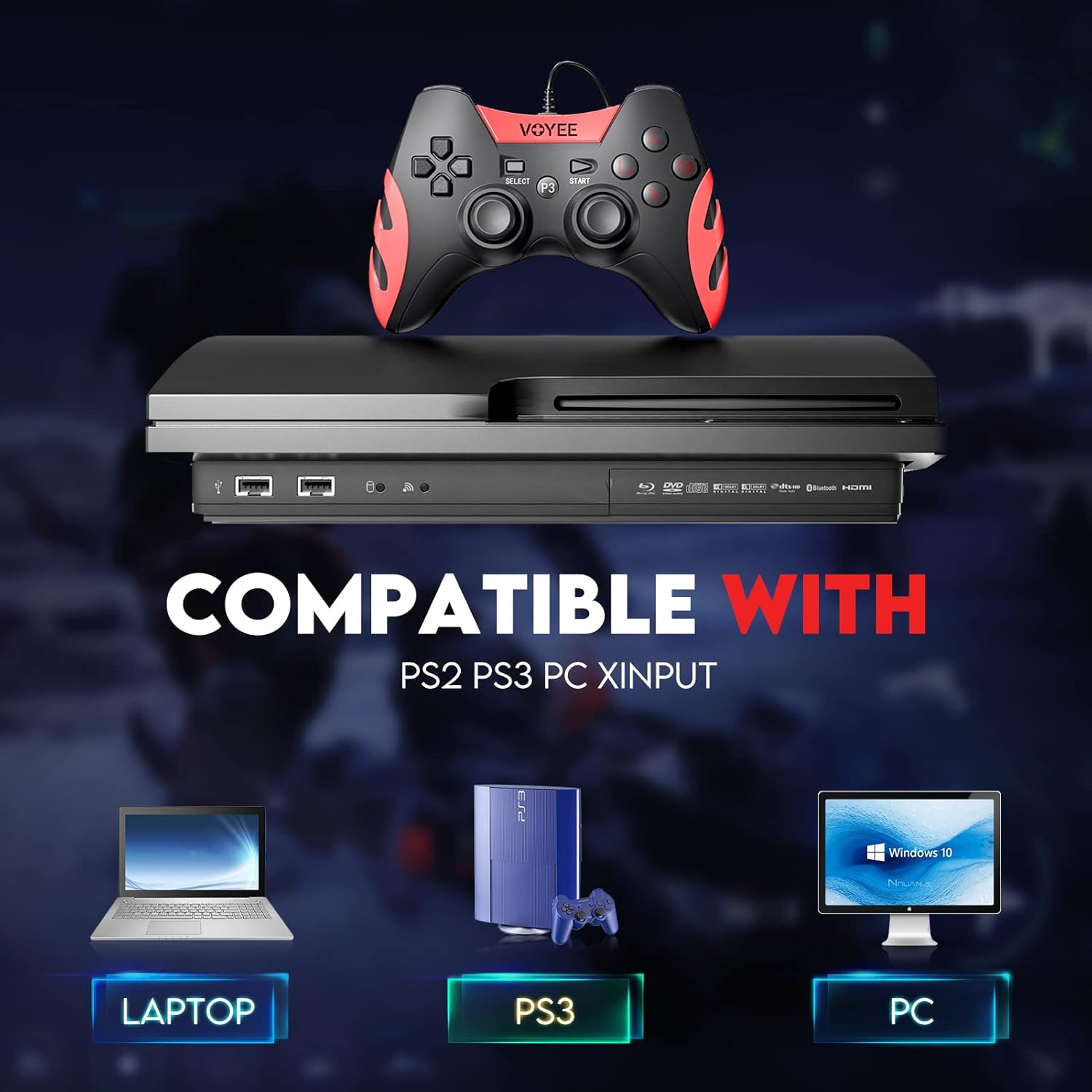
Image: A graphic demonstrating the VOYEE WE-07 controller's compatibility with various platforms, including laptops, PlayStation 3 consoles, and desktop PCs, highlighting its versatility.
5. Mode d'emploi
Once connected, the VOYEE WE-07 controller functions similarly to standard gamepads. Here are some general operating tips:
- Commandes du jeu : Use the joysticks and D-Pad for movement and navigation. The action buttons (A, B, X, Y) and shoulder/trigger buttons (L1, R1, L2, R2) perform in-game actions as defined by the specific game.
- Retour de vibrations: The dual shock motors will provide tactile feedback during gameplay, enhancing immersion. This feature is automatically enabled when supported by the game.
- HOME/P3 Button: Press this button to access the system menu on PS3 or to bring up the game overlay on PC (depending on the game or platform).
- Ergonomie: The controller's matte finish and ergonomic design are intended for comfortable use during long gaming sessions.
6. Dépannage
If you encounter issues with your VOYEE WE-07 controller, please refer to the following common solutions:
| Problème | Solution |
|---|---|
| Controller not recognized by PC/PS3. |
|
| Le retour haptique par vibration ne fonctionne pas. |
|
| Les boutons ou les joysticks ne répondent pas. |
|
7. Entretien
To ensure the longevity and optimal performance of your VOYEE WE-07 controller, follow these maintenance guidelines:
- Nettoyage: Utilisez un chiffon doux et sec pour essuyer la surface de la manette. Pour les saletés tenaces, frottez légèrement avec un chiffon doux et sec.ampNettoyez le chiffon avec de l'eau. Évitez d'utiliser des produits chimiques agressifs ou des nettoyants abrasifs.
- Stockage: Rangez la manette dans un endroit frais et sec, à l'abri de la lumière directe du soleil et des températures extrêmes. Évitez de poser des objets lourds dessus.
- Entretien des câbles : Do not sharply bend or pull the USB cable. Always grasp the plug when disconnecting, not the cable itself.
- Évitez les chutes : Protégez la manette des chutes et des chocs, qui peuvent endommager ses composants internes.
8. Spécifications
| Modèle | WE-07 |
| Marque | VOYÉE |
| Connectivité | USB filaire |
| Longueur du câble | 1.8 mètres (5.9 pieds) |
| Appareils compatibles | PC (Windows 7/8/8.1/10/11), PlayStation 3 |
| Type de contrôleur | Gamepad, Joystick (DInput & XInput) |
| Fonctionnalités supplémentaires | Dual Shock Vibration, Ergonomic Design, Matte Finish |
| Quantité de boutons | 17 |
9. Garantie et assistance
VOYEE provides a Garantie de 365 jours for the WE-07 wired gamepad controller from the date of purchase. This warranty covers manufacturing defects under normal use.
If you encounter any problems or have questions regarding your VOYEE WE-07 controller, please do not hesitate to contact our customer service team via e-mail. Our friendly customer service is available to assist you.
For support, please visit the official VOYEE webConsultez le site ou reportez-vous à votre documentation d'achat pour obtenir les coordonnées.