
Introduction
This manual provides detailed instructions for the installation, operation, and maintenance of your EZoneTronics Android 11 Car Stereo. Please read this manual thoroughly before using the product to ensure proper function and safety. This unit is designed for Peugeot 308 and 408 models manufactured between 2010 and 2016.
Contenu du colis
Vérifiez que tous les éléments énumérés ci-dessous sont inclus dans votre colis :
- 1 x EZoneTronics Android Player
- 1 x antenne GPS
- 1 x faisceaux d'alimentation
- 1 câble d'entrée/sortie RCA
- 2 adaptateurs USB
- 1 x câble d'entrée caméra
- 1 x Manuel d'utilisation (ce document)
Configuration et installation
The EZoneTronics Android 11 Car Stereo is designed for plug-and-play installation in compatible Peugeot 308/408 models. Professional installation is recommended.
Vérifications avant l'installation
- Avant de commencer l'installation, assurez-vous que le contact du véhicule est coupé et que la batterie est débranchée.
- Confirm compatibility with your vehicle's make, model, and year (Peugeot 308/408, 2010-2016).
Étapes d'installation
- Carefully remove the original car stereo unit from your vehicle's dashboard. Refer to your vehicle's service manual for specific instructions.
- Connect the provided Power Harness to the vehicle's wiring harness. Ensure all connections are secure.
- Connect the GPS Antenna. Position the antenna in a location with a clear view du ciel pour une réception optimale du signal.
- Connect the RCA Input/Output Cable, USB Adapters, and Camera Input Cable as needed for external devices (e.g., rear camera, USB drives).
- Carefully slide the EZoneTronics Android Player into the dashboard opening. Ensure all cables are tucked away and not pinched.
- Fixez l'unité en place à l'aide des supports ou vis de montage appropriés.
- Rebranchez la batterie du véhicule et mettez le contact pour tester l'appareil.
Note: Minor modifications to the vehicle's frame (e.g., removing plastic tabs) may be required for a perfect fit. Consult online resources or a professional if unsure.
Mode d'emploi
Your EZoneTronics Android 11 Car Stereo features a 9-inch TFT Capacitive Touch Screen and an Octa Core CPU for a responsive user experience.
Navigation de base
- Marche/Arrêt : Maintenez enfoncé le bouton d'alimentation de l'appareil ou utilisez le contact du véhicule.
- Écran tactile : Naviguez dans les menus et les applications en touchant, en faisant glisser et en pinçant l'écran.
- Écran d'accueil : Access frequently used apps and widgets. Customize by long-pressing on empty areas.
- Paramètres: Accédez aux paramètres système, aux configurations réseau, aux options d'affichage et plus encore.

Image: The Android 11 interface with various application icons, highlighting the Octa Core processor for smooth operation.
Connectivité Bluetooth 5.0
The unit features built-in Bluetooth 5.0 for hands-free calling and audio streaming (A2DP).
- Accédez aux paramètres Bluetooth de l'autoradio.
- Activez le Bluetooth sur votre téléphone portable et recherchez les appareils disponibles.
- Select the car stereo (e.g., "EZoneTronics Car Stereo") from your phone's list and pair.
- Once paired, you can make/receive calls and stream music directly from your phone.

Image: The Bluetooth 5.0 interface displaying options for call history, dialing, hanging up, and playing music from a connected phone.
CarPlay et Android Auto
Integrated CarPlay and Android Auto allow seamless smartphone integration via USB (wired) or wirelessly.
- Connect your iPhone (for CarPlay) or Android phone (for Android Auto) to one of the USB ports.
- Suivez les instructions à l'écran pour lancer CarPlay ou Android Auto.
- Once connected, you can access navigation, music, messages, and calls through the car stereo interface.
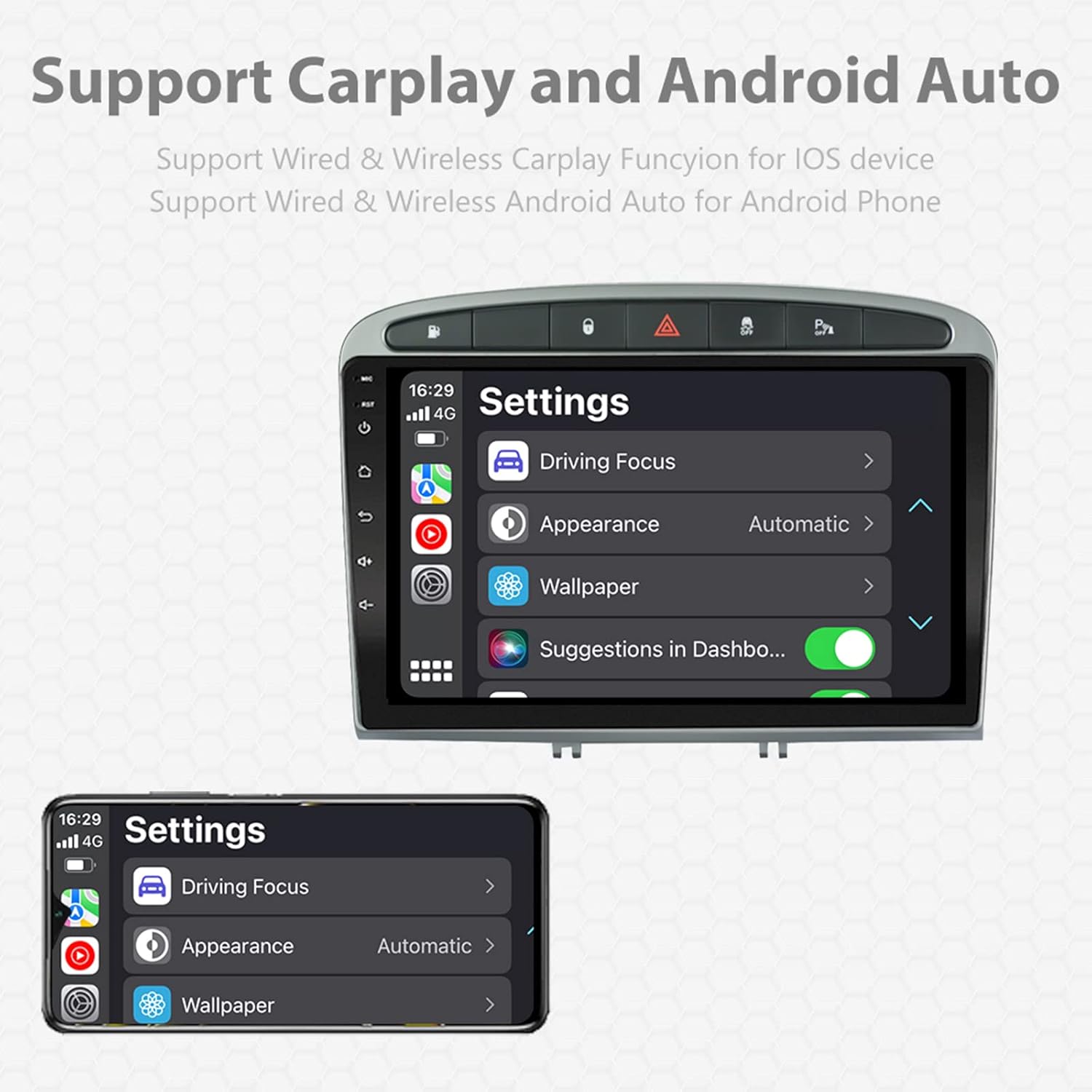
Image: A screen capture showing the settings menu for CarPlay and Android Auto, indicating support for both wired and wireless connections.
Fonction d'écran partagé
The Android 11 system supports multi-tasking, allowing two applications to run side-by-side.
- To activate, open an application, then swipe up from the bottom of the screen (or use the recent apps button) and drag another app to one side of the screen.
- This enables simultaneous use of navigation and music playback, or browsing while listening to the radio.
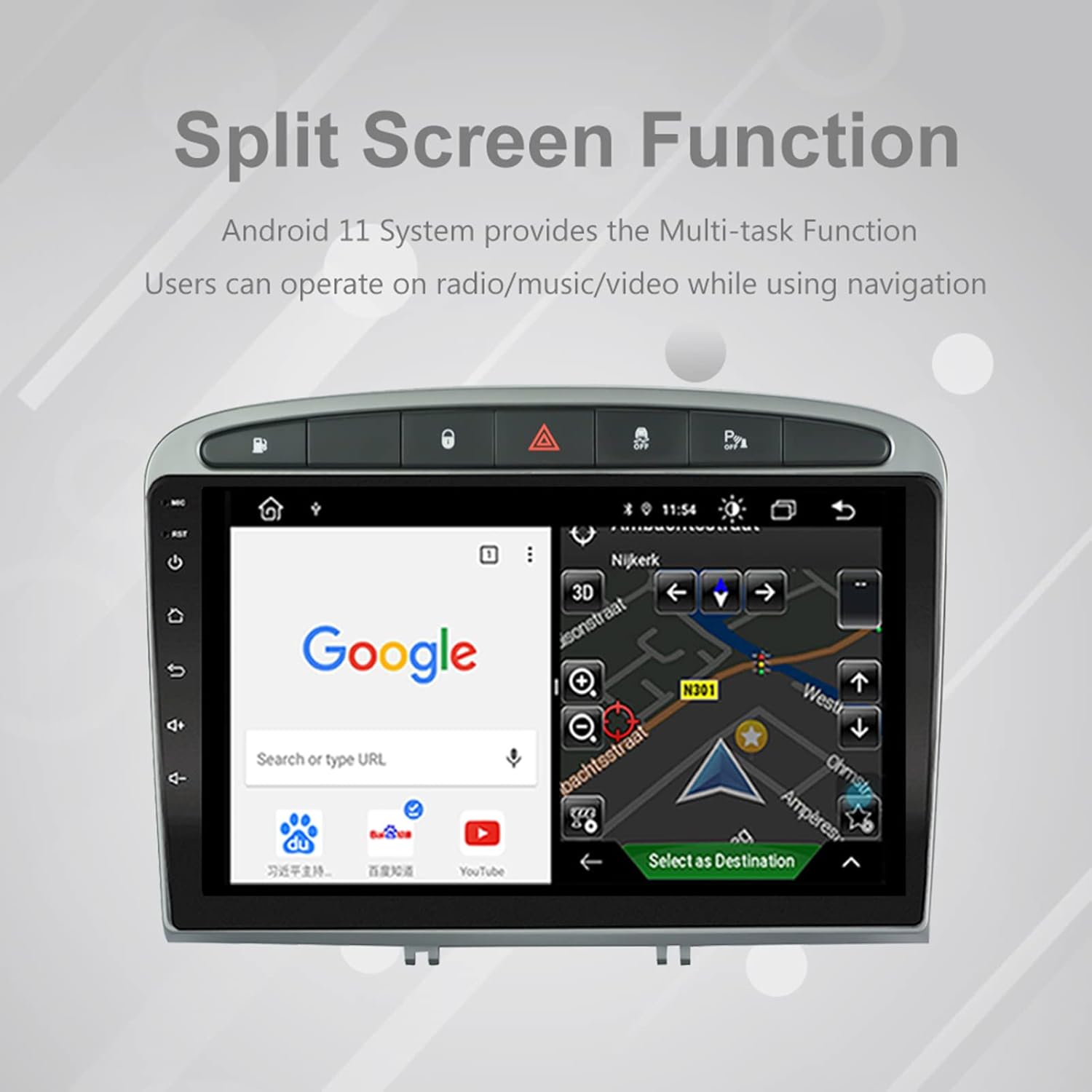
Image: The split-screen feature in action, displaying a Google search interface on one side and a navigation map on the other.
Radio (AM/FM/RDS)
The unit includes an automotive-grade chipset for optimal radio signal reception.
- Select the 'Radio' application from the home screen.
- Utilisez les commandes à l'écran pour rechercher des stations, effectuer un réglage manuel ou sélectionner des stations préréglées.
- Le RDS (Radio Data System) fournit des informations supplémentaires telles que le nom de la station et le type de programme, lorsqu'elles sont disponibles.
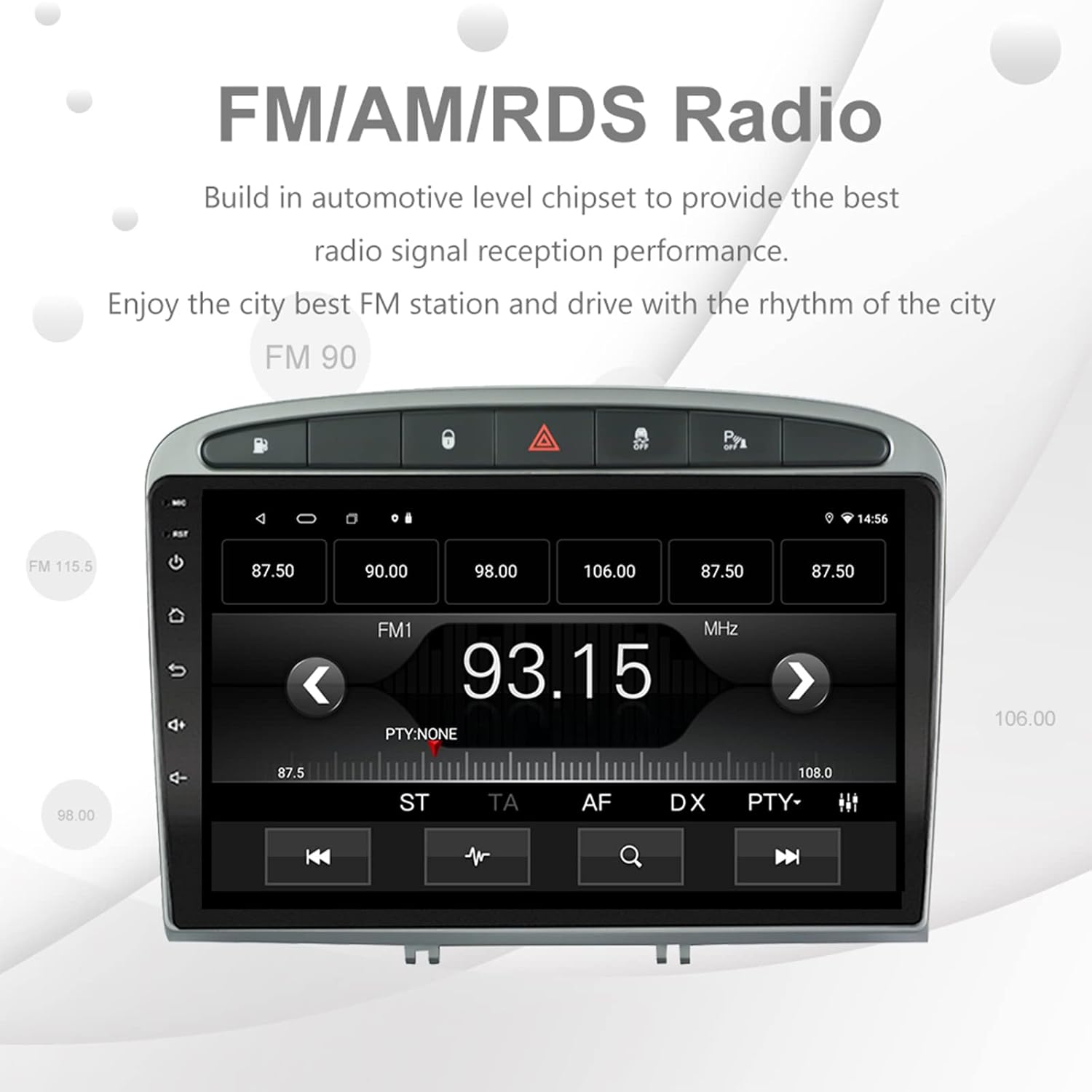
Image: The FM/AM/RDS radio interface, showing frequency display, tuning controls, and preset options.
Processeur de son numérique (DSP)
The built-in 32-band DSP allows for precise audio customization to match your preferences and vehicle acoustics.
- Access the 'EQ' or 'DSP' application from the home screen.
- Adjust individual frequency bands, fader, balance, treble, and bass settings.
- Select from preset EQ modes or create and save your custom profiles.

Image: The DSP system interface, illustrating the multi-band equalizer with adjustable frequency sliders for sound customization.
Multimedia Playback (Music & Video)
The unit supports various multimedia formats for music and 1080P HD video playback.
- Connect USB drives to the rear USB inputs for media files.
- Use the 'Music' or 'Video' applications to browse and play your media.
- Stream music from your mobile phone via Bluetooth or compatible apps like Spotify (requires internet connection).

Image: The multimedia player displaying a high-definition scenic image, demonstrating its capability for 1080P video and music playback.
Entrée de caméra inversée
The unit supports a reverse camera input for enhanced parking safety. An AHD camera (optional) provides superior clarity compared to standard CVBS cameras.
- Connect a compatible reverse camera to the 'Camera Input' cable.
- L'écran basculera automatiquement sur la caméra. view lorsque le véhicule est mis en marche arrière.
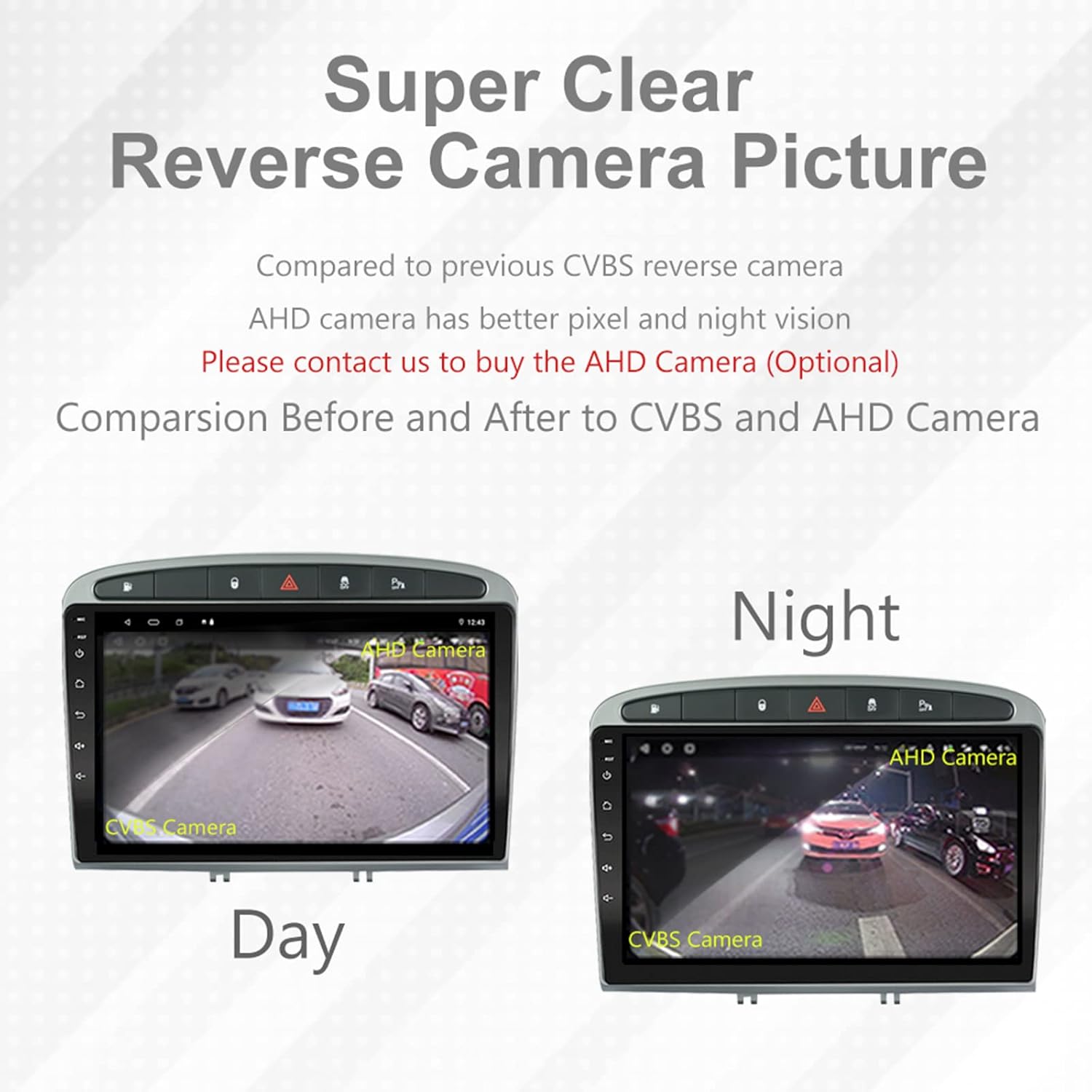
Image: A visual comparison demonstrating the clear reverse camera picture, highlighting the improved clarity of an AHD camera during both day and night conditions.
Entretien
Un entretien régulier garantit la longévité et les performances optimales de votre autoradio.
- Nettoyage de l'écran : Utilisez un chiffon doux non pelucheux pour essuyer délicatement l'écran tactile. Évitez les nettoyants abrasifs et les solvants.
- Mises à jour logicielles : Periodically check for system software updates to ensure optimal performance and access to new features. Updates can usually be found in the system settings or on the manufacturer's website.
- Température: Évitez d'exposer l'appareil à des températures extrêmes.
Dépannage
En cas de problème, veuillez consulter la liste des problèmes courants et leurs solutions ci-dessous :
| Problème | Cause possible | Solution |
|---|---|---|
| L'unité ne s'allume pas | Mauvaise connexion électrique, fusible grillé, problème de batterie du véhicule. | Vérifiez les connexions du faisceau d'alimentation. Inspectez les fusibles du véhicule. Assurez-vous que la batterie du véhicule est chargée. |
| Pas de son | Volume trop faible, mode muet activé, problème de câblage des haut-parleurs, paramètres de sortie audio incorrects. | Increase volume. Check mute status. Verify speaker connections. Adjust audio settings in DSP/EQ. |
| Signal GPS faible ou imprécis | Antenne GPS mal positionnée ou déconnectée, interférences environnementales. | Assurez-vous que l'antenne GPS a un signal clair. view of the sky and is securely connected. Avoid placing near metal objects. |
| Problèmes d'appariement Bluetooth | Bluetooth not enabled on unit or phone, incorrect pairing procedure, device interference. | Ensure Bluetooth is enabled on both devices. Restart both devices. Follow pairing instructions carefully. |
| CarPlay/Android Auto ne fonctionne pas | Câble USB défectueux, problème logiciel du téléphone, application non installée/non mise à jour. | Try a different USB cable. Ensure your phone's OS and CarPlay/Android Auto apps are updated. Restart phone and stereo. |
| L'appareil est lent ou ne répond pas. | Trop d'applications fonctionnant en arrière-plan, espace de stockage insuffisant, bug logiciel. | Close unnecessary applications. Clear cache. Perform a system restart. If persistent, a factory reset might be needed (backup data first). |
Pour tout problème non traité ici, veuillez contacter le service client.
Caractéristiques
- Numéro de modèle : RMS8-PGT-408-08-2G32
- Système opérateur: Android 11
- Taille de l'écran : 9 pouces
- Type d'affichage : Écran tactile capacitif TFT
- Résolution: 1280 x 720 pixels (Note: Some documentation may state 1024x600, but 1280x720 is the primary specification)
- Processeur: Octa Core with 1.6GHz Cortex A55
- BÉLIER: 2 Go DDR3
- Stockage interne : Mémoire flash de 32 Go
- Bluetooth : Version 5.0 (A2DP, Hands-Free, Phonebook)
- Connectivité : Built-in WiFi, 4G SIM Card Compatible (requires external module/dongle for 4G), RCA, USB
- GPS: Built-in receiver, compatible with Waze/Navfree/Yandex Map etc.
- Radio: AM/FM/RDS with Auto Memory Store/Preset Scan
- Sortie audio : 4 x 45W Power Output, 4.1 Channel RCA/Sub Output
- Traitement du son : 32 Band DSP, Multi EQ Settings, Volume/Fader/Balance/Treble/Bass Control
- Entrée vidéo: 1 Channel Video Input, Back Camera Input
- Entrée audio : Entrée audio 2 canaux
- Appareils compatibles : Smartphone (for CarPlay/Android Auto, Bluetooth)
- Services Internet pris en charge : Spotify
- Langues : Anglais, français, italien, allemand, espagnol, portugais, chinois, japonais et bien d'autres langues.
- Dimensions du colis : 31.3 x 21.6 x 11.9 cm
- Poids du colis : 1.51 kg
Garantie et assistance
Your EZoneTronics car stereo comes with a Garantie de 1 ans à compter de la date d'achat.
For technical assistance, warranty claims, or any inquiries, please contact our customer support team:
- E-mail: sales2@rhythmhk.com
Please provide your model number (RMS8-PGT-408-08-2G32) and a detailed description of the issue when contacting support.