
SPYCLOPS SPY-MNBLT3WIP8
Spyclops SPY-MNBLT3WIP8 4K 8.0-Megapixel Outdoor Fixed Lens Mini Bullet IP PoE Camera
Model: SPY-MNBLT3WIP8
Introduction
This manual provides comprehensive instructions for the installation, operation, and maintenance of your Spyclops SPY-MNBLT3WIP8 4K 8.0-Megapixel Outdoor Fixed Lens Mini Bullet IP PoE Camera. Please read this manual thoroughly before using the product to ensure proper functionality and safety.
Consignes de sécurité
Respectez les consignes de sécurité suivantes afin d'éviter d'endommager le produit ou de vous blesser :
- Assurez-vous que la source d'alimentation réponde aux exigences de la caméra (PoE).
- Ne tentez pas de démonter ou de modifier l'appareil photo.
- Install the camera in a secure location to prevent unauthorized access or tamper.
- Évitez de pointer l'appareil photo directement vers des sources de lumière intense pendant des périodes prolongées.
- Utilisez uniquement des accessoires approuvés par le fabricant.
Contenu du colis
Vérifiez que tous les éléments sont présents dans le colis :
- Spyclops SPY-MNBLT3WIP8 Camera
- Mounting Hardware (screws, wall anchors, hex key)
- Kit de connecteur étanche
- Manuel d'instructions

Produit terminéview
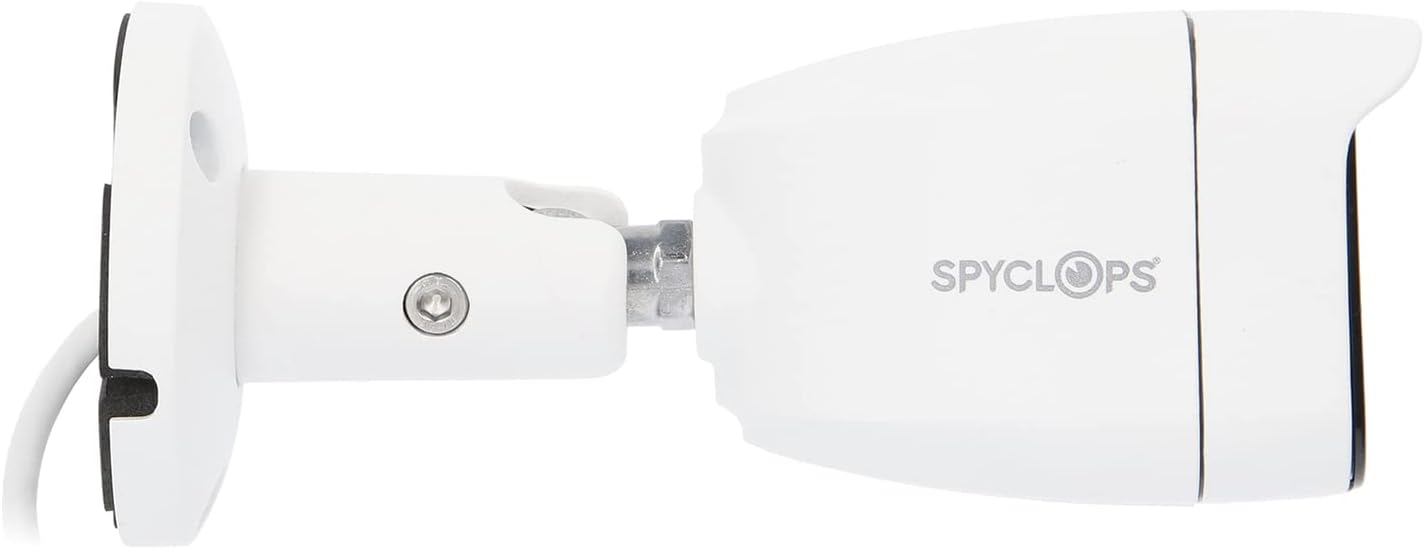
The Spyclops SPY-MNBLT3WIP8 is a 4K 8.0-Megapixel Outdoor Fixed Lens Mini Bullet IP PoE Camera designed for robust surveillance. It features an advanced CMOS sensor for high-resolution video capture and supports both color night vision in low light and black and white in total darkness using smart IR LEDs. The camera includes a built-in microphone for audio recording and utilizes H.265+ video compression to optimize storage and bandwidth.


Installation
1. Installation physique
- Choisissez un emplacement de montage : Choisissez un emplacement extérieur qui offre les conditions souhaitées viewing angle and is within reach of your network cable. The camera is water-resistant (IP67).
- Montez la caméra :
- Utilisez le gabarit de montage fourni (le cas échéant) pour marquer les trous de perçage.
- Drill pilot holes and insert wall anchors if mounting on drywall or masonry.
- Secure the camera's base to the surface using the provided screws.
- Adjust the camera's angle and orientation using the adjustable arm and hex key.
- Connectez le câble réseau : Connect an Ethernet cable from your PoE switch or NVR to the camera's RJ45 port. Ensure the connection is secure and use the waterproof connector kit for outdoor installations to protect the connection from moisture.
2. Configuration du réseau
The camera is designed to work with IP/PoE systems. It will typically obtain an IP address automatically via DHCP from your network. For initial setup and advanced configuration, you will need to access the camera's web interface or use compatible NVR software.
- Découvrez l'appareil photo : Use a network scanner tool or your NVR's discovery function to find the camera's IP address on your network.
- Accéder Web Interface: Ouvrir un web browser and enter the camera's IP address. Log in using the default credentials (refer to specific documentation or contact support if unknown).
- Configuration initiale : Change default passwords, set time zones, and configure network settings as required.
Mode d'emploi
1. Vivre View et enregistrement
Une fois configuré, vous pouvez view the live feed and manage recordings through your NVR or the camera's web interface.
- Surveillance en direct : Access the live video stream to monitor the surveillance area in real-time.
- Modes d'enregistrement: Configure continuous recording, motion-detection recording, or scheduled recording based on your security needs.
- Lecture: Review enregistré footage using the NVR or software interface.
2. Fonctionnalités avancées
- Résolution 4K : The 8.0-megapixel CMOS sensor provides high-definition 4K video, capturing detailed images.
- Vision nocturne couleur: In low-light conditions, the camera can utilize ambient light to provide color video.
- LED infrarouges intelligentes : In total darkness, the camera automatically switches to black and white mode, using smart IR LEDs to illuminate the scene without overexposure.
- Enregistrement audio : The built-in microphone captures audio within the camera's vicinity.
- Compression H.265+ : This advanced video compression technology reduces file sizes and bandwidth usage while maintaining video quality.
Entretien
- Nettoyage: Nettoyez régulièrement l'objectif et le boîtier de l'appareil photo avec un chiffon doux et sec.amp chiffon. N'utilisez pas de nettoyants abrasifs ou de solvants.
- Mises à jour du micrologiciel : Vérifiez le fabricant website for available firmware updates to ensure optimal performance and security. Follow the provided instructions carefully when updating firmware.
- Inspection des câbles : Regularly inspect all cables and connections for signs of wear or damage, especially for outdoor installations.
Dépannage
| Problème | Cause possible | Solution |
|---|---|---|
| Pas de flux vidéo | No power (PoE), network cable disconnected, incorrect IP address. | Verify PoE connection, check network cable, ensure correct IP configuration. |
| Mauvaise qualité d'image | Dirty lens, environmental factors, low bandwidth. | Clean the lens, ensure adequate lighting, check network bandwidth. |
| La vision nocturne ne fonctionne pas | IR LEDs obstructed, camera settings. | Clear any obstructions, check night vision settings in the camera's interface. |
| Impossible d'accéder web interface | Incorrect IP address, network issue, firewall blocking access. | Confirm IP address, check network connectivity, temporarily disable firewall for testing. |
Caractéristiques
| Fonctionnalité | Détail |
|---|---|
| Nom du modèle | SPY-MNBLT3WIP8 |
| Résolution fixe efficace | 8.0 mégapixels (4K) |
| Capteur d'images | CMOS |
| Lentille | Lentille fixe de 2.8 mm |
| Compression vidéo | H.265 + |
| Protocole de connectivité | Wifi |
| Source d'énergie | AC DC |
| Utilisation intérieure/extérieure | De plein air |
| Évaluation de la protection internationale | IP67 (Résistant à l'eau) |
| Caractéristiques spéciales | Color Night Vision, Smart IR LEDs, Built-in Microphone |
| Dimensions (L x l x H) | 8.27 x 6.3 x 3.54 pouces |
| Poids de l'article | 1.29 livres |
| Couleur | Blanc |
Garantie et assistance
For warranty information, technical support, or service inquiries, please refer to the official Spyclops webConsultez leur site web ou contactez leur service client. Conservez votre reçu d'achat comme preuve d'achat.
Fabricant: METRA-ETHEREAL
Numéro de modèle : SPY-MNBLT3WIP8
Ask a question about this manual
Ask about setup, troubleshooting, compatibility, parts, safety, or missing instructions. Manuals+ will review the question and use this page’s manual context to help answer it.