
Introduction
This instruction manual provides detailed guidance for the Science Can Circuit Super Kit, an educational electronic circuit board kit designed for children aged 8 to 12 years. This kit offers 80 exciting experiments to introduce fundamental principles of electricity and circuit design in an engaging and interactive way. Please read this manual thoroughly before beginning any experiments to ensure safe and correct usage.
Qu'y a-t-il dans la boîte
The Science Can Circuit Super Kit includes a comprehensive set of components necessary for conducting various experiments. Please verify that all items listed below are present in your kit:
- Power Supply (requires 3 AAA batteries, not included)
- Piano module
- Bulb module
- RVB Lamp module
- Speaker module
- Module de ventilation
- L coloréamp module
- Module moteur
- Flying Saucer module
- Module de commutation
- Push Switch module
- Potentiometer module
- Vibrating module
- Resistor modules (10-Ohm and 100-Ohm)
- Plaque de base transparente
- 6 fils
- 2 T-shaped Wires
- Instruction Manual (74 pages)

Image: All components of the Circuit Super Kit, including the transparent base plate, various modules (light show, fan, RGB lamp, speaker, bulb, microphone, photoresistors, switches, potentiometer, vibrating, resistors, colorful lamp, flying saucer, power supply, hand crank generator, piano, FM radio), and connecting wires.

Image: An illustrative diagram labeling the key components of the circuit kit, demonstrating how they connect to form simple circuits.
Installation
Follow these steps to set up your Science Can Circuit Super Kit:
- Déballer les composants : Retirez soigneusement tous les composants de l'emballage.
- Insérez les piles : Locate the Power Supply module. Open the battery compartment and insert 3 AAA batteries, ensuring correct polarity. Close the compartment securely.
- Prepare Base Plate: Place the transparent base plate on a flat, stable surface. This plate serves as the foundation for your circuits.
- Emplacement des composants : The modules are designed to snap onto the base plate. Refer to the instruction manual for specific placement guides for each experiment.
- Connecter les fils : Use the provided wires to connect the modules as indicated in the experiment diagrams. The wires feature USB-C type connectors for easy and secure attachment.
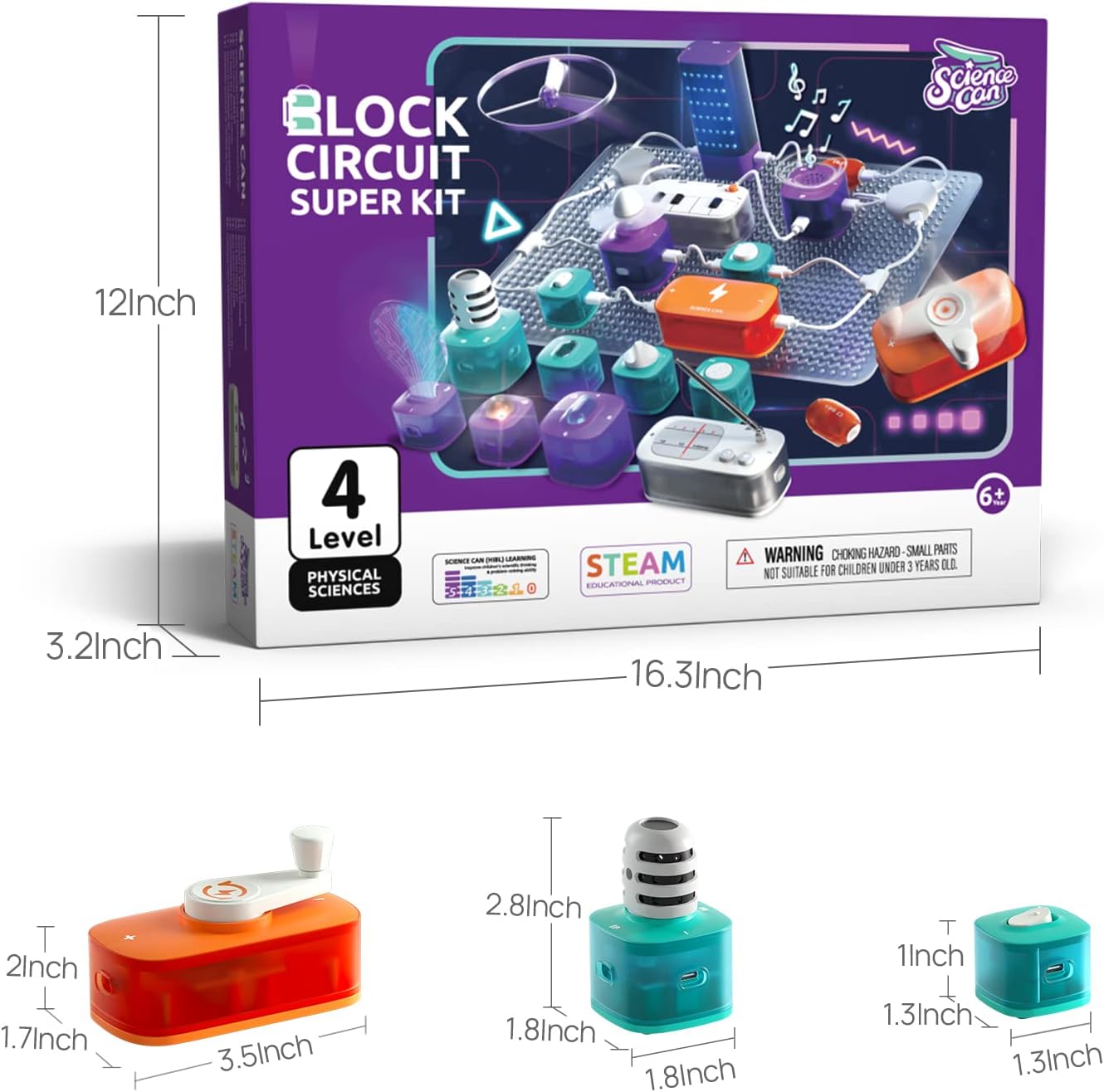
Image: A transparent base plate with various circuit components connected, illustrating the modular design and ease of assembly.
Instructions d'utilisation : Expériences
The kit includes a 74-page instruction manual with 80 experiments, ranging from basic circuits to more complex projects. Each experiment is designed to be completed step-by-step, teaching the underlying scientific principles.
- Sélectionnez une expérience : Choose an experiment from the instruction manual. The first 13 experiments focus on basic circuitry.
- Suivre les schémas : Carefully follow the illustrated diagrams and instructions provided for each experiment.
- Assembler le circuit : Connect the specified modules using the wires on the transparent base plate according to the diagram.
- Tester le circuit : Once assembled, activate the circuit (e.g., by pressing a switch or turning on the power supply) to observe the results.
- Understand the Principles: The manual explains the scientific concepts behind each experiment, encouraging learning and exploration.

Image: A child following clear, illustrated instructions to assemble a circuit, highlighting the user-friendly design of the manual and components.

Image: A visual representation of 80 exciting experiments, showcasing various circuit designs and their potential outcomes.
Entretien
Proper care and maintenance will extend the life of your Science Can Circuit Super Kit:
- Stockage: Store all components in their original packaging or a designated container in a dry, cool place away from direct sunlight.
- Nettoyage: Wipe components gently with a dry, soft cloth. Do not use water or cleaning solutions, as this can damage electronic parts.
- Entretien de la batterie: Remove batteries from the Power Supply module if the kit will not be used for an extended period to prevent leakage.
- À manipuler avec précaution : Avoid dropping or applying excessive force to the modules and wires.
Dépannage
If you encounter issues while using your kit, refer to the following common problems and solutions:
- Le circuit ne fonctionne pas :
- Ensure batteries are correctly inserted into the Power Supply module with the correct polarity.
- Vérifiez si les piles sont neuves et suffisamment chargées.
- Verify all wire connections are secure and match the experiment diagram.
- Ensure all modules are properly snapped onto the base plate.
- Confirm that switches are in the 'ON' position where applicable.
- Fonctionnalité intermittente :
- This may indicate loose connections. Re-seat all wires and modules.
- Check battery contact within the power supply; sometimes batteries can shift.
- Dysfonctionnement d'un composant :
- If a specific module consistently fails across different circuits, it may be faulty. Contact customer support for assistance.
Caractéristiques
| Dimensions du produit | 16.3 x 3.2 x 12 pouces |
| Poids de l'article | 2.88 livres |
| Numéro de modèle (ASIN) | B09NKPFXLW |
| Âge recommandé | 8 - 12 ans |
| Piles requises | 3 piles AAA (non incluses) |
| Fabricant | La science peut |
Garantie et assistance
For warranty information, product support, or to purchase replacement parts, please refer to the official Science Can webVous pouvez consulter leur site web ou contacter directement leur service client. Leurs coordonnées figurent généralement sur l'emballage du produit ou sur le site web officiel du fabricant.