
1. Introduction
Merci pour votre achatasing the Comix S360A Cross Cut Paper Shredder. This manual provides essential information for the safe and efficient operation, maintenance, and troubleshooting of your shredder. Please read these instructions carefully before use and retain them for future reference.
The Comix S360A is designed for secure disposal of sensitive documents, credit cards, and CDs. It features a cross-cut mechanism for enhanced security and includes a jam-proof system with reverse and forward functions to clear paper jams. An energy-saving mode ensures optimal efficiency during operation.
2. Consignes de sécurité importantes
AVERTISSEMENT : Le non-respect de ces consignes de sécurité peut entraîner un incendie, une électrocution ou des blessures.
- Tenez les enfants et les animaux domestiques éloignés de la déchiqueteuse.
- Keep loose clothing, jewelry, hair, and ties away from the paper entry slot.
- Do not insert fingers or other body parts into the paper entry slot.
- Ne vaporisez aucun produit inflammable ni lubrifiant dans le broyeur.
- Ne pas déchiqueter d'objets métalliques, de papier humide ou d'étiquettes adhésives.
- Débranchez toujours le broyeur lorsqu'il n'est pas utilisé ou avant de le nettoyer.
- N’utilisez pas le destructeur de documents si le cordon d’alimentation est endommagé. Contactez le service client pour obtenir de l’aide.
- Veillez à placer le broyeur sur une surface stable et plane.
- Do not overload the shredder beyond its specified sheet capacity.
3. Contenu du colis
Veuillez vérifier que le colis contient les éléments suivants :
- Comix S360A Shredder Head
- Waste Bin (13 Liter capacity)
- Manuel d'instructions (ce document)
4. Installation
- Déballez le broyeur : Retirez soigneusement tous les composants de l'emballage.
- Place the Waste Bin: Position the waste bin on a flat, stable surface.
- Mount the Shredder Head: Placez soigneusement la tête de broyage sur le dessus de la poubelle, en vous assurant qu'elle est bien en place. Le broyeur ne fonctionnera pas si la tête n'est pas correctement positionnée.
- Connecter l'alimentation : Branchez le cordon d’alimentation sur une prise électrique standard.
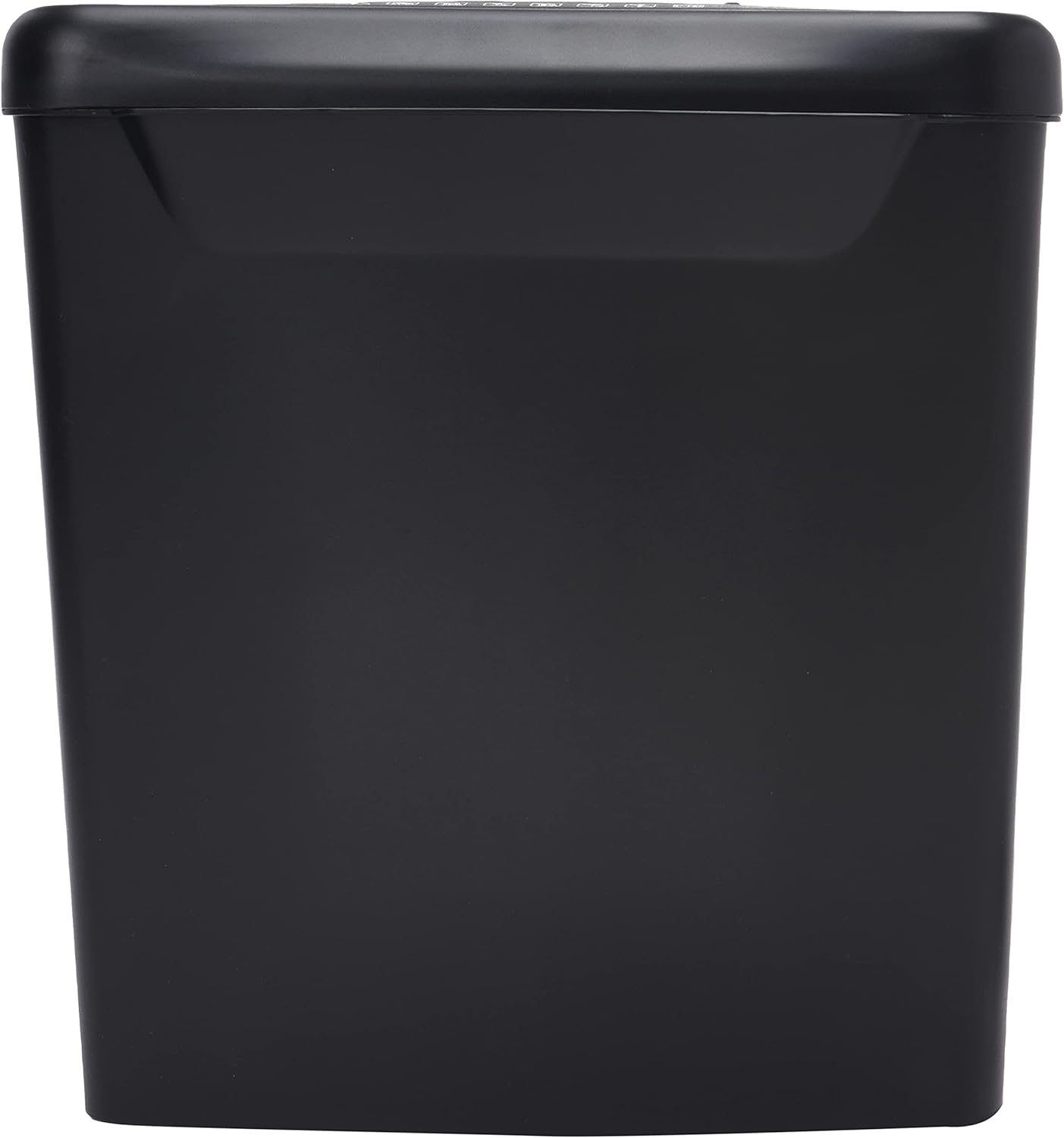
Image : Côté view of the Comix S360A shredder bin, showing its black exterior and compact design. The shredder head is not visible in this image.
5. Mode d'emploi
5.1 Interrupteur de commande
The shredder features a slide switch with three positions:
- VOITURE: The shredder will automatically start when paper is inserted and stop when shredding is complete. This is the normal operating mode.
- OFF: The shredder is powered off. Always set the switch to OFF when emptying the bin or when the shredder is not in use.
- REV (Inversé) : This position reverses the shredder blades to help clear paper jams.

Image : Haut view of the shredder head, highlighting the paper entry slot, the three-position control switch (Rev, OFF, Auto), and various safety warning icons.
5.2 Destruction de documents
- Ensure the shredder head is securely placed on the waste bin.
- Branchez le cordon d’alimentation sur une prise électrique.
- Réglez le commutateur de commande sur AUTO.
- Insert up to 8 sheets of 70gsm A4 paper into the paper entry slot. The shredder will start automatically.
- For credit cards or CDs, use the dedicated slot if available (refer to product specifications for capability).
- The shredder will stop automatically once the shredding process is complete.
5.3 Cycle de service
The Comix S360A has a continuous run time of 2 minutes, followed by a rest time of 40 minutes. Exceeding the run time may cause the shredder to overheat and automatically shut off. Allow the shredder to cool down for the specified rest time before resuming operation.
6. Entretien
6.1 Vider la poubelle
- Réglez le commutateur de commande sur DÉSACTIVÉ.
- Débranchez le broyeur de la prise électrique.
- Lift the shredder head off the waste bin.
- Jetez le papier déchiqueté.
- Replacez correctement la tête du broyeur sur la poubelle.
- Plug the shredder back into the power outlet.
6.2 Lubrification des lames du broyeur
Regular oiling of the shredder blades is recommended to maintain optimal performance and extend the life of your shredder. Use shredder oil specifically designed for paper shredders.
- Appliquez une fine ligne d'huile pour destructeur de documents sur la fente d'entrée du papier.
- Réglez le commutateur de commande sur AUTO.
- Insert a sheet of paper to distribute the oil evenly across the blades.
- Repeat this process periodically, especially after emptying a full waste bin or if the shredder's performance decreases.
6.3 Nettoyage
Essuyez l'extérieur du destructeur de documents avec un chiffon doux et sec. N'utilisez pas de produits abrasifs ni de solvants. Assurez-vous que le destructeur est débranché avant de le nettoyer.
7. Dépannage
| Problème | Cause possible | Solution |
|---|---|---|
| Le broyeur ne démarre pas. |
|
|
| Bourrage papier. |
|
|
| La déchiqueteuse s'arrête en cours de fonctionnement. |
|
|
8. Spécifications
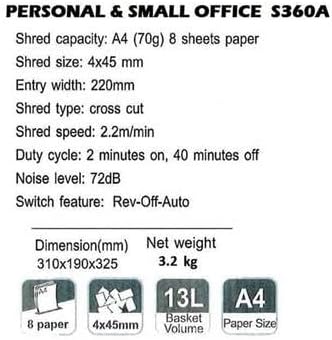
Image: Technical specifications sheet for the Comix S360A, detailing performance metrics and physical attributes.
- Modèle: S360A
- Type de déchiquetage : Coupe transversale
- Taille de lambeau : 4 x 45 mm
- Shred Capacity (A4, 70g): 8 feuilles
- Largeur d'entrée : 220 mm
- Vitesse de déchiquetage : 2.2 m/min
- Capacité de la poubelle : 13 litres
- Cycle de service : 2 minutes allumé / 40 minutes éteint
- Niveau de bruit : 72 dB
- Switch Feature: Rev-Off-Auto
- Dimensions du produit : 310 x 190 x 325 mm (L x l x H)
- Poids net: 3.2 kg
- Caractéristiques spéciales : Energy Saving Mode, Jam Pro, Quiet Operation
9. Garantie et assistance
For warranty information or technical support, please refer to the warranty card included with your product or contact Comix customer service through their official website or the retailer where the product was purchased. Please have your model number (S360A) and purchase date available when contacting support.