
ZVOX SB500
Manuel d'utilisation de la barre de son ZVOX SB500
Model: SB500 | Brand: ZVOX
Introduction
Welcome to the user manual for your ZVOX SB500 Soundbar. This high-performance soundbar is designed to deliver an immersive audio experience for your television, featuring advanced AccuVoice dialogue boost technology and powerful built-in subwoofers. The SB500 is engineered to enhance clarity and provide rich, room-filling sound, making every movie, show, and sporting event come to life. Please read this manual thoroughly to ensure proper setup, operation, and maintenance of your device.

Figure 1 : Face avant view of the ZVOX SB500 Soundbar. This sleek black soundbar features a minimalist design with a subtle ZVOX logo at the bottom center.
Installation
Options de placement
The ZVOX SB500 Soundbar offers versatile placement options to suit your home entertainment setup. It can be wall-mounted, placed upright, or laid flat on furniture. This flexibility ensures optimal sound delivery and seamless integration with your room's aesthetics.

Figure 2: The ZVOX SB500 Soundbar positioned on a TV stand beneath a television, demonstrating a common horizontal placement.

Figure 3: A visual representation of sound waves emanating from the ZVOX SB500 Soundbar, illustrating its immersive audio capabilities when placed under a TV.

Figure 4: The ZVOX SB500 Soundbar with its dimensions (49.9"W x 3.3"D x 5.7"H) and key features highlighted, including dual built-in subwoofers and 6 modes of AccuVoice.
Connecter votre barre de son
The SB500 Soundbar offers two primary ways to connect to your television or other audio sources:
- Entrée numérique optique (TOSLINK) : Pour une connexion audio numérique de haute qualité.
- Analog Input (3.5mm Headphone Jack): Pour connecter des appareils dotés d'une sortie audio analogique.
Note: This product does not include an HDMI connection. Please check your TV for compatibility with optical or analog audio outputs.
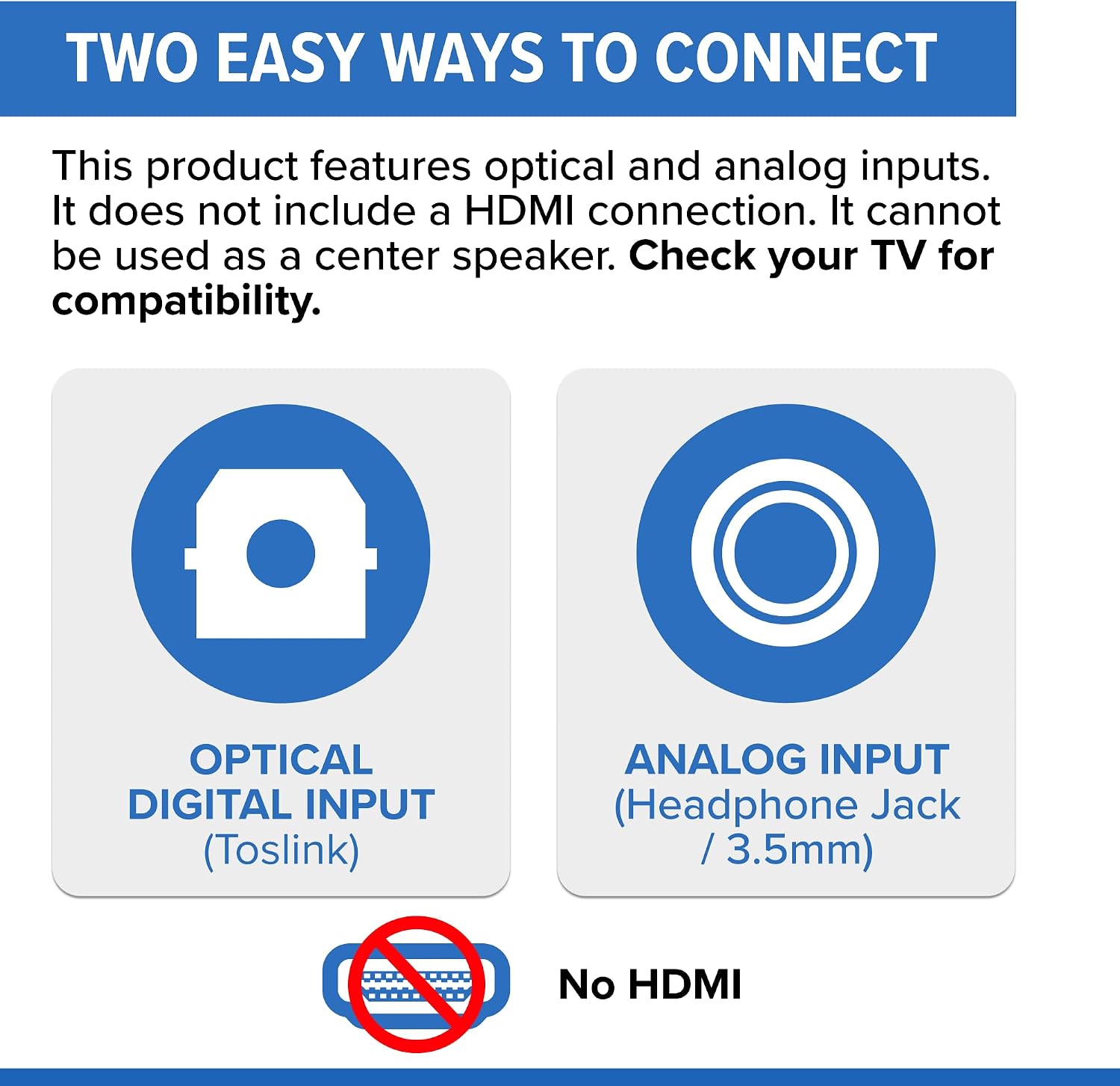
Figure 5: Diagram illustrating the optical digital input (TOSLINK) and analog input (3.5mm) options on the ZVOX SB500 Soundbar, with a clear indication that HDMI is not supported.
Mise sous tension initiale
Once connected, plug the soundbar into a power outlet. The soundbar will typically power on automatically or can be turned on using the included remote control. Follow the on-screen prompts on your TV (if any) to select the correct audio output.
Mode d'emploi
Commandes de base
The ZVOX SB500 Soundbar can be controlled using the included remote control. Key functions include:
- Pouvoir: Allume ou éteint la barre de son.
- Volume haut/bas : Régule le niveau sonore global.
- Muet: Coupe le son.
- Sélection d'entrée : Switches between Optical and Analog inputs.

Figure 6 : Côté view of the ZVOX SB500 Soundbar, showing the integrated control buttons for power, volume, and input selection.
AccuVoice Dialogue Boost
Experience every word with perfect clarity using ZVOX's patented AccuVoice hearing aid technology. This feature lifts voices out of background noise, making dialogue clear and easy to understand, even at low volumes. The SB500 offers six levels of voice boost, allowing you to customize your listening experience.

Figure 7: The ZVOX SB500 Soundbar display showing "AC S" (AccuVoice Setting), emphasizing the ability to turn off subtitles and turn on AccuVoice for enhanced dialogue clarity.

Figure 8: The AccuVoice logo, representing the patented technology for clear dialogue.
Son surround virtuel PhaseCue
The SB500 features PhaseCue virtual surround sound technology, which creates a rich and immersive 3D sound experience from a single soundbar. This technology broadens the soundstage, making it feel like sound is coming from all around you.

Figure 9: A graphic illustrating how the ZVOX SB500 Soundbar creates room-filling 3D sound, with arrows indicating sound dispersion throughout a living space.

Figure 10: The ZVOX SB500 Soundbar integrated into a home entertainment setup, demonstrating its ability to deliver immersive audio for dynamic content like action scenes.
Nivellement de sortie
The SB500's output leveling feature automatically tames sudden volume spikes, such as those from loud commercials. This provides a consistent audio experience, eliminating the need to constantly adjust the volume.

Figure 11: An image depicting a woman covering her ears, symbolizing the discomfort caused by sudden loud noises, which the soundbar's output leveling feature aims to prevent.
Entretien
Nettoyage
To maintain the appearance and performance of your ZVOX SB500 Soundbar, regularly wipe the exterior with a soft, dry cloth. Avoid using abrasive cleaners, waxes, or solvents as they may damage the finish. Ensure the soundbar is unplugged before cleaning.
Stockage
If storing the soundbar for an extended period, disconnect it from power and audio sources. Store it in a cool, dry place, ideally in its original packaging to protect it from dust and physical damage.
Dépannage
If you encounter issues with your ZVOX SB500 Soundbar, please refer to the following common problems and solutions:
| Problème | Cause possible | Solution |
|---|---|---|
| Aucun son de la barre de son. |
|
|
| Qualité sonore déformée ou médiocre. |
|
|
| La télécommande ne fonctionne pas. |
|
|
If the problem persists after trying these solutions, please contact ZVOX customer support.
Caractéristiques
| Fonctionnalité | Détail |
|---|---|
| Nom du modèle | SB500 |
| Marque | ZVOX |
| Dimensions du produit | 3.3"P x 43.9"L x 5.7"H |
| Poids de l'article | 12.6 livres |
| Type de haut-parleur | Surround Sound, Subwoofer, 3D, Woofer, Soundbar |
| Puissance de sortie maximale du haut-parleur | 140 watts |
| Diamètre du caisson de basses | 4 Inches (Dual Built-in) |
| Technologie de connectivité | Wi-Fi (for multi-zone integration), Wired (Optical, Analog) |
| Caractéristiques spéciales | AccuVoice, Disappearing Display, Output Leveling, PhaseCue |
| Appareils compatibles | Télévision |
| Composants inclus | Télécommande |
| Source d'énergie | DC |
| Type de contrôleur | Télécommande |
| Nombre de niveaux de puissance (AccuVoice) | 6 |
| Code UPC | 882360050020 |
Garantie et assistance
Informations sur la garantie
The ZVOX SB500 Soundbar comes with a Garantie limitée. For specific details regarding the terms and conditions of your warranty, including coverage period and what is covered, please refer to the warranty card included with your product or visit the official ZVOX website.
Assistance clientèle
For further assistance, technical support, or inquiries regarding your ZVOX SB500 Soundbar, please visit the official ZVOX website ou contactez leur service client.