
1. Introduction et plusview
This manual provides comprehensive instructions for the installation, operation, and maintenance of your HITOSINO 5MP Full Color PoE IP Camera (Model: HS-CUT05G2-Color). This camera features 5MP resolution, 24/7 full-color night vision, human/vehicle detection, a built-in microphone, and IP67 weatherproofing, making it suitable for both indoor and outdoor surveillance.
Veuillez lire attentivement ce manuel avant d'utiliser le produit afin de garantir une installation correcte et des performances optimales.
2. caractéristiques du produit
- 5MP Full Color Night Vision: Provides ultra-high quality 5MP (2592 x 1944) resolution at 30FPS with enhanced 98.4ft full-color night vision and a super wide 118° viewangle de vue.
- Alimenté par PoE : Simplifies installation with Power over Ethernet, requiring only one Ethernet cable for both power and data (PoE Injector or Switch Required; Not Included).
- Built-in Microphone & H.265: Features a built-in microphone for real-time audio monitoring and H.265 compression to reduce file sizes and save storage space and bandwidth.
- IP67 résistant aux intempéries : Designed with a metal housing and IP67 rating for durability in harsh natural environments, offering dustproof, weatherproof, and cold resistance.
- Détection de mouvement intelligente: Includes human/vehicle detection capabilities to reduce false alarms.
- Free App and Remote Access: Easily access live viewing or recorded footage from anywhere with a network connection via the dedicated mobile application.
3. Contenu du colis
Vérifiez que tous les éléments sont présents dans le colis :
- Caméra
- Manuel d'utilisation
- Tête de cristal
- Vis
4. Configuration et installation
4.1 Installation physique
The camera supports both wall mount and ceiling mount installations. Ensure the mounting surface is strong enough to support the camera's weight.

Figure 4.1: Camera dimensions and technical specifications. The camera measures 6.1 x 6.1 x 4.92 inches and weighs 1.37 pounds.

Figure 4.2: The camera's IP67 full metal housing ensures durability against dust, weather, and cold, operating from -20°C to 60°C (-4°F to 140°F).
4.2 méthodes de connexion
There are two primary ways to connect your camera:
Method 1: Standalone Use (without NVR)
Connect the camera directly to your router and power supply for standalone operation.
Video 4.1: Demonstrates how to connect the HITOSINO Turret PoE Camera for standalone use, connecting it to a router with a network cable and to a 12V/1A power adapter.

Figure 4.3: Connection diagram for standalone camera use, showing direct connection to a router and a 12V/1A power adapter.
Méthode 2 : utilisation d'un commutateur PoE
For simplified installation, connect the camera to a PoE switch. This provides both power and data through a single Ethernet cable.
Video 4.2: Demonstrates connecting the camera to a PoE switch, which simplifies wiring by providing power and data over one cable.
Figure 4.4: Connection diagram for camera use with a PoE switch, showing the camera connected to the switch, and the switch connected to the router.
Method 3: Connecting to an NVR
The camera is compatible with most third-party NVRs, including HITOSINO/HIKV*SON NVRs. Connect the camera to the NVR's PoE ports.
Video 4.3: Illustrates the process of connecting the camera to an NVR for centralized recording and management.

Figure 4.5: Connection diagram for connecting the camera to a Hikvision/HITOSINO NVR using a single network cable.
5. Utilisation de l'appareil photo
Vision nocturne couleur 5.1
The camera's F1.0 aperture and advanced technology enable 24/7 full-color night vision, providing clear and detailed images even in low-light conditions up to 98.4ft.
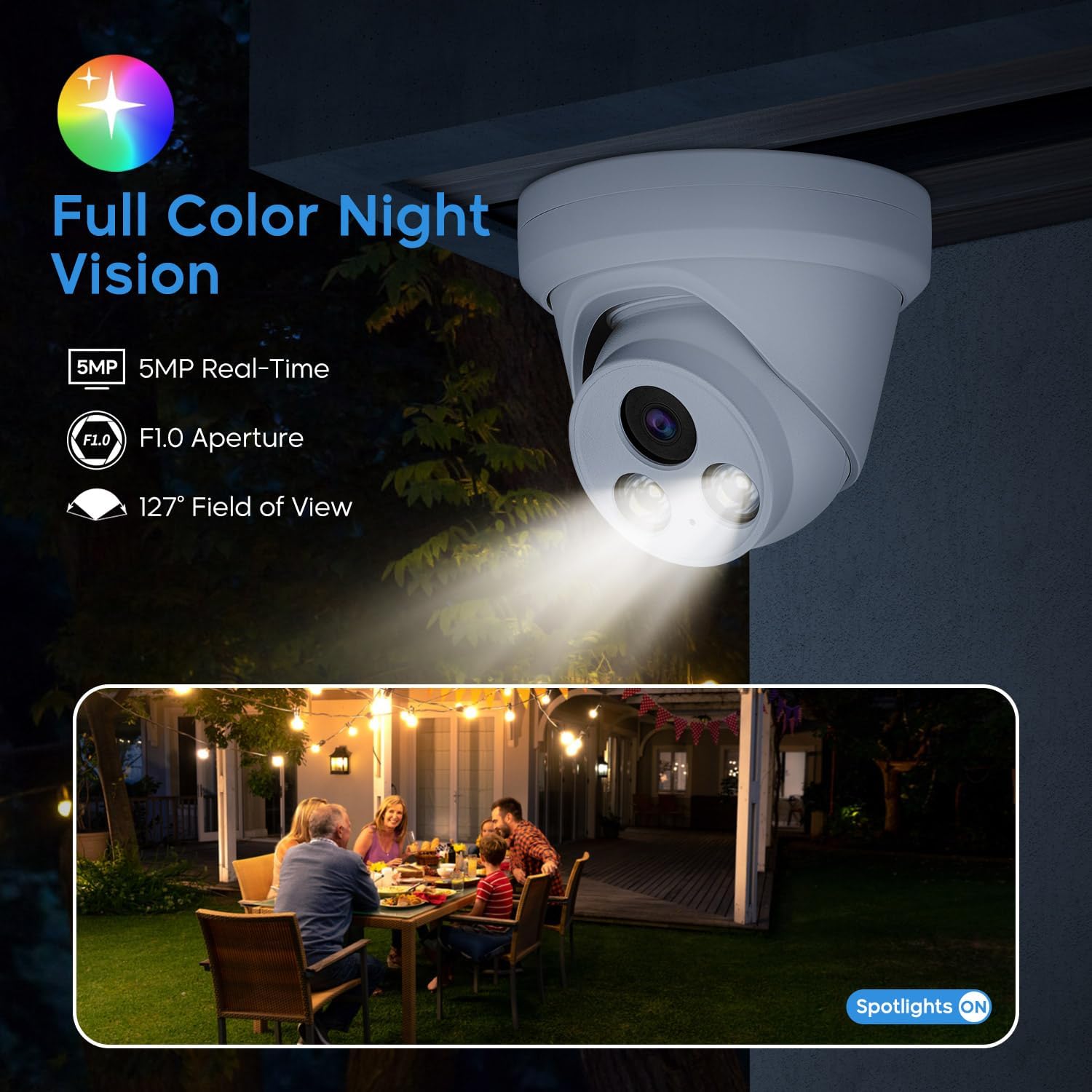
Figure 5.1 : Example of full-color night vision, showing a backyard scene illuminated by the camera's spotlights.
Video 5.1: Demonstrates 4K Full Color Night Vision performance in an outdoor setting with street lighting.
Video 5.2: Shows the capabilities of the HITOSINO Color camera in various scenarios.
5.2 Détection de mouvement intelligente
The camera is equipped with intelligent human and vehicle detection, minimizing false alarms and providing accurate alerts.

Figure 5.2: Illustration of smart motion detection, highlighting identified human and vehicle objects within the camera's field of view.
5.3 microphones intégrés
The integrated microphone allows for real-time audio monitoring, adding an extra layer of security and evidence.

Figure 5.3: Depiction of the built-in microphone's function, capturing clear audio for enhanced security monitoring.
5.4 Mobile App and Remote Access
Download the free VideoLink app to your mobile device (iOS or Android) for convenient remote access to live viewing et enregistré footage depuis n'importe où avec une connexion Internet.
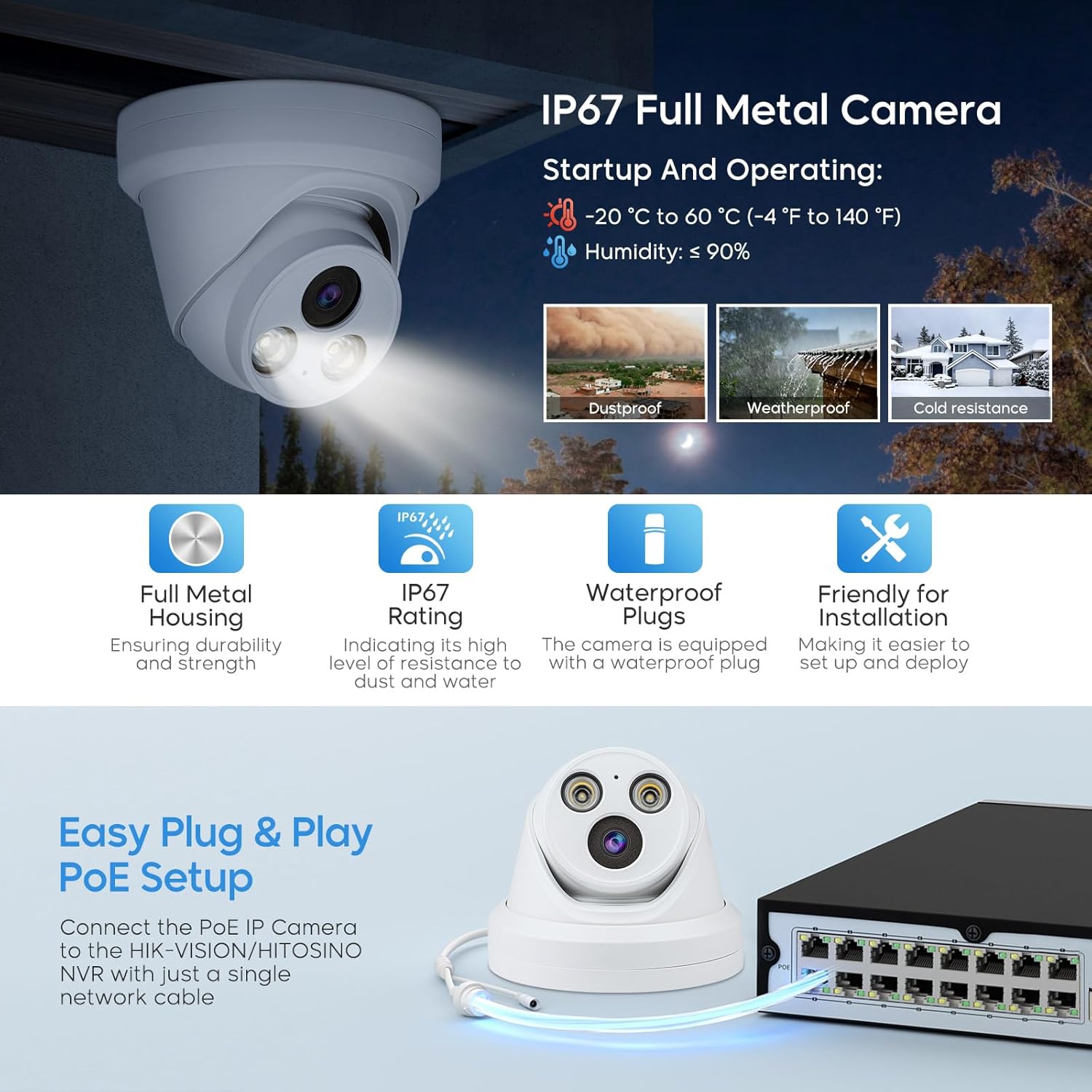
Figure 5.4: The VideoLink app interface on a smartphone, showing options for snapshot, record, audio, stream, and scale, with icons for monitoring and access.
6. Entretien
Un entretien régulier garantit la longévité et les performances optimales de votre appareil photo.
- Keep the camera lens clean from dust and smudges using a soft, dry cloth.
- Periodically check cable connections to ensure they are secure and free from damage.
- Ensure the camera's mounting is stable and secure, especially after exposure to strong winds or other environmental factors.
- For outdoor installations, regularly inspect the camera for any signs of wear or damage due to weather exposure.
7. Dépannage
Si vous rencontrez des problèmes avec votre appareil photo, reportez-vous aux étapes de dépannage courantes suivantes :
- Pas de flux vidéo :
- Check all power and network cable connections.
- Ensure the PoE switch or power adapter is functioning correctly.
- Verify network connectivity to the camera and NVR/router.
- Confirm the camera's IP address is correct and not conflicting with other devices on the network.
- Mauvaise qualité d'image :
- Nettoyez l'objectif de l'appareil photo.
- Vérifiez la présence d'obstructions dans le champ de vision de la caméra. view.
- Assurez un éclairage suffisant pour une vision nocturne optimale.
- Problèmes de détection de mouvement :
- Adjust motion detection sensitivity settings in the app or NVR interface.
- Ensure the detection area is properly configured.
- Problèmes audio :
- Verify audio settings are enabled in the camera's configuration.
- Check for any physical obstructions near the microphone.
For further assistance, please contact HITOSINO technical support.
8. Spécifications
| Fonctionnalité | Spécification |
|---|---|
| Numéro de modèle | HS-CUT05G2-Color |
| Résolution de capture vidéo | 5 MP (2592 x 1944) |
| Lentille | 2.8mm Fixed Lens, F1.0 Aperture |
| ViewAngle d'attaque | 118 degrés |
| Gamme de vision nocturne | 98.4 Feet (Full Color) |
| Technologie de connectivité | Wired, Ethernet, PoE |
| Source d'énergie | PoE or 12V DC (Corded Electric) |
| Matériel | Boîtier en métal |
| Résistance aux intempéries | IP67 Weatherproof |
| Température de fonctionnement | -20°C à 60°C (-4°F à 140°F) |
| Dimensions (L x l x H) | 6.1 x 6.1 x 4.92 pouces |
| Poids de l'article | 1.37 livres |
| Encodage vidéo | H.265 + |
| Appareils compatibles | Laptop, Desktop, HITOSINO/HIKV*SON NVR, Tablet, Smartphone |
9. Garantie et assistance
HITOSINO is committed to customer satisfaction and provides the following support:
- Garantie limitée de 2 ans : Le produit est couvert par une garantie limitée de 2 ans.
- Garantie de remboursement de 30 jours et retour gratuit : Pour les achats admissibles.
- Assistance en ligne 24h/7 et XNUMXj/XNUMX : Professional technical service support is available.
For any inquiries or technical assistance, please refer to the contact information provided with your product or visit the official HITOSINO website.