
1. Introduction
The Temtop LKC-1000S+ is a versatile 10-in-1 air quality detector designed to monitor various environmental parameters. This device provides accurate measurements for PM2.5, PM10, particle count, HCHO (Formaldehyde), TVOC, AQI (Air Quality Index), temperature, and humidity. It features a clear TFT screen for easy readability, data export capabilities, and a histogram display for historical data. This manual will guide you through the proper use and maintenance of your LKC-1000S+ detector.
2. caractéristiques du produit
- Surveillance 10 en 1 : Measures PM2.5, PM10, Particles, HCHO, TVOC, AQI, Temperature, and Humidity.
- Technologie de capteur avancée : Equipped with a 3rd generation Temtop laser particle sensor and optimized PSO algorithm for accurate and stable particle measurements, with a sensor life of up to 20,000 hours.
- High-Precision Formaldehyde Detection: Features a pre-calibrated electrochemical sensor for precise capture of formaldehyde molecules.
- Affichage convivial : Large TFT screen with rich display options and a battery indicator light for clear readability.
- Analyse des données historiques : New histogram function displays concentration changes of tested objects over the past 12 hours.
- Exportation de données : Supports data export for detailed analysis and record-keeping.

Image: The Temtop LKC-1000S+ detector highlighting its 10-in-1 air quality monitoring functions, including PM2.5, PM10, Particles, HCHO, TVOC, AQI, Temperature, Humidity, and Data Export.
3. Contenu du colis
Veuillez vérifier que tous les articles sont présents dans le colis :
- Temtop LKC-1000S+ Air Quality Monitor
- Câble de chargement USB (Micro USB)
- Manuel d'instructions
- Boîte de rangement
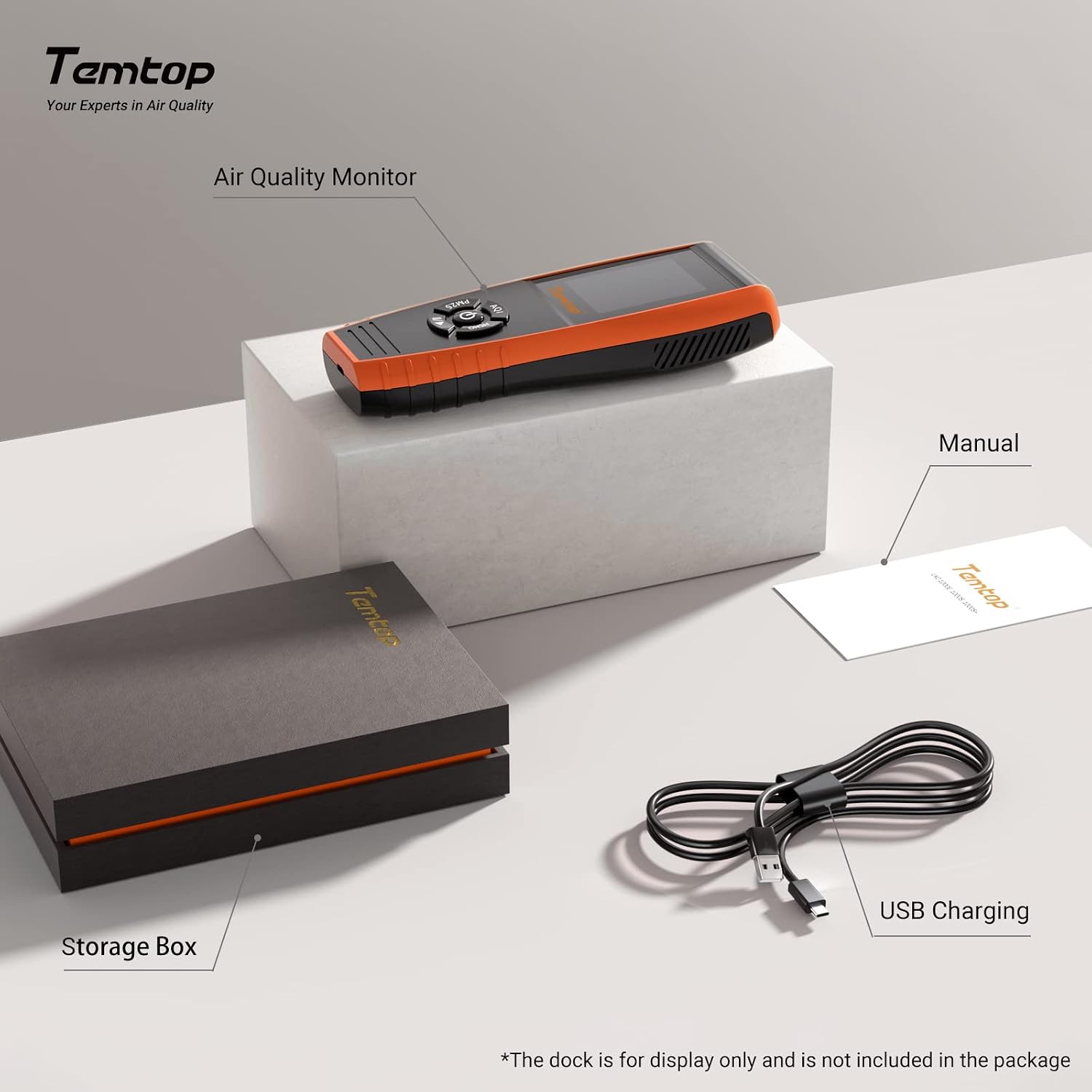
Image: The Temtop LKC-1000S+ air quality monitor, its storage box, the instruction manual, and the USB charging cable.
4. Appareil terminéview
Familiarize yourself with the components and controls of your LKC-1000S+ detector:

Image: Labeled diagram of the Temtop LKC-1000S+ device, indicating the Air Outlet, Air Inlet, LCD Screen, AQI/Temp & Humi button, PM2.5/PM10/Particles button, HCHO/TVOC button, and USB Port.
- Sortie d'air: Point de sortie de l'air traité de l'appareil.
- Entrée d'air: Where ambient air enters the device for samplingue.
- Écran LCD : Displays all measurement readings and device status.
- AQI / Temp & Humi Button: Press to cycle through Air Quality Index, Temperature, and Humidity displays. Double-click for histogram.
- PM2.5 / PM10 / Particles Button: Press to cycle through PM2.5, PM10, and Particle count displays. Double-click for histogram.
- HCHO / TVOC Button: Press to cycle through Formaldehyde and TVOC displays. Double-click for histogram.
- Port USB : Micro USB port for charging and data export.

Image : Une explosion view illustrating the internal components of the Temtop LKC-1000S+, detailing the Dart electrochemical HCHO sensor, Sensirion temperature and humidity sensor, and the 3rd Generation Temtop Laser PM2.5 Sensor.
5. Installation
- Charge initiale: Before first use, fully charge the device using the provided USB cable and a standard USB power adapter (not included). The battery indicator on the screen will show charging status.
- Mise sous tension : Press and hold the power button (usually located in the center of the control panel) for a few seconds until the screen illuminates.
- Étalonnage initial : For optimal accuracy, allow the device to run for at least 5-10 minutes in a well-ventilated area after powering on, especially for HCHO and TVOC readings. This allows the sensors to stabilize.
6. Fonctionnement
6.1 Prise de mesures
Once powered on, the device will automatically begin monitoring. The main screen displays real-time readings for various parameters.
- Use the dedicated buttons (AQI / Temp & Humi, PM2.5 / PM10 / Particles, HCHO / TVOC) to switch between different measurement displays.
- The screen will show the current concentration or value for the selected parameter.
6.2 Comprendre l'affichage
The large TFT screen provides clear information:
- Running Status: Indicates the device is actively monitoring.
- Indicateur de batterie : Affiche la durée de vie restante de la batterie.
- Unités de mesure : Clearly displayed (e.g., ug/m³ for PM2.5/PM10, mg/m³ for HCHO/TVOC).
- AQI Level: Provides an overall air quality assessment (e.g., Good, Moderate, Unhealthy).
6.3 Histogram Function
À view the historical data histogram for a specific parameter:
- Double-click the corresponding button (AQI / Temp & Humi, PM2.5 / PM10 / Particles, or HCHO / TVOC).
- The screen will display a graph showing the concentration changes over the past 12 hours.
7. Parameter Comparison
The LKC-1000S+ offers a comprehensive set of monitoring capabilities compared to other models:

Image: A comparison table detailing the monitoring parameters available across different Temtop air quality monitor models, including PM2.5, PM10, HCHO, Particle Count, AQI, TVOC, Temperature & Humidity, Histogram, and Data Export.
| Paramètre | LKC-1000S+ | LKC-1000S | LKC-1000E | P600 |
|---|---|---|---|---|
| PM2.5 | ✓ | ✓ | ✓ | ✓ |
| PM10 | ✓ | ✓ | ✓ | ✓ |
| HCHO | ✓ | ✓ | ||
| Nombre de particules | ✓ | ✓ | ✓ | |
| AQI | ✓ | ✓ | ✓ | |
| TVOC | ✓ | ✓ | ||
| Temp & Humi | ✓ | ✓ | ✓ | |
| Histogramme | ✓ | ✓ | ||
| Exportation de données | ✓ |
8. Air Quality Index Interpretation
The device provides an Air Quality Index (AQI) and specific parameter levels based on EPA & WHO Air Quality Standards. Refer to the tables below for interpretation:

Image: Detailed tables outlining the Air Quality Index (AQI) categories and corresponding concentration ranges for PM2.5, PM10, HCHO, and TVOC, based on EPA and WHO standards.
| PM2.5 (ug/m³) | PM10 (ug/m³) | IQA* | Indice |
|---|---|---|---|
| 0-12 | 0-54 | 0-50 | Bien |
| 12.1-35.4 | 55-154 | 51-100 | Modéré |
| 35.5-55.4 | 155-254 | 101-150 | Mauvais pour les groupes sensibles |
| 55.5-150.4 | 255-354 | 151-200 | Malsain |
| 150.5-250.4 | 355-424 | 201-300 | Très malsain |
| ≥250.5 | ≥425 | ≥301 | Dangereux |
| HCHO (mg/m³) | Niveau | COVT (mg/m³) | Niveau |
|---|---|---|---|
| 0-0.1 | Bien | 0-0.5 | Bien |
| >0.1 | Pauvre | >0.5 | Pauvre |
9. Data Storage & Export
The LKC-1000S+ is equipped with internal memory and a data export function:

Image: The Temtop LKC-1000S+ monitor next to a laptop screen showing exported data in a spreadsheet format, illustrating the device's data storage and export capabilities.
- Mémoire: The device's memory allows for at least 3 months of continuous data recording.
- Exportation de données : Connect the device to a computer using the provided USB cable to export recorded data. Specific software or drivers may be required, refer to the official Temtop website pour plus de détails.
10. Entretien
To ensure the longevity and accuracy of your air quality detector, follow these maintenance guidelines:
- Nettoyage: Utilisez un chiffon doux et sec pour nettoyer l'extérieur de l'appareil. N'utilisez pas de nettoyants abrasifs ni de solvants.
- Entretien du capteur : Avoid exposing the air inlets and outlets to dust, lint, or liquids, as this can affect sensor performance. Do not attempt to clean the internal sensors.
- Stockage: When not in use for extended periods, store the device in its original storage box in a cool, dry place away from direct sunlight and extreme temperatures.
- Chargement : Rechargez régulièrement la batterie, même si vous ne l'utilisez pas fréquemment, afin de préserver sa durée de vie.
11. Dépannage
If you encounter issues with your Temtop LKC-1000S+, consider the following:
- Lectures inexactes : Ensure the device has been allowed sufficient time to stabilize after power-on. Move the device to a different location to rule out localized anomalies. Avoid placing it near strong air currents, heat sources, or chemical fumes.
- L'appareil ne s'allume pas : Check if the battery is charged. Connect the device to a power source using the USB cable and try again.
- L'écran ne répond pas : Try restarting the device by holding the power button. If unresponsive, allow the battery to fully discharge and then recharge before attempting to power on again.
- Problèmes d'exportation de données : Ensure the USB cable is securely connected to both the device and the computer. Verify that any necessary drivers or software are installed on your computer.
For persistent issues, please contact Temtop customer support.
12. Spécifications
| Fonctionnalité | Détail |
|---|---|
| Batterie | 1 batterie lithium-ion |
| Langue | Anglais |
| Dimensions du produit | 17.7 x 3.2 x 6.5 cm |
| Poids de l'article | 0.47 kilogrammes |
| Fabricant | Temtop |
| Numéro de modèle | LKC-1000S+ |
| Pays d'origine | Chine |
| Source d'énergie | Alimenté par batterie |
| Couleur | Orange, Noir |
| Alarme | Visuel |
| Type de capteur | Électrochimique |
| Nombre d'unités | 1.0 Nombre |
| Nombre d'articles | 1 |
13. Garantie et assistance
Temtop provides the following support for your LKC-1000S+ Air Quality Detector:
- Garantie: A 12-month warranty is available from the date of purchase.
- Retours et échanges : Free returns and exchanges are available within 3 months of purchase.
For technical support, warranty claims, or further assistance, please refer to the contact information provided on the official Temtop website ou votre documentation d'achat.