
1. Introduction
Thank you for choosing the REMAX Lango Series 10000mAh Power Bank. This manual provides detailed instructions for the use and maintenance of your device. Please read this manual carefully before using the product to ensure safe and optimal operation.
Contenu du colis :
- 1 x REMAX Lango Series 10000mAh Power Bank
- 1 x câble de chargement USB
- 1 x Manuel d'utilisation
2. Configuration initiale
2.1 Chargement de la batterie externe
Before first use, please fully charge your Power Bank. This ensures optimal performance and extends battery life.
- Connect the provided USB charging cable to the input port (Micro USB or USB-C) on the Power Bank.
- Connectez l'autre extrémité du câble à un adaptateur secteur USB (non inclus) ou au port USB d'un ordinateur.
- The LED indicator or digital display will show the current charge level. The Power Bank is fully charged when the indicator shows 100% or all LEDs are solid.
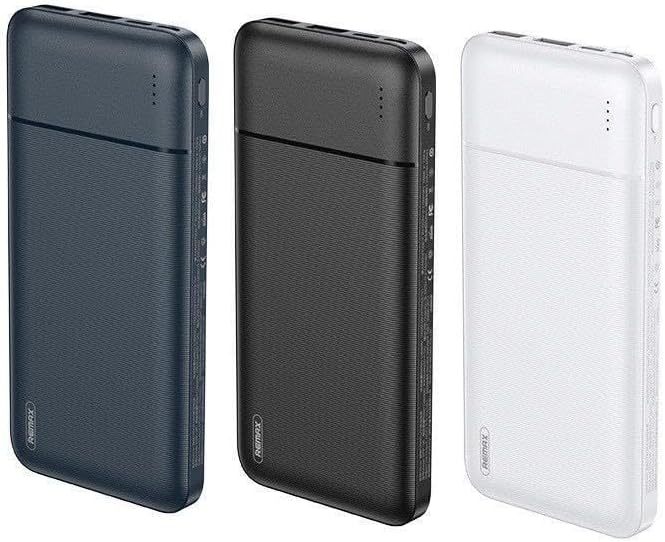
Image 1: View of REMAX Lango Series 10000mAh Power Banks in different colors (blue, black, white).
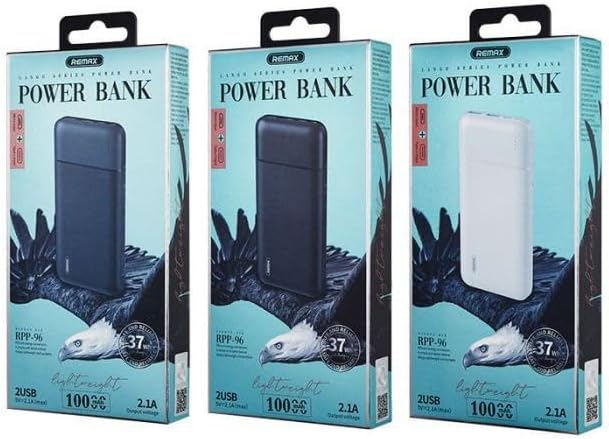
Image 2: Packaging of the REMAX Lango Series 10000mAh Power Bank, showing the various available colors.
3. Fonctionnement
3.1 Chargement des appareils externes
The REMAX Lango Series 10000mAh Power Bank is equipped with two USB-A output ports to charge your devices.
- Connect your device's charging cable (phone, tablet, etc.) to a USB-A output port on the Power Bank.
- Connectez l'autre extrémité du câble à votre appareil.
- The Power Bank will automatically detect the device and begin charging. The LED indicator or digital display will show the charging status.
3.2 Vérification du niveau de la batterie
Briefly press the power button to display the remaining battery level on the digital screen or via the LED indicators.
3.3 "Slim" Feature
This Power Bank is designed to be "Slim", offering enhanced portability and a compact design for easy carrying.
Video 1: Demonstration of a 10000mAh external battery, showcasing its compact design, integrated cables (USB-C and Lightning), and ability to charge multiple devices simultaneously. The video also illustrates intelligent bidirectional charging and recharging of the Power Bank itself.
4. Entretien et sécurité
- Avoid exposing the Power Bank to extreme temperatures (heat or cold), humidity, or liquids.
- Ne pas démonter, perforer ou modifier l'appareil.
- Utilisez uniquement des câbles et adaptateurs de charge compatibles.
- Keep the Power Bank out of reach of children.
- Nettoyez l'appareil avec un chiffon doux et sec. N'utilisez pas de produits chimiques agressifs.
- Unplug the Power Bank when not in use or when fully charged.
5. Dépannage
| Problème | Solution |
|---|---|
| Power Bank does not charge | Check that the charging cable is properly connected. Ensure the wall adapter is working. Try a different cable or adapter. |
| Connected device does not charge | Check the cable connection between the Power Bank and the device. Ensure the Power Bank is sufficiently charged. Try a different output port or cable. |
| Power Bank charges slowly | Ensure you are using a wall adapter with sufficient output. Computer USB ports may charge slower. |
| Power Bank turns off automatically | This may indicate a low battery. Recharge the Power Bank. Some devices may not draw enough power to keep the Power Bank active. |
6. Spécifications techniques
| Fonctionnalité | Détail |
|---|---|
| Marque | REMAX |
| Modèle | RPP-96-2USB |
| Capacité de la batterie | 10000mAh |
| Ports d'entrée | Micro USB, USB Type-C |
| Ports de sortie | 2 x USB Type-A |
| Caractéristiques spéciales | Conception mince |
| Couleur | Blue (available in other colors) |
7. Garantie et assistance
This product is covered by a standard manufacturer's warranty. For any questions regarding warranty, technical support, or spare parts, please contact the seller or REMAX customer service.
Seller Contact Information (INNOMICRO): INNOMICRO Seller Page
Veuillez conserver votre preuve d'achat pour toute réclamation au titre de la garantie.