
1. Introduction
This manual provides detailed instructions for the installation, operation, and maintenance of your I2GO Home 180° Full HD 1080p Slim Wi-Fi Smart Camera. Please read this manual thoroughly before using the product to ensure proper functionality and safety.

Image 1.1: I2GO Home Smart Camera and Packaging
The I2GO Home Smart Camera allows you to monitor your home with 1080p Full HD video, offering a 180° view, night vision, motion detection, and two-way audio communication. It connects directly to your 2.4GHz Wi-Fi network and is compatible with voice assistants like Amazon Alexa and Google Assistant.
2. Produit terminéview
2.1. Contenu du colis
- 1 x I2GO Home 180° Full HD 1080p Slim Wi-Fi Smart Camera
- 1 x Micro Charging Cable
- 1 x Chargeur mural
- 1 x Velcro for mounting
2.2. Principales caractéristiques
- Vidéo Full HD 1080p : Provides clear, high-definition video streaming.
- 180° View: Caméra réglable view to cover a wide area.
- Connectivité Wi-Fi : Connects directly to 2.4GHz Wi-Fi networks.
- 24-hour Monitoring: Real-time image, sound, and motion detection.
- Détection de mouvement : Recognizes human movement and sends smartphone notifications.
- Vision nocturne : High-power infrared light for visibility in low-light conditions up to 10 meters.
- Communication bidirectionnelle : Built-in speaker and microphone for interactive communication.
- Stockage local : Supports MicroSD card up to 128GB (not included).
- Stockage dans le cloud : Optional separate contracted service for cloud recording.
- Contrôle vocal : Compatible avec Google Assistant et Amazon Alexa.

Image 2.1: Night Vision and Full HD Resolution
3. Installation
3.1. Placement initial
Choose an indoor location for your camera. The camera is designed for indoor use only. Ensure the location has a stable 2.4GHz Wi-Fi signal.
3.2. Mise sous tension
- Connect the micro charging cable to the camera's power port.
- Branchez le chargeur mural sur une prise électrique standard.
- La caméra s'allumera et un voyant lumineux indiquera son état.
3.3. Installation de l'application et connexion Wi-Fi
To set up and control your camera, you will need to download the companion smart home application. While specific app names are not provided, common apps for such devices include 'Smart Life' or 'Tuya Smart'.
- Download the recommended smart home app from your smartphone's app store (e.g., Google Play Store or Apple App Store).
- Inscrivez-vous ou connectez-vous à votre compte dans l'application.
- Follow the in-app instructions to add a new device. Select 'Security Camera' or a similar category.
- Assurez-vous que votre smartphone est connecté à un Réseau Wi-Fi 2.4 GHz. The camera does not support 5GHz networks.
- The app will guide you through connecting the camera to your Wi-Fi network, often involving scanning a QR code displayed on your phone with the camera.

Image 3.1: I2GO Home Smart Camera Front View

Image 3.2: Detailed Front View de la caméra

Image 3.3: Easy Installation and Handling
4. Mode d'emploi
4.1. Vivre View et surveillance
Une fois connecté, ouvrez l'application pour view the live feed from your camera. You can access real-time video and audio from anywhere with an internet connection.
4.2. 180 ° View Ajustement
The camera allows for a 180° adjustable view. Within the app, you can digitally pan and tilt the camera's perspective to cover different angles of the room.

Image 4.1 : 180° View Ajustement
4.3. Détection de mouvement
The camera is equipped with motion detection capabilities. When human movement is detected, the camera can send notifications directly to your smartphone. You can adjust the sensitivity settings within the app.
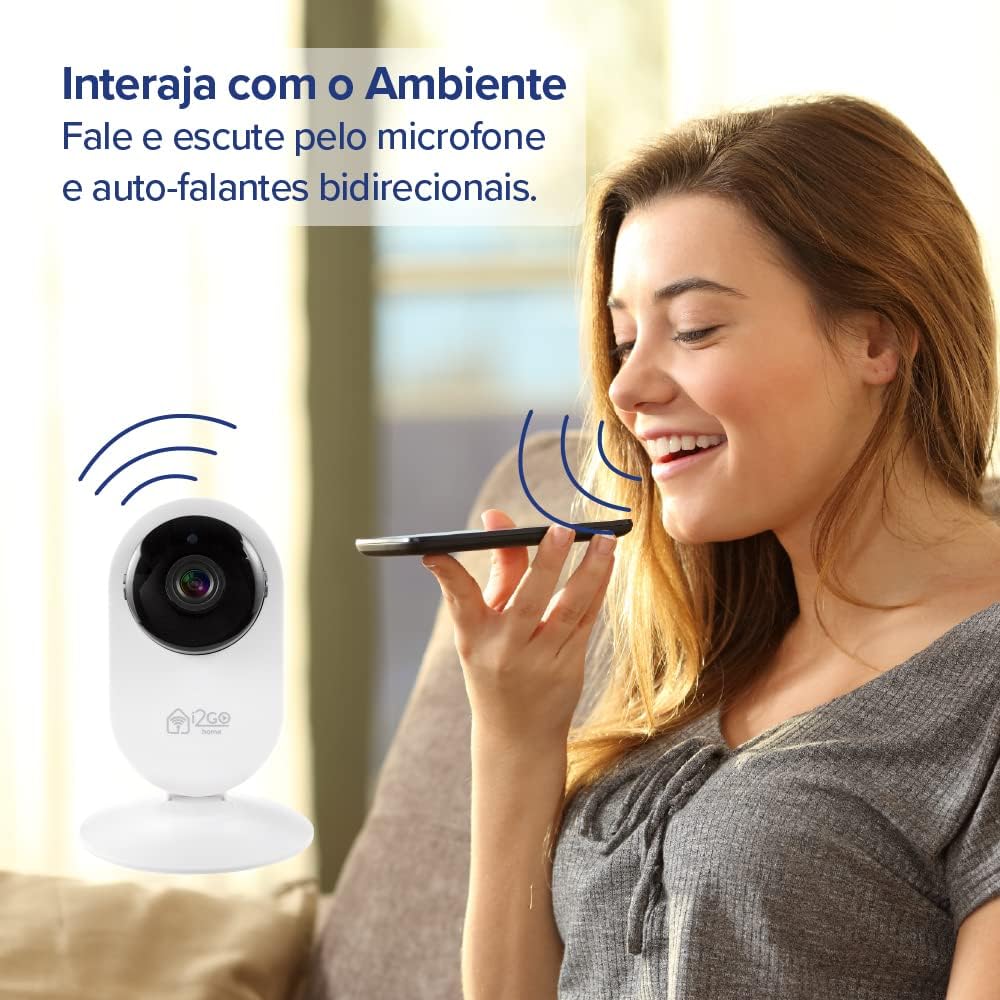
Image 4.2: Motion Detection Feature
4.4. Vision nocturne
The integrated high-power infrared light enables clear visibility even in complete darkness, with a night vision range of up to 10 meters.
4.5. Communication audio bidirectionnelle
Utilize the built-in speaker and microphone for two-way communication. You can speak through the camera and hear audio from the camera's location via the app.

Image 4.3: Two-Way Audio Interaction
4.6. Commande vocale
The camera is compatible with Amazon Alexa and Google Assistant. You can control and program the camera using voice commands through compatible devices like Echo Show or Google Nest Hub Smart Display. For setup assistance with these devices, please contact sac@i2go.com.br.

Image 4.4: Alexa and Google Assistant Compatibility
5. Enregistrement et stockage
5.1. Stockage sur carte microSD
The camera supports local recording to a MicroSD card (not included) up to 128GB. Insert the MicroSD card into the designated slot on the camera. Recordings can be accessed and managed through the companion app.
5.2. Stockage dans le cloud
For additional storage and backup, cloud storage is available as a separate contracted service. Refer to the app or i2GO's official website for details on subscription plans.
Image 5.1: Cloud Storage Option
6. Entretien
6.1. Nettoyage
To clean the camera, gently wipe the exterior with a soft, dry cloth. Do not use liquid cleaners or abrasive materials, as they may damage the device. Ensure the camera is powered off before cleaning.
6.2. Conditions environnementales
This camera is designed for indoor use only. Avoid exposing it to extreme temperatures, direct sunlight, moisture, or dust. Operating the camera outside its intended environment may void the warranty and cause damage.
7. Dépannage
7.1. Problèmes courants
- La caméra ne se connecte pas au Wi-Fi : Assurez-vous que votre réseau Wi-Fi fonctionne en 2.4 GHz. Vérifiez la puissance du signal Wi-Fi à l'emplacement de la caméra. Redémarrez votre routeur et la caméra.
- Pas de flux en direct : Verify internet connection on both your phone and the camera. Ensure the camera is powered on. Close and reopen the app.
- La détection de mouvement ne fonctionne pas : Check the motion detection settings in the app. Adjust sensitivity levels. Ensure there are no obstructions in the camera's field of view.
- Délai vidéo : This can be influenced by Wi-Fi signal strength and internet speed. Ensure a strong, stable Wi-Fi connection.
- Mauvaise vision nocturne : Ensure the camera lens is clean. Check for any reflective surfaces close to the camera that might interfere with infrared light.
7.2. Réinitialisation de la caméra
If issues persist, you may need to reset the camera to its factory settings. Refer to the camera's physical buttons or the app's settings for the reset option. A reset will require you to re-pair the camera with your Wi-Fi network.
8. Spécifications techniques
| Spécification | Détail |
|---|---|
| Numéro de modèle | I2GOTH738 |
| Résolution vidéo | 1080p Full HD |
| Domaine de View | Réglable à 180° |
| Connectivité | Wi-Fi (IEEE 802.11 b/g/n 2.4 GHz) |
| Gamme de vision nocturne | Jusqu'à 10 mètres (infrarouge) |
| Options de stockage | Carte microSD (jusqu'à 128 Go), stockage cloud (abonnement) |
| Audio bidirectionnel | Oui (Microphone et haut-parleur intégrés) |
| Compatibilité de l'assistant vocal | Amazon Alexa, Google Assistant |
| Source d'énergie | Électrique filaire (5 Volts) |
| Matériel | Acrylonitrile butadiène styrène (ABS) |
| Dimensions (L x l x H) | 12 x 8 x 8 cm |
| Poids | 170 g |
| Utilisation intérieure/extérieure | Intérieur |
9. Garantie et assistance
9.1. Informations sur la garantie
Please refer to the product packaging or the official i2GO webConsultez le site pour connaître les conditions générales de garantie applicables à votre région. Conservez votre preuve d'achat pour toute réclamation au titre de la garantie.
9.2. Assistance clientèle
For technical assistance, troubleshooting, or inquiries regarding your I2GO Home Smart Camera, please contact i2GO customer support. For specific setup with Alexa Echo Show, Google Nest Hub Smart Display, and Google Chromecast, you may contact sac@i2go.com.br.