
Introduction
The SOWO CONF360 is a versatile Bluetooth speakerphone designed for clear and efficient conference calls. It features 4 AI microphones for 360-degree voice pickup and 4 speakers for 360-degree sound output, ensuring an optimal audio experience for up to 10 people. This manual provides instructions for setting up, operating, and maintaining your device.
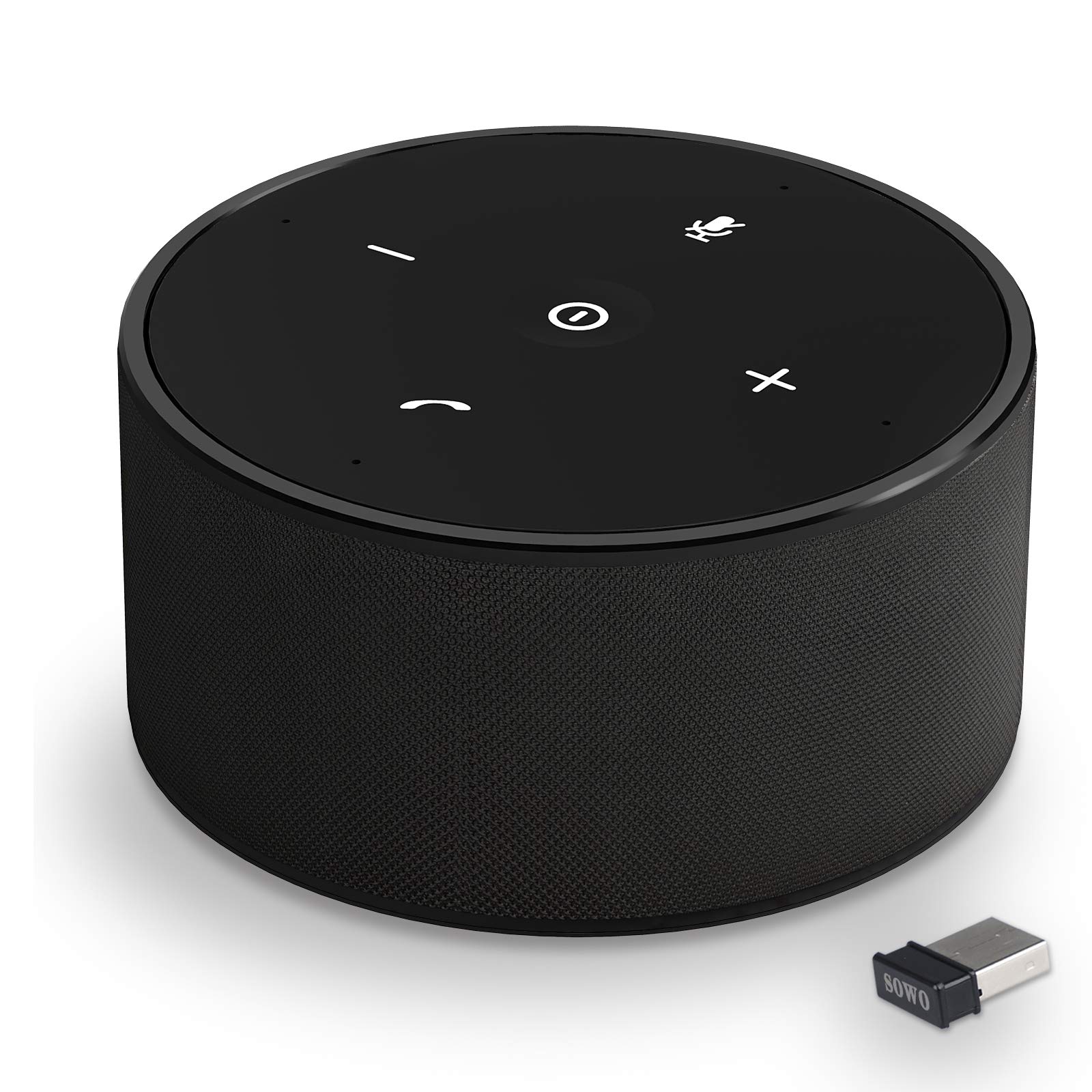
Figure 1 : The SOWO CONF360 Bluetooth Speakerphone, a compact and portable device for conference calls.
Contenu du colis
Veuillez cocher la case correspondant aux éléments suivants :
- Bluetooth conference speaker (1)
- Manuel d'instructions (1)
- Câble USB (1)
- 3.5mm audio cable (1)
- Bluetooth adapter (1)
Produit terminéview
The SOWO CONF360 features an intuitive control layout for easy operation.

Figure 2 : Haut view of the SOWO CONF360 speakerphone, illustrating its omnidirectional voice pickup and sound output with four integrated microphones and speakers.
Commandes et indicateurs
- Bouton d'alimentation : Located in the center, used to turn the device on/off.
- Baisser le volume (-): Diminue le volume audio.
- Augmenter le volume (+): Augmente le volume audio.
- Bouton de sourdine: Active ou désactive le microphone.
- Phone Symbol Button: Manages call functions (answer, end call).
- Indicateurs LED : Provide status feedback for power, Bluetooth connection, and call status.
Installation
1. Chargement de l'appareil
Before first use, fully charge the speakerphone. Connect the provided USB cable to the charging port on the device and to a DC 5V/1A power source (e.g., computer USB port or wall adapter). A full charge typically takes 2 to 3 hours.
2. Marche/Arrêt
- Pour allumer : Press and hold the Power Button until the LED indicators light up.
- Pour éteindre : Press and hold the Power Button until the LED indicators turn off.
3. Connexion aux appareils
The SOWO CONF360 supports multiple connection methods:

Figure 3 : Various connection options for the SOWO CONF360, including USB dongle, Bluetooth, USB cable, and AUX cable.
Connexion Bluetooth
- Ensure the speakerphone is powered on.
- Activez le Bluetooth sur votre appareil (smartphone, tablette, ordinateur portable).
- Rechercher "SOWO CONF360" in your device's Bluetooth settings.
- Select "SOWO CONF360" to pair. The LED indicator will confirm a successful connection.
USB Dongle Connection (for devices without Bluetooth)
- Plug the provided USB Bluetooth adapter into an available USB port on your computer.
- The speakerphone will automatically connect to the dongle. No driver installation is typically required.
Connexion du câble USB
- Connect the speakerphone to your computer using the provided USB cable.
- The device will be recognized as an audio input/output device. Select it in your computer's sound settings.
3.5mm AUX Audio Cable Connection
- Connect one end of the 3.5mm audio cable to the AUX port on the speakerphone.
- Connectez l'autre extrémité à la prise de sortie audio de votre appareil.
- Note: Microphone functionality may be limited or unavailable when using AUX connection, depending on the connected device.
Mode d'emploi
Passer et recevoir des appels
- Pour répondre à un appel : Press the Phone Symbol Button.
- Pour terminer un appel : Press the Phone Symbol Button again.
- Faire un appel: Initiate the call from your connected device. The audio will automatically route through the speakerphone.
Contrôle du volume
- Augmenter le volume : Appuyez sur le bouton Volume +.
- Diminuer le volume : Appuyez sur le bouton de réduction du volume (-).
Fonction de coupure du microphone
- Pour mettre en sourdine : Press the Mute Button. The LED indicator for mute will illuminate.
- Pour réactiver le son : Press the Mute Button again. The mute LED indicator will turn off.
Fonctionnalités audio avancées

Figure 4 : The SOWO CONF360 employs advanced technology for background noise reduction, ensuring ultra-clear voice transmission during calls.
The SOWO CONF360 incorporates smart voice enhancement and noise filtration technology. A custom DSP algorithm optimizes your voice in real-time and reduces background noise, ensuring clear communication. The device is designed to prevent echo and delay, even at maximum volume.
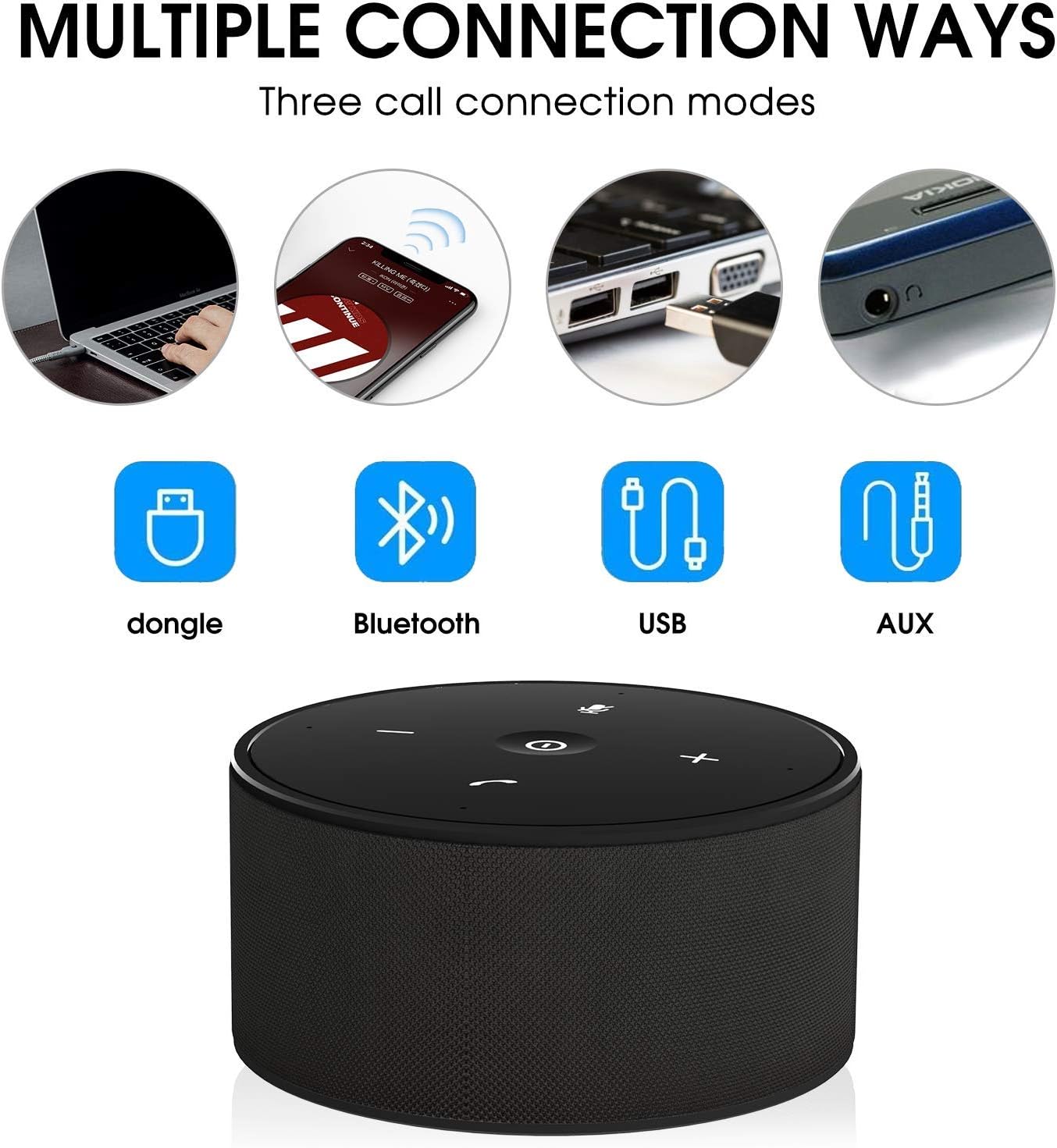
Figure 5 : The SOWO CONF360 features advanced echo cancellation, providing clear audio even at high volumes, unlike other devices that may produce echo.

Figure 6 : Intelligent pickup enhancement using AI DSP technology balances voice within a 5-meter radius, ensuring consistent audio quality for all participants.
Entretien
- Nettoyage: Utilisez un chiffon doux et sec pour nettoyer l'appareil. N'utilisez pas de nettoyants abrasifs ni de solvants.
- Stockage: When not in use, store the speakerphone in a cool, dry place, preferably in its protective carrying case.
- Entretien de la batterie: Pour prolonger la durée de vie de la batterie, évitez de la décharger complètement et fréquemment. Rechargez l'appareil régulièrement, même s'il n'est pas utilisé.
Dépannage
| Problème | Cause possible | Solution |
|---|---|---|
| L'appareil ne s'allume pas. | Batterie faible. | Chargez l'appareil pendant 2-3 heures. |
| Impossible de se connecter via Bluetooth. | Bluetooth not enabled on device; speakerphone not in pairing mode; too far from device. | Ensure Bluetooth is on. Restart speakerphone and try pairing again. Move closer to the device. |
| Aucun son ou mauvaise qualité sonore. | Volume too low; incorrect audio output selected; loose cable connection. | Increase volume on both speakerphone and connected device. Check audio settings on your computer/phone. Ensure cables are securely connected. |
| Le microphone ne fonctionne pas. | Microphone coupé ; entrée audio incorrecte sélectionnée. | Press the Mute Button to unmute. Check audio input settings on your computer/phone. |
| Echo or feedback during calls. | High volume in a small room; speakerphone too close to a wall. | Reduce volume. Adjust speakerphone placement. |
Caractéristiques
| Fonctionnalité | Détail |
|---|---|
| Modèle | CONF360 |
| Spécification Bluetooth | V5.0 |
| Puissance de sortie | 10W + DSP |
| Microphones | 4 high sensitivity microphones |
| Plage de prise de voix | Up to 5 meters (16 feet) 360-degree |
| Dimensions (L x l x H) | 122 mm x 122 mm x 66 mm (environ 11.99 x 11.99 x 5.99 cm) |
| Poids | 435g (approx. 535.24 g with packaging) |
| Max Bluetooth Communication Distance | 30M (actual use may vary) |
| Entrée de charge | DC 5V / 1A |
| Temps de charge | 2 ~ 3 heures |
| Autonomie de la batterie (temps de conversation) | Up to 12 hours (actual use may vary) |
| Type de batterie | Lithium-ion |
| Connectivité | Bluetooth, USB, entrée auxiliaire 3.5 mm |
| Compatibilité | Windows 7/8/10, Mac OS, Android, iOS. Optimized for Zoom, Skype, WebEx, Google Hangout, FaceTime. |
Garantie et assistance
The SOWO CONF360 Bluetooth Speakerphone comes with an 18-month quality assurance period. For any issues or support inquiries, please contact the SOWO after-sales team. Contact information can typically be found on the product packaging or the official SOWO website.