
1. Introduction
The Carrera RC Mario Kart Yoshi Quad (Model 370200997X) is a remote-controlled vehicle designed for users aged 6 and up. This manual provides essential information for the safe and optimal use of your RC Yoshi Quad, ensuring an enjoyable experience. Please read all instructions carefully before operating the product.
2. Contenu de la boîte
Déballez soigneusement tous les composants et assurez-vous que les éléments suivants sont inclus :
- Carrera RC Yoshi Quad Vehicle
- Télécommande
- 3.2V 700 mAh LiFePo4 Battery (for vehicle)
- Câble de chargement USB
- Manuel d'instructions

Image: The Carrera RC Mario Kart Yoshi Quad shown in its original retail packaging, indicating included components.
3. Installation
3.1. Chargement de la batterie du véhicule
Before first use, fully charge the vehicle's 3.2V 700 mAh LiFePo4 battery. The charging process typically takes approximately 50 minutes.
- Branchez le câble de chargement USB au port de chargement du véhicule.
- Branchez l'autre extrémité du câble USB à une source d'alimentation USB compatible (par exemple, un ordinateur, un adaptateur secteur USB, une batterie externe).
- The charging indicator light on the vehicle or cable will show the charging status (refer to specific indicator behavior in the quick start guide if available).
- Once charging is complete, disconnect the cable.

Image: The Yoshi Quad vehicle, ready for battery charging via its USB cable.
3.2. Installation de la batterie de la télécommande
The remote control requires batteries for operation. Please ensure you use the correct type and polarity.
- Localisez le compartiment à piles à l'arrière de la télécommande.
- Ouvrez le couvercle du compartiment à piles.
- Insert the required batteries (e.g., AA or AAA, typically 2x) according to the polarity markings (+/-).
- Fermez soigneusement le couvercle du compartiment à piles.
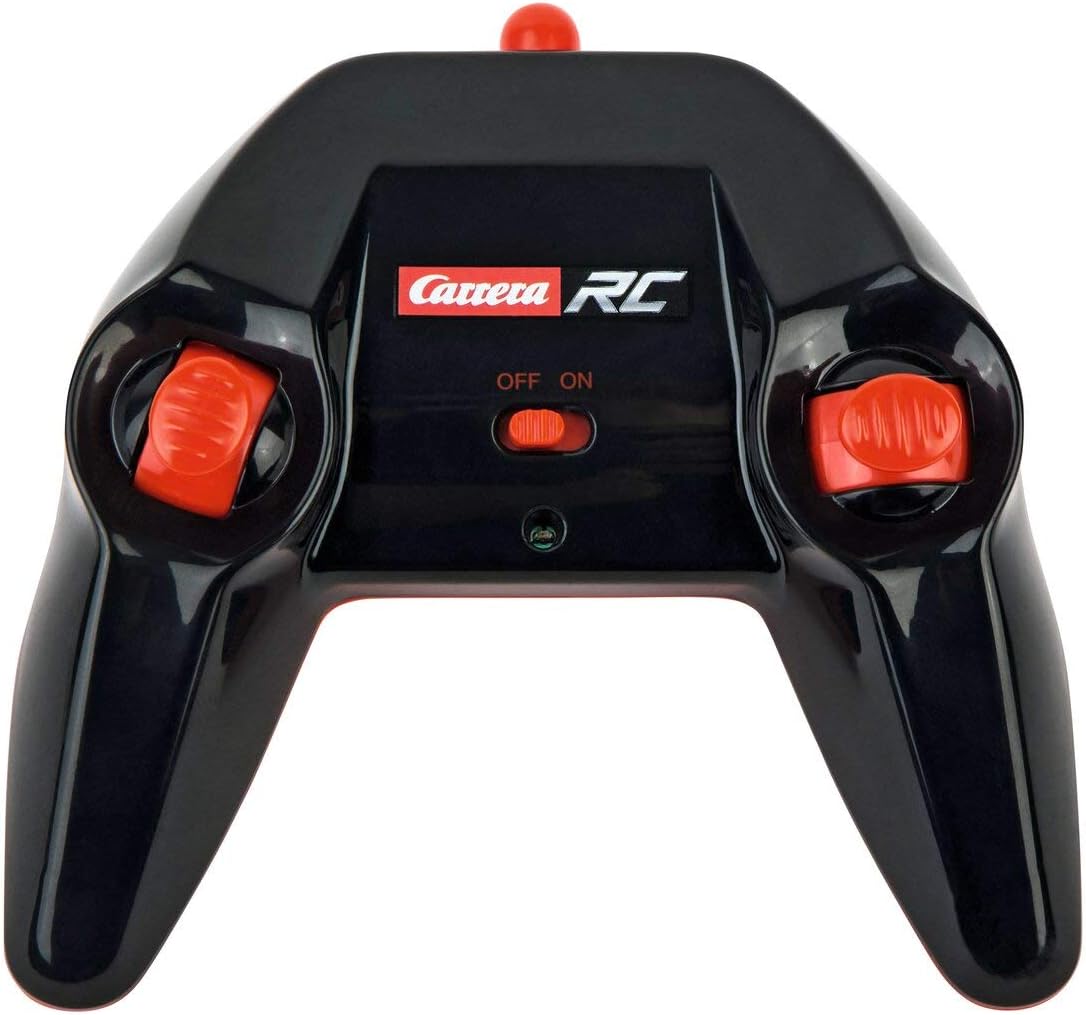
Image: The Carrera RC remote control, showing its design and controls.
3.3. Appairage du véhicule et de la télécommande
To establish a connection between the vehicle and the remote control, follow these steps:
- Ensure both the vehicle and the remote control have fresh or fully charged batteries.
- Mettez le véhicule en marche à l'aide de son interrupteur marche/arrêt.
- Allumez la télécommande à l'aide de son interrupteur marche/arrêt.
- The vehicle and remote control should automatically pair. A successful connection is usually indicated by a solid light on both devices (refer to your quick start guide for specific light indicators).
Video: This video demonstrates the unboxing, battery installation, and initial pairing process for the Carrera RC Mario Kart Yoshi Quad.
4. Mode d'emploi
Once paired, you can begin operating your Carrera RC Yoshi Quad.
- En avant en arrière: Use the throttle trigger or joystick on the remote control to move the vehicle forward or backward.
- Pilotage: Use the steering wheel or directional controls on the remote control to turn the vehicle left or right.
- Vitesse: The Yoshi Quad can reach speeds of up to 9 km/h. Adjust your control input for desired speed.
- Gamme: Operate the vehicle within the specified range of the remote control to maintain connection and avoid loss of control.
Précautions de sécurité :
- Always operate in open areas, away from people, pets, and obstacles.
- Ne pas utiliser à proximité de l'eau ou dans des conditions humides.
- Avoid operating on public roads or near traffic.
- Supervise younger children during operation.
5. Entretien
5.1. Nettoyage
To maintain the appearance and functionality of your RC Yoshi Quad:
- Wipe the vehicle and remote control with a soft, dry cloth after each use.
- Do not use harsh chemicals or solvents, as these can damage the plastic.
- Avoid getting water into electronic components.
5.2. Entretien et stockage des batteries
- Always remove batteries from the remote control if not in use for extended periods.
- Store the vehicle's LiFePo4 battery in a cool, dry place, away from direct sunlight and extreme temperatures.
- Ne pas surcharger ni décharger complètement la batterie.
6. Dépannage
If you encounter issues with your RC Yoshi Quad, refer to the following common problems and solutions:
| Problème | Cause possible | Solution |
|---|---|---|
| Le véhicule ne bouge pas. | Low or uncharged vehicle battery. Les piles de la télécommande sont déchargées ou mal installées. Véhicule et télécommande non appariés. | Charger la batterie du véhicule. Replace/install remote control batteries correctly. Re-pair vehicle and remote control. |
| Poor control range or intermittent connection. | Interférences provenant d'autres appareils radiocommandés ou électroniques. Fonctionnement au-delà de la portée efficace. Piles faibles. | Déménager. Operate closer to the vehicle. Charger/remplacer les batteries. |
| Le véhicule se déplace lentement ou de manière erratique. | Batterie du véhicule faible. Obstruction au niveau des roues/essieux. | Charger la batterie du véhicule. Vérifiez et dégagez toute obstruction. |
7. Spécifications
| Marque | Carrera |
| Nom du modèle | 370200997X |
| Personnage | Yoshi |
| Type de véhicule | Quad |
| Matériel | Plastique |
| Couleur | Multicolor (predominantly Green) |
| Tranche d'âge (description) | 6+ années |
| Vitesse maximale | 9 kilomètres par heure |
| Source d'énergie | Alimenté par batterie |
| Type de batterie de véhicule | 1 Lithium-ion (3.2V 700 mAh LiFePo4) - included |
| Temps de charge | Environ 50 minutes |
| Durée de fonctionnement | Jusqu'à 30 minutes |
| Type de télécommande | Radiocommande (2.4 GHz) |
| Dimensions (Article) | 36.5 x 20.5 x 23 centimètres |
| Poids (article) | 1.06 kilogrammes |
| Dossier spécial | Lumière clignotante |
| Pays d'origine | Chine |
8. Garantie et assistance
8.1. Garantie du fabricant
This Carrera RC product is covered by a Garantie constructeur d'un anVeuillez conserver votre preuve d'achat pour toute réclamation au titre de la garantie. La garantie couvre les défauts de matériaux et de fabrication dans des conditions normales d'utilisation.
8.2. Assistance clientèle
For technical assistance, spare parts, or warranty inquiries, please contact Carrera customer support. Refer to the contact information provided on the product packaging or the official Carrera website.