
1. Introduction
This manual provides detailed instructions for the installation, operation, and maintenance of your energeeks Defender EG-CIPEXT001 Outdoor Motorized WiFi IP Camera. Please read this manual thoroughly before using the product to ensure proper functionality and safety. Keep this manual for future reference.
2. Produit terminéview
2.1 Principales caractéristiques
- Résolution Full HD 1080p : Fournit une surveillance vidéo claire et détaillée.
- Motorized Pan/Tilt: Permet le réglage à distance de la caméra viewangle de vue.
- Durabilité en extérieur : Conçu pour une utilisation en extérieur.
- Détection de mouvement : Vous alerte en cas de mouvement détecté.
- Vision nocturne : Infrared LEDs enable monitoring in low-light conditions.
- Audio bidirectionnel: Microphone et haut-parleur intégrés pour la communication.
- Suivi automatique : Automatically follows detected moving objects.
- Connectivité Wi-Fi : Connects to your home network wirelessly (2.4 GHz).
- Compatibilité avec la maison intelligente : Works with Google Home and Amazon Alexa.
2.2 Contenu du paquet
Le colis doit contenir les éléments suivants :
- energeeks Defender EG-CIPEXT001 IP Camera
- Adaptateur secteur
- Vis de fixation et chevilles
- Manuel de l'utilisateur (ce document)
2.3 Composants de la caméra

Image 2.3.1: Devant view of the energeeks Defender EG-CIPEXT001 IP Camera. This image shows the main camera body, lens, and antenna.
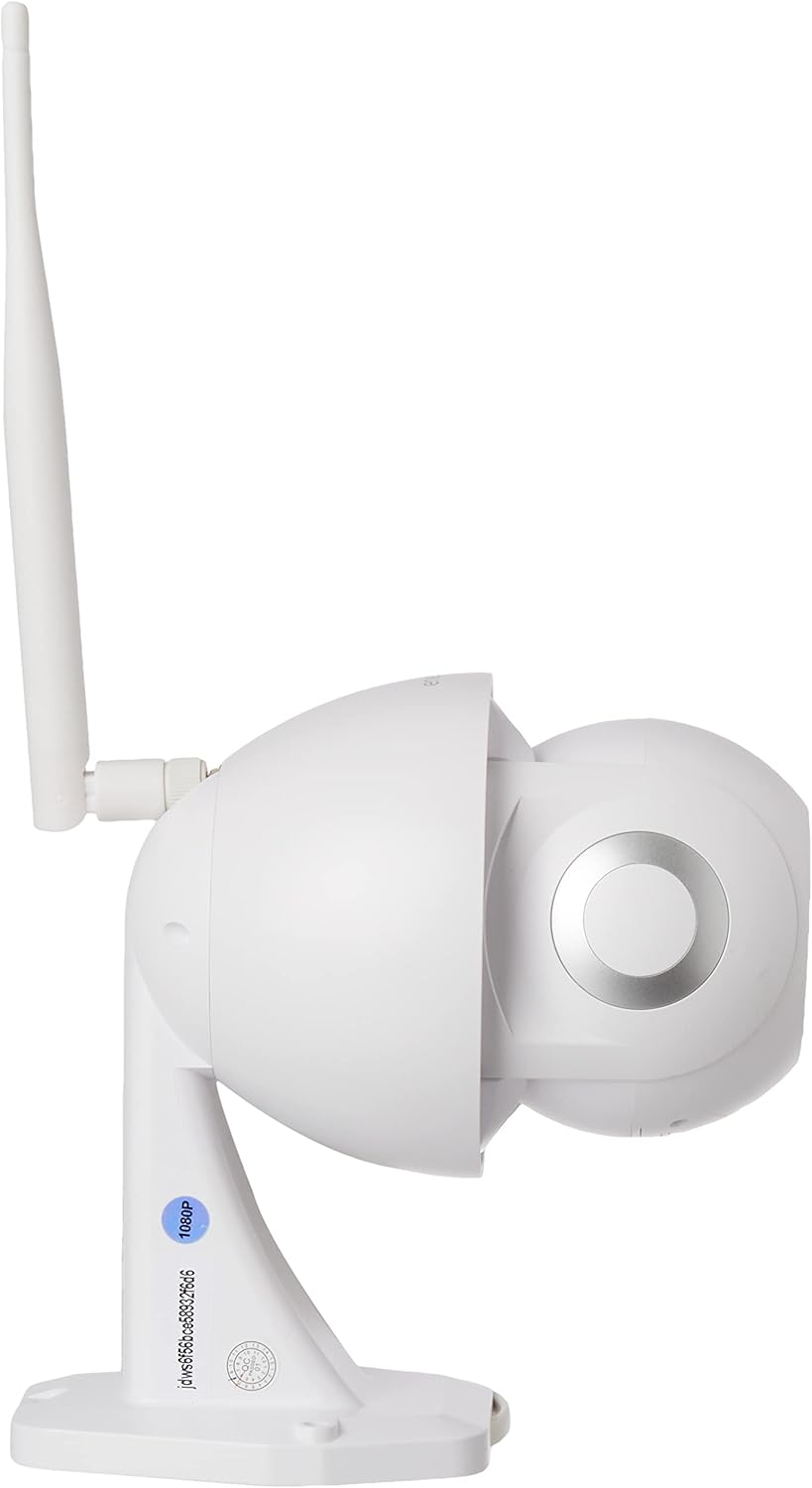
Image 2.3.2: Côté view of the energeeks Defender EG-CIPEXT001 IP Camera, highlighting the adjustable antenna and mounting base.
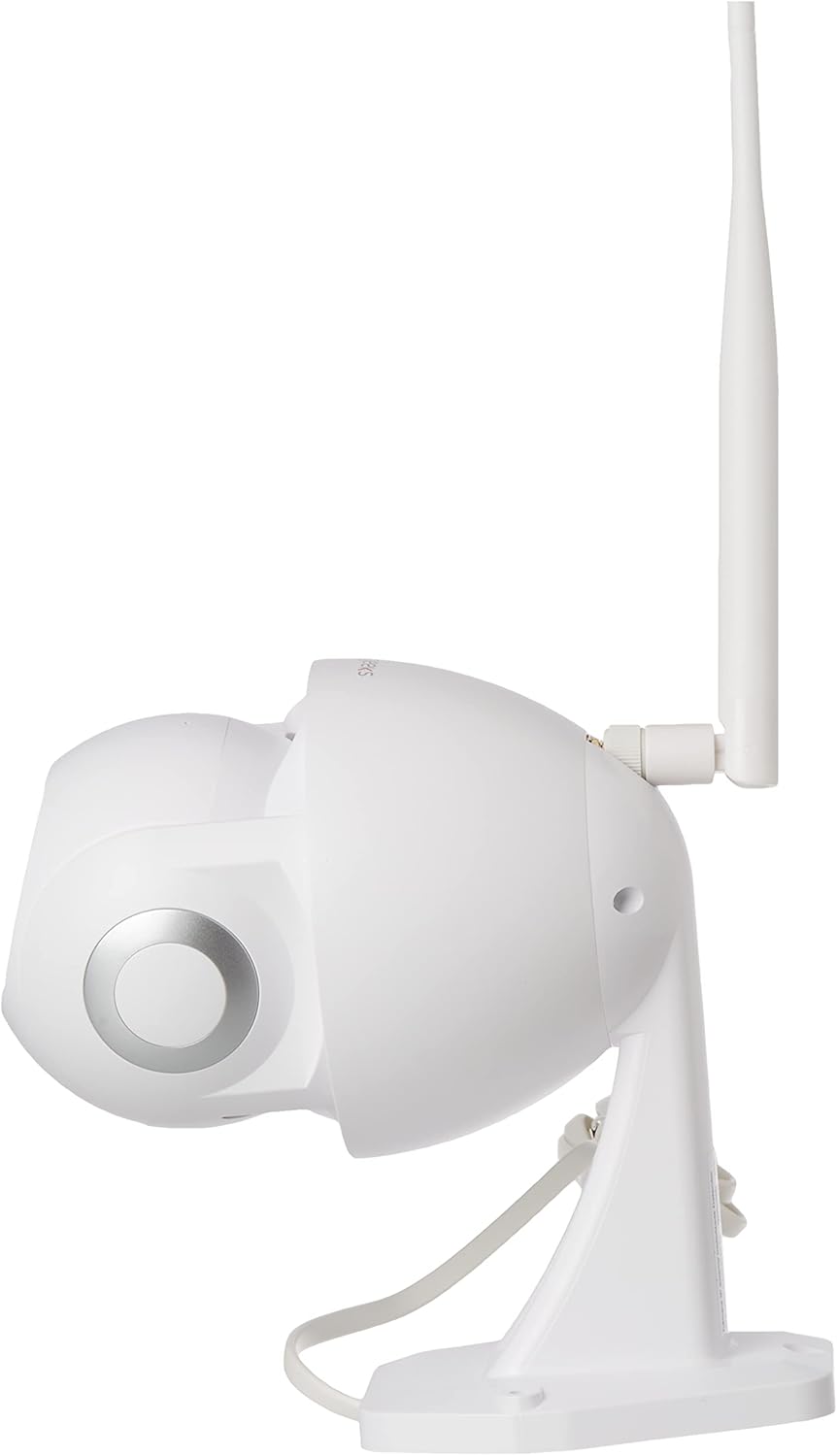
Image 2.3.3: Côté opposé view of the energeeks Defender EG-CIPEXT001 IP Camera, showing the other side of the camera body.

Image 2.3.4: Bottom-front view of the energeeks Defender EG-CIPEXT001 IP Camera, showing the camera lens and infrared sensors.
3. Installation
3.1 Installation physique
- Choisissez un emplacement : Choisissez un emplacement extérieur qui offre les conditions souhaitées viewing angle and is within range of your WiFi network. Ensure the camera is protected from direct heavy rain if possible, though it is designed for outdoor use.
- Montage:
- Use the included mounting template (if provided) to mark drill holes on the wall or ceiling.
- Drill pilot holes and insert the wall plugs.
- Fixez la base de montage de la caméra à l'aide des vis fournies.
- Connexion électrique : Connect the power adapter to the camera and plug it into a suitable outdoor power outlet. Ensure the power connection is protected from moisture.
3.2 Installation et appairage de l'application
- Téléchargez l'application : Rechercher the "energeeks" app in your smartphone's app store (Google Play Store for Android or Apple App Store for iOS).
- S'inscrire/Se connecter : Ouvrez l'application et suivez les instructions à l'écran pour créer un compte ou vous connecter si vous en avez déjà un.
- Ajouter un appareil :
- Appuyez sur l'icône « + » ou sur l'option « Ajouter un appareil » dans l'application.
- Select "Security Camera" or the specific model (EG-CIPEXT001) if listed.
- Follow the in-app prompts to power on the camera and reset it if necessary (usually by pressing a reset button until an indicator light flashes).
- Connexion réseau:
- Sélectionnez votre réseau WiFi 2.4 GHz et saisissez le mot de passe. Note: This camera supports 2.4 GHz WiFi only.
- L'application générera un code QR. Placez l'écran de votre téléphone devant l'objectif de la caméra (à environ 15-20 cm de distance) jusqu'à entendre un son de confirmation.
- Une fois connectée, la caméra apparaîtra dans la liste des appareils de votre application.
4. Mode d'emploi
4.1 En direct View
Open the energeeks app and select your camera from the device list to access the live video feed. You can view foo en temps réeltage de votre appareil photo.
4.2 Commande panoramique et d'inclinaison
En direct view screen, use the directional controls (usually an on-screen joystick or arrows) to remotely adjust the camera's horizontal (pan) and vertical (tilt) viewangles d'inclinaison.
4.3 Motion Detection and Autotracking
 To enable motion detection, navigate to the camera settings in the app. Activate the motion detection feature and adjust sensitivity levels as needed. When motion is detected, the camera can send push notifications to your phone and begin recording. If autotracking is enabled, the camera will automatically follow the detected moving object within its range.
4.4 Audio bidirectionnel
 En direct view screen, tap the microphone icon to speak through the camera's speaker. Tap the speaker icon to listen to audio from the camera's microphone. This allows for real-time communication with visitors or deterrence of intruders.
4.5 Vision nocturne
 The camera automatically switches to infrared night vision mode in low-light conditions, providing clear black and white video footage. This feature ensures continuous surveillance 24/7.
4.6 Options de stockage
The camera supports local storage via a microSD card (not included) and may offer cloud storage options through the energeeks app (subscription may be required). Insert a microSD card into the designated slot (refer to camera diagram for location) for continuous or event-based recording.
4.7 Intégration à la maison intelligente
The energeeks Defender camera is compatible with Google Home and Amazon Alexa. Follow the instructions within the energeeks app or your smart home assistant app to link your camera and enable voice control or integration into smart home routines.
5. Entretien
5.1 Nettoyage
Nettoyez régulièrement l'objectif et le boîtier de l'appareil photo avec un chiffon doux et sec.amp cloth to remove dust and dirt. Do not use harsh chemicals or abrasive cleaners, as these can damage the camera's finish or lens coating.
5.2 mises à jour du micrologiciel
Check the energeeks app periodically for available firmware updates. Keeping your camera's firmware up-to-date ensures optimal performance, security, and access to new features. Follow the in-app instructions for firmware updates.
6. Dépannage
| Problème | Cause possible | Solution |
|---|---|---|
| La caméra ne s'allume pas | Pas d'alimentation ; adaptateur défectueux | Check power connection and outlet. Ensure the power adapter is working correctly. |
| Impossible de se connecter au WiFi | Incorrect WiFi password; 5GHz WiFi network; camera too far from router | Verify WiFi password. Ensure you are connecting to a 2.4 GHz network. Move the camera closer to the router or use a WiFi extender. Reset the camera and try pairing again. |
| Mauvaise qualité vidéo | Weak WiFi signal; dirty lens | Améliorer la puissance du signal Wi-Fi. Nettoyer l'objectif de la caméra. |
| La détection de mouvement ne fonctionne pas | Feature disabled; incorrect sensitivity settings | Enable motion detection in the app settings. Adjust sensitivity levels. Ensure the camera's view n'est pas obstrué. |
| L'audio bidirectionnel ne fonctionne pas | Microphone/speaker muted; app permissions | Check if microphone/speaker is muted in the app. Ensure the app has microphone permissions on your smartphone. |
7. Spécifications
| Fonctionnalité | Détail |
|---|---|
| Numéro de modèle | EG-CIPEXT001 |
| Résolution vidéo | 1080p Full HD |
| Connectivité | Wireless (2.4 GHz WiFi), Wired (Ethernet, if available) |
| Caractéristiques spéciales | Motion Sensor, Night Vision, Two-Way Audio, Autotracking, Motorized Pan/Tilt |
| Environnement d'utilisation | De plein air |
| Appareils compatibles | Smartphone (via energeeks app) |
| Intégration à la maison intelligente | Google Home, Amazon Alexa |
| Source d'énergie | External Power Adapter (Wired) |
| Quoitage | 6 watts |
| Dimensions (L x l x H) | 17.5 x 9.5 x 17.5 cm |
| Poids | 770 g |
| Composants inclus | Camera, Power Adapter |
8. Garantie et assistance
For warranty information, technical support, or service inquiries, please refer to the official energeeks webConsultez le site web ou contactez directement le service client. Vous trouverez généralement ces informations sur l'emballage du produit ou sur le site du fabricant. website.
Fabricant: ENERGEEKS